



Close Menu
Best in TechnologyBest in Technology
  • News
  • Phones
  • Laptops
  • Gadgets
  • Gaming
  • AI
  • Tips
  • More
    • Web Stories
    • Global
    • Press Release

Subscribe to Updates

Get the latest tech news and updates directly to your inbox.

What's On
I’d trade the Pixel 11 Pro’s temperature sensor for HiLight every single time

I’d trade the Pixel 11 Pro’s temperature sensor for HiLight every single time

16 August 2026
Are classroom screens making children less cognitively capable? Experts are divided

Are classroom screens making children less cognitively capable? Experts are divided

16 August 2026
Your holiday photos could help scammers figure out exactly where you are

Your holiday photos could help scammers figure out exactly where you are

16 August 2026
Facebook X (Twitter) Instagram
Just In
  • I’d trade the Pixel 11 Pro’s temperature sensor for HiLight every single time
  • Are classroom screens making children less cognitively capable? Experts are divided
  • Your holiday photos could help scammers figure out exactly where you are
  • I tried this Mac music app, and now I wish macOS had it built-in
  • I Tested the Best Cat Water Fountains—These Are Worth Buying
  • Meta and Google just got beaten by an AI giant you might not expect
  • It’s Never Too Early to Start Planning for the Next Two Solar Eclipses
  • I played around with the Pixel 11 Pro Fold. I think Google finally saw the right focus points
Facebook X (Twitter) Instagram Pinterest Vimeo
Best in TechnologyBest in Technology
  • News
  • Phones
  • Laptops
  • Gadgets
  • Gaming
  • AI
  • Tips
  • More
    • Web Stories
    • Global
    • Press Release
Subscribe
Best in TechnologyBest in Technology
Home » What does a check mark mean on Facebook Messenger?
News

What does a check mark mean on Facebook Messenger?

News RoomBy News Room26 March 20243 Mins Read
Share Facebook Twitter Pinterest LinkedIn Tumblr Reddit Telegram Email
What does a check mark mean on Facebook Messenger?
Share
Facebook Twitter LinkedIn Pinterest Email

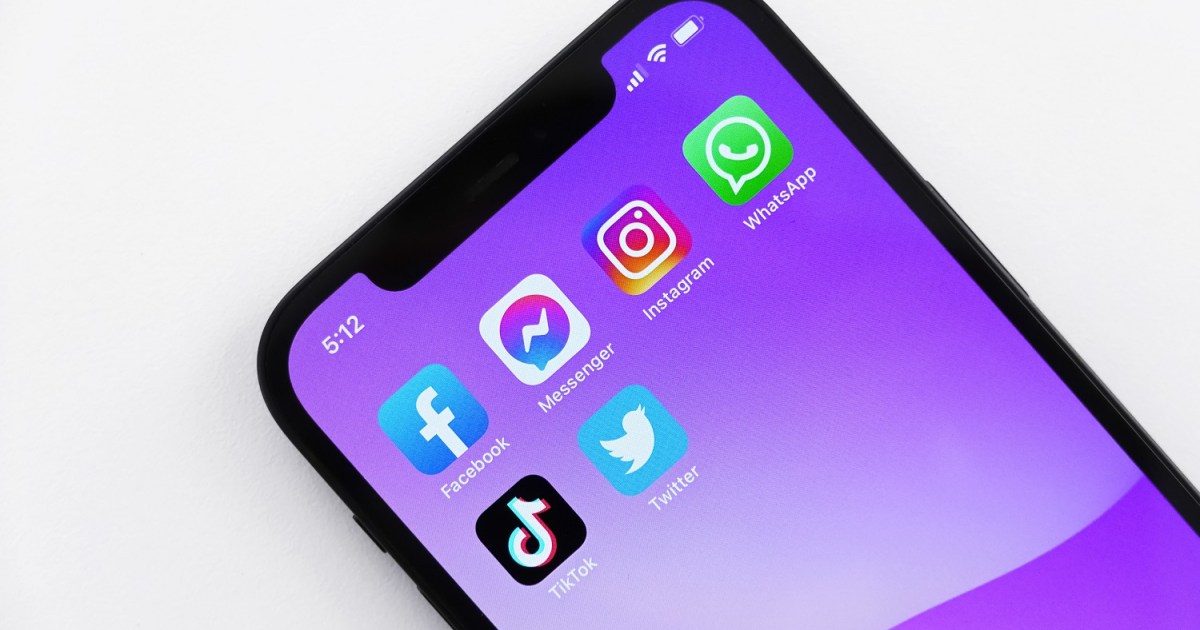
If you’ve ever sent a message to a friend on Facebook Messenger, you’ve probably noticed a little check mark icon next to the message you sent.

They’re nothing to worry about, but these check mark icons do offer up a little information on the status of the Messenger messages you send. Want to know what each of these check mark icons means? Keep reading to find out.

What does a check mark mean on Messenger?

Those check mark icons that you see after you’ve sent a message on Messenger aren’t just random symbols. They are icons that are part of a larger series of message indicators that Messenger uses to tell you what the current status of your sent message is. These statuses could be one of the following:

  • Your message is still sending.
  • Your message has successfully sent.
  • The message has been successfully delivered to your intended recipient.
  • The message has been viewed by your intended recipient.

But not all of these statuses are denoted by check mark icons in Facebook Messenger. Only two of them are. In the next section, we’ll go over all of the icons used to indicate the above statuses, including the check mark icons.

What does each Messenger message status icon mean?

Note: The colors of each icon listed below may vary beyond blue and white. You may also see purple and white. Or even gray and white. We mentioned the color blue below because that is what’s currently listed on Facebook’s own Help Center guide on the matter.

If you see an empty blue circle …

Your message is still processing. It’s still sending. This means Messenger hasn’t received your message yet.

If you see a blue circle with a white middle and a blue check mark …

The message is officially considered “sent” but not delivered. And there is a difference between the two. For Messenger, “sent” just means Messenger has gotten your message and will deliver it to your friend. And “delivered” means that your friend has received the message, but hasn’t viewed it yet.

If you see a blue circle with a blue middle and white check mark …

This is the icon that means your message has been successfully delivered to your friend. Your message is now sitting in your friend’s Messenger inbox waiting to be read.

If you see your friend’s tiny profile picture …

Then that means your friend has viewed your message. Congrats! Your Facebook Messenger message was sent, delivered, and viewed successfully!

Need more help with Facebook Messenger? Check out our other guides: How to use Facebook Messenger without a Facebook account and How to delete messages in Facebook Messenger.

Editors’ Recommendations


Share. Facebook Twitter Pinterest LinkedIn Tumblr Email
Previous ArticleBixby vs. Google Assistant: Which AI is better for you?
Next Article Amazon Prime free trial: Get an entire month for free

Related Articles

I’d trade the Pixel 11 Pro’s temperature sensor for HiLight every single time
News

I’d trade the Pixel 11 Pro’s temperature sensor for HiLight every single time

16 August 2026
Are classroom screens making children less cognitively capable? Experts are divided
News

Are classroom screens making children less cognitively capable? Experts are divided

16 August 2026
Your holiday photos could help scammers figure out exactly where you are
News

Your holiday photos could help scammers figure out exactly where you are

16 August 2026
I tried this Mac music app, and now I wish macOS had it built-in
News

I tried this Mac music app, and now I wish macOS had it built-in

16 August 2026
I Tested the Best Cat Water Fountains—These Are Worth Buying
News

I Tested the Best Cat Water Fountains—These Are Worth Buying

16 August 2026
Meta and Google just got beaten by an AI giant you might not expect
News

Meta and Google just got beaten by an AI giant you might not expect

16 August 2026
Demo
Top Articles
5 laptops to buy instead of the M4 MacBook Pro

5 laptops to buy instead of the M4 MacBook Pro

17 November 2024133 Views
ChatGPT o1 vs. o1-mini vs. 4o: Which should you use?

ChatGPT o1 vs. o1-mini vs. 4o: Which should you use?

15 December 2024112 Views
Costco partners with Electric Era to bring back EV charging in the U.S.

Costco partners with Electric Era to bring back EV charging in the U.S.

28 October 2024100 Views

Subscribe to Updates

Get the latest tech news and updates directly to your inbox.

Latest News
Meta and Google just got beaten by an AI giant you might not expect News

Meta and Google just got beaten by an AI giant you might not expect

News Room16 August 2026
It’s Never Too Early to Start Planning for the Next Two Solar Eclipses News

It’s Never Too Early to Start Planning for the Next Two Solar Eclipses

News Room16 August 2026
I played around with the Pixel 11 Pro Fold. I think Google finally saw the right focus points News

I played around with the Pixel 11 Pro Fold. I think Google finally saw the right focus points

News Room16 August 2026
Most Popular
The Spectacular Burnout of a Solar Panel Salesman

The Spectacular Burnout of a Solar Panel Salesman

13 January 2025137 Views
5 laptops to buy instead of the M4 MacBook Pro

5 laptops to buy instead of the M4 MacBook Pro

17 November 2024133 Views
ChatGPT o1 vs. o1-mini vs. 4o: Which should you use?

ChatGPT o1 vs. o1-mini vs. 4o: Which should you use?

15 December 2024112 Views
Our Picks
I tried this Mac music app, and now I wish macOS had it built-in

I tried this Mac music app, and now I wish macOS had it built-in

16 August 2026
I Tested the Best Cat Water Fountains—These Are Worth Buying

I Tested the Best Cat Water Fountains—These Are Worth Buying

16 August 2026
Meta and Google just got beaten by an AI giant you might not expect

Meta and Google just got beaten by an AI giant you might not expect

16 August 2026

Subscribe to Updates

Get the latest tech news and updates directly to your inbox.

Facebook X (Twitter) Instagram Pinterest
  • Privacy Policy
  • Terms of use
  • Advertise
  • Contact Us
© 2026 Best in Technology. All Rights Reserved.

Type above and press Enter to search. Press Esc to cancel.