




Viaim RecDot
MSRP $199.00
“The Viaim RecDot’s are the perfect balance between great sound and AI transcription”
Pros
- Simply, one-touch recording
- Detailed, balanced sound
- Excellent battery life
- Multiple charging options
Cons
- Average noise canceling
- Bass could be better
- Plasticky build
Quick Take
The Viaim RecDot grabbed my attention because they offer a truly unique feature to wireless earbuds. Rather than chase the best possible sound or the best noise cancellation, they’re built to capture, transcribe, and summarize everything you hear. Simply hit the record button (located on the case) and choose a record mode to turn calls, lectures, and in-person meetings into searchable transcripts. The Viaim app’s AI then gives you summaries and to-do lists within seconds. If you spend your day in back-to-back conversations and are ok giving up your AirPods, then the RecDot can be a very helpful companion.
The Viaim RecDot is a decent set of earbuds in their own right. The 11mm titanium-coated drivers produce fairly good, detailed, balanced sound that produces great vocals and acoustic tracks, and battery life runs up to nine hours per charge, or 36 with the case. Calls came through clearly for me in most calls, and the recording and transcription features are fast and dependable. Translation covers more than a dozen languages, and the whole system is easy to live with once you accept that the app is doing most of the work.
On the other hand, they’re not perfect. Noise cancellation is good, not great, and bass gets muddy on some deep house or hip-hop tracks. The build feels plasticky, and at full price they sit uncomfortably close to more polished all-rounders from Apple, Soundcore and Samsung. But if your main goal is capturing and organizing what’s said around you, the RecDot does it very well. For the right buyer, these are a great choice that I would recommend.
Viaim RecDot specifications
| Product | Viaim RecDot AI Recording True Wireless Earbuds |
| Drivers | 11mm titanium-coated dynamic drivers |
| Bluetooth | Bluetooth 5.2, multipoint (dual pairing) |
| Codecs | AAC (manufacturer does not detail full codec list) |
| Noise cancellation | Smart ANC, rated up to 48dB reduction; auto/low/mid/high modes |
| Battery life | Up to 9 hours (buds); up to 36 hours with charging case |
| Charging | USB-C and wireless charging |
| Water resistance | IPX5 |
| Weight | ~4.9 g per earbud |
| Eartips | 5 sizes included, with in-app fit test |
| AI features | Real-time transcription, summaries, to-do lists, mind-map, translation (14+ languages); 600 free minutes/month, 1800 minutes for $9.99/month and unlimited minutes for $19.99/month |
| Price | $249.99 MSRP (frequently $179–$219 at retail as of July 2026) |
Viaim RecDot design, build & comfort

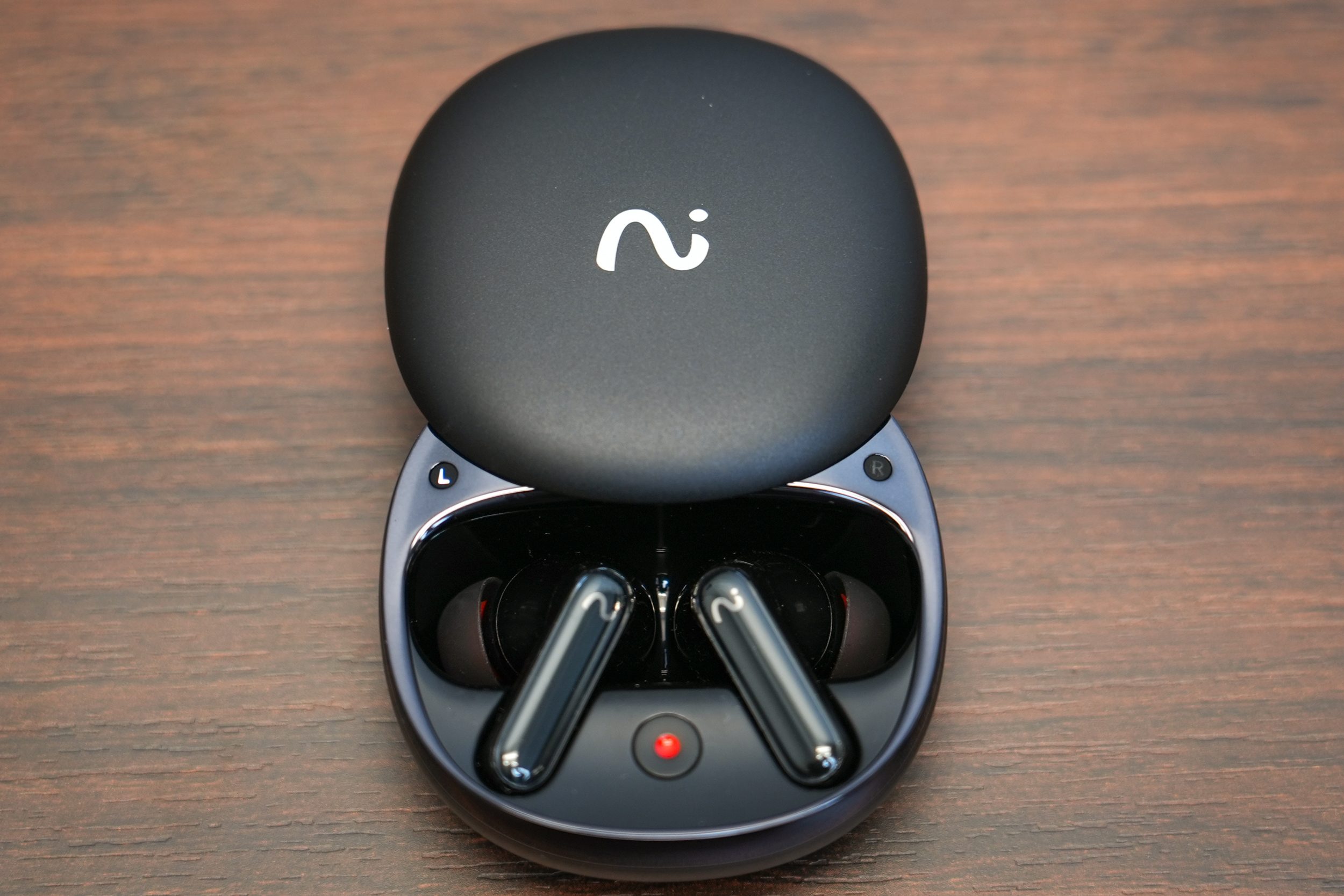
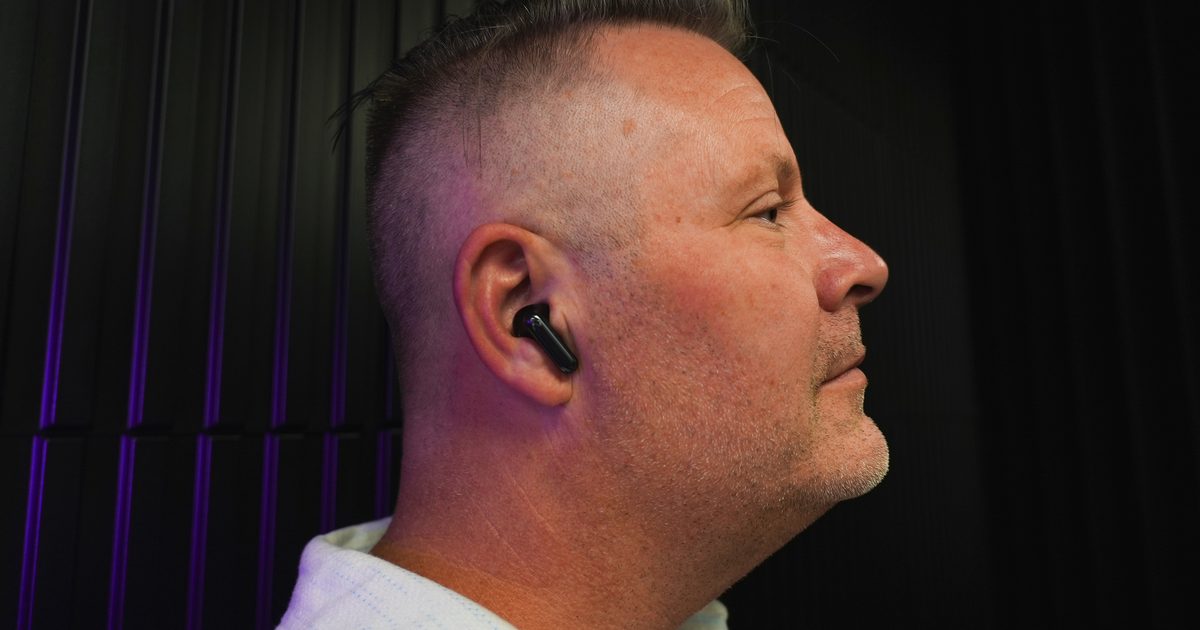
The RecDot follows the long-stem template Apple made famous, but these sit a touch chunkier in the hand than the AirPods 4 that I use on a regular basis and the AirPods Pros that I borrowed to compare these against – and you notice it. That extra bulk makes room for the recording hardware, so it’s easy to understand why it’s there. The build leans more plastic than premium, and the sliding lid on the charging case feels flimsier than the rest of the package at times. Everything else about the case is genuinely good. The buds snap into their magnetic cradles with a satisfying click and stay put no matter how hard you shake the thing.
Best of all is a physical record button on the outside of the case, which starts a meeting recording with a single press. It’s a smart, tactile touch, though the tiny blinking light that tells you recording is live could be far more obvious in direct sunlight. Viaim throws in five sizes of eartips, which is more generous than most, and an in-app fit test runs frequencies through the earbuds to check your seal. Swapping tips is a little fiddly, but once you land on your size, the fit holds up for long sessions. These aren’t gym buds, though.
The fit isn’t tight enough for running or hard training, but for sitting at a desk, commuting, or grinding through a day of meetings. Controls live on the stem as a touch sensor that handles play, pause, volume slides, and track skips. Overall, it works. There’s no haptic confirmation, though, so you sometimes can’t tell whether your tap registered, and the triple-press to jump back a track takes practice. If you plan on switching earbuds for different occasions (like running, flying, etc), then you might have a tough time remembering the tap sequences.
Viaim RecDot app, transcribing & features

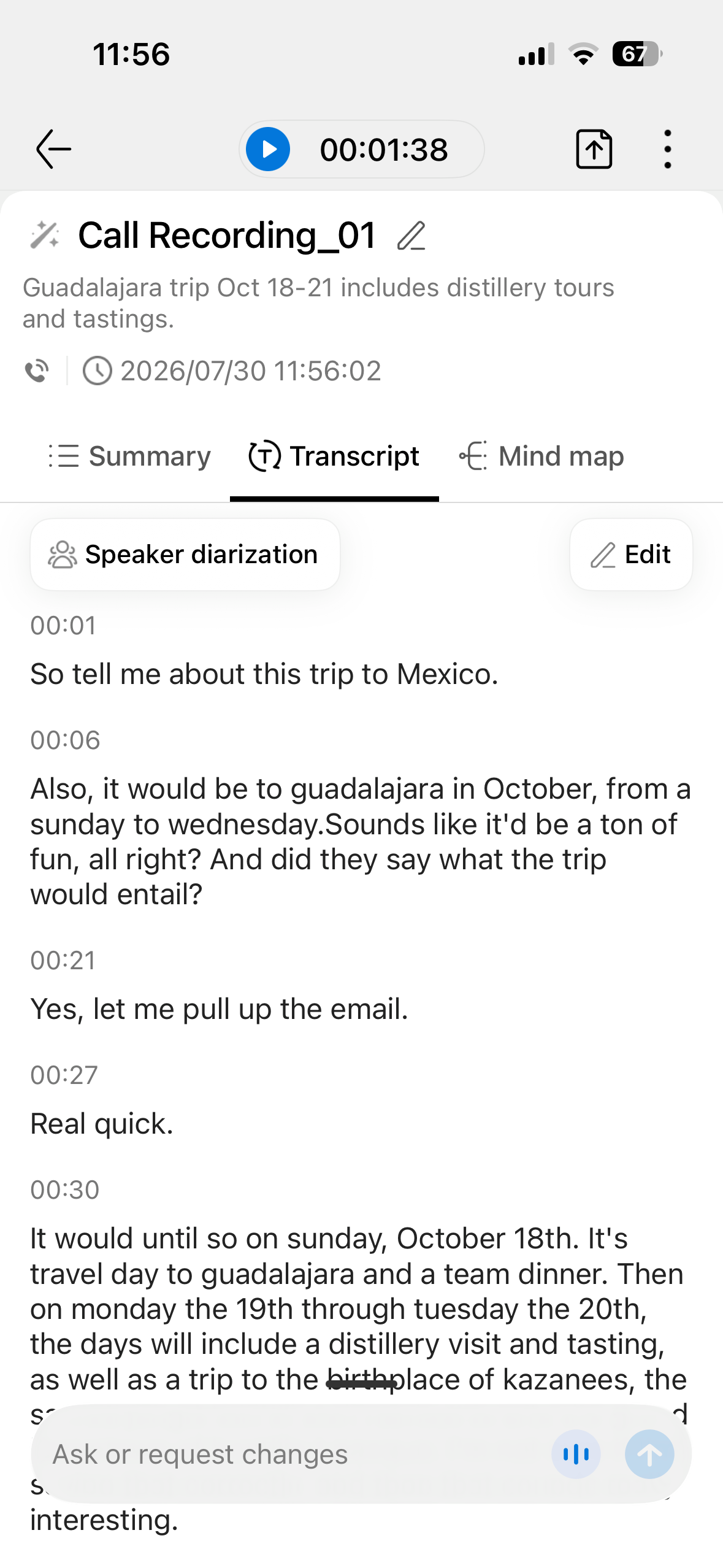
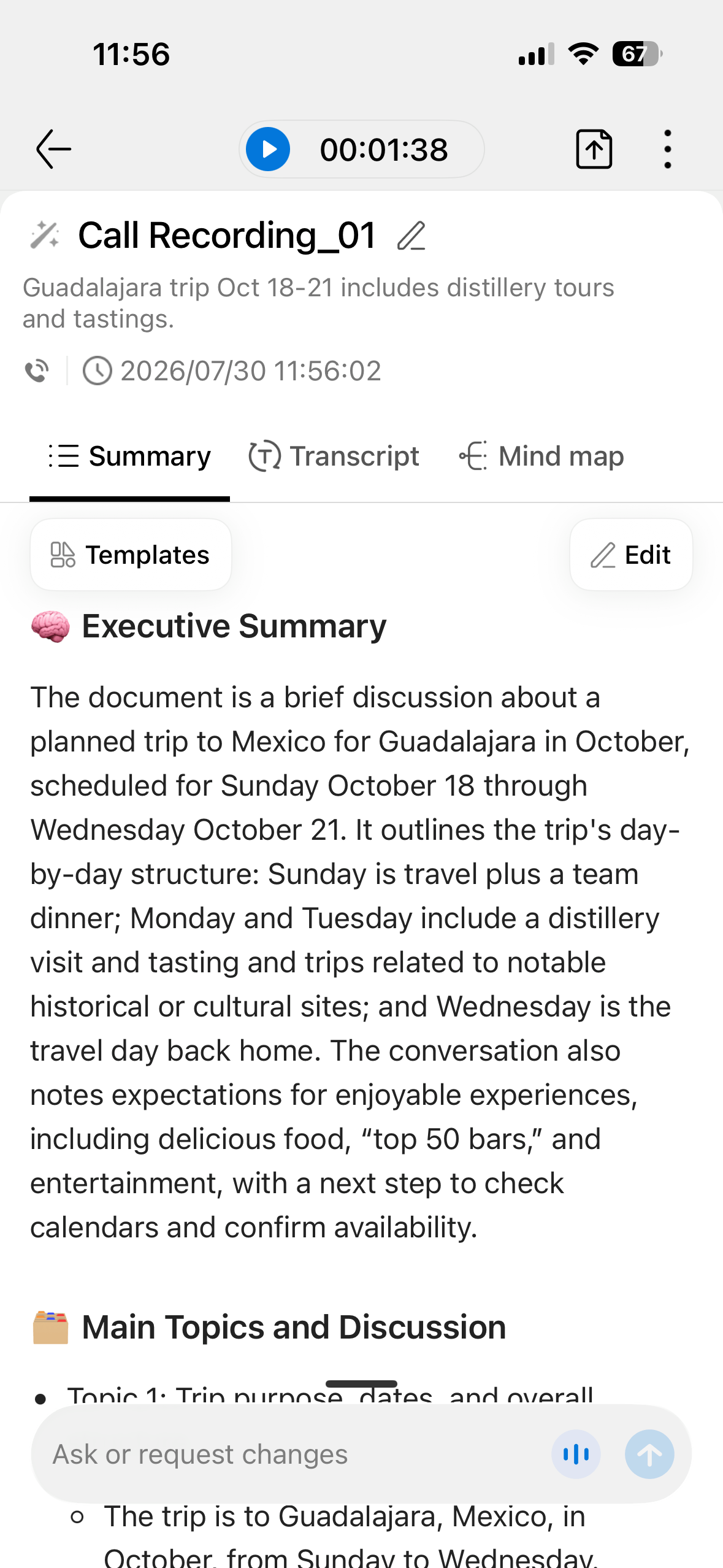
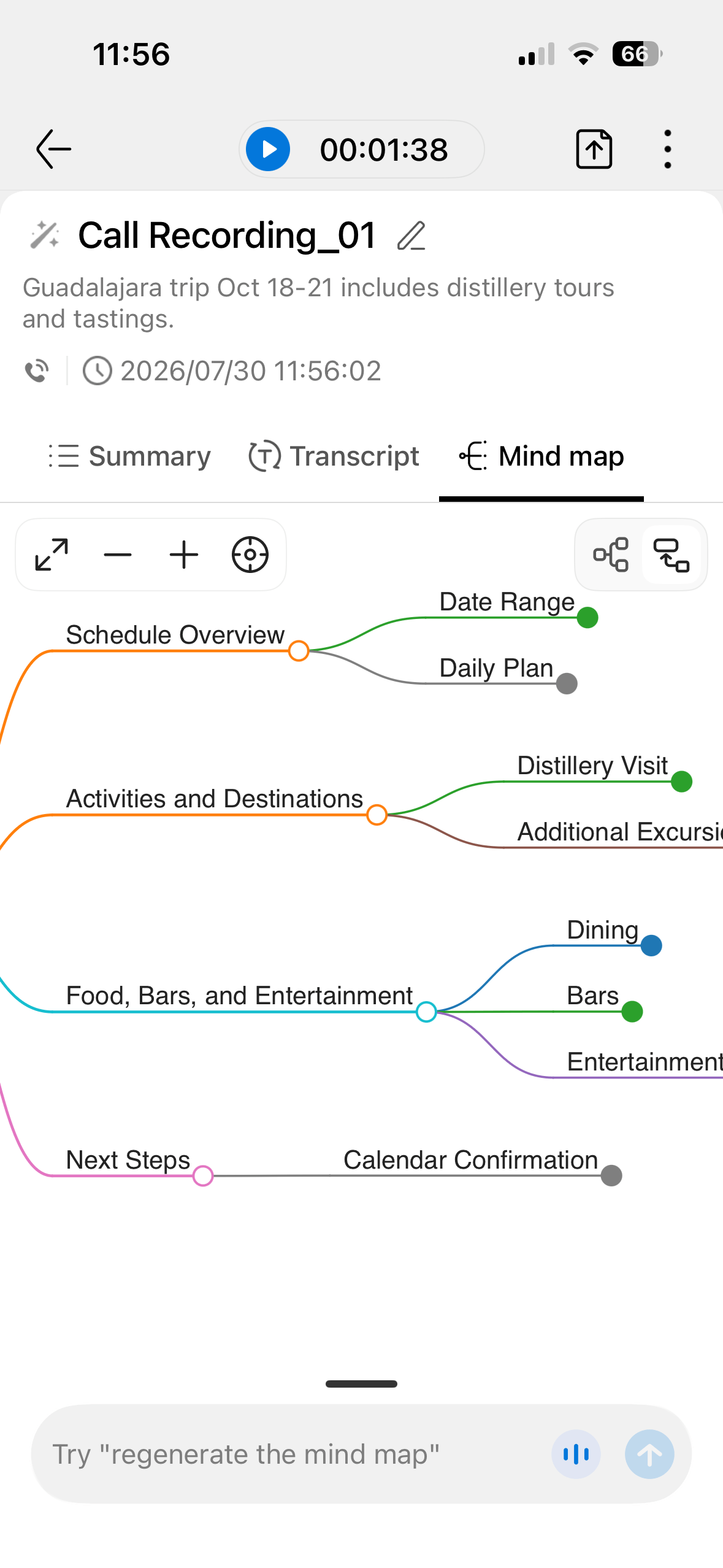
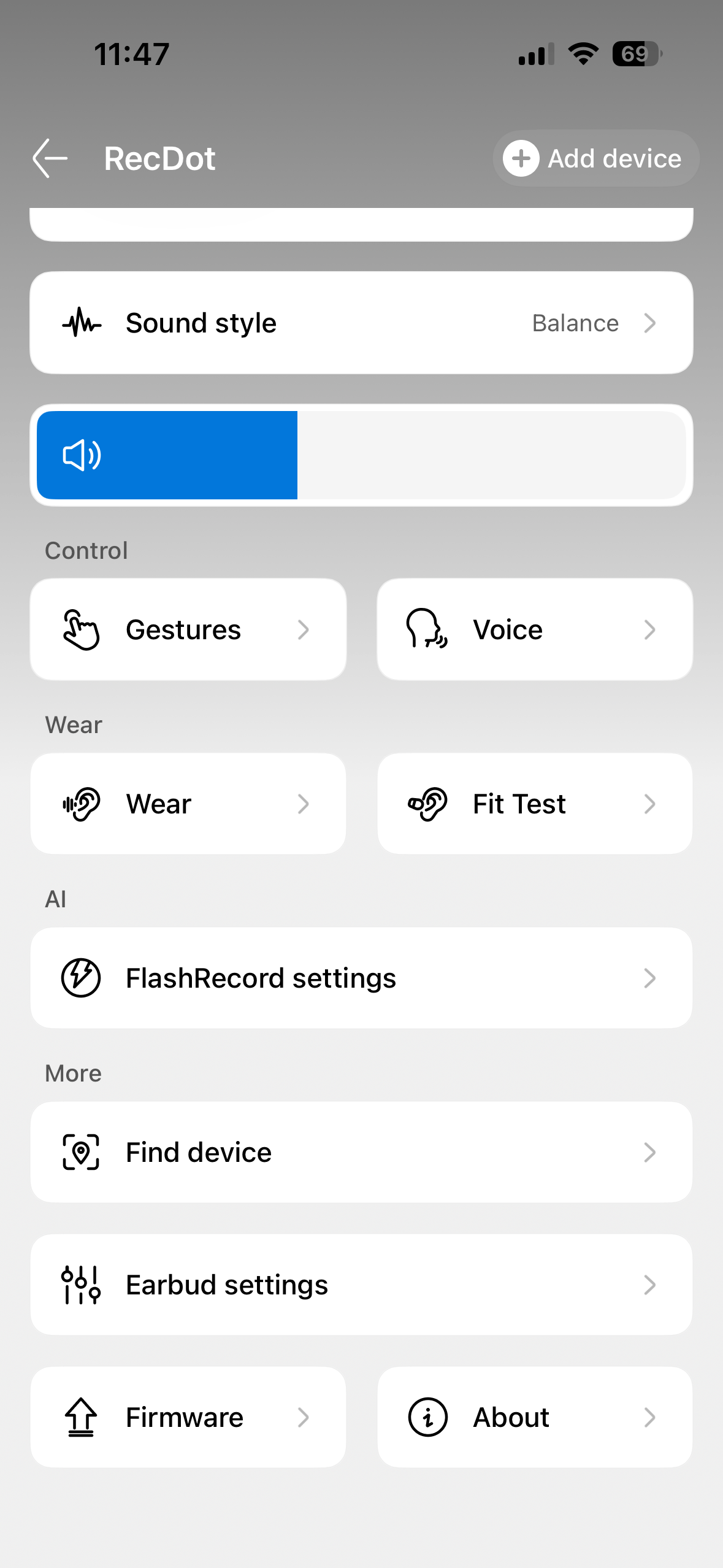
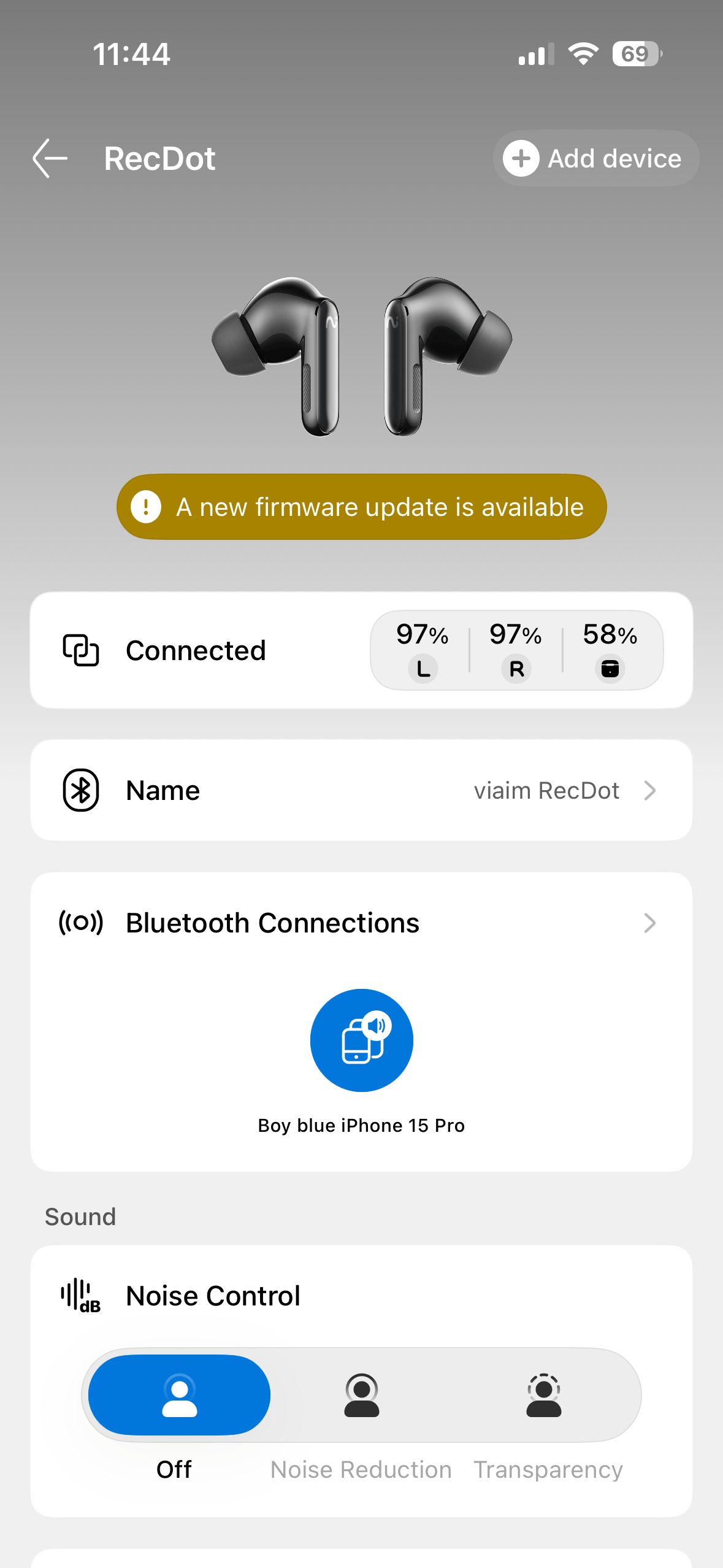
This is where the RecDot earn their name and why you would buy them. There are three ways to record: call recording that transcribes system or VoIP calls in real time, audio or video recording that transcribes a clip, and live recording for face-to-face conversations and small meetings. Starting a recording was fairly straightforward for me, whether you press the button on the case or hold the stem until you hear “recording start.” Pressing the button on the case was simpler for me.
You can choose to have every call auto-record as well. When you have this turned on, you will hear a voice telling you and the person on the other end that the call is being recorded. Everything winds up in the Viaim app, and this is the one thing I had to learn. Viaim markets recording on the buds themselves, but the transcription and AI features live in the app. Simply put, the app isn’t optional. You have to use it.
Once your audio is in, the AI does the work. Transcription was pretty reliable and thorough for me in my testing, picking up speech with few errors. The meeting assistant extracts concise summaries and pulls out actionable to-do items, and it does so quickly and with surprising accuracy about who owns what. There’s even a mind-map view, and the app taps large language models such as ChatGPT, Gemini, and Claude for its AI tools. Transcripts can be translated into more than a dozen languages, though translation is laggy, the way it is on rival systems.
Note: I only used Spanish in my translation testing.
Two quirks jumped out for me. A long pause makes the software insert a full stop or start a new sentence, so you’ll do some light cleanup afterward, and speaker separation is inconsistent, nailing it in some sessions and merging voices in others. My hope is that future firmware updates will fix this. You get 600 free transcription minutes a month, which most people won’t use up. If you want more minutes, you’ll need to spend extra per month for those (I listed them above in the specs, and below in the FAQs). One practical note the marketing skips: recording conversations carries legal and etiquette obligations that vary by location, so know the consent rules where you are before you hit record.
The rules depend on where you and the other person are. Federal law and most states use one-party consent, meaning if you’re part of the conversation, you can record it without telling anyone else. That covers states like New York, Texas, and Virginia. A minority of states like California require all-party consent, where everyone must be informed and agree before you record. In those states, quietly recording a meeting or call can be a crime even if you’re a participant.
Viaim RecDot sound quality
For a product built around AI, the RecDot sounds better than I expected it to. The 11mm titanium-coated drivers put out a vibrant, detailed, crisp presentation that leans balanced rather than bass-heavy, great for vocals. Ed Sheeran’s Azizam (a recent favorite of mine, make fun all you want) serves up a dance beat that punches through without trampling the vocal, and the soundstage runs surprisingly wide for earbuds. Orchestral material holds up too, with clear separation between flutes, piano, and the rest of the sections.
Where the RecDot’s struggled for me is during dense, heavy music. Rock tracks can turn muddy and cluttered at times, the loudest sections sounding squashed rather than powerful. Bass occasionally feels stuck and short on depth, and percussion can lean tinny. Sparser genres like acoustic, singer-songwriter, soul, and ambient electronic are where these buds shined for me. There’s an EQ in the app with pop, bass boost, and electronic presets, and while a few nail specific tracks, none held up reliably across a broad library, so the default balanced profile is the one that I thought worked best for me. Audiophiles looking for next-level detail will want a dedicated pair of earbuds, or straight-up over-the-ear headphones. Everyone else will find the sound more than pleasant.
Viaim RecDot active noise cancellation
Viaim’s Smart ANC claims up to 48dB of reduction, and in daily use it does a decent job of quieting an office or a commute on a plane or bus. It isn’t class-leading, and I felt like it was on par with my AirPods 4 in most instances. To be fair though, I think the AirPods 4 do an OK job. I have been on plenty of calls where the person on the other end had ANC turned on, and they were difficult to hear during that call. Put the RecDots side-by-side with the best buds at this price, and the RecDot let more low-frequency rumble through, and jet-engine noise on a long-haul flight would test its limits. There are low, middle, and high manual modes, but none of them stayed reliable as environments changed, so the auto setting is the one I would recommend. Auto occasionally colors the sound in the process, but that beats fiddling with presets every time you move rooms. For everyday commuting and open-plan offices, the ANC is more than good enough.
Viaim RecDot call quality

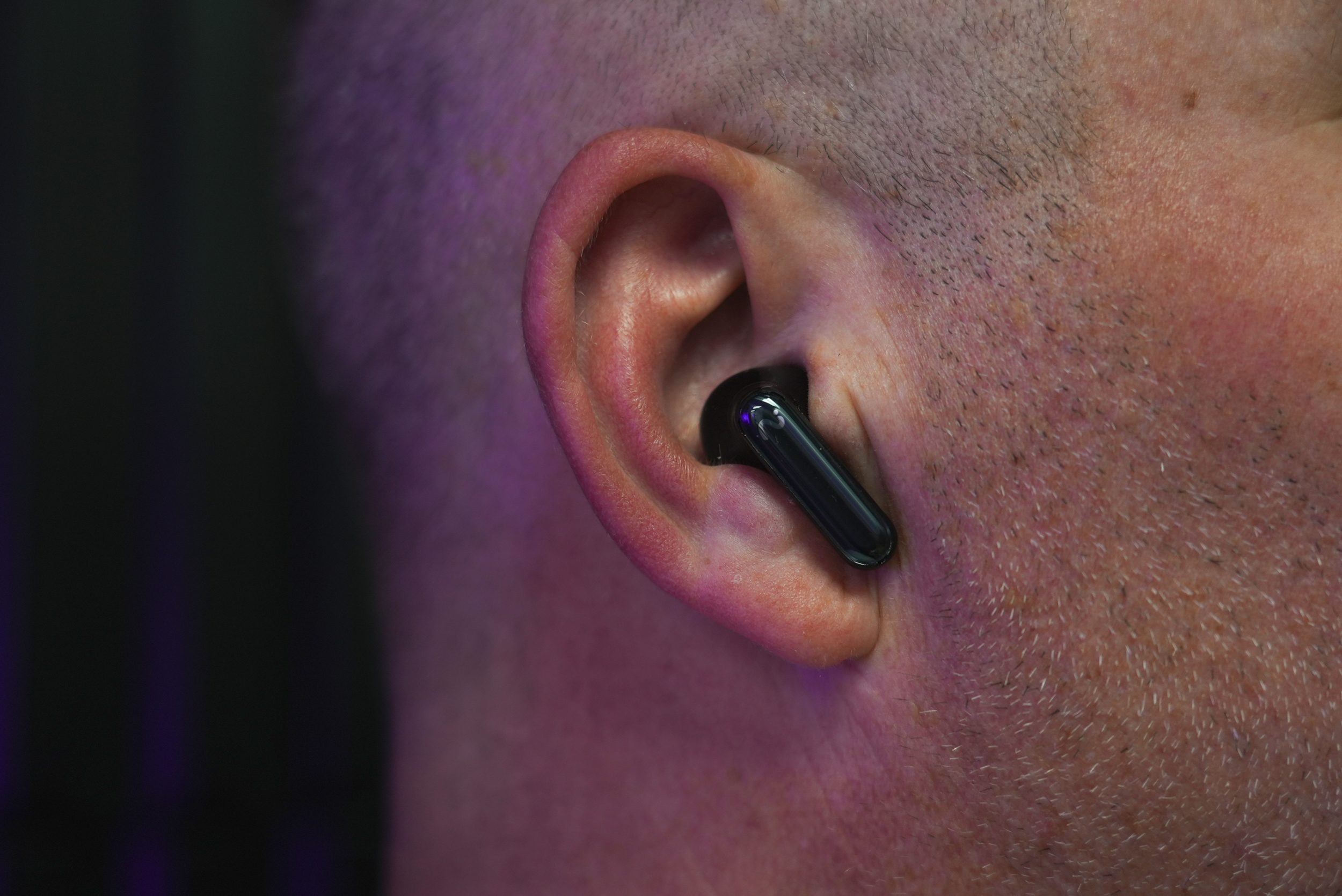
The RecDot’s call quality is clear and dependable. In my tests, callers said my voice came through cleanly, with only a slight fuzziness on sharp sibilant sounds, and the mics keep background noise off the line. In a busy environment, you can still make out a caller’s words without straining. As I mentioned before, it’s not the best on the market, but it’s perfectly reliable for the meetings and 99 percent of the calls you will make.
Viaim RecDot battery & charging
Battery life really surprised me. Coming from my AirPods 4, I was expecting to get about 4 hours of continuous use, but was able to push beyond that in the 7-9 hour range with the RecDots. You get up to nine hours from the buds themselves and an extra 36 hours with the case as a charger, which comfortably outlasts AirPods Pro and Samsung’s Galaxy Buds. In my testing, eight hours of listening drained the buds to 80 percent, which is a lot given all the recording and processing happening in the background. The case charges over USB-C or wirelessly, which is a nice convenience at this price. Cheaper rivals push past 40 hours, but for a pair doing this much processing, the RecDot’s battery life is more than competitive.
Viaim RecDot comparison & alternatives

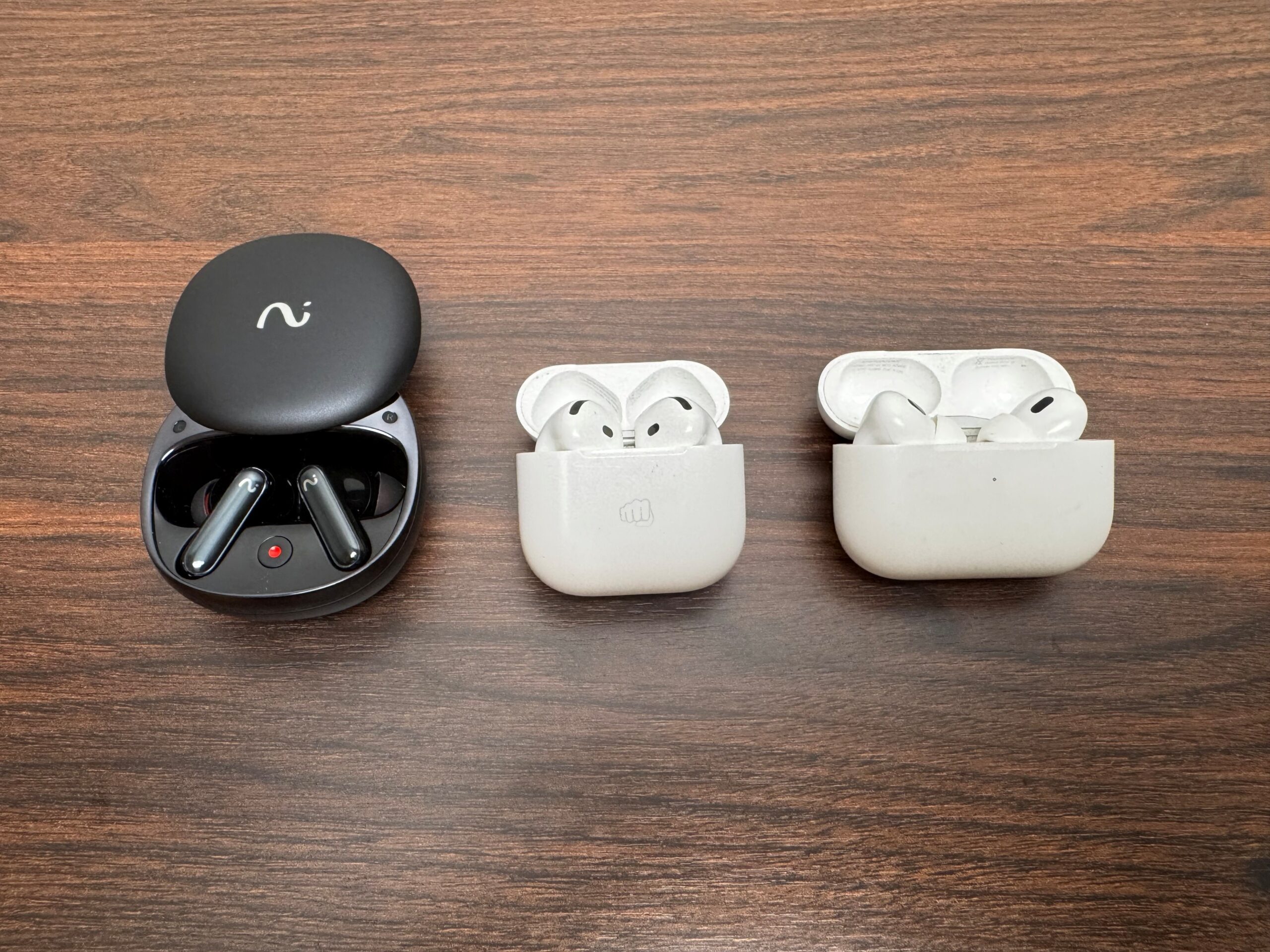
Apple AirPods Pro remain the pick for anyone in the Apple ecosystem who cares most about noise cancellation, fit, and easy device switching, and they now do basic live translation, though they can’t come close to matching the RecDot’s structured summaries and to-do lists. Samsung Galaxy Buds are the equivalent choice for Galaxy owners, with strong ANC and longer battery than Apple, and they only cost a little more than the RecDot. For pure recording on the cheap, dedicated AI note-takers like the Plaud NotePin capture and summarize conversations for less, but you lose the everyday earbud. The RecDot’s whole argument is that it does both jobs in one device, and for the right person that combination justifies the premium. And I’d say for the average person, the premium is worth it.
Verdict: Should you buy them?
The Viaim RecDot are a forward-looking pair of earbuds that do the one thing they set out to do, and they do it extremely well. Recording and transcription are fast, accurate, and super useful. The sound and battery life are much better than I expected. Holding them back from being a perfect 10 for me is the ANC that trails the best in class, bass that struggles with heavier music, a plasticky build, and a premium price. If your days are full of meetings, lectures, or interviews, nothing else at this price captures and organizes them as neatly. I found the RecDot to be the perfect companion for my work and play schedule. Score: 4 out of 5.
How I tested the Viaim RecDot earbuds
I tested the Viaim RecDot over three weeks of daily use, wearing them for meetings, calls, drive-time and plane commutes, and focused desk work, with listening sessions running well past two hours at a stretch. I streamed music from Spotify, Pandora, and Apple Music across an iPhone and a laptop, listening to EDM/House, Rock, classical, acoustic, and podcast material, and leaned on the recording and transcription features across real calls and in-person conversations. I compared them directly against Apple AirPods 4 and AirPods Pro for sound, ANC, and call quality.
FAQs (Frequently Asked Questions)
Do the Viaim RecDot record phone calls?
Yes. Call recording transcribes system and VoIP calls in real time. You either hold the stem or press the button on the case to start. I found the button on the case to be the simplest. The transcript, summary, and any to-do items appear in the Viaim app afterward.
Do I need a subscription to use the AI features?
You get 600 free transcription minutes a month, which covers most people. Heavy, all-day recorders may hit that cap; the AI tools themselves run through the Viaim app. Viaim offers a Pro plan, which is $9.99/month or $79.99/Year and comes with 1800 minutes, and an Ultra plan, which is $19.99/month and $159.99/year and has unlimited minutes.
How many languages does translation support?
Transcripts can be translated into more than a dozen languages, including English, Chinese, French, and German. Translation works but lags in real time, much like it does on Apple and Samsung buds (from what I have researched).
Are the RecDot good for working out?
Not really. The IPX5 rating shrugs off sweat and light rain, but the fit isn’t tight enough for running or hard training. They’re built for desks, commutes, and meetings. You’ll want dedicated earbuds for that.
Should I buy the RecDot over AirPods Pro?
Buy the RecDot if automatic transcripts, summaries, and to-do lists genuinely save you time. Choose AirPods Pro if you mainly want stronger noise cancellation, a snugger fit, and tight integration with Apple devices.