



Samsung Galaxy Z Fold 8
MSRP $1,899.00
“A total charmer.”
Pros
- Fantastic form factor
- Bright 120Hz screens
- Feature-rich software
- Reliably performant
- Long software support
Cons
- A pricey investment
- Zoom lens is a sore miss
- Thermal throttling
- Needs better dust/water proofing
- Flex mode is missing
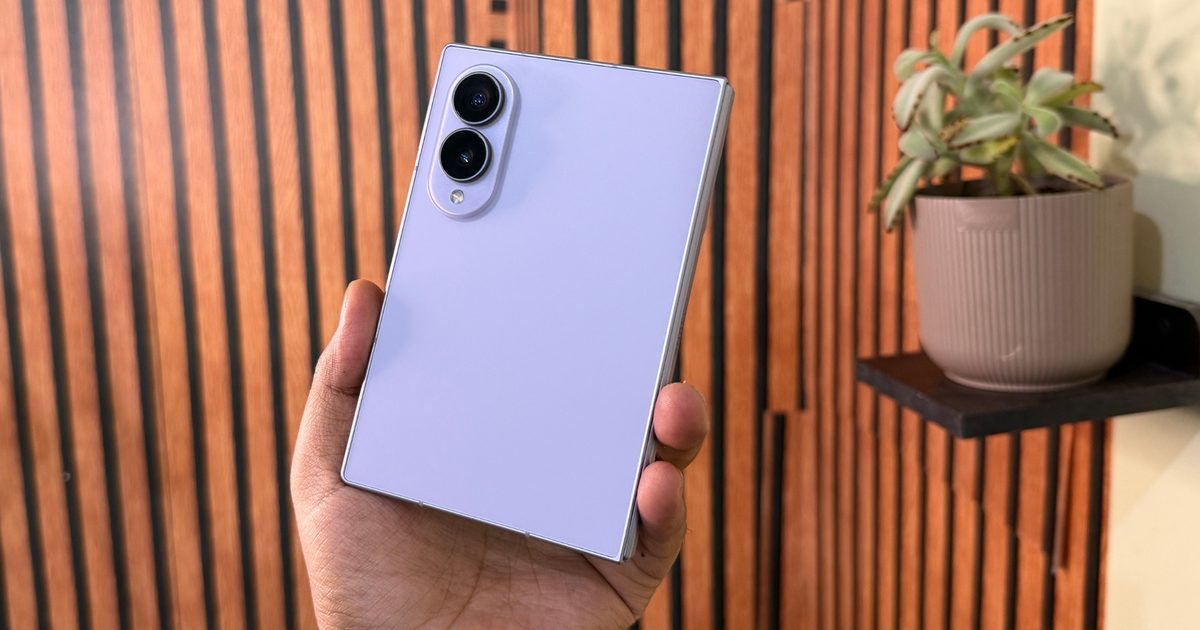
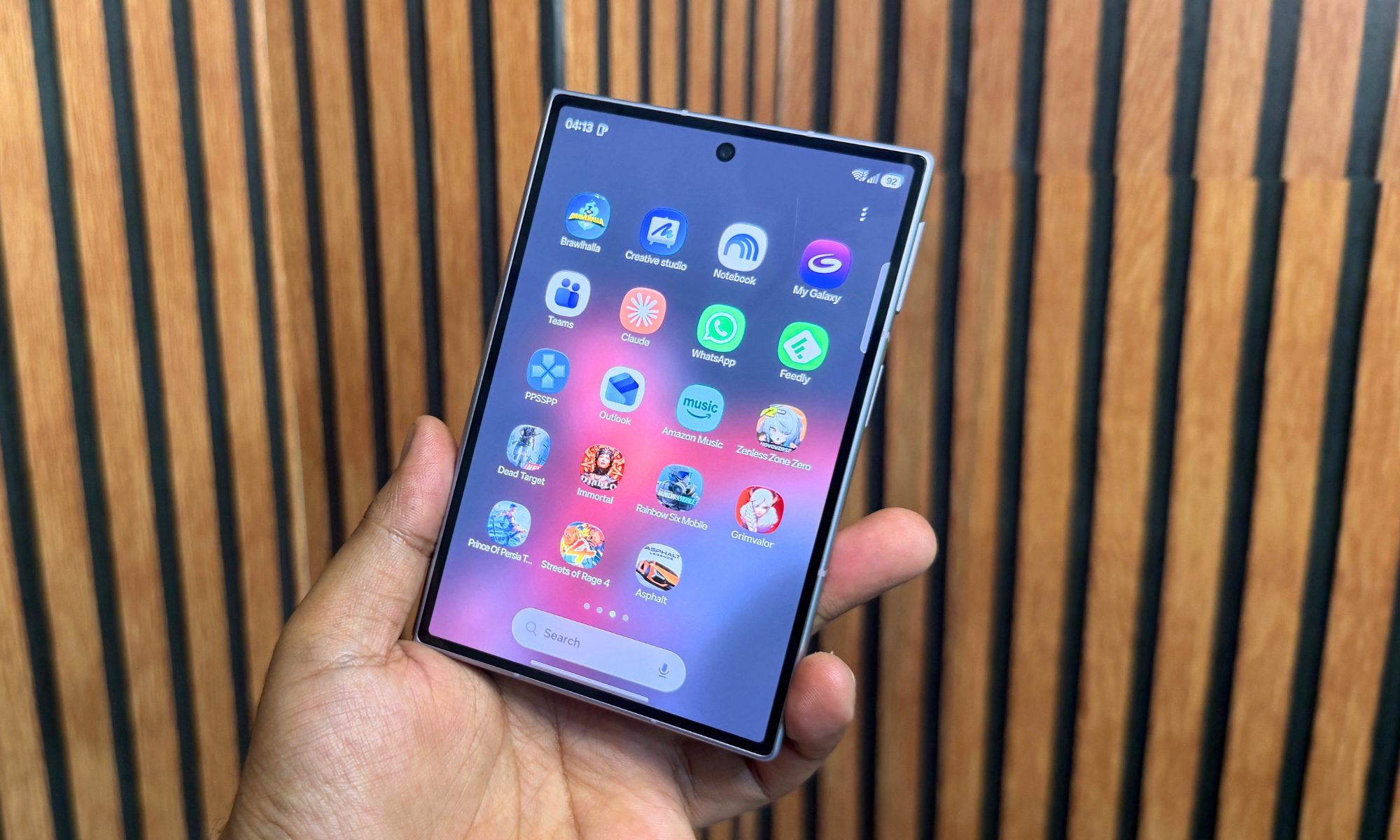
I’ve never used a foldable phone with as much fervor and daily joy as the Samsung Galaxy Z Fold 8. The first time I closed it and slipped it into my jeans, I did a small double-take, because it went in like a normal phone. That sounds trivial until you remember every Samsung foldable phone before it felt like carrying a TV remote in your pocket. Samsung has thrown out the tall, narrow shape that defined the line for years and replaced it with a wider, passport-style body, and the whole device is better for it. At 201 grams and 9.7 mm folded, it’s among the lightest and thinnest book-style foldables you can buy. You really need to hold it in your hands to feel just how well put-together this device is.
The redesigned 5.5-inch cover screen and 7.6-inch inner panel, running 10:16 and 4:3 aspect ratios respectively, fix the two things that used to make folding phones a chore, which are one-handed typing and full-screen viewing. Qualcomm’s Snapdragon 8 Elite Gen 5 for Galaxy chip handles everything I asked of it, from multitasking to gaming, but if you push it hard for long enough, the thin body starts shedding performance to keep its temperature in check. The software remains the segment’s high-water mark.
Android 17 and One UI 9 with seven years of updates, desktop-grade DeX, and split-screen multitasking that is un a class of its own. The compromise sits in the cameras. Samsung went with a dual setup, which includes a 50MP wide and a 50MP ultrawide snapper, and dropped the dedicated optical telephoto entirely. Even so, the 4,800mAh battery and upgraded 45W wired charging carried me through full days without anxiety. At $1,899, it’s an expensive piece of engineering, aimed squarely at people who prize pocketability and a dual-screen workflow above all else.
Samsung Galaxy Z Fold 8 specs: The innards at a glance
| Cover display | 5.5-inch FHD+ Dynamic AMOLED 2X, 1,248 x 1,972, 428ppi, 120Hz adaptive (1-120Hz), Vision Booster |
| Inner display | 7.6-inch QXGA+ Dynamic AMOLED 2X, 1,848 x 2,448, 403ppi, 120Hz adaptive (1-120Hz), up to 3,000 nits |
| Dimensions (folded) | 123.9 x 81.9 x 9.7mm |
| Dimensions (unfolded) | 161.4 x 123.9 x 4.5mm |
| Weight | 201g |
| Chipset | Snapdragon 8 Elite Gen 5 For Galaxy |
| RAM & Storage | 12GB (256GB/512GB), 16GB (1TB) |
| Rear cameras | 50MP primary + 50MP ultrawide |
| Selfie cameras | 10MP (cover) + 10MP (main) |
| Battery | 4,800 mAh |
| Wired charging | 45W |
| Wireless charging | 20W |
| Colors | IP48 |
| Colors | Graphite, Cream, Lavender, Pistachio |
| Starting price | $1,899.99 |
| Announcement date | July 22, 2026 |
Samsung Galaxy Z Fold 8 design and build quality: One of a kind with a predictable pitfall
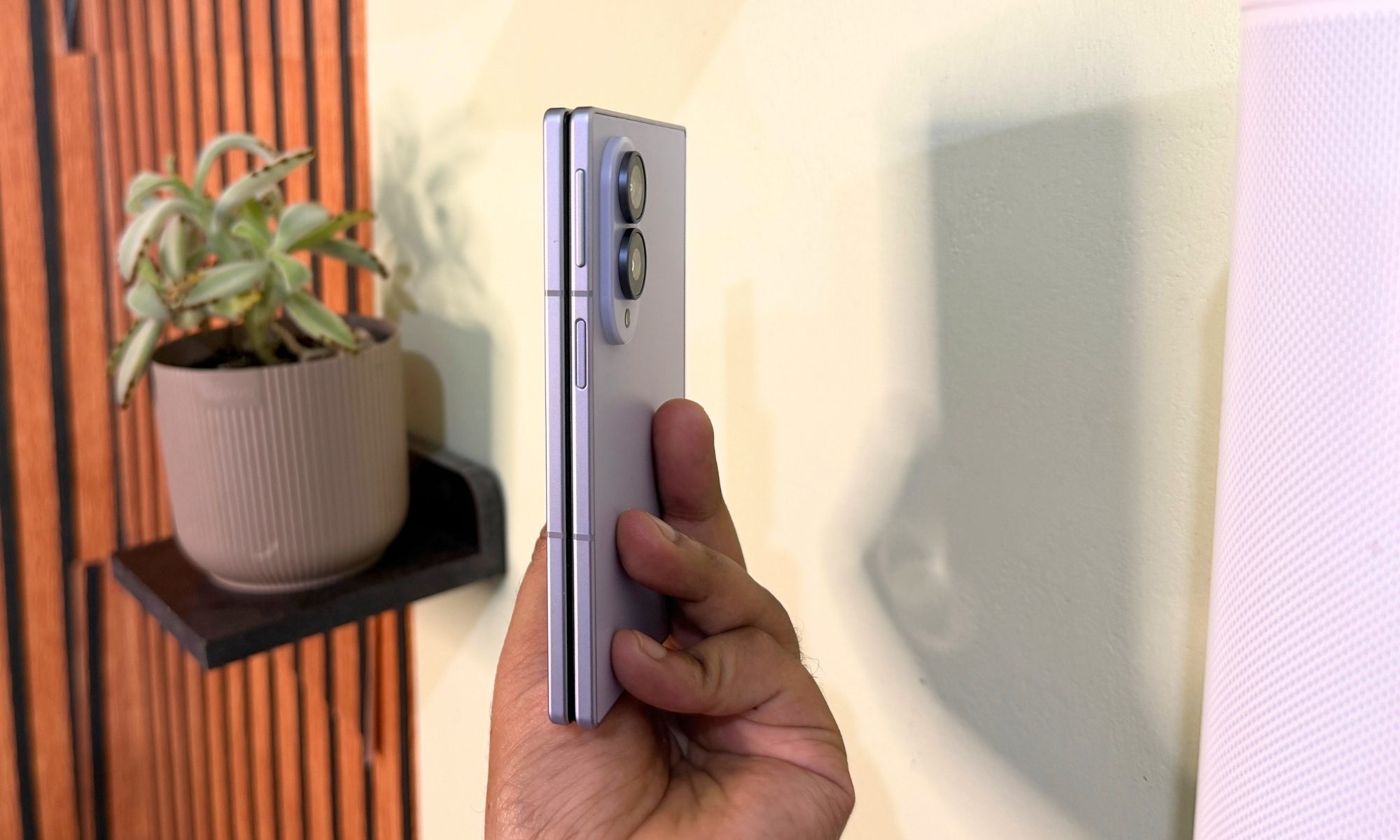
Every Samsung foldable phone, from the utterly fragile original through the Galaxy Z Fold 7, shared a silhouette I never warmed to. They were long and skinny, or to put it more accurately, the phone equivalent of a chocolate bar. The Galaxy Z Fold 8 walks away from that idea completely. When closed, it measures 123.9 x 81.9 x 9.7 mm, roughly the proportions of a passport.
As you open it, the device thins out to a startling 4.5 mm at 123.9 x 161.4 mm. That single change to the width solves the complaint I’d made about every prior model. The outer display was too cramped to actually use, but on this one, it’s wide enough, yet joyously compact.
The structure and ergonomics set this one apart
The weight distribution deserves a mention too, because the battery is split into two cells across the hinge. Despite that, the phone balances evenly in the hand rather than feeling nose-heavy the way some folding designs often do.
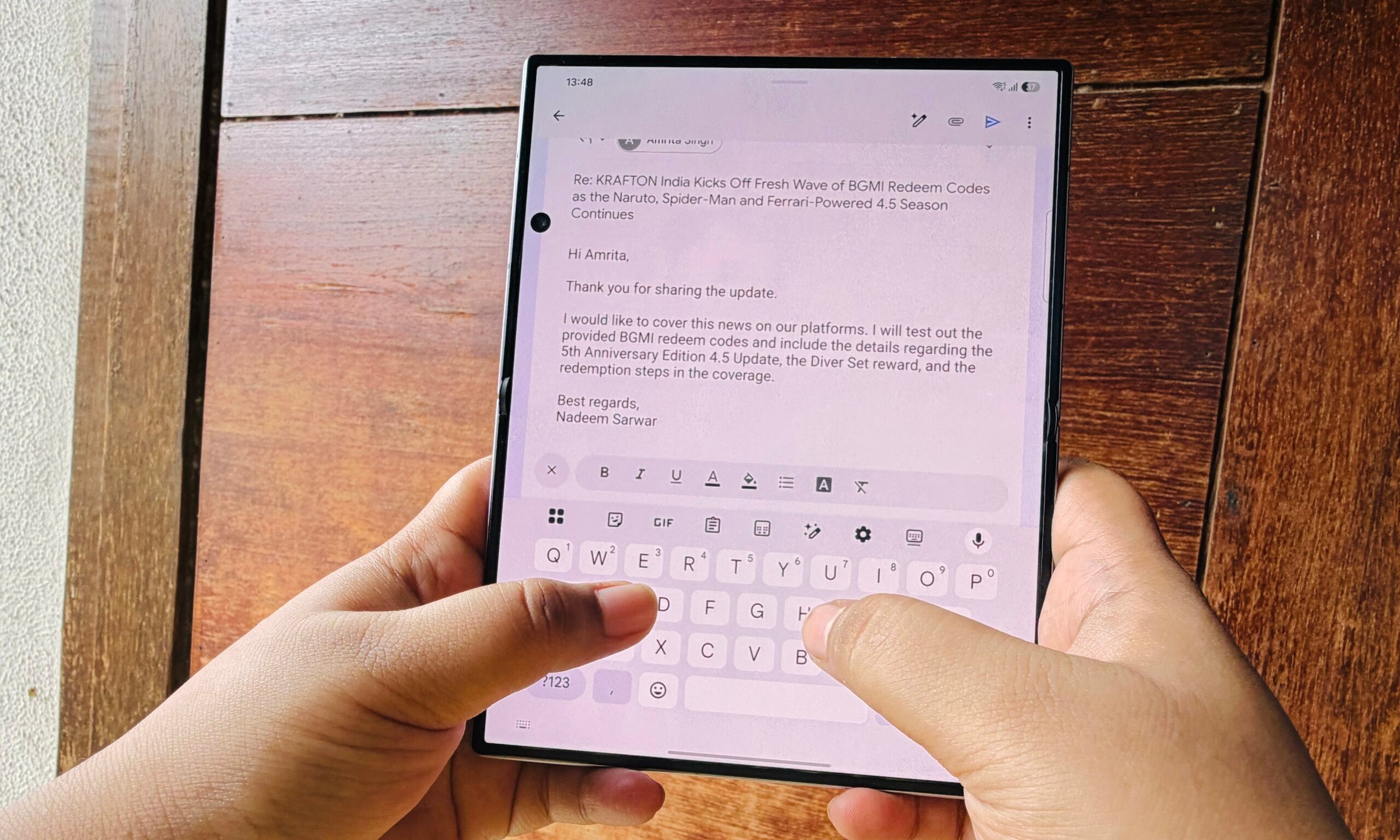
That even weighting is a big part of why holding it open for a long article never made my wrist ache. I’ve never enjoyed emailing as much as I’ve done it on the Galaxy Z Fold, while holding it open in portrait mode. One-handed use, which has historically been the Achilles’ heel of this category, is finally a non-issue when the phone is closed.
The wider, more familiar width means my thumb can actually reach across the cover screen and its upper limits, so I could fire off a reply, scroll a feed, or tap out a search without the second-hand shuffle other foldable phones demand. Open, it’s obviously a two-handed device, but that’s the point. You don’t unfold a tablet to answer a text.
The hinge is the surprising part, in an ambiguous way. Samsung’s new Flex Titanium dual-rail mechanism moves with a smooth, even resistance from flat to fully closed, and it holds whatever angle I leave it at anywhere between roughly 30 and 140 degrees, which makes Flex Mode actually dependable rather than a party trick. I propped it on a tray table at 90 degrees to watch a show on a flight, stood it tent-style on a nightstand as a bedside clock, and balanced it on a desk to take a hands-free video call. It never once sagged or crept out of position.
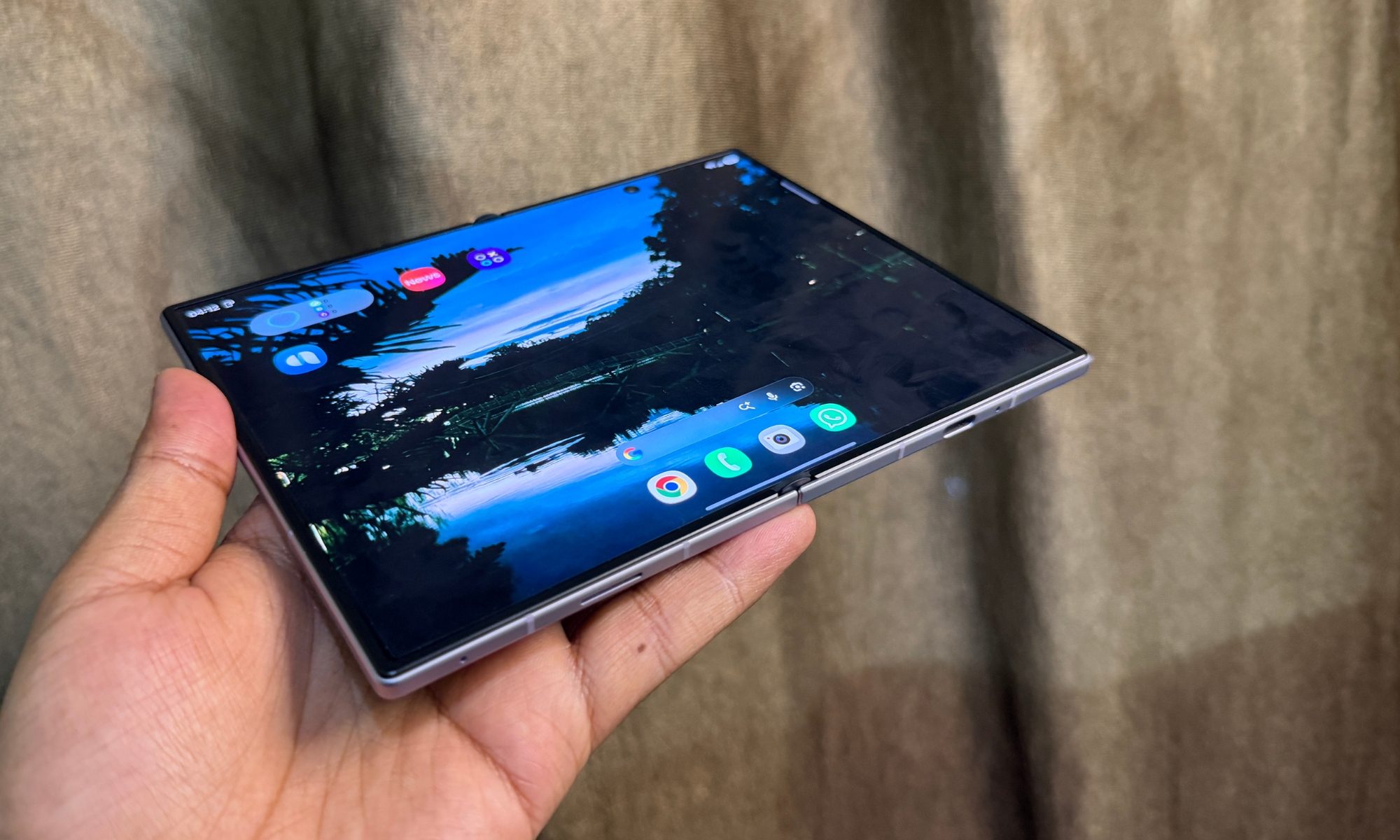
The display crease, which has been a perennial foldable bugbear, is the faintest I’ve felt on a Samsung. If you run a fingertip across the seam, there’s still a shallow dip. And yes, you’ll catch it at an angle in bright sun, or strong indoor lights (as you can see in the image below), but during a film or a scrolling session, I stopped noticing it entirely. Where it still occasionally intrudes is when you drag a fingertip vertically across the fold during a swipe, since you feel the dip more than you see it, but that’s a small tax for how flat the panel otherwise sits.
This is what the screen looks like generally:
And this is how you visually notice the crease when light falls on it and warps close to the vertical groove:
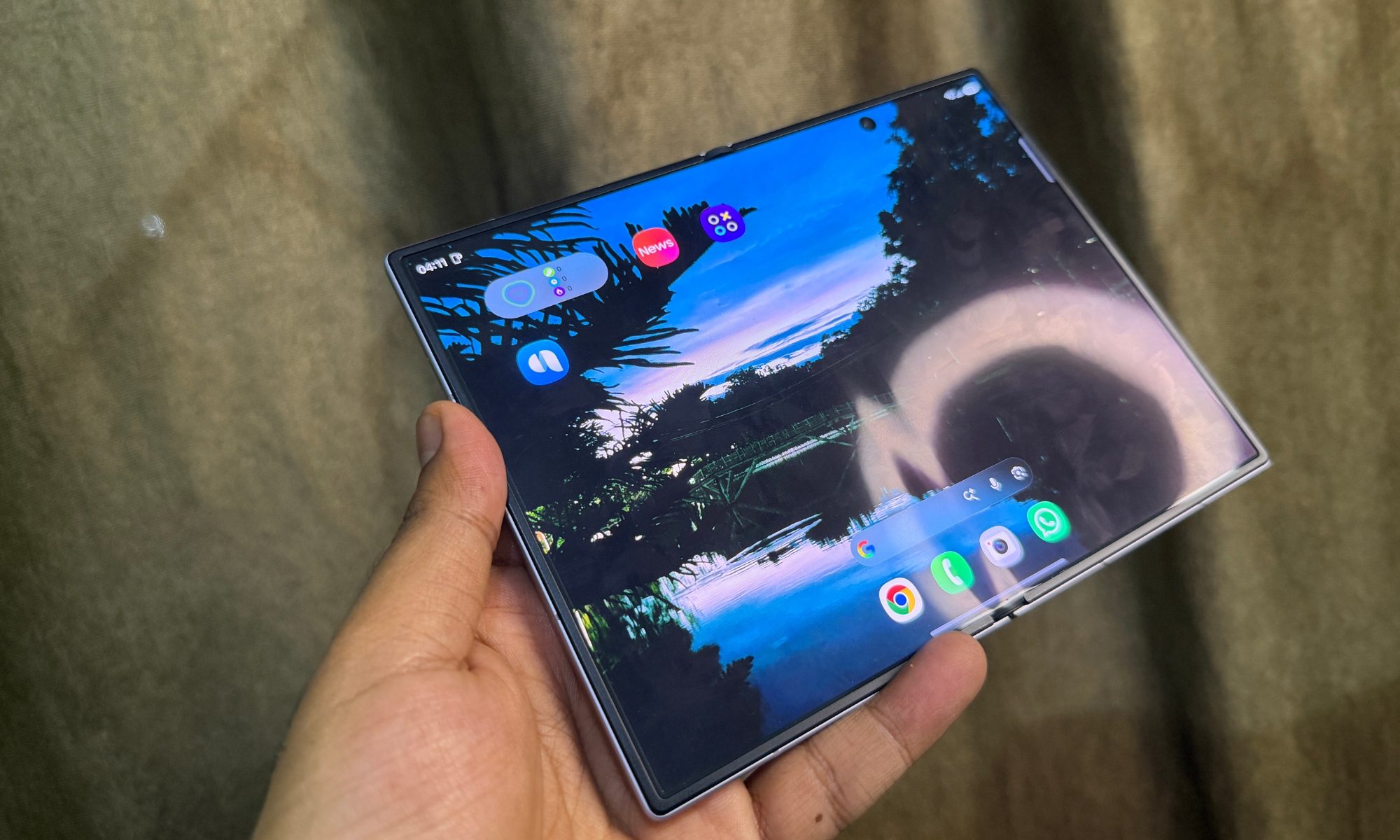
It’s not nearly as shallow as the Oppo Find N6, but the Galaxy Z Fold 8 is still the best attempt by Samsung at eliminating the display crease. Around the edges, Samsung has deployed the Armor Aluminum frame in a micro-blasted matte finish that shrugs off fingerprints and offers a secure grip. The back has Corning Gorilla Glass Victus 2, while the outer cover screen gets tougher Gorilla Glass Ceramic 3. It’s tougher, technically, but you still want to put a screen protector on it. The scuff marks appear out of nowhere. I learned it the hard way. (sigh)
Over a couple of weeks of being opened and closed dozens of times a day, pocketed against a bunch of other items, and set down on café tables, the frame stayed clean of scuffs and the outer glass picked up no deep scratches, which speaks well of the finish choices. One caveat worth taking seriously is the IP48 level of ingress protection. For the unaware, the “8” in that IP48 code means the phone can survive a 1.5-meter dunk for half an hour, but the “4” only guarantees protection against solid objects larger than a millimeter.
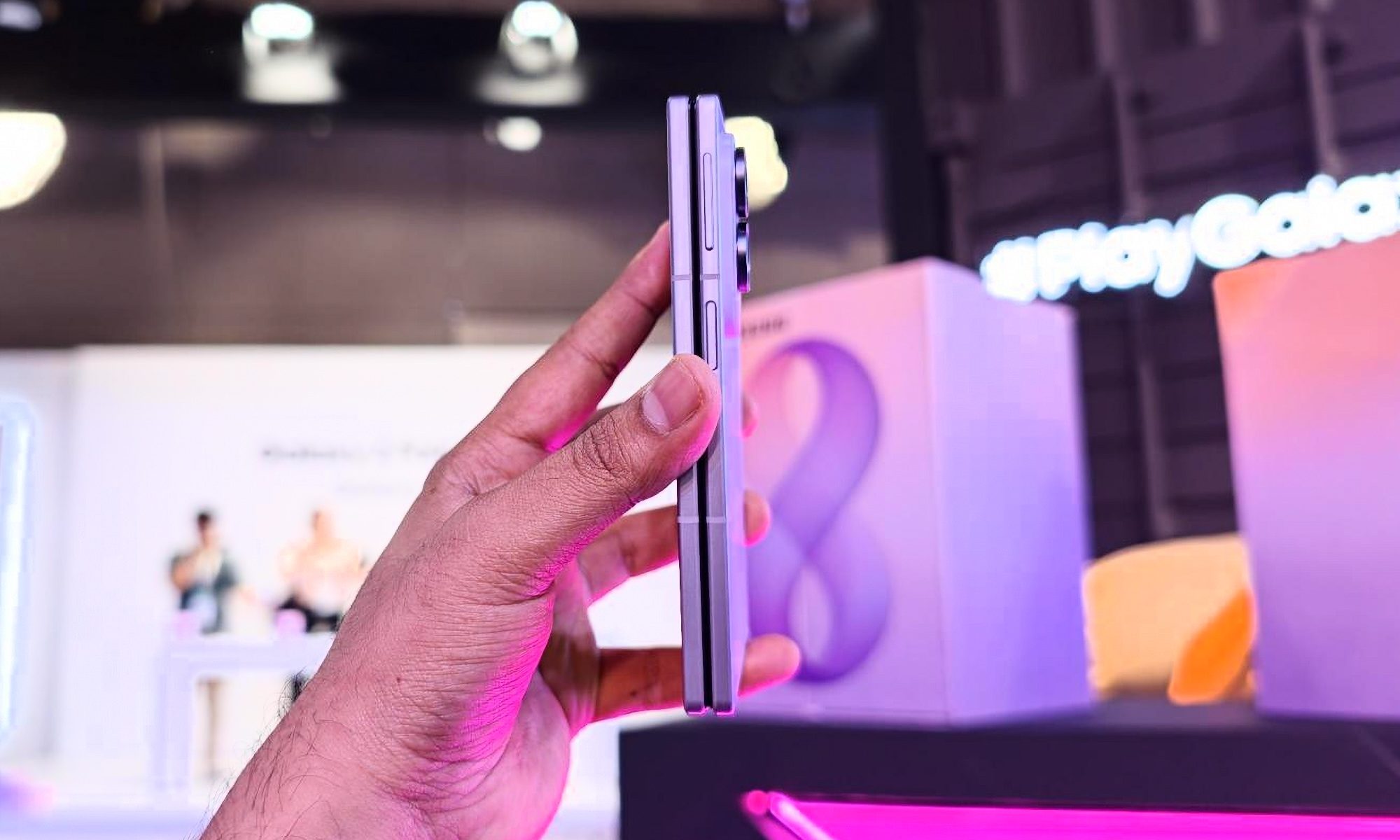
Simply put, fine sand, dust, or flour could still work into the hinge gears. I’d keep it well away from a beach towel, and I say that as someone who has watched grit end a foldable before its time. In our investigation, the hinge caused the biggest share of problems for Samsung foldables, so you want to take this bit of cautionary advice a tad seriously. I went through the ordeal of expensive repairs on my Galaxy Z Fold 5, so I know the pain.
Physical controls, ports, and haptics
Samsung clearly sweated the button placement for a device used in two states. The power key on the upper right rail doubles as a capacitive fingerprint sensor, and it read my print instantly every time, even with slightly damp fingers. The volume rocker sits just above it with firm detents, so I never fired off an accidental press while opening or shutting the hinge. Machined speaker grilles run along the top and bottom frames, and that’s a key ergonomic snag. When I held the phone open in landscape, the palms naturally cover the ports, dulling the treble unless you flip your grip.
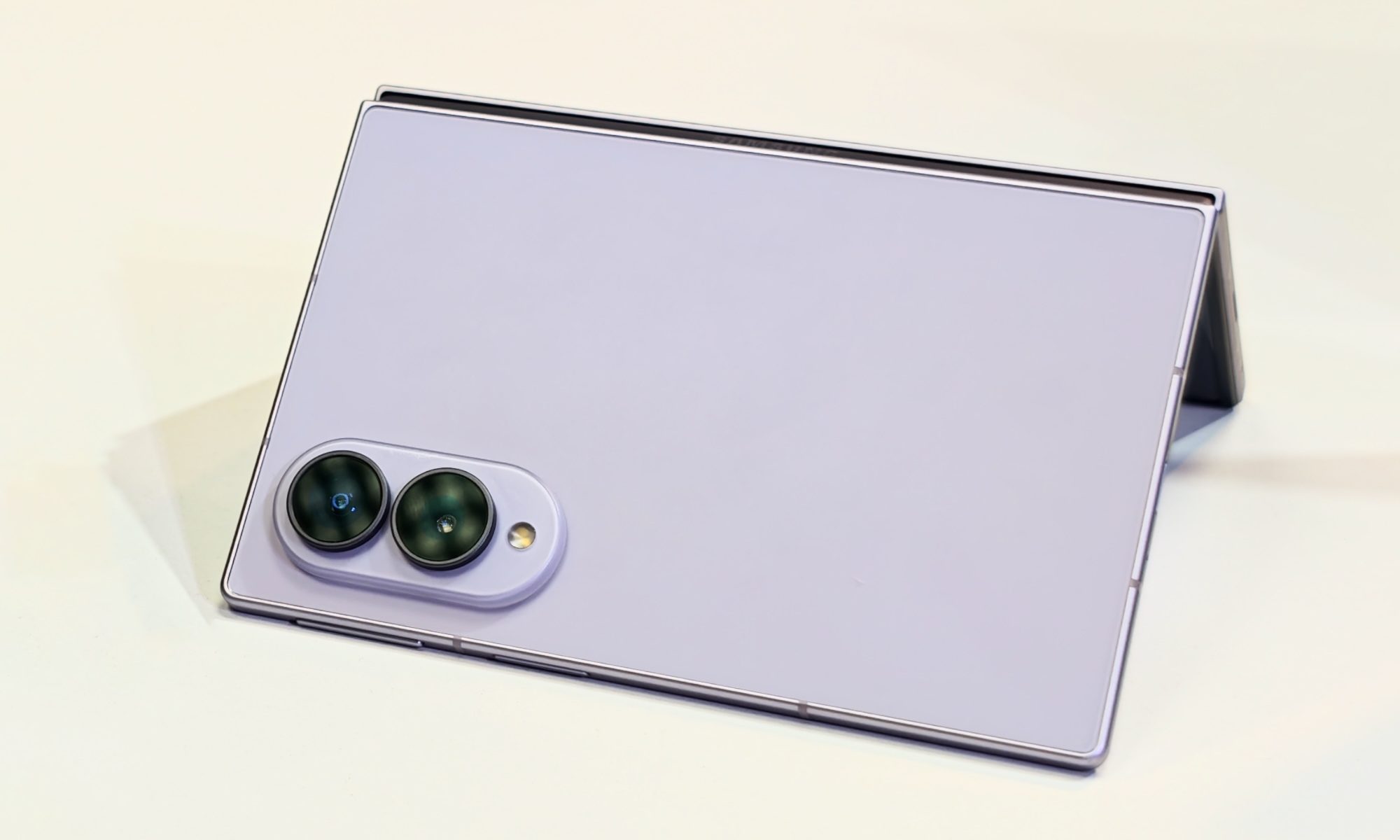
I also often found myself scratching the edges to find the fingerprint sensor or rotating the device around to adjust the volume. It takes a bit of muscle memory to get used to. The haptics, on the other hand, are acceptable. The vibration motor delivers precise taps, and typing on either screen produces tight feedback. Notably, One UI 9 ties custom haptic curves to gestures, the camera shutter, and slider drags.
Score: 8/10
Samsung Galaxy Z Fold 8 displays: The real charm lies here
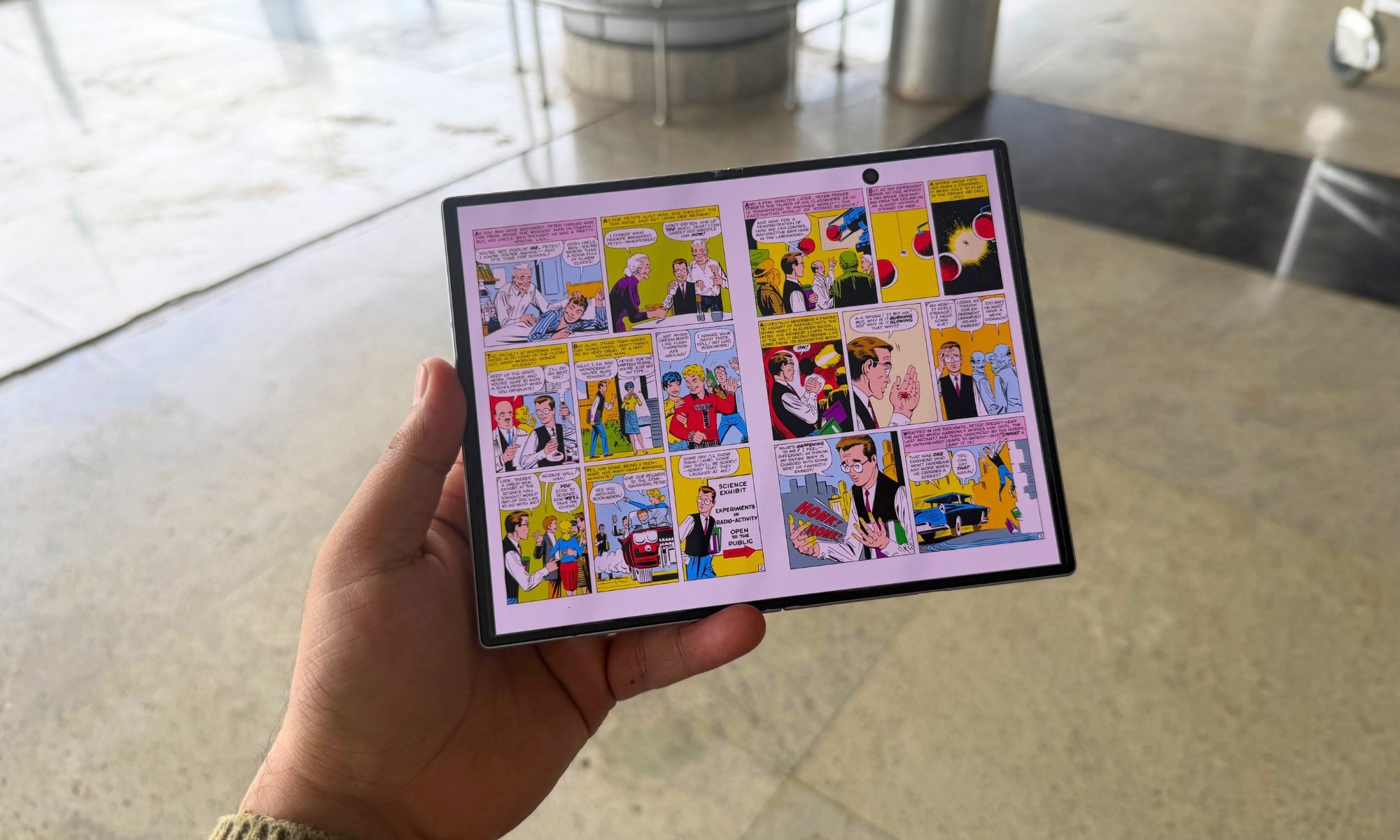
The uniquely-shaped screens are the core reason that this phone exists. Thankfully, Samsung’s display division has supplied two of the best panels ever fitted on a foldable. You get Dynamic LTPO AMOLED 2X with class-leading brightness and color on either face. The outer cover display measures 5.5 inches at 1248 x 1972 (428 ppi), while the inner display comes in at 7.6 inches at 1828 x 2448 (403 ppi) resolution, serving a 10:16 and 4:3 aspect ratio, respectively. Naturally, both scale from 1Hz to 120Hz, and both hit a 3,000-nit peak for brightness output.
About that cute-sy external display
The 5.5-inch cover screen changes the character of the phone entirely. So far, Samsung’s foldables have offered a vexingly narrow 21.5:9 or 22:9 aspect ratio that left the outer display looking like a narrow letterbox. On the Samsung Galaxy Z Fold 8, the 10:16 shape matches a normal compact phone, and everything downstream improves as a result. Thumb-typing no longer feels like threading a needle, the keyboard has room to breathe, and my error rate dropped without any conscious adjustment.
Your usual Android apps render natively too, with no ugly vertical stretching. As a result, the social feeds, browsers, and messengers all look the way their developers intended. The only downside is that the UI feels constrained in a few situations, such as email apps, where the text composer fights against the keyboard and other relevant content up top. The panel’s brightness climbs to a 3,000-nit peak in small HDR windows and holds above 1,500 nits across the full screen.
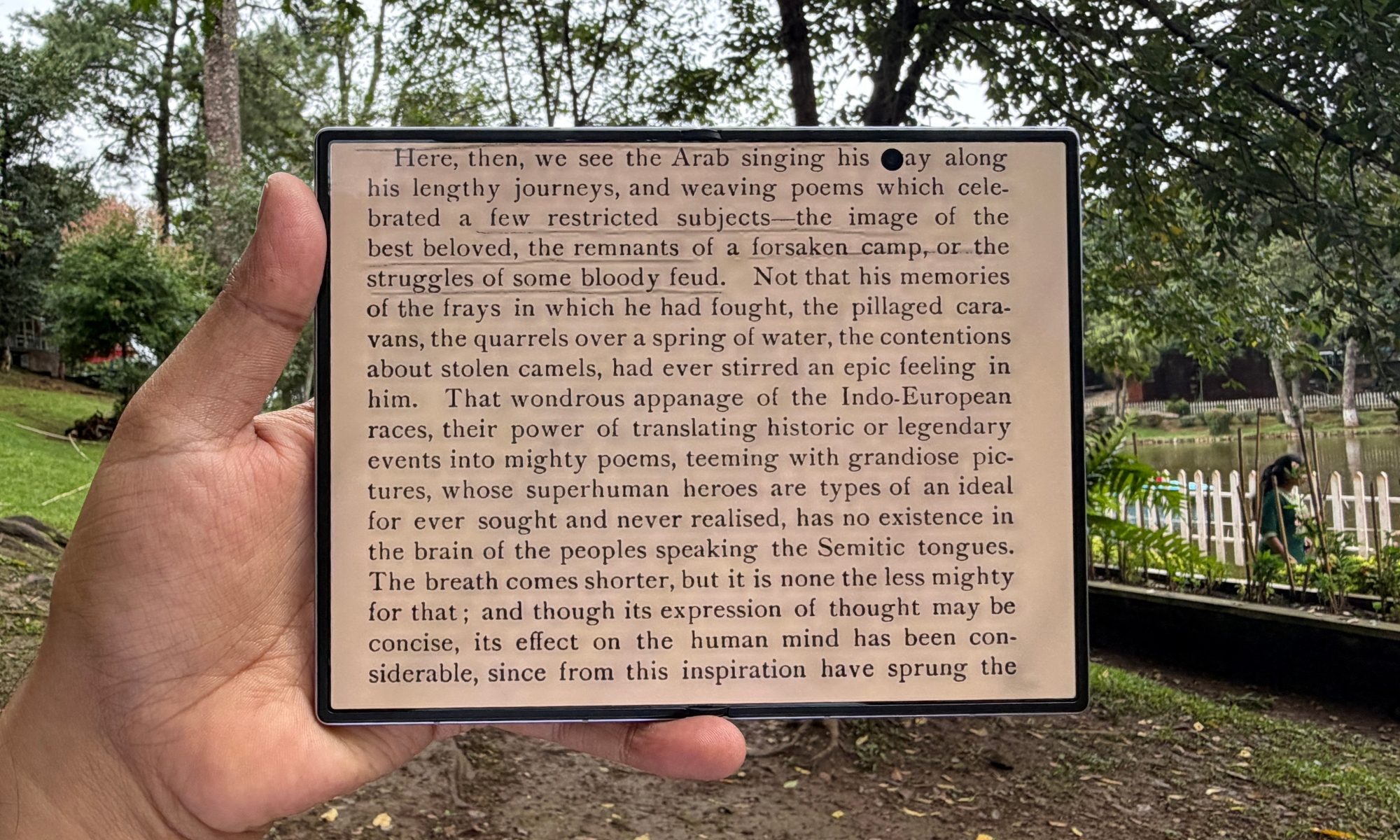
Notably, the Ceramic 3 glass layer carries an anti-reflective coating, which Samsung rates at cutting glare by more than 60%. I couldn’t measure that scientifically, but compared to a couple of Android phones on my desk, the Samsung Galaxy Z Fold 8 did a better job at diffusing external light reflections. I barely ever fought to read content on it in daylight, and that’s a huge win.
The inner flexible panel
When you open the phone, a 7.6-inch display greets you. The move to a 4:3 ratio turns it into a broad, squarish canvas that suits multi-window work, ebooks, and document editing more naturally. It covers the full DCI-P3 gamut in Vivid mode, while Natural mode targets the sRGB zone. Colors are fairly accurate for the occasional on-phone editing, in case you’re wondering. The LTPO stack idles down to 1Hz on a static screen and ramps to 120Hz the moment you touch it, which quietly saves battery through the day.
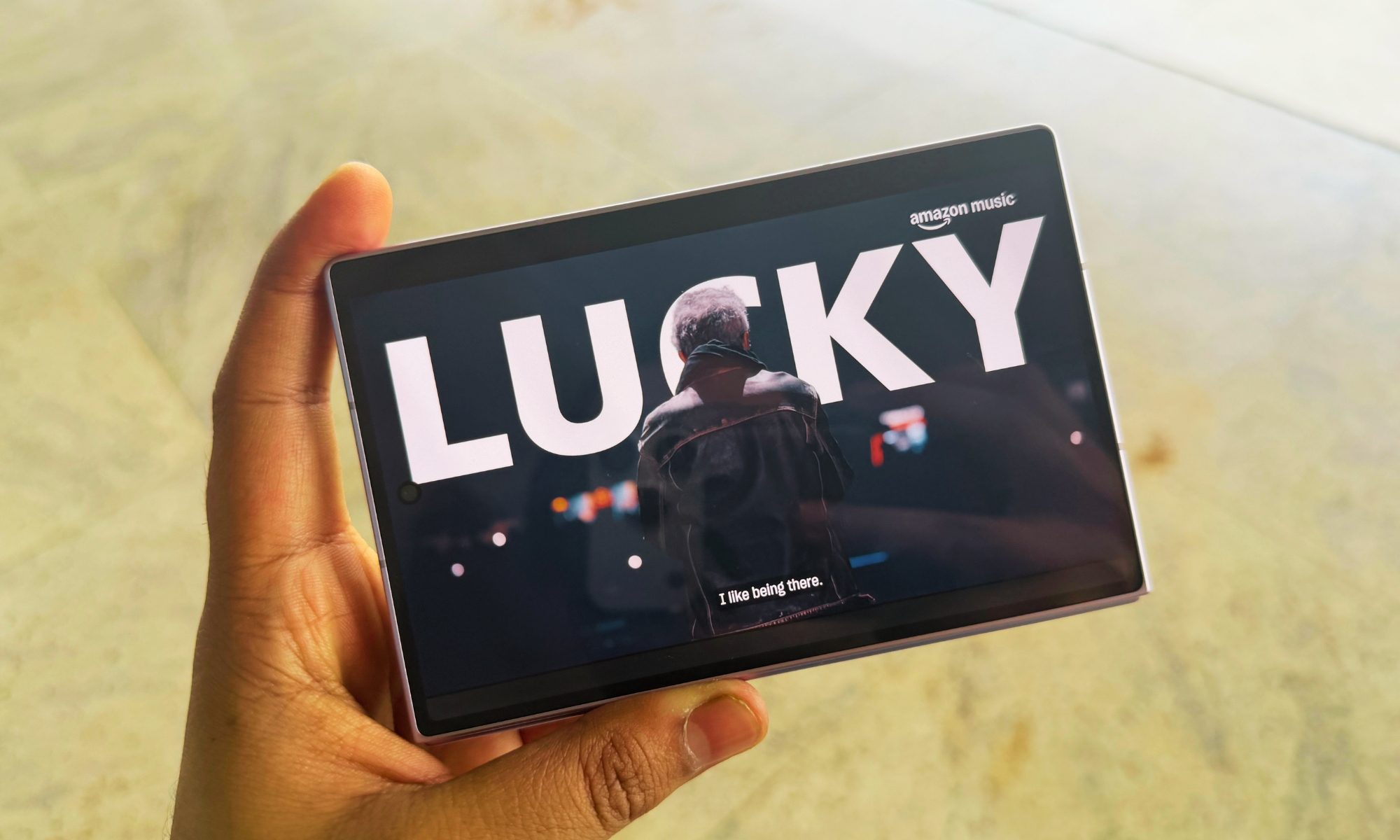
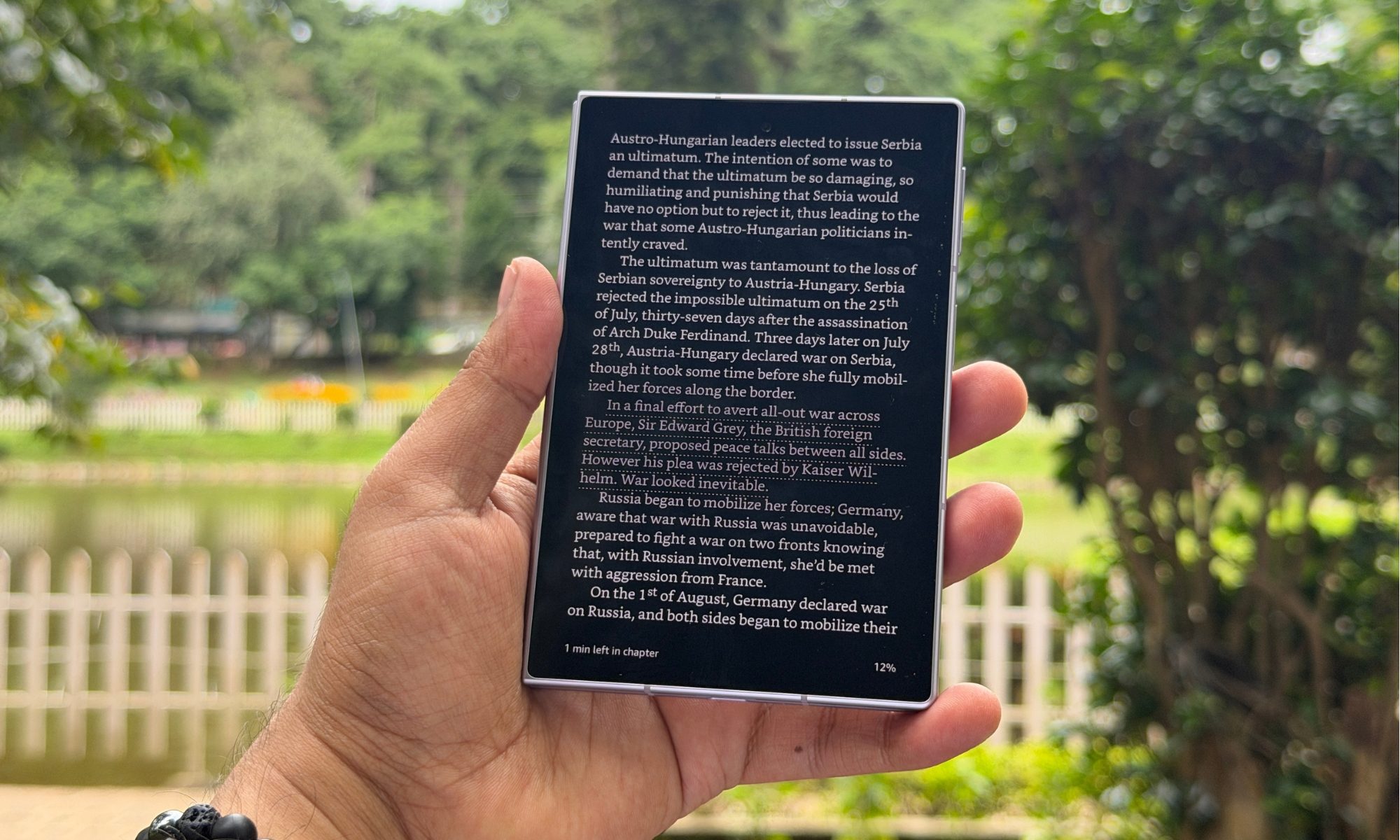
The panel surface is a layer of ultra-thin glass over a polymer substrate and Flex Titanium plate, and it feels smoother and less draggy under a fingertip than the plastic-topped competition or even Samsung’s older foldable phones. I would, however, still keep a fingernail off it, or any sharp object for that matter. The square-ish canvas turned out to be my favorite way to read anything. A full ebook page renders at a size close to a paperback, two columns of a PDF sit side by side without pinch-zooming, and a webpage in reader view holds a comfortable line length.
You will love it for reading. And comics. And emails.
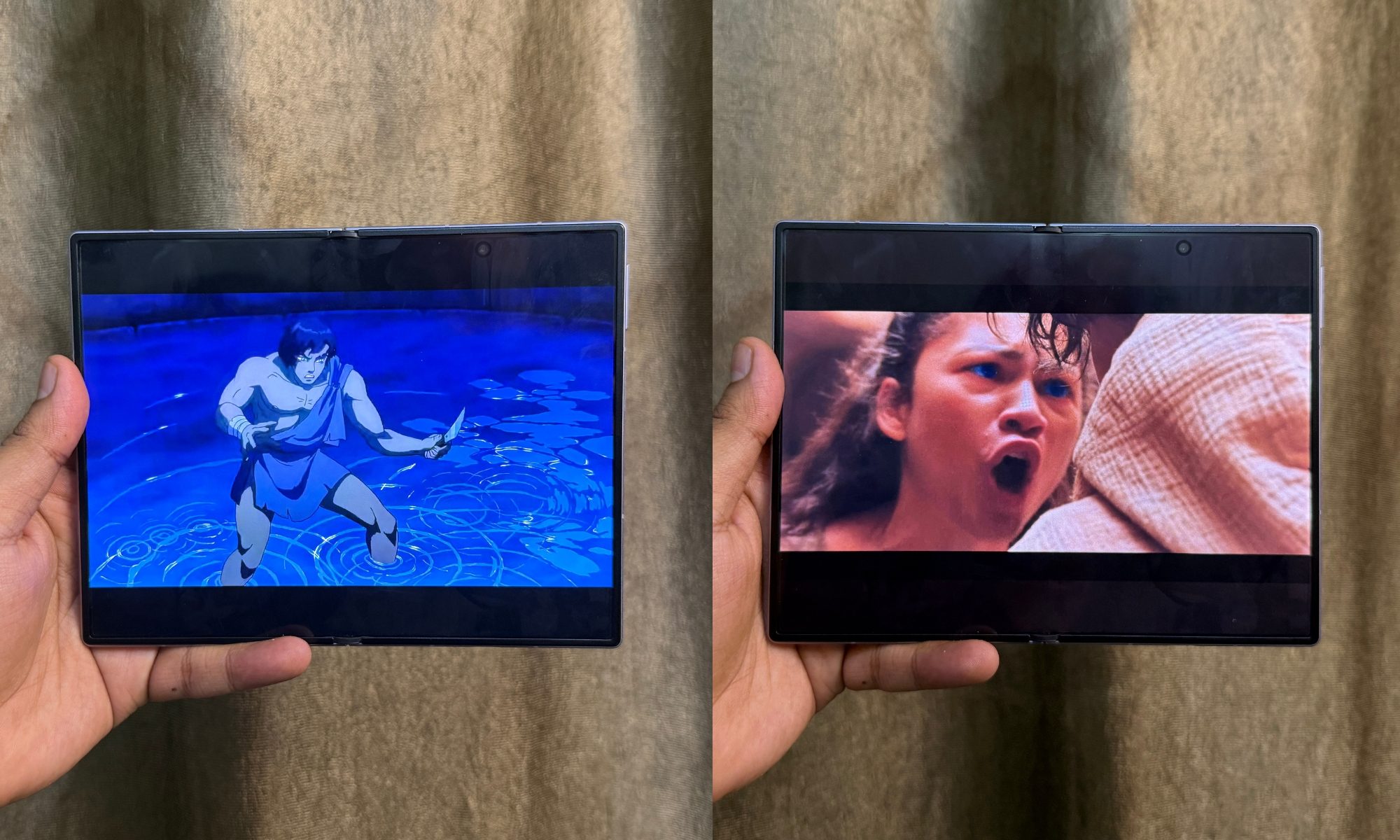
For editing documents and spreadsheets, the extra vertical height means fewer scrolls and more of the file on screen at once, and I found myself reaching for the Galaxy Z Fold 8 over my laptop for quick edits more often than I expected. One core limitation is that the 4:3 shape is superb for productivity, but letterboxes 16:9 and 21:9 content with black bars top and bottom. The saving grace is that OLED renders those bars perfectly black, so they melt into a dark room, and the sheer size of the panel means even a letterboxed film still plays larger than it would on a normal phone when held the same distance away.
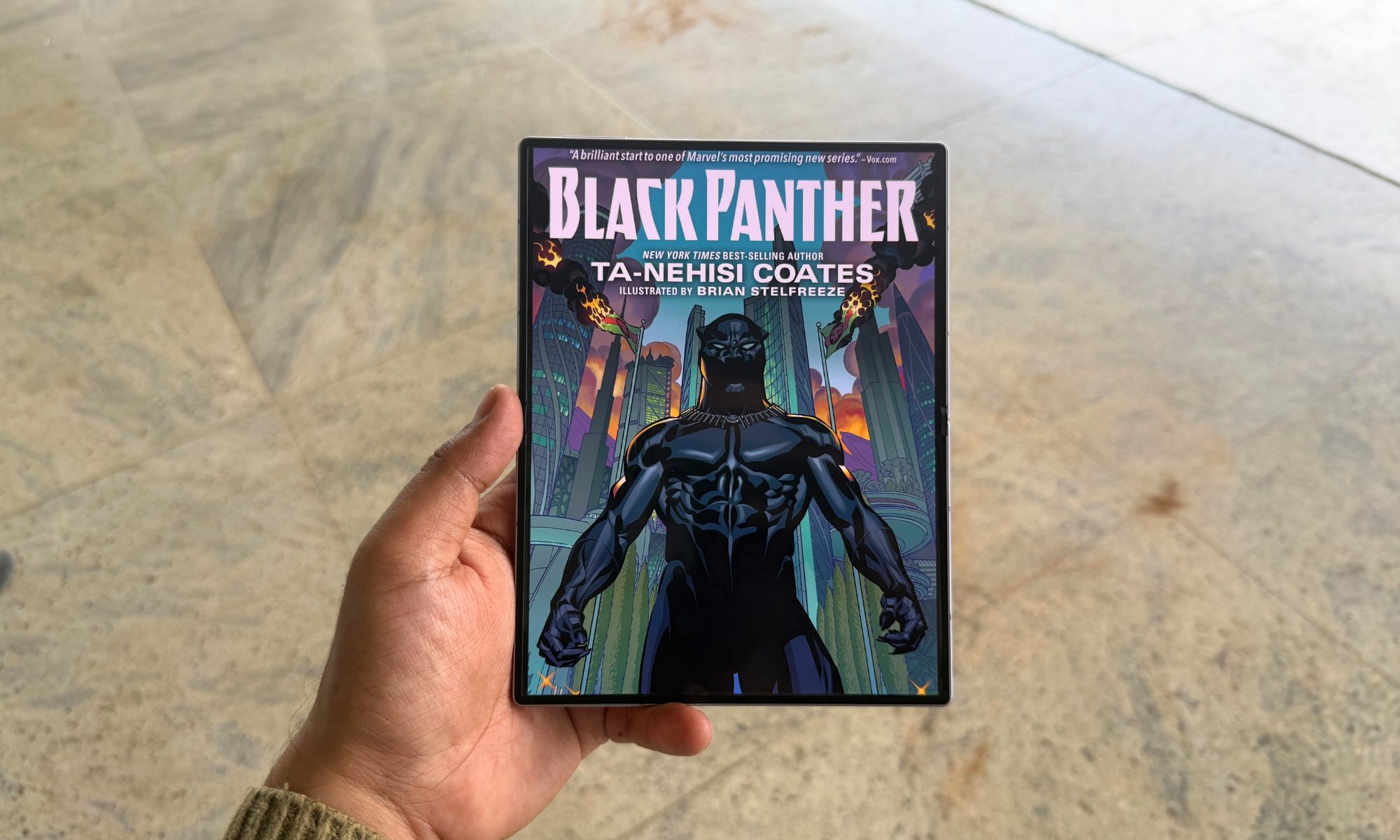
Not all apps are optimized for the 4:3 aspect ratio, and the upscaling makes some of them look downright ugly. Additionally, when you move an app from the outer to inner screen (or vice versa), some of them require a restart. Games, for example, are the best example. Also, you don’t want to force all apps to full-screen mode when launching them on the inner foldable screen.
Score: 9/10
Samsung Galaxy Z Fold 8 performance: A speed demon that knows its limits
Samsung’s latest foldable draws power from Qualcomm’s custom Snapdragon 8 Elite Gen 5 for Galaxy chip, which is built on a 3nm node. Its eight-core CPU pairs two high-performance Oryon V3 Phoenix L cores at up to 4.74 GHz with six Phoenix M efficiency cores at 3.62 GHz, and graphics run on an Adreno 840 at 1.3 GHz. Memory comes as 12GB of LPDDR5X on the 256GB, 512GB, and 1TB tiers, stepping up to 16GB exclusively on the 1TB model, all on high-speed UFS 4.x storage.
Benchmark analysis and synthetic stress testing
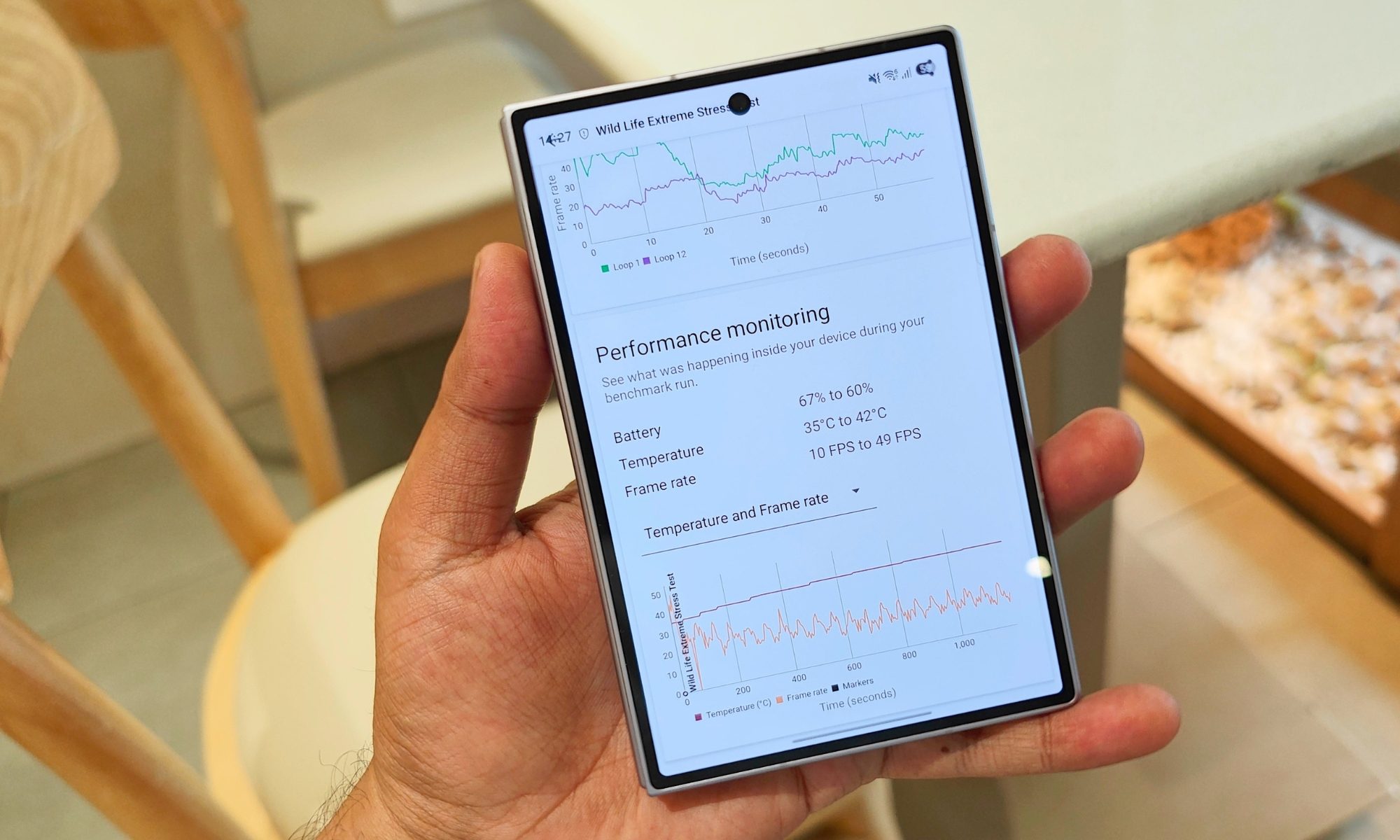
The synthetic numbers tell two stories at once: how quick the silicon is, and how much the 4.5 mm chassis limits it under load. In my latest Geekbench 6 run, I recorded 3,607 on single-core and 10,273 on multi-core tests, a substantial single-core jump over last year that shows up. Apps launch instantly, page rendering is snappy, and photo editing is effortless. After three AnTuTu v11 landed at 2.9 million on average, which is close to the summit of what you get from a flagship smartphone today. The stress test is where the thin body bites.
The Galaxy Z Fold 8 opens 3DMark Wild Life Extreme at a respectable score of over 4,800 points, but its 20-loop stability sits at just 54%. After eight to ten minutes at full tilt, the GPU clocks down to keep the outer skin below approximately 44°C, settling sustained output near 60% of its peak performance levels. Broadly, that means when the phone is pushed, it drops down the raw performance to keep things from getting toasty or crashing.
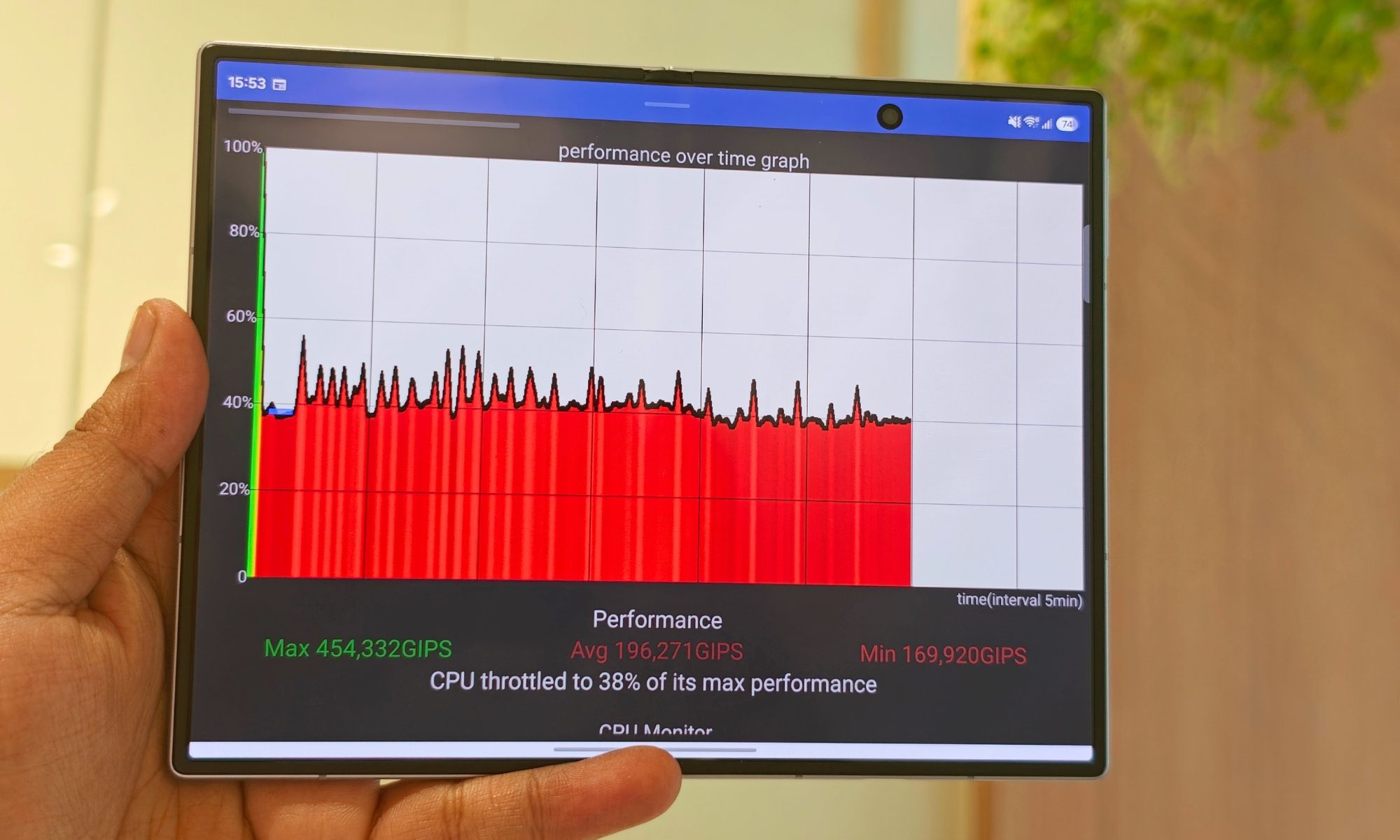
That’s the trade-off you get from a skinny phone. It’s a vexing one if you game hard for long stretches and care too much about FPS output at the best graphics output. I could feel that heat build in the hand, too. Long sessions leave the frame around the upper hinge noticeably warm (though never alarmingly hot), and I consistently ran into this thermal behavior.
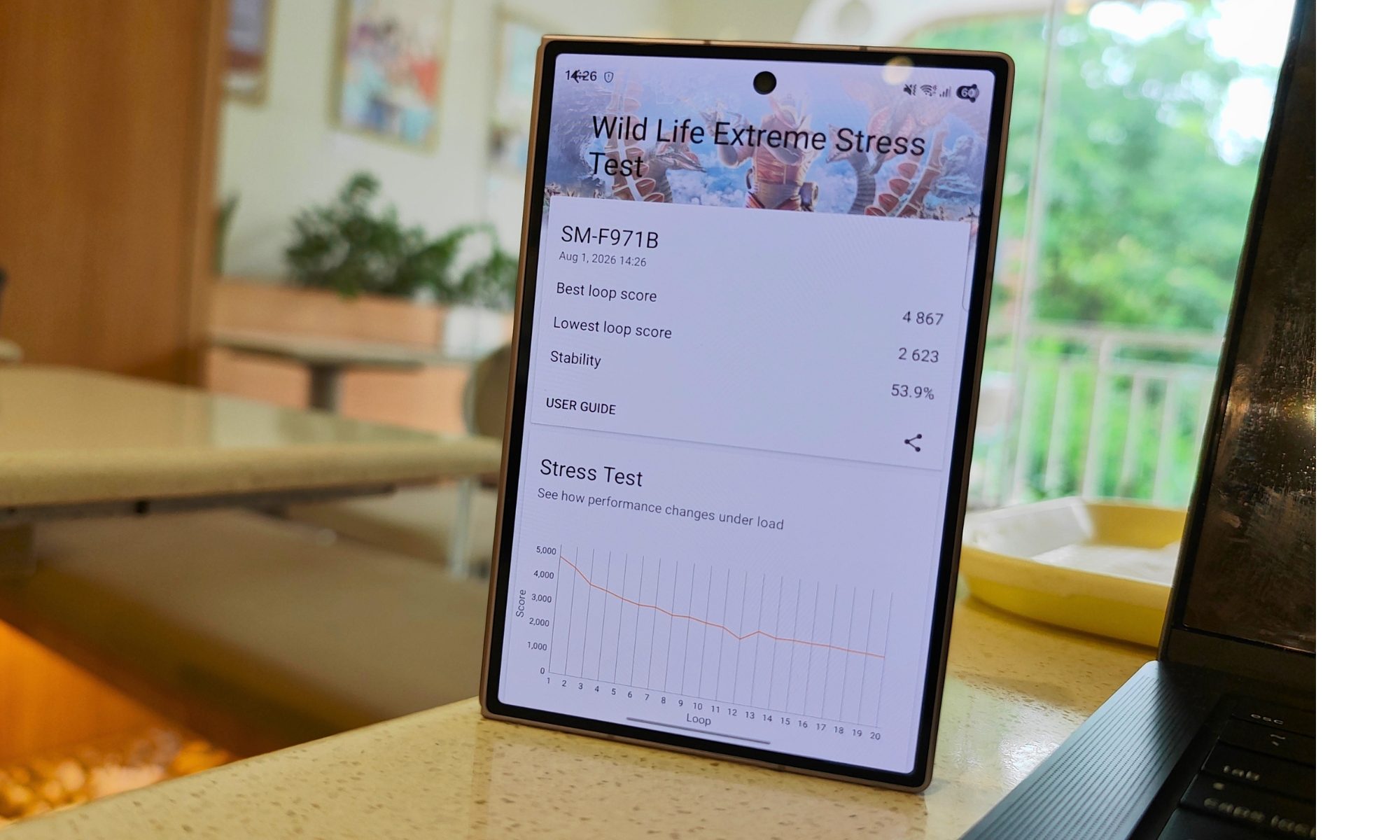
At the end of the day, it’s the challenging physics of cramming so much silicon firepower behind a 4.5 mm profile with nowhere for a large vapor chamber to go. Before you plonk cash on this one, it’s worth weighing if marathon gaming is central to how you’d use the phone.
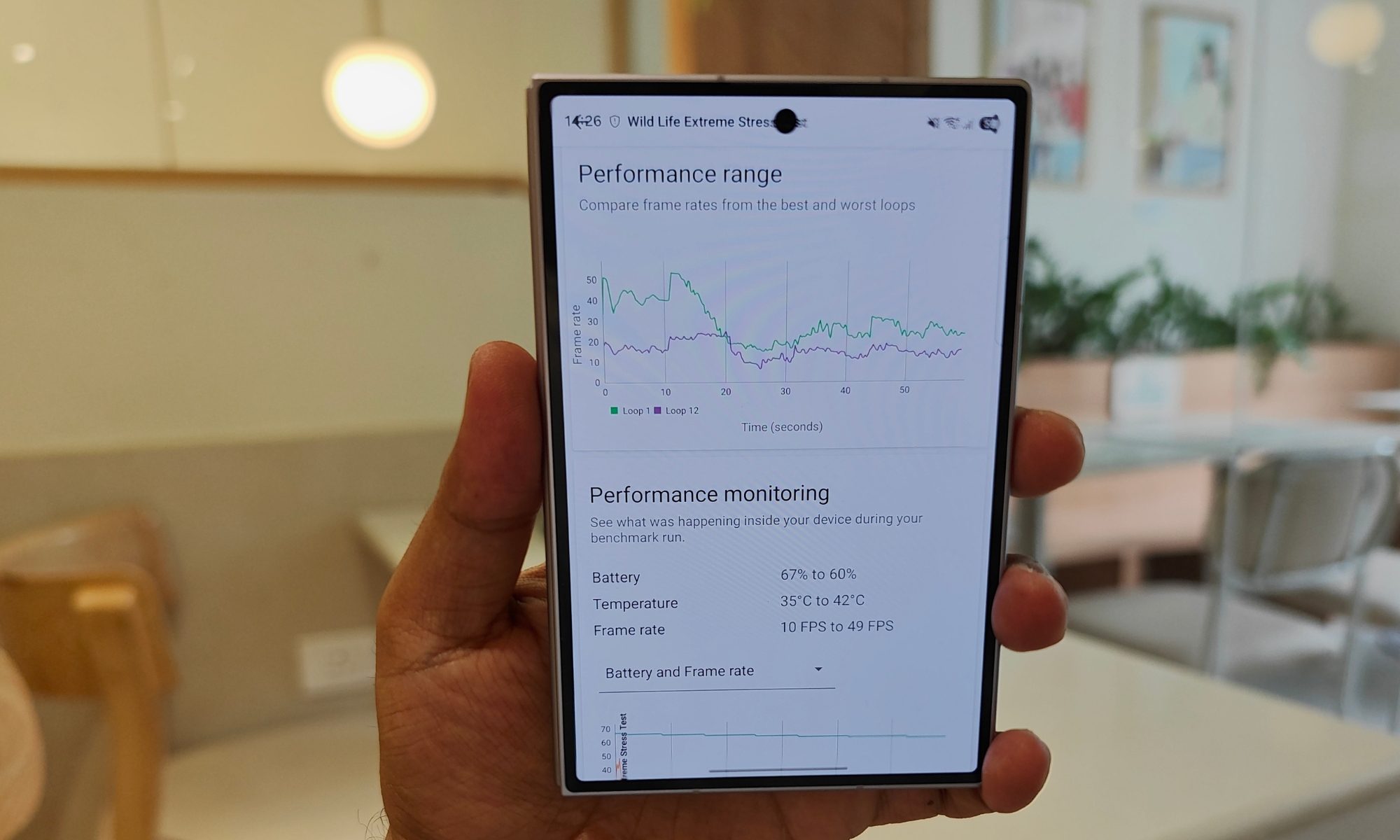
Gaming, multitasking, and day-day-day usage is smooth
On a day-to-day basis, however, gaming held up better than those loop numbers suggest. Genshin Impact, Zenless Zone Zero, Red Dead Redemption, and emulated games easily ran at a locked 60 FPS on max settings for the first quarter-hour, then dropped to a steady upper-50s range to control heat build-up. Broadly, the figures glide down slowly rather than stuttering, and I prefer this. On the inner display, those games look spectacular.
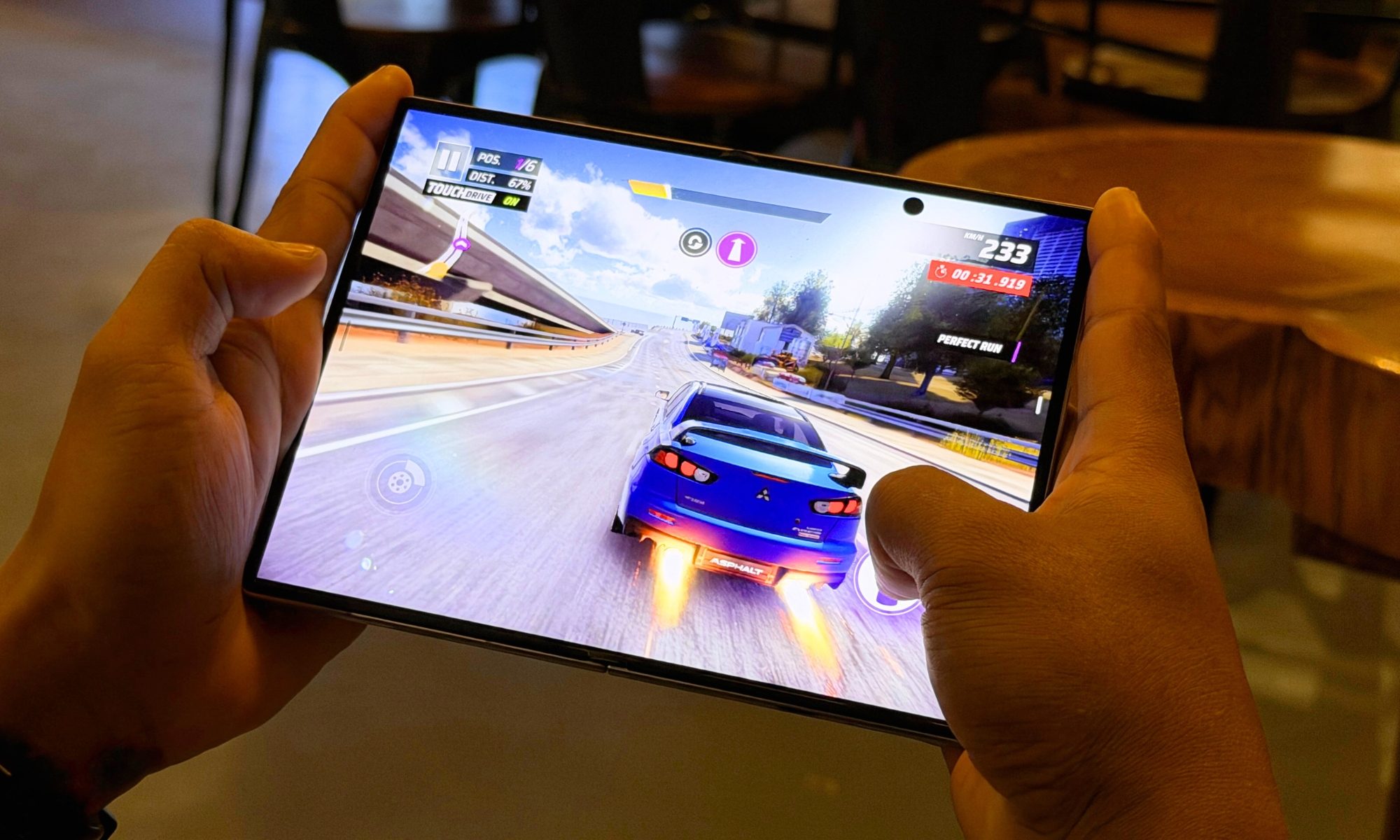
The extra screen real estate lets you move on-screen controls further apart so your thumbs aren’t crowding the action. Lighter titles never troubled the Galaxy Z Fold 8 at all, and they held their frame rate maxima consistently without any worrisome temperature spikes. Multitasking is where the phone truly shines, and it’s the biggest reason to buy a device like this over a slab.
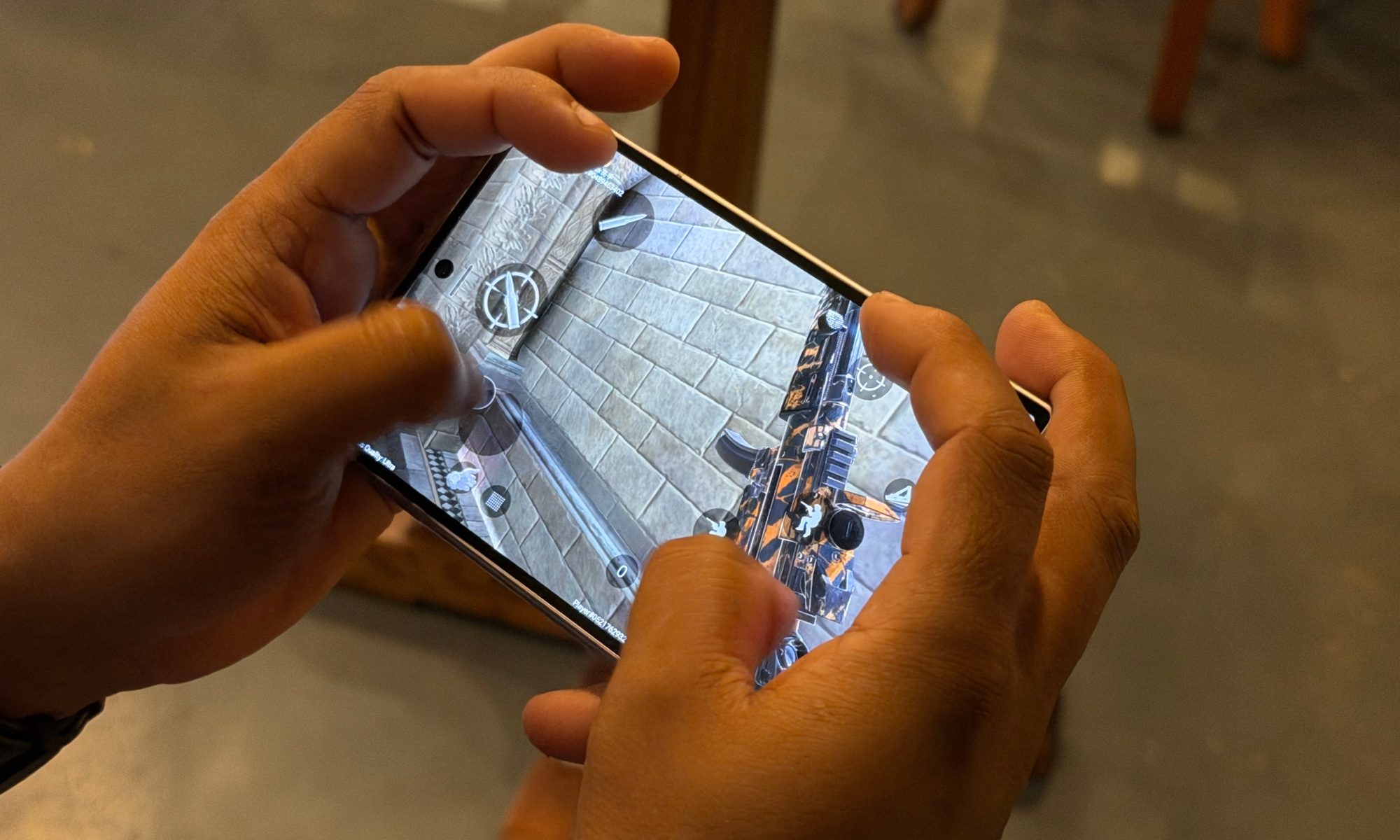
I ran a YouTube news stream, a browser, and a live Teams channel side by side on the inner screen with no lag at all. The memory held through a dozen apps without culling them in the background. My most-used setup was a browser and a notes app split down the middle for research with a messaging window floating on top. Expectedly, Qualcomm’s chip never blinked at juggling all three. It’s the closest a phone has come to replacing the quick, throwaway tasks I’d normally open a laptop for.
Score: 8/10
Samsung Galaxy Z Fold 8 cameras: Vivid, but cuts deep
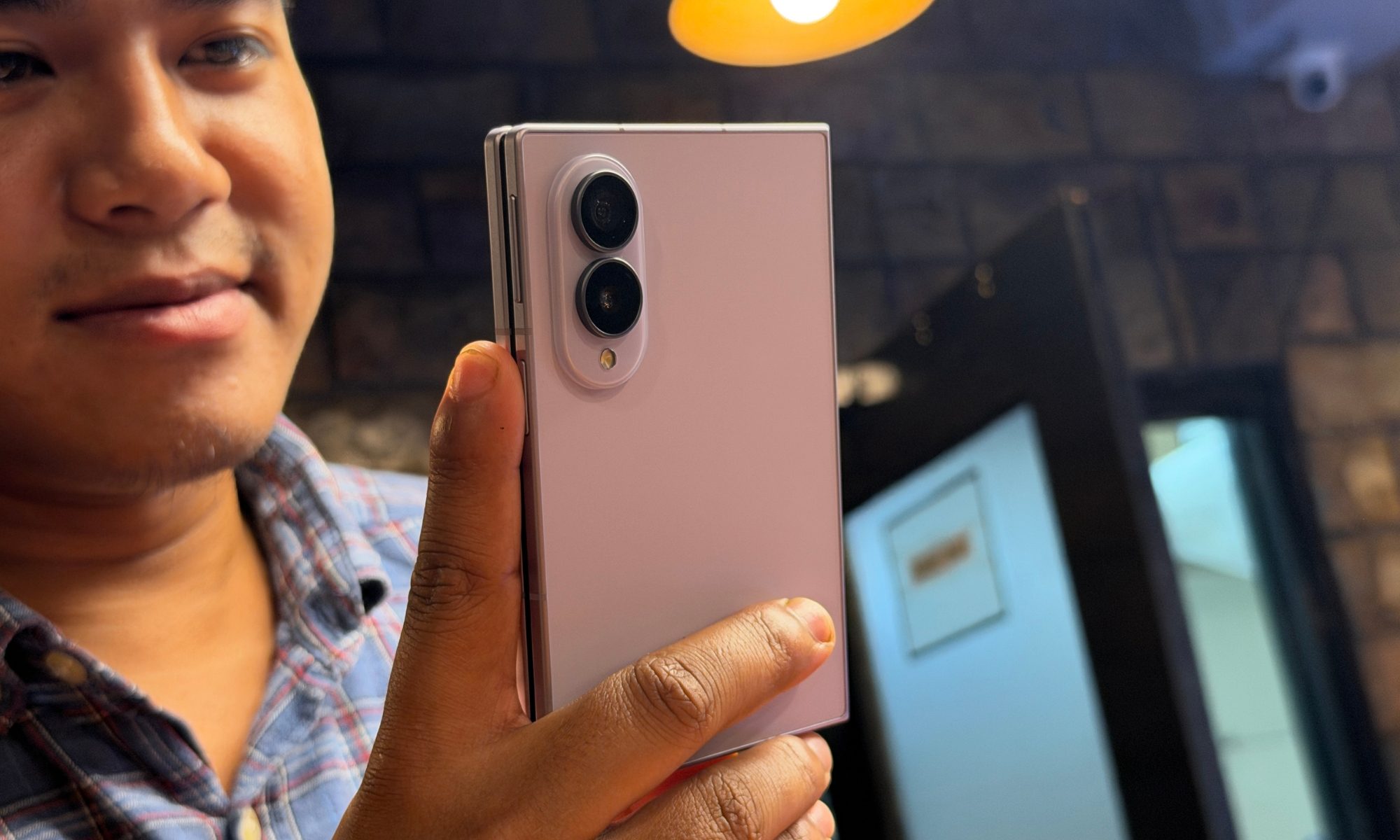
The imaging hardware is where Samsung made the hardest call, and there is no going around it. To achieve that sleek 4.5 mm open profile, it stripped out the optical telephoto lens from earlier foldable models and split the lineup, saving the 200MP arrays for the pricier Z Fold 8 Ultra. The standard model, as a result, leans on a trimmed dual-camera setup propped up by software and sensor cropping.
The primary wide snapper uses a 50MP (f/1.8 with 1.0 micron pixels) sensor that relies on dual-pixel PDAF and OIS. The ultrawide unit is a 50MP (f/1.9 across a 120-degree field of view of 0.7 micron pixels) sensor. Up front, there are two 10MP f/2.2 selfie cameras, delivering 85-degree and 100-degree fields of view.
Putting the primary snapper to test



The main camera does the heavy lifting. It performs 4-in-1 binning to deliver sharp 12MP shots by default. In daylight, it turns out photos with strong contrast, wide dynamic range, and punchy but believable colors. Samsung still sticks with slightly higher saturation to make the clicks look appealing.
The stills look sharp corner to corner, with barely any fringing, even when shooting into the light. Skin tones landed accurately in mixed lighting. Thankfully, Samsung’s tendency to over-sharpen and over-saturate has been dialed back to something more natural than a few generations ago.
In the dark, the f/1.8 aperture, OIS, and Samsung’s ProVisual Engine hold shadows together without piling on noise, though I noticed textured surfaces like brick or fabric go a little soft as the noise reduction leans in. In general, it’s a strong main camera in isolation, and for the overwhelming majority of shots most people take, it’s more than enough.



The lack of a proper zoom-in facility is the compromise you feel the most. With no telephoto, everything past 1x is a crop of the 50MP sensor. The 2x in-sensor zoom is near-lossless, and I used it happily, but from 3x to 5x you’re relying wholly on AI super-resolution. Pictures clicked at up to 4x zoom are okay for posting on social media, but detail falls apart quickly beyond that range.
There’s no disguising that it trails a proper optical zoom module, something you can clearly see as details get fuzzy and sharpness takes a nosedive. If you regularly shoot long-distance subjects like a stage, a landmark, a natural landscape, this is the spot where the base Galaxy Z Fold 8 asks you to make peace with a real limitation, and it’s the single biggest reason a camera-focused buyer might look at the Ultra sibling or Google’s foldable Pixel phone.
The sole camera trick that genuinely delighted me is unique to the form factor. Because you can prop the phone half-folded, it becomes its own tripod for long exposures and night shots, and the Flex Mode camera UI puts your thumbnails and controls on the lower half while the viewfinder fills the top. I took a hands-free group photo by standing the phone on a table, framing on the cover screen, and letting everyone get in the shot without ever missing a tripod.


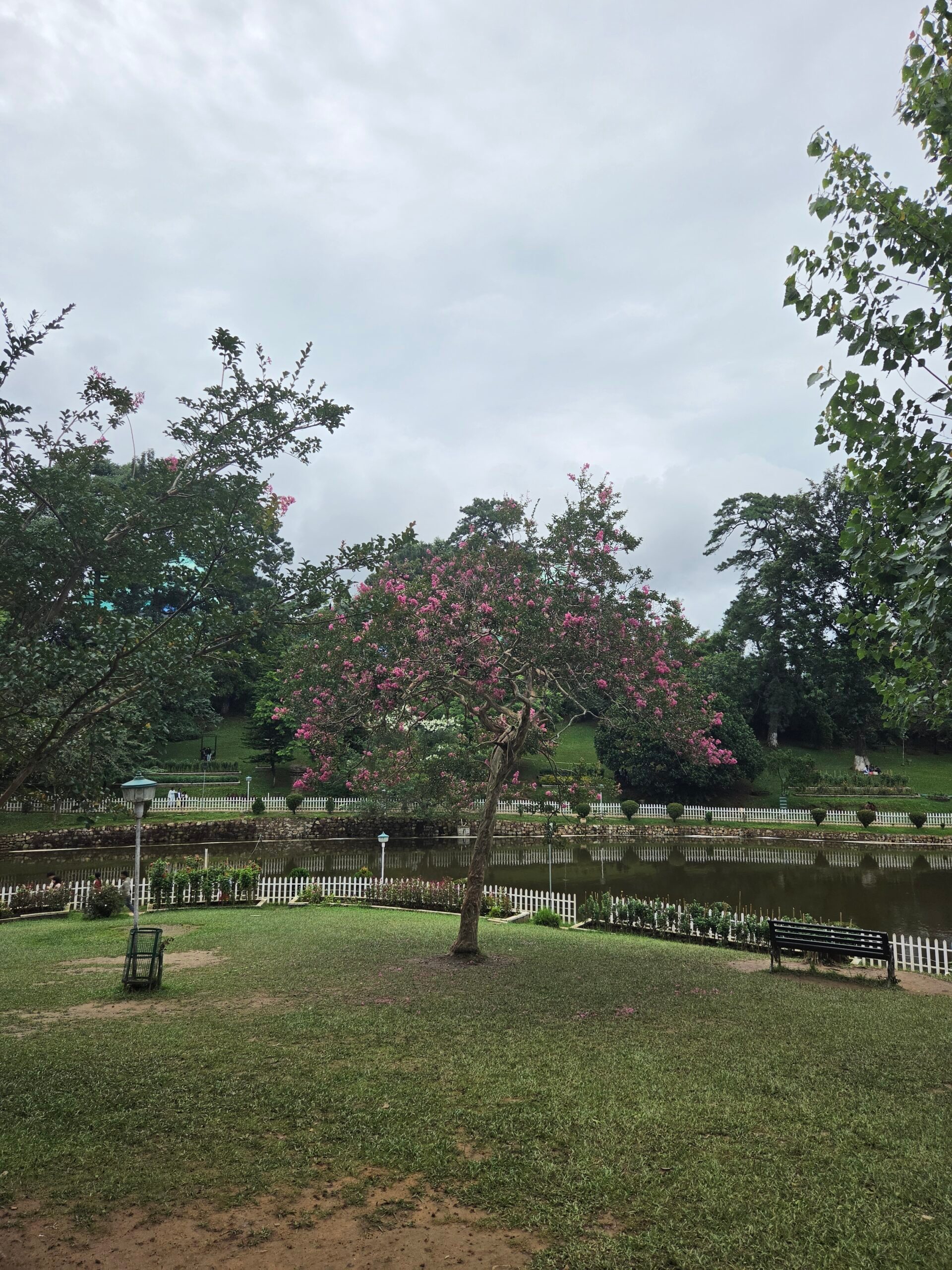
What I don’t like is the over-processing. The Galaxy Z Fold does a bad job with processing textures, especially for long-range shots. Foliage gets messy even without tapping into the 2x optical-quality zoom mode. Moreover, if you are capturing images from under a shade, the highlights on the subject get overblown the moment you adjust the focus. This takes a toll on color fidelity.
The post-processing is just bad. I would prefer natural grain over a smoothened mess of pixels.
The ultrawide snapper is fairly capable. Its real-time geometric correction keeps architectural lines straight near the edges without any bulging or the usual barrel distortion. It also produces colors that are fairly consistent with what the main camera captures. Thanks to multi-directional PDAF support, it can also tap into macro mode when I brought it within three to five centimeters of a subject.
Close-ups came out detailed and clean, with enough resolution to crop in afterward. Moreover, the autofocus system ensured that I wasn’t fighting the fixed-focus vagueness that makes most phone macro modes a gamble. It’s a versatile second lens that quietly does more than its spec line suggests.



Both 10MP front cameras render natural skin tones and convincing background blur. The smarter move, though, is to unfold the phone and shoot selfies on the rear 50MP cameras using the cover display as a live viewfinder, which gives you far better results than either front sensor. It’s the approach I defaulted to whenever the shot mattered.
On their own, the 10MP sensors on the Galaxy Z Fold do a decent job with skin color profile, maintaining decent realism and true tones. However, the honeymoon period is over as soon as the light gets challenging. In dimly lit surroundings, these sensors struggled with locking the focus, did plenty of smoothing on the skin, and struggled with shadows.
Video capture maxes out at 8K/30 or 4K up to 120 FPS on the main sensor, with gyro-EIS and OIS keeping handheld clips steady and 10-bit HDR capturing deep gradients in tricky light. The clips look clean and stable across daylight and mixed indoor lighting. While I wouldn’t call the video class-leading against a dedicated camera phone, it’s perfectly capable for anything short of serious production work.
Where it takes the biggest hit is focus hunting, which leads to detail loss. Samsung’s video stabilization, on the other hand, is pretty good. Even when capturing vlogs while sitting pillion on a scooter, I was able to get stable videos. The Super Steady mode comes in handy, and the Horizontal Lock mode almost does a magical job at maintaining a straight frame, even at 4K 60fps resolution.
Score: 7/10
Samsung Galaxy Z Fold 8 software: A rewarding situation, almost
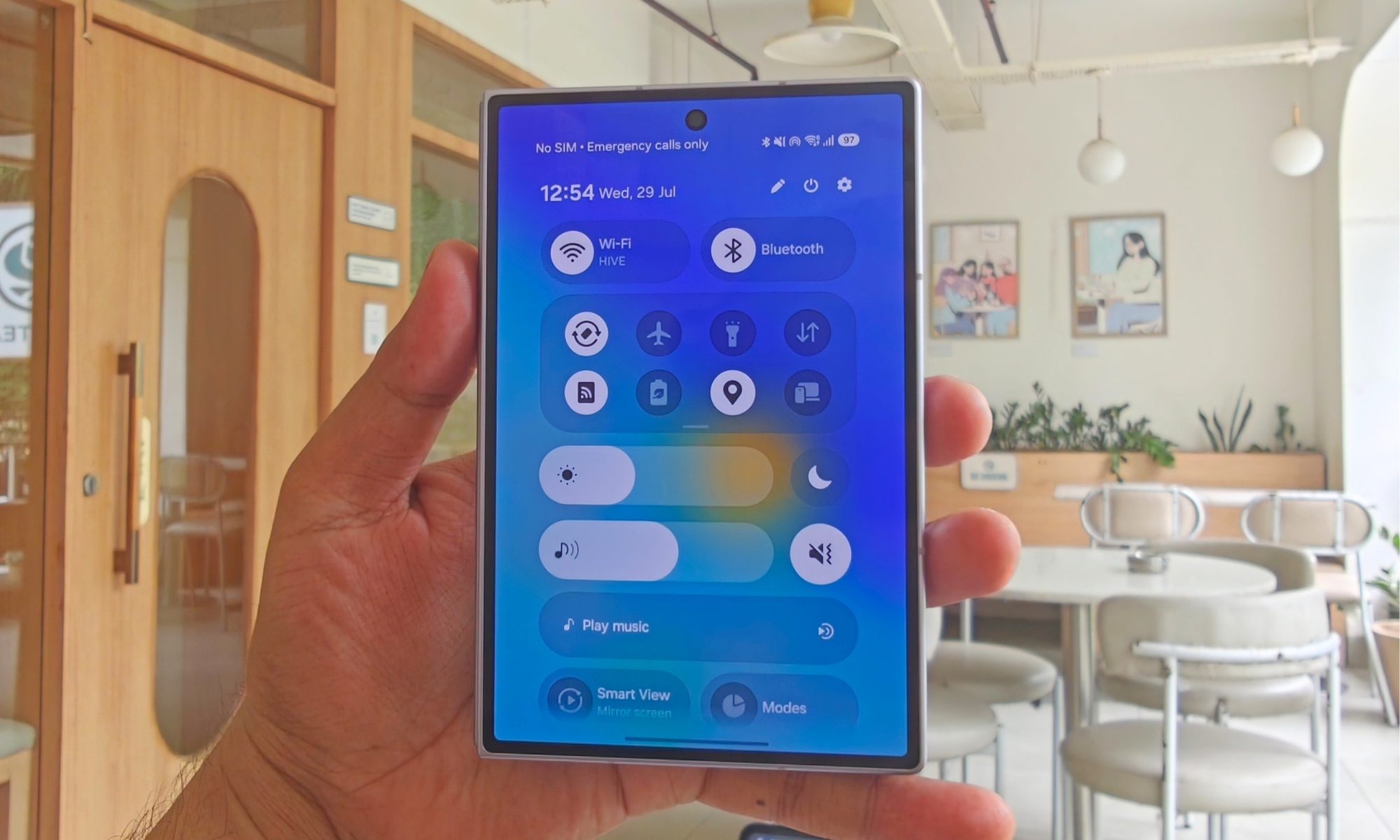
The Galaxy Z Fold 8 ships with One UI 9 coded atop Android 17. Samsung promises seven years of major OS upgrades and security patches, carrying support through 2033. This remains the strongest reason to buy a Samsung foldable over any rival. Plus, the pace of feature updates is also fairly consistent, so you won’t be missing too much against Google’s Pixel foldable phones.
One UI 9 wrings more out of the 7.6-inch panel than any competing software can manage on its own. A persistent desktop-style taskbar lines the bottom of the inner screen, so I could jump between recent apps or drag an icon straight onto the display to trigger a split view. You can run up to three apps at once, side-by-side splits plus a bottom panel, along with floating pop-up windows. I love that you can save app-pair presets to the home screen or edge panel for one-tap launch.
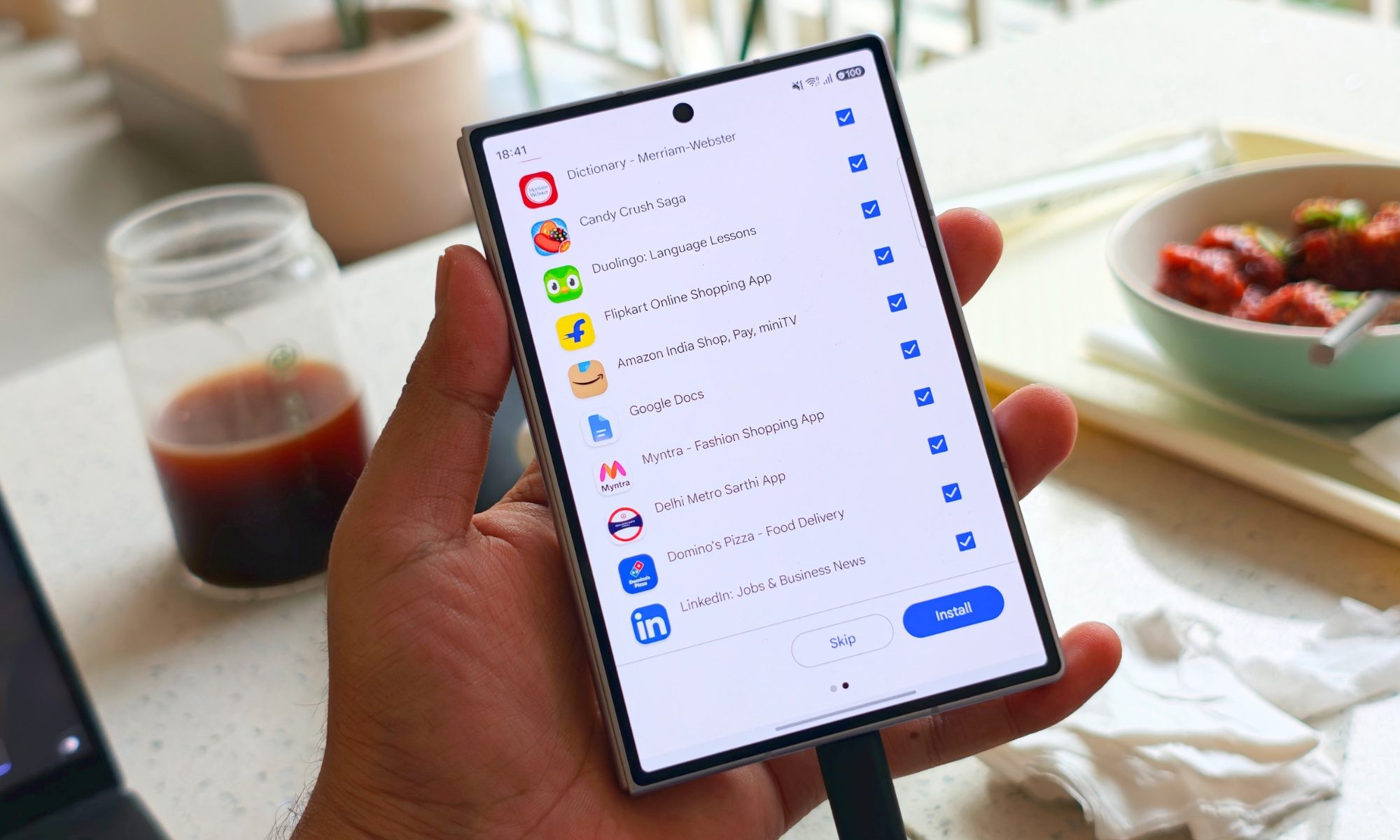
I set up a research pair and a comms pair as presets and launched each with a single tap, which took the phone’s multitasking chops from a novelty into something I leaned on daily. The absence of Flex mode is a huge miss, though. The Edge Panel, which pulls out a list of your favorite tools and apps with an inward edge swipe, remains my favorite One UI feature. Plus, the flexibility offered by GoodLock modules is a unique victory for Samsung. The heavily-advertised Now Bar and Now Brief features are cool, but I never found them useful enough to actively pursue them on a daily basis.
AI ecosystem integration and Samsung DeX
Google Gemini is baked deep into the operating system alongside Samsung’s own AI stack. You get Circle to Search, real-time two-way call translation, document summaries, and generative photo tools for object removal, background expansion, and reflection removal. The generative edits are hit or miss, which is not surprising with visual AI tools. It can clean up a stray subject from a photo convincingly in one moment, and then leave you with a smeared patch on the next try.
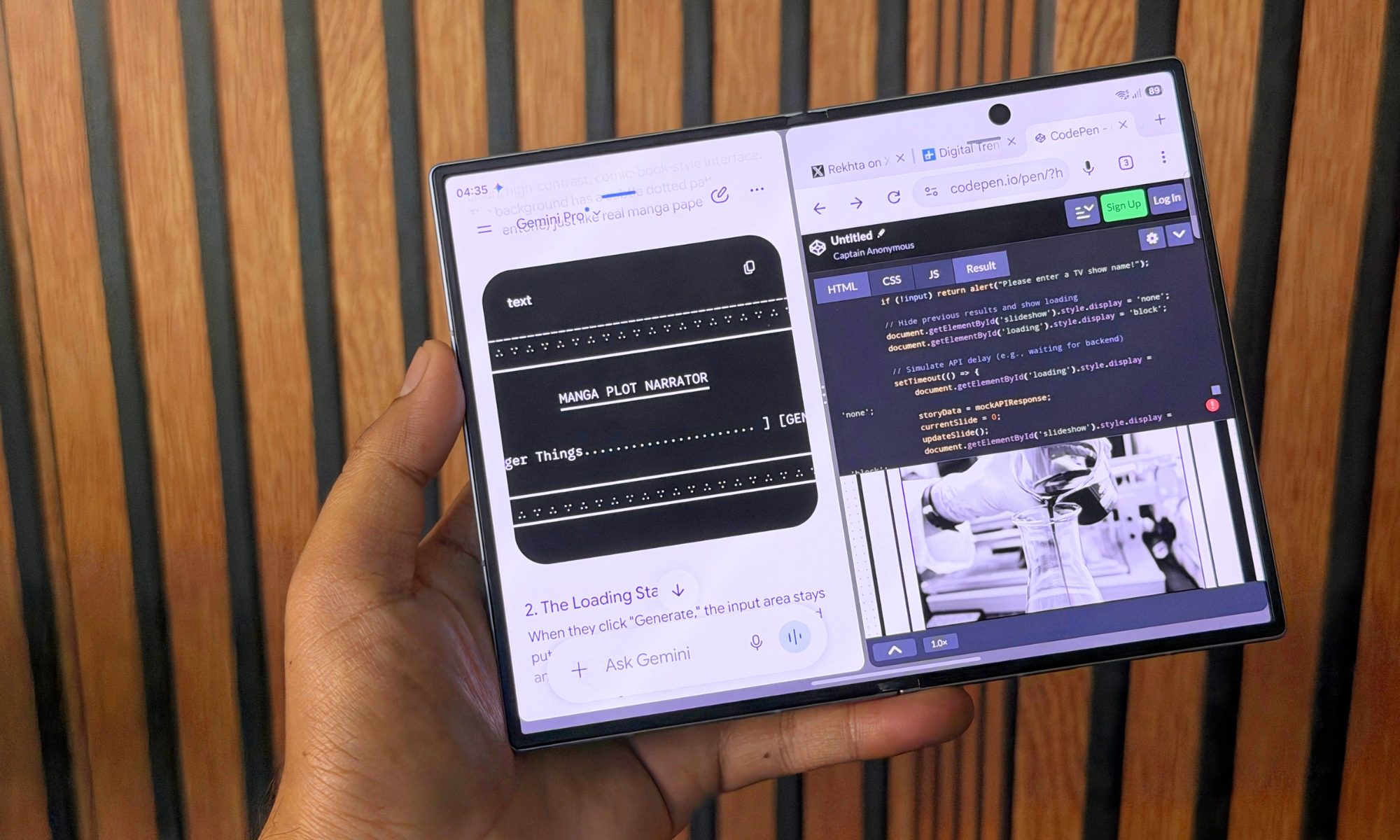
In terms of daily utility, however, Circle to Search and the live call translation earned regular use for me rather than sitting forgotten in a menu. The standout for me stays Samsung DeX. I simply have to plug it into a monitor over USB-C, or connect wirelessly to a TV or PC, and the phone spins up a genuine desktop environment with windowed apps, a taskbar, and full mouse and keyboard support, all while the inner screen doubles as a trackpad or graphics tablet.
I spent an afternoon running DeX on a wireless monitor with a compact Bluetooth keyboard and mouse, drafting a few articles, replying to emails, and keeping a browser open across a big screen. Yes, it stood in for a laptop more convincingly than I’d anticipated, but it’s still a mobile OS shell, so the limits quickly get obvious, as well. It isn’t a full desktop OS, and you’ll bump into the odd Android app that refuses to resize gracefully, but for travel, quick office work, or turning a spare monitor into a workstation, nothing else in this category comes close.
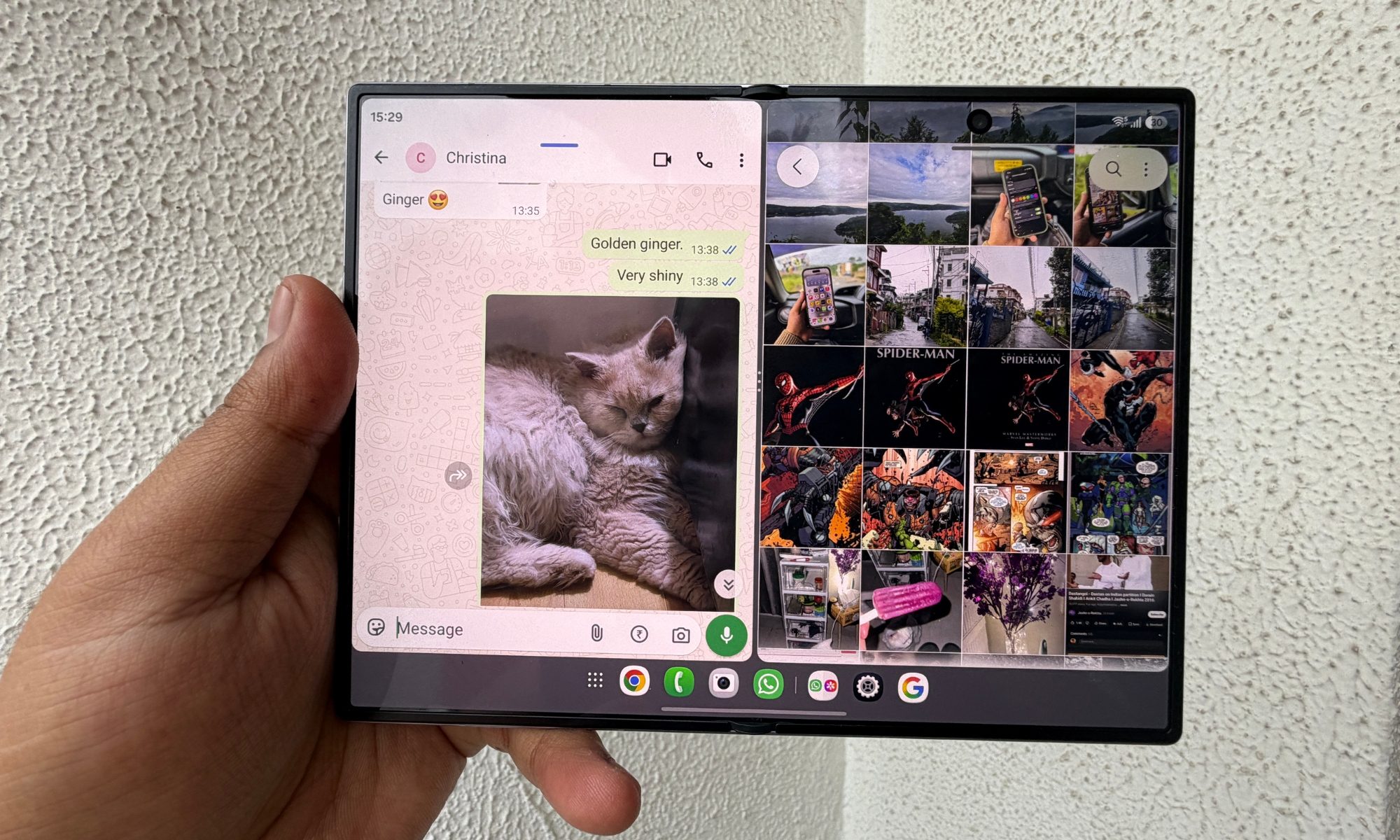
Pair all those conveniences with the seven-year update promise, and you have a software story that justifies the price for the people this phone is actually for. Yes, I don’t know a lot of people who use a phone for seven years, but if you intend to (and don’t manage to break it through the adventure), I can recommend the Galaxy Z Fold 8 on the longevity merits.
Score: 8/10
Samsung Galaxy Z Fold 8 battery and charging: Expectedly reliable
The Galaxy Z Fold 8 comes equipped with a 4,800mAh dual-cell silicon-carbon battery, split across both halves of the hinge to feed the twin displays. As expected, driving two bright 120Hz screens should punish endurance, and it surely does, but the 3nm Qualcomm chip’s efficiency keeps things steady. As part of my standardized browsing, streaming, and multitasking loop tests, the phone returned an active-use score of over 12 hours and 59 minutes.
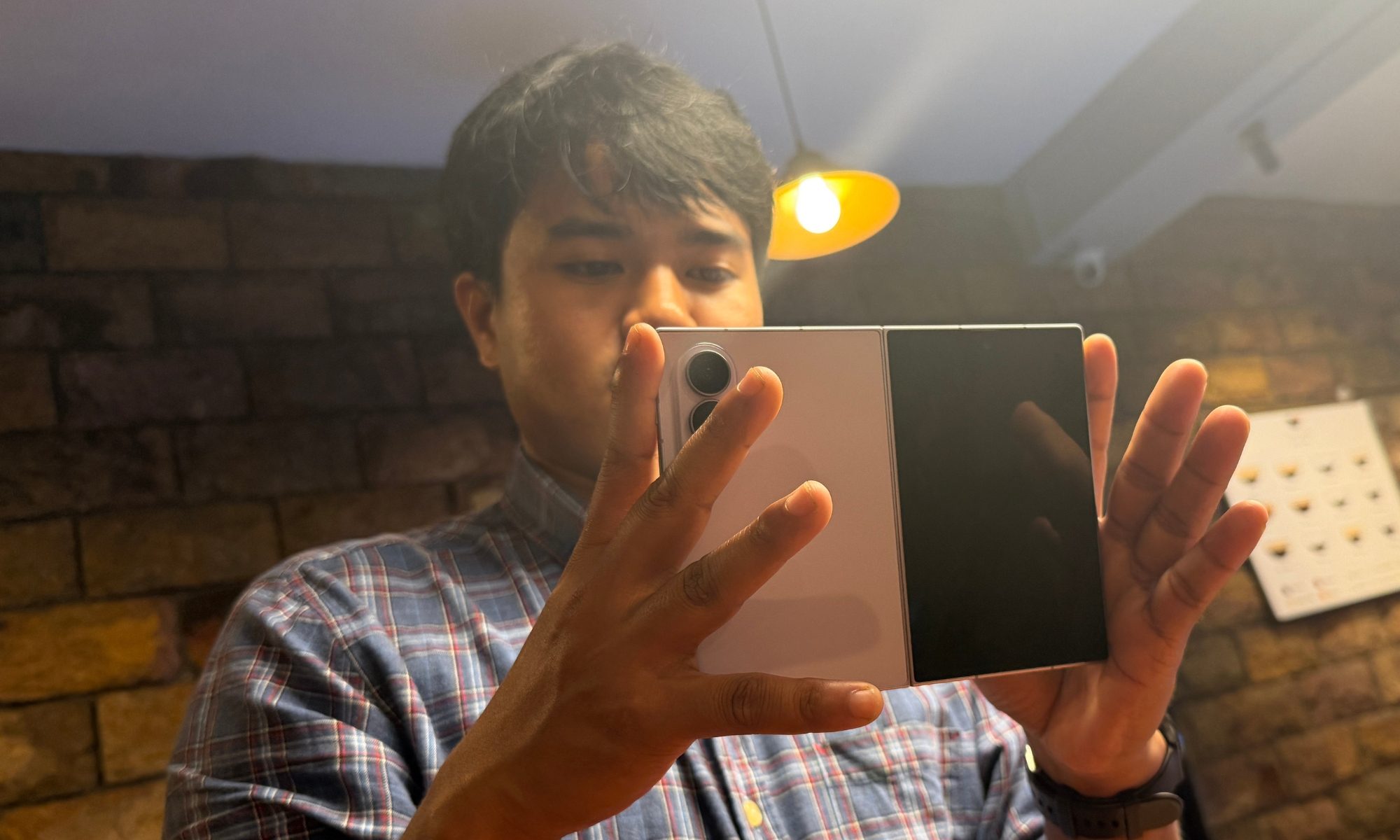
While daily driving it through an ordinary day, which involved nearly three hours of usage on the cover screen for messages and calls, an equal number of hours spent on the inner display for email chores, document editing, video streaming, and constant Bluetooth music in the background, I ended my normal days with 15-20% juice still left in the tank. It never left me hunting for a charger before bed, if you’re curious.
Samsung finally moved the base foldable off its ancient 25W standard, and the Z Fold 8 now supports 45W wired input. Using a standard PD charger, it refilled from zero to 61% in half an hour, and reached full in just over an hour. As far as wireless top-ups go, this phone supports 20W output on Qi2-compatible pads, and there’s also a 4.5W reverse wireless perk to trickle-charge a pair of Galaxy Buds or a Watch in a pinch. I love this facility, even though I desperately miss the convenience of magnetic charging, like Apple’s MagSafe on iPhones.
Should you buy
The pitch is pretty straightforward with the Galaxy Z Fold 8. If you want a refined, pocketable book-style foldable, this is the one I’d steer you toward first. There’s no other of its ilk out there. Widening the cover screen and shaving the open body to just 4.5 mm removed the hurdles that made me hesitate before recommending foldable phones. Ergonomics and daily in-hand usage are a huge success story on this one. When shut closed, it behaves like a charmingly compact phone, and in its open state, it transforms into a feather-weight 7.6-inch tablet with rock-steady software and support that runs to 2033.
The hits are tough, by the way. At $1,899, it’s a serious investment. Keep in mind that the fat bill gets you a phone with no dedicated zoom camera and a chassis that throttles under sustained stress. If long-range camera capture is what you care about most, a conventional slab flagship or the pricier Galaxy Z Fold 8 Ultra will serve you better. But for power users, professionals, and enthusiasts who live in multi-window productivity and want the lightest hardware in their pocket, the Z Fold 8 strikes the most even balance out there.
Why not try
Samsung Galaxy Z Fold 8 Ultra — For folks chasing the folding form without giving up the camera chops or performance headroom, the Galaxy Z Fold 8 Ultra is the natural step up. It offers a larger 8.0-inch inner display and 6.5-inch cover screen, adds a 200MP main sensor and a dedicated 10MP 3x optical telephoto into the mix, bumps the battery to 5,000mAh, and holds up well under demanding usage scenarios. You can pick it if you demand true flagship camera performance and a bigger canvas, and don’t mind a $200 premium and a heavier body.
Google Pixel 10 Pro Fold — Google competes on clean software, deep AI, and camera processing rather than raw multitasking, and it answers the Z Fold 8’s biggest weakness head-on. Its triple rear camera array includes a solid 10.8MP 5x optical telephoto lens alongside a 48MP main and a 10.5MP ultrawide snapper, so it does the long-range zoom the base Samsung simply can’t. It also carries a full IP68 rating, the best dust resistance of any foldable out there, a bigger battery, and an 8-inch inner screen, all running stock Android on Google’s Tensor G5 chip. The trade-off is performance. The Tensor silicon trails the Snapdragon on benchmarks and sustained speed. I would recommend waiting a few more days and getting the Pixel 11 Pro Fold, which goes on sale later in August.
Honor Magic V5 — This is an exotic option, but a real heavy-gitter. The Honor Magic V5 is the value and engineering heavyweight. It folds down to as little as 8.8mm and drops to around 4.1mm open, while still weighing just 217g. It offers a flagship Snapdragon 8 Elite chip, 120Hz LTPO OLED panels with stylus support, and a nearly invisible crease. It frequently sells below Samsung’s asking price, making it the sharper deal. The catch is availability and after-sales assurance. Honor doesn’t officially sell in the US, so you’re looking at an import route with the network and warranty headaches that it brings.
How I tested
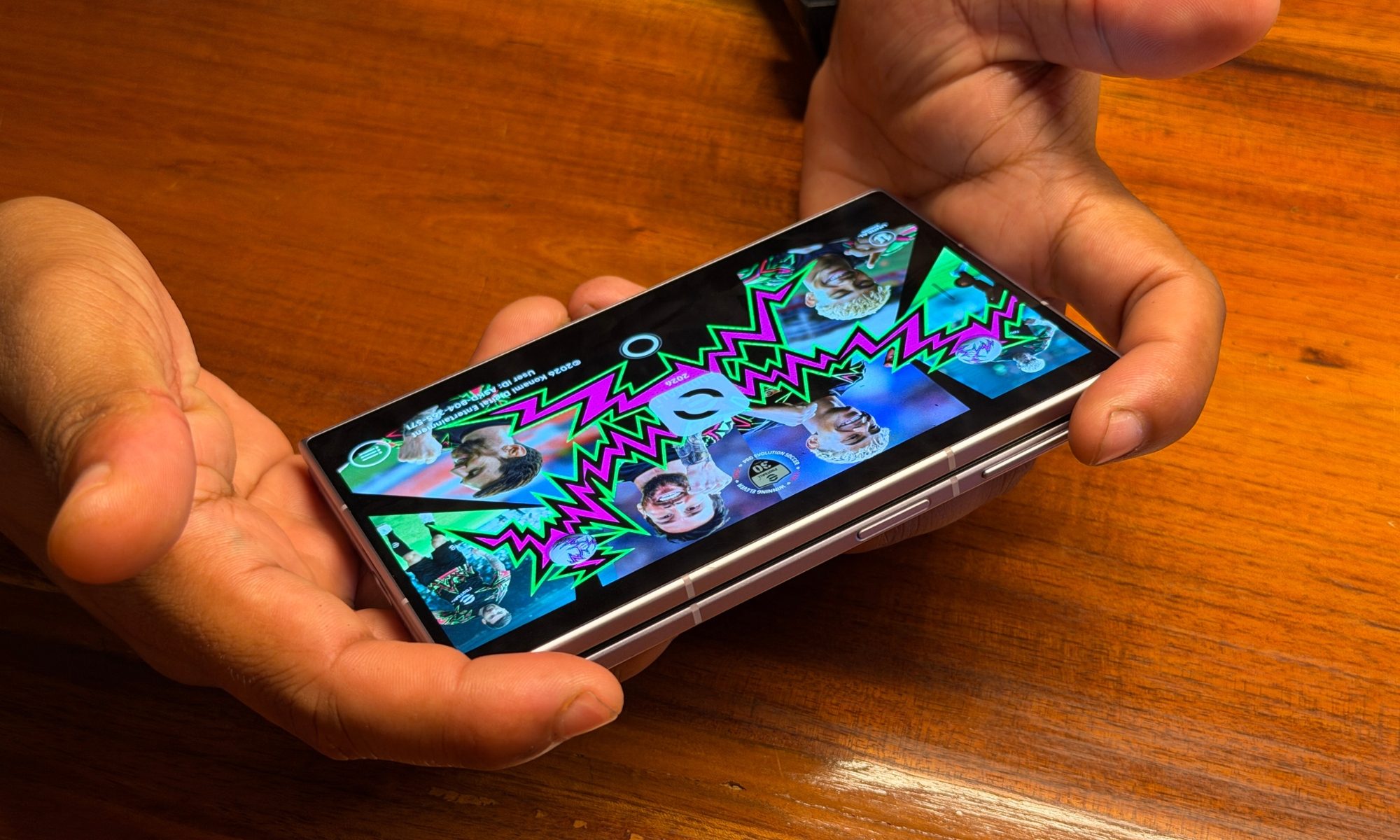
I used the Galaxy Z Fold 8 as my primary smartphone for a spell of three weeks. In that duration, I ran the usual set of apps that I run on my daily driver, which include communication platforms such as WhatsApp and Slack, workplace tools like Asana and Microsoft Teams, email clients, social media sites, streaming apps, plenty of games, a couple of emulation platforms, and nearly a dozen utility applications for reading, health tracking, and everything in between.
For evaluation of the in-hand experience and day-to-day performance, I used my experience with the Samsung Galaxy Z Fold 8 Ultra and rival smartphones offered by the likes of Oppo, Honor, and Motorola to assess where the Galaxy Z Fold 8 sits in the equation. For testing synthetic performance, I relied on Geekbench, 3DMark, 15-min and 30-min CPU throttling tests, and a bunch of games including Red Dead Redemption, Zenless Zone Zero, Rainbow Six Mobile, and Diablo Immortal. Mic quality was checked using cellular and VoIP channels, while camera quality was assessed against an iPhone 17 Pro and Oppo’s Find X9 Ultra as controls.
FAQs (Frequently Asked Questions)
Does the Samsung Galaxy Z Fold 8 support stylus input?
No, it doesn’t. Samsung skipped S Pen support for this one.
Is the Samsung Galaxy Z Fold 8 waterproof?
No, it’s not adequately waterproof. It only comes with an IP48 level of protection, which is only enough to cover accidental spills, and nothing else. “Based on lab test conditions for submersion in up to 1.5 m of freshwater for up to 30 minutes. Water resistance of device is not permanent and may diminish over time because of normal wear and tear,” says Samsung.
How much does the Galaxy Z Fold 8 cost?
It starts at $1,899.99 for the 256GB storage model. It is also available in 512GB and 1TB storage models, priced at $2,099 and $2,499 respectively.