Close Menu
Best in TechnologyBest in Technology
  • News
  • Phones
  • Laptops
  • Gadgets
  • Gaming
  • AI
  • Tips
  • More
    • Web Stories
    • Global
    • Press Release

Subscribe to Updates

Get the latest tech news and updates directly to your inbox.

What's On
Best Amazon Spring deals on Hisense TVs: Mini-LED and Canvas models at major discounts

Best Amazon Spring deals on Hisense TVs: Mini-LED and Canvas models at major discounts

18 March 2026
PC parts prices are brutal right now, so this Skytech RX 9070 XT gaming desktop for ,649 is worth a serious look

PC parts prices are brutal right now, so this Skytech RX 9070 XT gaming desktop for $1,649 is worth a serious look

18 March 2026
Tesla’s new Roadster could finally debut next month, but there’s an emphasis on “hopefully”

Tesla’s new Roadster could finally debut next month, but there’s an emphasis on “hopefully”

18 March 2026
Facebook X (Twitter) Instagram
Just In
  • Best Amazon Spring deals on Hisense TVs: Mini-LED and Canvas models at major discounts
  • PC parts prices are brutal right now, so this Skytech RX 9070 XT gaming desktop for $1,649 is worth a serious look
  • Tesla’s new Roadster could finally debut next month, but there’s an emphasis on “hopefully”
  • Dune 3 trailer is out with Robert Pattinson playing the new antagonist
  • AirPods Max 2 vs. Sony WH-1000XM6: Should you get the $549 or $449 flagship headphone?
  • Justice Department Says Anthropic Can’t Be Trusted With Warfighting Systems
  • How to watch NASA’s first spacewalk in nearly a year
  • Your Google Search is going to get more personalized than ever
Facebook X (Twitter) Instagram Pinterest Vimeo
Best in TechnologyBest in Technology
  • News
  • Phones
  • Laptops
  • Gadgets
  • Gaming
  • AI
  • Tips
  • More
    • Web Stories
    • Global
    • Press Release
Subscribe
Best in TechnologyBest in Technology
Home » Nvidia App With AI-Powered RTX Game Filters, Support for 4K 120fps Video Capture Announced
Laptops

Nvidia App With AI-Powered RTX Game Filters, Support for 4K 120fps Video Capture Announced

News RoomBy News Room14 November 20242 Mins Read
Share Facebook Twitter Pinterest LinkedIn Tumblr Reddit Telegram Email
Nvidia App With AI-Powered RTX Game Filters, Support for 4K 120fps Video Capture Announced
Share
Facebook Twitter LinkedIn Pinterest Email

The new Nvidia app has been officially announced as a new way of keeping PCs updated with the latest GeForce Game Ready and Nvidia Studio drivers. It was first unveiled in February this year and was available in beta until now. The new app merges the functionality of the Nvidia Control Panel and the GeForce Experience apps into a single platform which can be used to update drivers, apply game filters and install apps like GeForce NOW and Nvidia Broadcast.

New Nvidia App Features

In a blog post, Nvidia highlighted that its new app for PCs features a unified GPU control center which acts as a one-stop solution for fine-tuning game, program, and driver settings. Users can now access gameplay recording tools, performance monitoring overlays, and game enhancing filters easily with the new redesigned in-game overlay. Those with RTX PCs can leverage new artificial intelligence (AI) game filters such as the RTX Dynamic Vibrance which are accelerated by Tensor Cores. The company says this feature supports more than 1,200 games.

It also brings support for 4K 120fps or 8K 60fps video capture in the AV1 codec, utilising the eighth-generation NVIDIA Encoders (NVENC) on GeForce RTX 40 Series graphics cards and laptop GPUs. Nvidia app has a unified interface for the Optimal Playable Settings and relevant Control Panel options.

There’s also a new Drivers page which displays the changes in bulleted points, along with the supported list of games. Furthermore, users can rollback to a driver previously installed via the Nvidia app.

In the new Discover section, other Nvidia applications such as GeForce NOW, Nvidia Broadcast, Nvidia Canvas, Nvidia FrameView, and Nvidia ChatRTX can be downloaded. Another highlight of the new app is the redesigned overlay which brings options related to video, screenshot, filter, and overlay. These settings can be adjusted by invoking the overlay or by simply using the listed hotkeys. It also carries popular features of both GeForce Experience and RTX Experience apps, including optional login to redeem bundles and rewards.


Share. Facebook Twitter Pinterest LinkedIn Tumblr Email
Previous ArticleThis Oscar-winning musician is joining the cast of Wednesday season 2
Next Article Samsung Galaxy A36 Tipped to Arrive With Upgraded Front Camera

Related Articles

Flipkart Independence Day Sale 2025: Best Deals on Laptops Teased Before the Sale Begins
Laptops

Flipkart Independence Day Sale 2025: Best Deals on Laptops Teased Before the Sale Begins

12 August 2025
Apple MacBook Model With A-Series Chip, Affordable Price Tag to Launch in Early 2026: Report
Laptops

Apple MacBook Model With A-Series Chip, Affordable Price Tag to Launch in Early 2026: Report

12 August 2025
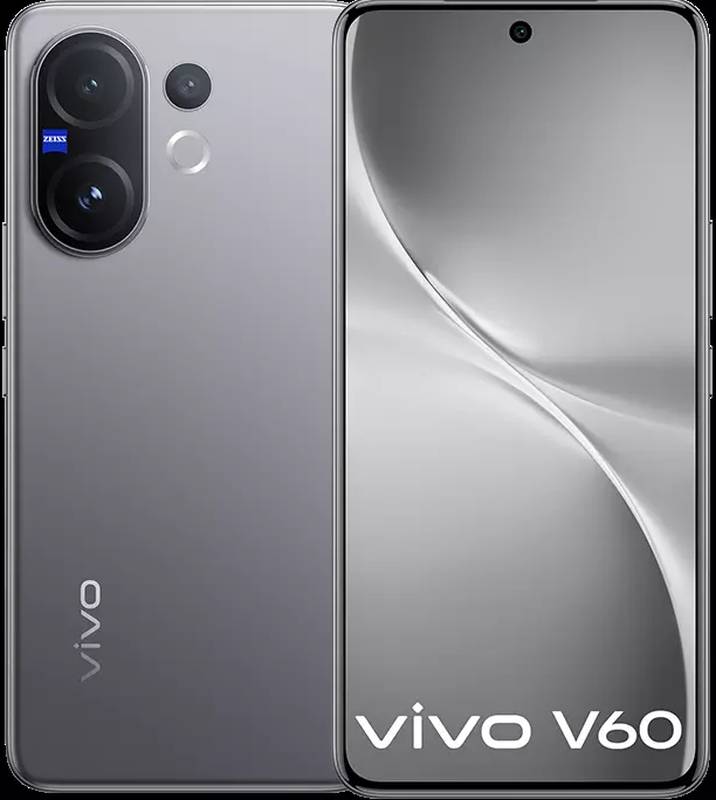
Vivo V60 – Price in India, Specifications (12th August 2025)
Laptops

Vivo V60 – Price in India, Specifications (12th August 2025)

12 August 2025
HTC Wildfire E4 Plus – Price in India, Specifications (12th August 2025)
Laptops

HTC Wildfire E4 Plus – Price in India, Specifications (12th August 2025)

12 August 2025
Honor X7c – Price in India, Specifications (12th August 2025)
Laptops

Honor X7c – Price in India, Specifications (12th August 2025)

12 August 2025
Apple MacBook Model With A-Series Chip, Affordable Price Tag to Launch in Early 2026: Report
Laptops

Apple MacBook Pro With M6 Chip, OLED Display Launch Expected by Early 2027: Mark Gurman

11 August 2025
Demo
Top Articles
5 laptops to buy instead of the M4 MacBook Pro

5 laptops to buy instead of the M4 MacBook Pro

17 November 2024130 Views
ChatGPT o1 vs. o1-mini vs. 4o: Which should you use?

ChatGPT o1 vs. o1-mini vs. 4o: Which should you use?

15 December 2024111 Views
Costco partners with Electric Era to bring back EV charging in the U.S.

Costco partners with Electric Era to bring back EV charging in the U.S.

28 October 2024100 Views

Subscribe to Updates

Get the latest tech news and updates directly to your inbox.

Latest News
Justice Department Says Anthropic Can’t Be Trusted With Warfighting Systems News

Justice Department Says Anthropic Can’t Be Trusted With Warfighting Systems

News Room18 March 2026
How to watch NASA’s first spacewalk in nearly a year News

How to watch NASA’s first spacewalk in nearly a year

News Room18 March 2026
Your Google Search is going to get more personalized than ever News

Your Google Search is going to get more personalized than ever

News Room18 March 2026
Most Popular
The Spectacular Burnout of a Solar Panel Salesman

The Spectacular Burnout of a Solar Panel Salesman

13 January 2025137 Views
5 laptops to buy instead of the M4 MacBook Pro

5 laptops to buy instead of the M4 MacBook Pro

17 November 2024130 Views
ChatGPT o1 vs. o1-mini vs. 4o: Which should you use?

ChatGPT o1 vs. o1-mini vs. 4o: Which should you use?

15 December 2024111 Views
Our Picks
Dune 3 trailer is out with Robert Pattinson playing the new antagonist

Dune 3 trailer is out with Robert Pattinson playing the new antagonist

18 March 2026
AirPods Max 2 vs. Sony WH-1000XM6: Should you get the 9 or 9 flagship headphone?

AirPods Max 2 vs. Sony WH-1000XM6: Should you get the $549 or $449 flagship headphone?

18 March 2026
Justice Department Says Anthropic Can’t Be Trusted With Warfighting Systems

Justice Department Says Anthropic Can’t Be Trusted With Warfighting Systems

18 March 2026

Subscribe to Updates

Get the latest tech news and updates directly to your inbox.

Facebook X (Twitter) Instagram Pinterest
  • Privacy Policy
  • Terms of use
  • Advertise
  • Contact Us
© 2026 Best in Technology. All Rights Reserved.

Type above and press Enter to search. Press Esc to cancel.