




I always use my free time to hunt for interesting Mac apps on Reddit, and somehow I keep finding new ones worth trying. Some make parts of macOS a little easier, while others quickly become apps I wonder how I ever lived without. But recently, I came across one that fits into my workday almost perfectly. Whenever I’m working on something that needs my full attention, I put on my work playlist and let it run in the background. Music has basically become part of my focus routine. And that’s exactly why Gramola caught my attention. It’s a simple Mac app, but it has made listening to music while I work so much better.
My music is now just a swipe away
On a Mac, changing what you’re listening to isn’t exactly difficult. If a song comes on that you’re not in the mood for, you open Apple Music or Spotify, find something else, hit play, and jump back into whatever you were doing. It probably takes less than a minute. The problem, at least for me, is when that happens. If I’m halfway through writing an article, deep into research, or trying to finish something before a deadline, I really don’t want to leave that screen. The moment I open another app, start scrolling through albums, and hunt for the right song, I’ve already interrupted my train of thought. And somehow, choosing a song can quickly turn into browsing an entire playlist.
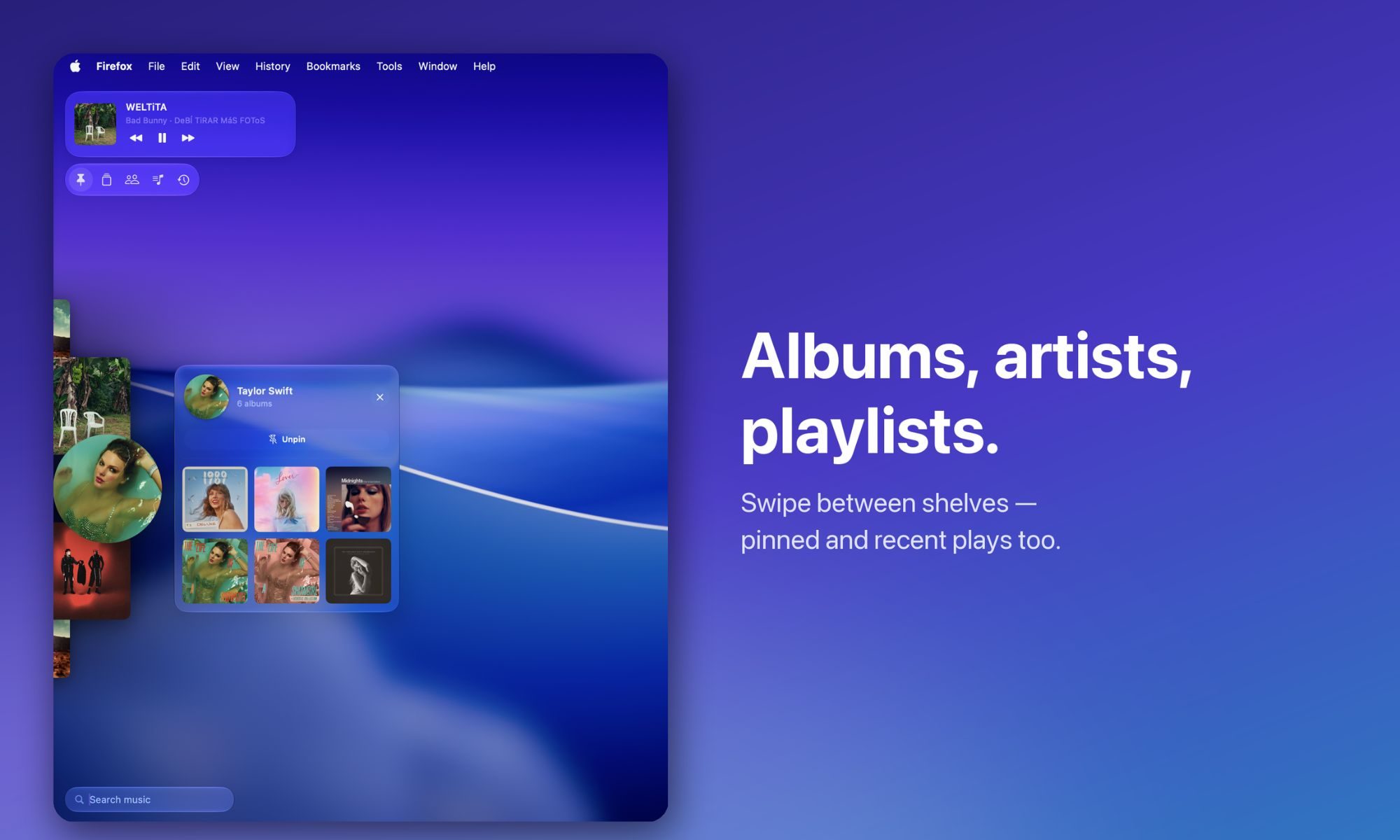
Gramola gets around that in a way that feels natural on a Mac. Instead of making me open my music app, I can push my cursor against the edge of the screen and a shelf containing my music slides over whatever I’m working on. I pick an album or song, move my cursor away, and Gramola disappears again. The best comparison I can make is the macOS Dock. I keep mine hidden, so it only slides into view when I move my cursor toward the bottom of the screen. Gramola brings that same idea to music. It stays out of my way until I actually need it, and after using it for a while, it feels like something macOS should already do.


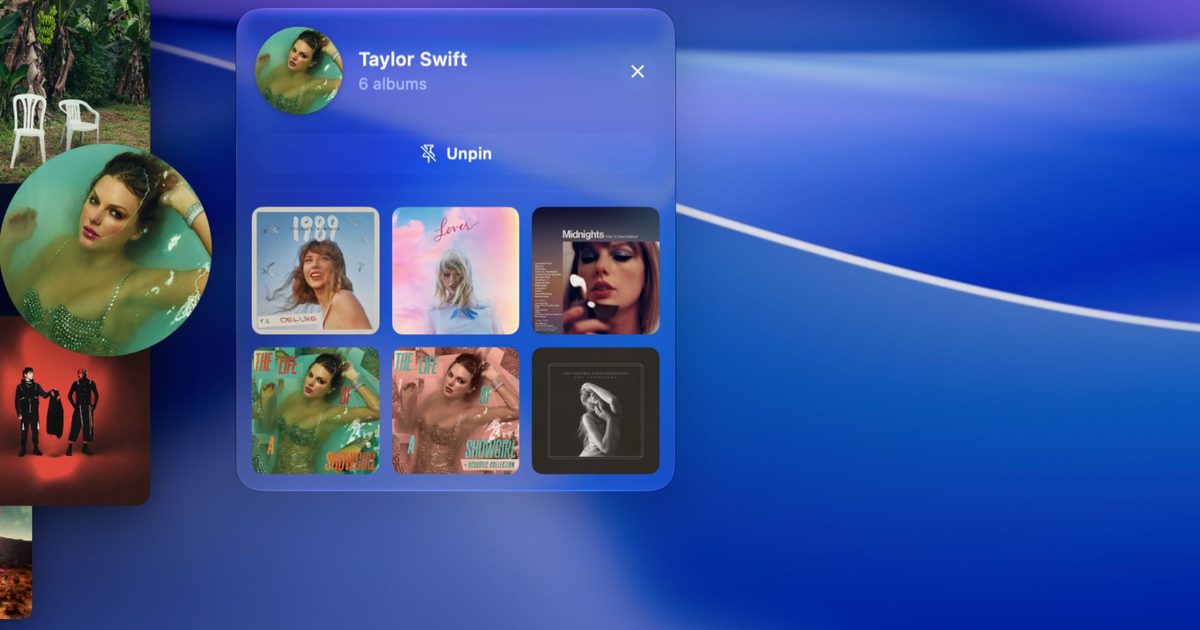
There’s quite a bit packed into that little shelf, too. A two-finger swipe lets me move between five sections: albums, artists, playlists, pinned favorites, and recently played music. If I’m in the mood for an album, I can click its artwork to see the full track list and start playing any song. There’s even a mini player built into the shelf, so basic playback controls are always within reach.

Search, though, is probably my favorite part. I can start typing while Gramola is open, or use a keyboard shortcut to bring it up with the search box already selected. Results from my own library begin appearing as I type, followed by songs from Apple Music. So if a random song suddenly pops into my head while I’m writing, I can search for it, press Return, and have it playing within seconds — without really leaving what I was doing. Gramola also feels surprisingly at home on the Mac. It’s built natively with SwiftUI and uses the Liquid Glass design language introduced with macOS 26, so it doesn’t look like some third-party utility awkwardly floating over everything else. There’s plenty of room to customize how it behaves, too, which means I can always fine-tune it to my workflow.
Seven days to win me over
I tried looking for other Mac apps that do exactly what Gramola does, and surprisingly, I couldn’t find many. There are plenty of music utilities out there — mini players, menu bar controllers, and apps that give you quicker playback controls — but nothing I found worked quite the same way. It’s also important to understand that Gramola isn’t trying to replace Apple Music, Spotify, or YouTube Music. I still use my regular music service just as I did before. Gramola sits on top of that experience and gives me a much faster way to browse and pick what I want to hear. Think of it as a shortcut to my music, not another streaming service. I can jump into an album, pull up a playlist, or find one of my locally stored tracks, and Gramola tells the music app I already use to start playing it.
Gabriel Lopez Santana created Gramola as a solo project in Spain, and it launched this week. I’m currently using the seven-day free trial, which gives me enough time to figure out whether it actually earns a permanent spot on my Mac rather than becoming another app I install, use twice, and forget about. So far, though, I’m enjoying it. If I still feel the same way once the trial ends, Gramola costs $9.99 as a one-time purchase rather than adding yet another subscription to my monthly bills. It’s available through the App Store, and for an app that solves such a tiny but surprisingly frequent annoyance in my workday, that might be $9.99 I’m quite happy to spend.