



Close Menu
Best in TechnologyBest in Technology
  • News
  • Phones
  • Laptops
  • Gadgets
  • Gaming
  • AI
  • Tips
  • More
    • Web Stories
    • Global
    • Press Release

Subscribe to Updates

Get the latest tech news and updates directly to your inbox.

What's On
I tried this Mac music app, and now I wish macOS had it built-in

I tried this Mac music app, and now I wish macOS had it built-in

16 August 2026
I Tested the Best Cat Water Fountains—These Are Worth Buying

I Tested the Best Cat Water Fountains—These Are Worth Buying

16 August 2026
Meta and Google just got beaten by an AI giant you might not expect

Meta and Google just got beaten by an AI giant you might not expect

16 August 2026
Facebook X (Twitter) Instagram
Just In
  • I tried this Mac music app, and now I wish macOS had it built-in
  • I Tested the Best Cat Water Fountains—These Are Worth Buying
  • Meta and Google just got beaten by an AI giant you might not expect
  • It’s Never Too Early to Start Planning for the Next Two Solar Eclipses
  • I played around with the Pixel 11 Pro Fold. I think Google finally saw the right focus points
  • Someone Finally Fixed Installing Apps on a Mac
  • Review: TerraMow V1000
  • Review: Samsung Galaxy Z Fold8 and Z Fold8 Ultra
Facebook X (Twitter) Instagram Pinterest Vimeo
Best in TechnologyBest in Technology
  • News
  • Phones
  • Laptops
  • Gadgets
  • Gaming
  • AI
  • Tips
  • More
    • Web Stories
    • Global
    • Press Release
Subscribe
Best in TechnologyBest in Technology
Home » How to set up your TV for watching NCAA basketball
News

How to set up your TV for watching NCAA basketball

News RoomBy News Room16 February 20255 Mins Read
Share Facebook Twitter Pinterest LinkedIn Tumblr Reddit Telegram Email
How to set up your TV for watching NCAA basketball
Share
Facebook Twitter LinkedIn Pinterest Email

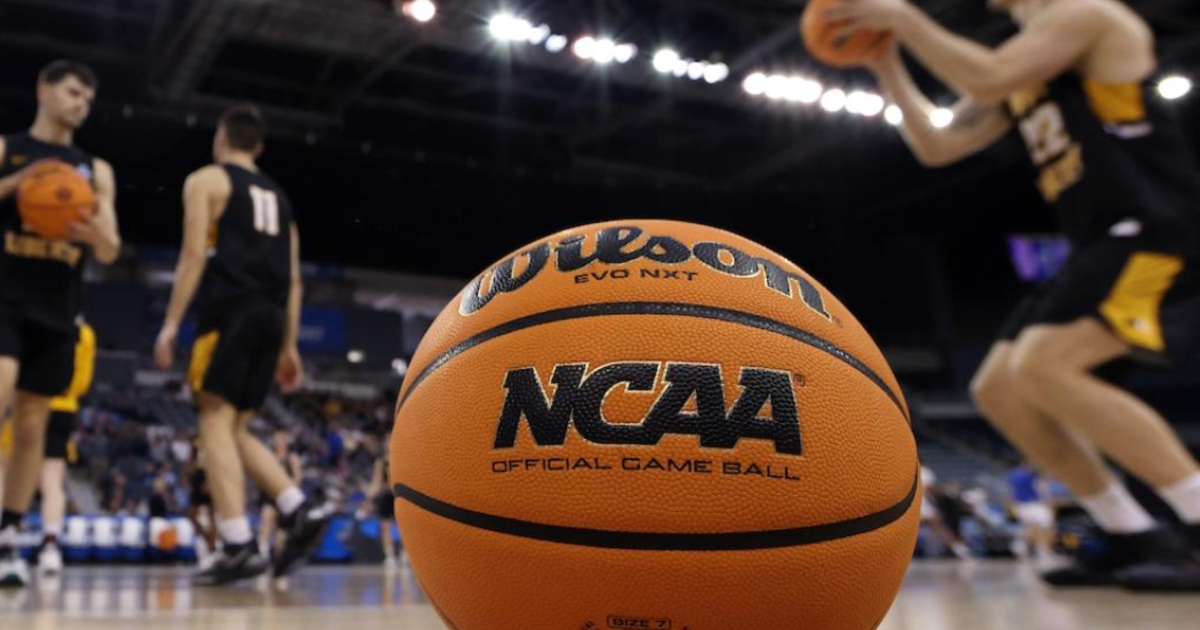
So you’ve grabbed yourself a brand new TV (be it a sweet OLED, QLED or the best-of-both QD-OLED) in preparation for March Madness, but you want to make sure it’s all set and ready for some hot hoops action.

Whether you’re screaming at the top of your lungs for Duke, UNC, Kansas, Kentucky, UConn, South Carolina, or any of the dozens of other schools battling it out on the hardwood — men’s or women’s — NCAA basketball is one of the most watched sporting events in the world (and the 2024 women’s championship game was the most-watched women’s college basketball game ever!).

If you’re watching the madness unfold on your TV, it probably isn’t optimized for sports if most of your watching is of the movie or TV show variety. But don’t sweat it, a few quick tweaks can transform your viewing experience, making every buzzer-beater look its best. To that end, we have a few must-have tweaks to get you there.

Choose the best picture mode

Most TVs have presets you can choose out of the box, with names like Vivid, Cinema, Movie, and, of course, Sports. Our first note of advice is to avoid the Sports mode, which we find puts too much emphasis on increasing brightness, contrast, and color saturation, often resulting in a blown-out image — especially those brilliant school colors! Vivid and Dynamic modes are just as guilty.

Instead, we suggest using your TV’s Cinema, Movie, or Natural picture modes as they tend to offer the most natural-looking picture that will be great for your NCAA action. If your TV has a Filmmaker mode, give that a whirl, too.

Brightness and black levels

You want to be able to see everything, even when the picture is ultra bright or dark and shadowy. To set your TV up to deliver the best of both ends of the spectrum, we recommend using a scene from a movie or show that is really dark, like a scene from a Batman movie or a horror film, and hit pause.

Now, access your TV’s brightness settings and increase it until you can see everything lurking in the shadows — expose that Caped Crusader or serial killer hiding in the closet. Then, slowly bring the brightness back down until the blacks are rich dark, while maintaining those subtle details. The moment they start to disappear, stop. You’ve nailed it. It’s a balance, and you may have your own preferences, but that’d what this is all about — dialling it in for you.

Contrast

Also known as white levels, contrast is what controls the difference between the darks and brights. And similar to what you did with the brightness, scan your favorite movies and shows, and find a scene with lots of white — the bright arena lights, a player’s white jersey, even the ref’s crisp white shirt — and pause it.

Lower the contrast until you can see the details clearly — the glare off the court, the texture of the jerseys, the wrinkles on the ref’s face. Then, increase it as high as you can without losing those details. If they disappear, back it off a bit and that’s your sweet spot.

Tint and saturation

Most TVs have a pretty good balance of tint and color saturation, so first have a look at yours and you might just find that they’re OK as they are for watching basketball. In our experience, though, it’s well worth playing around a little, and hey, if you get too deep and you don’t like it, just reset it to the default — no travelling, no foul.

If you are going to play around, find a close-up of a player’s face, pause it, and adjust the tint until the skin tones look natural. Whether it’s a men’s or women’s game, the principle is the same. Do the same with saturation — you’re looking for natural-looking skin tones.

Image modes are a nuisance

Finally, ditch those extra image modes. Motion smoothing, noise reduction, image enhancement … they all sound good, but they’re usually terrible. Blurry details, weird artifacts, the dreaded soap opera effect (aka motion smoothing) — they’ll ruin your picture. Just turn them all off.

And what about sound?

Let’s be honest, your TV speakers aren’t exactly courtside seats and you should probably just not use them unless you have to. A soundbar is a fantastic upgrade, and if you already have a proper audio setup with an AV receiver and a great pair of speakers, we suggest play around with the presets.

For example, maybe the “sports” mode on your receiver is actually good for sports, and most modern AV receivers have a long list of additional presets like Movie, Concert, and more that might surprise you. What you’re looking for in the end is clarity: you don’t just want to hear the roar of the crowd drowning out the commentators or the players on the court. But the only way to dial this in to what you prefer is trial and error. The next time you put a game on (and it doesn’t specifically have to be basketball — any sport with a crowd will do), flip through the audio modes and find what works. Maybe throw on a rerun of last year’s thrilling NCAA women’s final to really put your setup to the test with a loud crowd.



Share. Facebook Twitter Pinterest LinkedIn Tumblr Email
Previous Article‘Breaking Bad’ creator Vince Gilligan is urging Hollywood to tell more stories about good guys
Next Article 25 best HBO shows ever, ranked

Related Articles

I tried this Mac music app, and now I wish macOS had it built-in
News

I tried this Mac music app, and now I wish macOS had it built-in

16 August 2026
I Tested the Best Cat Water Fountains—These Are Worth Buying
News

I Tested the Best Cat Water Fountains—These Are Worth Buying

16 August 2026
Meta and Google just got beaten by an AI giant you might not expect
News

Meta and Google just got beaten by an AI giant you might not expect

16 August 2026
It’s Never Too Early to Start Planning for the Next Two Solar Eclipses
News

It’s Never Too Early to Start Planning for the Next Two Solar Eclipses

16 August 2026
I played around with the Pixel 11 Pro Fold. I think Google finally saw the right focus points
News

I played around with the Pixel 11 Pro Fold. I think Google finally saw the right focus points

16 August 2026
Someone Finally Fixed Installing Apps on a Mac
News

Someone Finally Fixed Installing Apps on a Mac

16 August 2026
Demo
Top Articles
5 laptops to buy instead of the M4 MacBook Pro

5 laptops to buy instead of the M4 MacBook Pro

17 November 2024133 Views
ChatGPT o1 vs. o1-mini vs. 4o: Which should you use?

ChatGPT o1 vs. o1-mini vs. 4o: Which should you use?

15 December 2024112 Views
Costco partners with Electric Era to bring back EV charging in the U.S.

Costco partners with Electric Era to bring back EV charging in the U.S.

28 October 2024100 Views

Subscribe to Updates

Get the latest tech news and updates directly to your inbox.

Latest News
Someone Finally Fixed Installing Apps on a Mac News

Someone Finally Fixed Installing Apps on a Mac

News Room16 August 2026
Review: TerraMow V1000 News

Review: TerraMow V1000

News Room16 August 2026
Review: Samsung Galaxy Z Fold8 and Z Fold8 Ultra News

Review: Samsung Galaxy Z Fold8 and Z Fold8 Ultra

News Room16 August 2026
Most Popular
The Spectacular Burnout of a Solar Panel Salesman

The Spectacular Burnout of a Solar Panel Salesman

13 January 2025137 Views
5 laptops to buy instead of the M4 MacBook Pro

5 laptops to buy instead of the M4 MacBook Pro

17 November 2024133 Views
ChatGPT o1 vs. o1-mini vs. 4o: Which should you use?

ChatGPT o1 vs. o1-mini vs. 4o: Which should you use?

15 December 2024112 Views
Our Picks
It’s Never Too Early to Start Planning for the Next Two Solar Eclipses

It’s Never Too Early to Start Planning for the Next Two Solar Eclipses

16 August 2026
I played around with the Pixel 11 Pro Fold. I think Google finally saw the right focus points

I played around with the Pixel 11 Pro Fold. I think Google finally saw the right focus points

16 August 2026
Someone Finally Fixed Installing Apps on a Mac

Someone Finally Fixed Installing Apps on a Mac

16 August 2026

Subscribe to Updates

Get the latest tech news and updates directly to your inbox.

Facebook X (Twitter) Instagram Pinterest
  • Privacy Policy
  • Terms of use
  • Advertise
  • Contact Us
© 2026 Best in Technology. All Rights Reserved.

Type above and press Enter to search. Press Esc to cancel.