

Close Menu
Best in TechnologyBest in Technology
  • News
  • Phones
  • Laptops
  • Gadgets
  • Gaming
  • AI
  • Tips
  • More
    • Web Stories
    • Global
    • Press Release

Subscribe to Updates

Get the latest tech news and updates directly to your inbox.

What's On
Apple’s latest refurb drop brings cheaper MacBooks, iPhone 16 Plus, and Apple Watches

Apple’s latest refurb drop brings cheaper MacBooks, iPhone 16 Plus, and Apple Watches

15 August 2026
Zyzz Was the Original Looksmaxxer. His Rise and Untimely Death Feel More Relevant Than Ever

Zyzz Was the Original Looksmaxxer. His Rise and Untimely Death Feel More Relevant Than Ever

15 August 2026
Android 17 is getting a feature iPhone users have had for years

Android 17 is getting a feature iPhone users have had for years

15 August 2026
Facebook X (Twitter) Instagram
Just In
  • Apple’s latest refurb drop brings cheaper MacBooks, iPhone 16 Plus, and Apple Watches
  • Zyzz Was the Original Looksmaxxer. His Rise and Untimely Death Feel More Relevant Than Ever
  • Android 17 is getting a feature iPhone users have had for years
  • 6 Best Apple Watch Accessories to Upgrade Your Watch (2026)
  • Apple has a plan to fix its memory chip problem, but the US government says no
  • Instapaper, the Original Read-It-Later App, Just Got a Huge Upgrade
  • This Beautifully Weird Necklace Is Secretly a USB Drive
  • WhatsApp will finally let you react with the emoji you actually want, but there’s a catch
Facebook X (Twitter) Instagram Pinterest Vimeo
Best in TechnologyBest in Technology
  • News
  • Phones
  • Laptops
  • Gadgets
  • Gaming
  • AI
  • Tips
  • More
    • Web Stories
    • Global
    • Press Release
Subscribe
Best in TechnologyBest in Technology
Home » How to fix a system service exception error in Windows
News

How to fix a system service exception error in Windows

News RoomBy News Room15 June 20243 Mins Read
Share Facebook Twitter Pinterest LinkedIn Tumblr Reddit Telegram Email
How to fix a system service exception error in Windows
Share
Facebook Twitter LinkedIn Pinterest Email

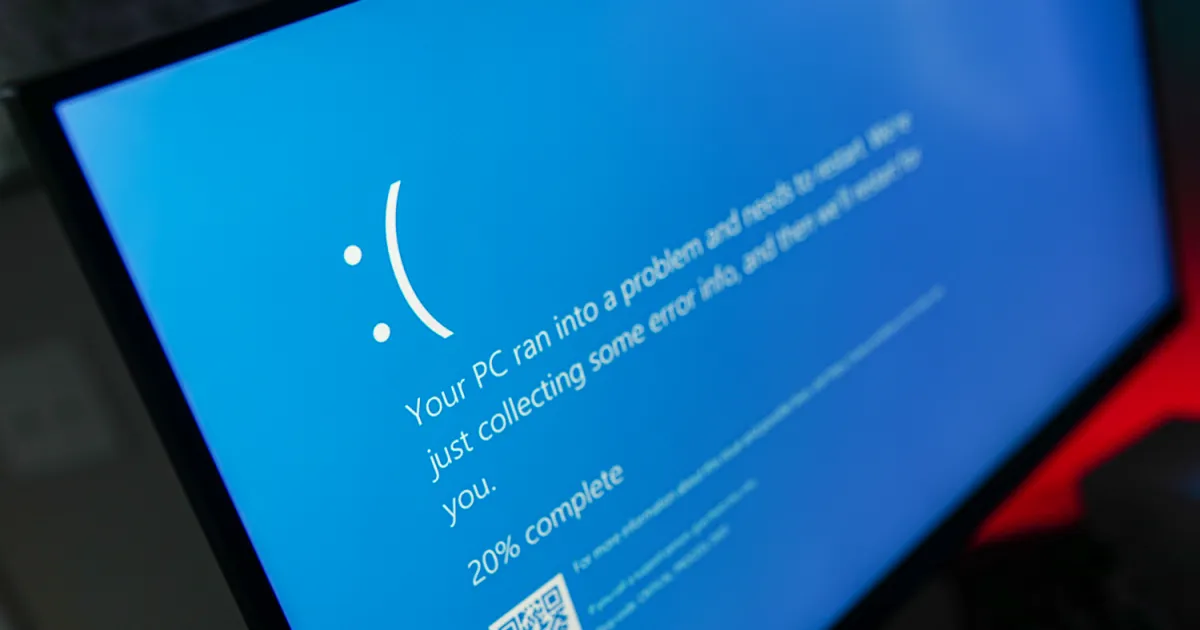
If you’ve encountered a blue screen of death with a SYSTEM_SERVICE_EXCEPTION error, there can be a few different reasons why, but it’s usually a driver issue. That means that while this is an annoying issue that can cause your system to keep rebooting, you can usually sort it by running a system fix scan, and Windows will take care of the problem for you.

Here’s how to tackle that SYSTEM_SERVICE_EXCEPTION BSOD so you can break that blue screen reboot loop.

Run a system scan

SYSTEM_SERVICE_EXCEPTION blue screens are usually caused by a system driver error. These aren’t like your chipset or graphics drivers where you can (and should) update them yourself, but fortunately, Windows has a built-in scan tool to help fix file system and Windows driver errors.

If the blue screen won’t let you boot to Windows, try booting into Safe Mode.

Step 1: Search for “Powershell” in the Windows search bar. Right-click the corresponding result and select Run as administrator.

Step 2: Type the following, then press Enter.

Dism /online /cleanup-image /restorehealth

This will find and replace and missing or corrupted files within the Windows Component Store. This can take a few minutes to complete, but let it do its thing until it’s ready.

Step 3: Additionally, you can try running the System File Checker to check over Windows system files. Run that through PowerShell too, with this command:

SFC /scannow

Step 4: After running these scans, try rebooting your PC. See if your BSOD issue is now solved. If not, try the method below.

Run driver verifier

If the file system check tools didn’t work, you can try running Windows’ built-in driver verification tool to see if it’s a system driver issue.

Note: If the driver verified finds a corrupt driver, it can actually trigger a BSOD, so consider making a system restore point or back up your data manually to play it safe.

Step 1: Search for “Powershell” in the Windows search bar. Right-click the corresponding result and select Run as administrator.

Step 2: Type in “verifier.exe” and press Enter.

Step 3: In the window that appears, select Create standard settings from the top of the screen, then select Next.

Driver verification in Windows.

Step 4: Select Automatically select all drivers installed on this computer then select Finish.

Driver verification in Windows.

Step 5: Reboot your PC and wait for the driver verifier to complete during startup. If any blue screens occur, note down those errors, as they should tell you the driver you need to update, upgrade, or replace.

If you find yourself stuck trying to boot into Windows, boot into Safe Mode and start the Verifier tool again. Then on the first screen, select Delete existing settings, then select Finish.

Use system restore

If none of the above methods help solve this problem, try reverting to a system restore point. This can fix a number of issues, especially if you’ve recently installed new hardware.

Roll back your system to when it wasn’t giving you blue screen errors, and you might be able to get your PC functioning again.

If you still can’t get past this BSOD error, it might be time to reset Windows to factory defaults.

Editors’ Recommendations


Share. Facebook Twitter Pinterest LinkedIn Tumblr Email
Previous ArticleThe 25 Very Best Gifts for Dad
Next Article Chromecast or Google Cast? Google’s confusing wireless streaming tech explained

Related Articles

Apple’s latest refurb drop brings cheaper MacBooks, iPhone 16 Plus, and Apple Watches
News

Apple’s latest refurb drop brings cheaper MacBooks, iPhone 16 Plus, and Apple Watches

15 August 2026
Zyzz Was the Original Looksmaxxer. His Rise and Untimely Death Feel More Relevant Than Ever
News

Zyzz Was the Original Looksmaxxer. His Rise and Untimely Death Feel More Relevant Than Ever

15 August 2026
Android 17 is getting a feature iPhone users have had for years
News

Android 17 is getting a feature iPhone users have had for years

15 August 2026
6 Best Apple Watch Accessories to Upgrade Your Watch (2026)
News

6 Best Apple Watch Accessories to Upgrade Your Watch (2026)

15 August 2026
Apple has a plan to fix its memory chip problem, but the US government says no
News

Apple has a plan to fix its memory chip problem, but the US government says no

15 August 2026
Instapaper, the Original Read-It-Later App, Just Got a Huge Upgrade
News

Instapaper, the Original Read-It-Later App, Just Got a Huge Upgrade

15 August 2026
Demo
Top Articles
5 laptops to buy instead of the M4 MacBook Pro

5 laptops to buy instead of the M4 MacBook Pro

17 November 2024133 Views
ChatGPT o1 vs. o1-mini vs. 4o: Which should you use?

ChatGPT o1 vs. o1-mini vs. 4o: Which should you use?

15 December 2024112 Views
Costco partners with Electric Era to bring back EV charging in the U.S.

Costco partners with Electric Era to bring back EV charging in the U.S.

28 October 2024100 Views

Subscribe to Updates

Get the latest tech news and updates directly to your inbox.

Latest News
Instapaper, the Original Read-It-Later App, Just Got a Huge Upgrade News

Instapaper, the Original Read-It-Later App, Just Got a Huge Upgrade

News Room15 August 2026
This Beautifully Weird Necklace Is Secretly a USB Drive News

This Beautifully Weird Necklace Is Secretly a USB Drive

News Room15 August 2026
WhatsApp will finally let you react with the emoji you actually want, but there’s a catch News

WhatsApp will finally let you react with the emoji you actually want, but there’s a catch

News Room15 August 2026
Most Popular
The Spectacular Burnout of a Solar Panel Salesman

The Spectacular Burnout of a Solar Panel Salesman

13 January 2025137 Views
5 laptops to buy instead of the M4 MacBook Pro

5 laptops to buy instead of the M4 MacBook Pro

17 November 2024133 Views
ChatGPT o1 vs. o1-mini vs. 4o: Which should you use?

ChatGPT o1 vs. o1-mini vs. 4o: Which should you use?

15 December 2024112 Views
Our Picks
6 Best Apple Watch Accessories to Upgrade Your Watch (2026)

6 Best Apple Watch Accessories to Upgrade Your Watch (2026)

15 August 2026
Apple has a plan to fix its memory chip problem, but the US government says no

Apple has a plan to fix its memory chip problem, but the US government says no

15 August 2026
Instapaper, the Original Read-It-Later App, Just Got a Huge Upgrade

Instapaper, the Original Read-It-Later App, Just Got a Huge Upgrade

15 August 2026

Subscribe to Updates

Get the latest tech news and updates directly to your inbox.

Facebook X (Twitter) Instagram Pinterest
  • Privacy Policy
  • Terms of use
  • Advertise
  • Contact Us
© 2026 Best in Technology. All Rights Reserved.

Type above and press Enter to search. Press Esc to cancel.