



Close Menu
Best in TechnologyBest in Technology
  • News
  • Phones
  • Laptops
  • Gadgets
  • Gaming
  • AI
  • Tips
  • More
    • Web Stories
    • Global
    • Press Release

Subscribe to Updates

Get the latest tech news and updates directly to your inbox.

What's On
Samsung stirred the wide foldable race, but I’m more excited for an upcoming exotic rival

Samsung stirred the wide foldable race, but I’m more excited for an upcoming exotic rival

23 July 2026
America’s Hot Hybrid Summer | WIRED

America’s Hot Hybrid Summer | WIRED

23 July 2026
Apple could cut off app access on financed iPhones over missed payments

Apple could cut off app access on financed iPhones over missed payments

23 July 2026
Facebook X (Twitter) Instagram
Just In
  • Samsung stirred the wide foldable race, but I’m more excited for an upcoming exotic rival
  • America’s Hot Hybrid Summer | WIRED
  • Apple could cut off app access on financed iPhones over missed payments
  • The Trump Administration Wants to Change Public Engagement Rules for Polluters
  • Lenovo launches new LOQ 17 gaming laptop with RTX 5070 12GB GPU
  • Google Turns a Selfie Video Into Your Account’s Spare Key
  • The best Galaxy Watch Ultra 2 diving features will reportedly cost you extra
  • Remember Jibo? Its Successor Is a Wearable That Turns Your Life Into AI Slop
Facebook X (Twitter) Instagram Pinterest Vimeo
Best in TechnologyBest in Technology
  • News
  • Phones
  • Laptops
  • Gadgets
  • Gaming
  • AI
  • Tips
  • More
    • Web Stories
    • Global
    • Press Release
Subscribe
Best in TechnologyBest in Technology
Home » How to cancel your ESPN Plus subscription
News

How to cancel your ESPN Plus subscription

News RoomBy News Room18 September 20244 Mins Read
Share Facebook Twitter Pinterest LinkedIn Tumblr Reddit Telegram Email
How to cancel your ESPN Plus subscription
Share
Facebook Twitter LinkedIn Pinterest Email

Whether you’re looking to cancel ESPN Plus because you’re balancing the budget or it isn’t being used in the offseason, you may be wondering how to cancel the streaming service. Here’s how to get it done fast, with tips on canceling through Google Play, Apple, or Roku as needed.

Note: ESPN+ does not offer refunds or credits for partially used billing periods. Your current month’s fees are already gone for good — but if you want to save money next month, it’s important to act now.
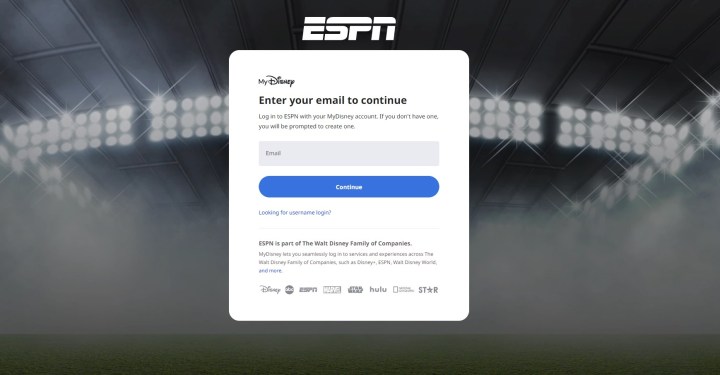
A login screen for ESPN+ on browser.

Cancel ESPN+ on your web browser

This method is designed for those who signed up directly on the ESPN+ website. It’s simple and direct.

Step 1: Head to your login page and log in with your ESPN+ information.

Step 2: Select your Profile icon in the upper-right corner of the ESPN+ screen.

Step 3: Select your ESPN+ Subscription from the Manage My section.

Step 4: Select Manage Subscription

Step 5: Select Cancel Now and and ESPN+ will be canceled.

Note that ESPN+ will generally remember your login information even after your cancellation. This will allow you to reactivate an ESPN+ subscription in the future. That may be an attractive option if you are only interested in signing up for a specific season, so keep your login information around for next time.
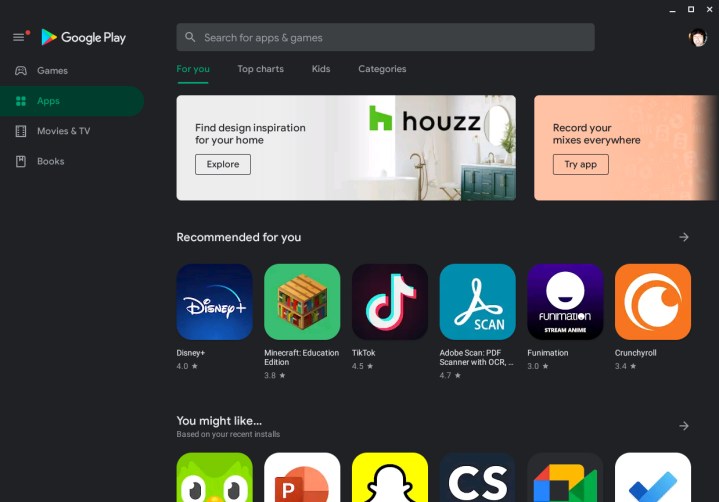
The Google Play Store homepage on a Chromebook.

Cancel ESPN+ with the Google Play Store

Did you sign up through your Android device or download and subscribe to the app from the Google Play Store? Here’s how to quickly unsubscribe the same way.

Step 1: Open the Google Play Store app on your Android device (you can also do this from other devices, although the steps may vary slightly).

Step 2: Select your Profile picture in the top-right corner and select it, then select Payments & Subscriptions.

Step 3: Select Subscriptions.

Step 4: You should now be able to see all your current subscriptions. Select ESPN+ from the list.

Step 5: Select Cancel Subscription to end the service and stop payments.
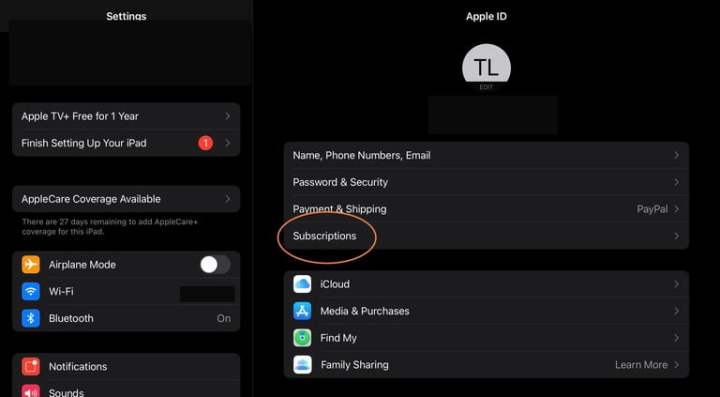
ESPN+ subscription on iOS device.

Cancel ESPN+ with Apple / iOS

Those who signed up through Apple’s interface on an iOS device can quickly cancel ESPN+ in the same way. We have a full guide to canceling Apple subscriptions this way, but if you want the quick details, here’s what to do.

Step 1: Open the Settings app on your iOS device.

Step 2: At the top, select your Name to see your Apple ID settings. You may need to sign in to your Apple account at this point.

Step 3: Choose Subscriptions from the first menu at the top of your profile.

Step 4: The new window should now show your current subscriptions through Apple. Select ESPN+ to continue.

Step 5: Select Cancel Subscription and confirm that’s what you want to do.
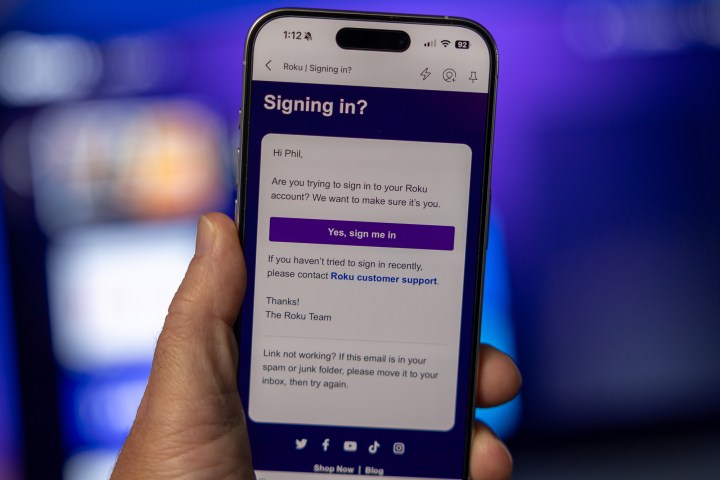
The email you get if you try to log in to your Roku account.

Cancel ESPN+ with Roku

Those who signed up via Roku can also choose to cancel the same way. Here’s how to do it:

Step 1: Head to the Roku login page and log in with your information. It’s easiest to do this on your computer with this link, but you can also manage subscriptions from your Roku platform on your TV.

Step 2: Select Manage Your Subscriptions from the menu.

Step 3: View your subscriptions and their terms to find ESPN+. Select Unsubscribe next to the app.

Step 4: Confirm that you want to end your ESPN+ subscription.

Hulu, Disney Plus, and ESPN+ bundle logo.

Bundling options for ESPN+

ESPN+ is only available to bundle in the Disney Trio, where you’ll also get access to Disney+ and Hulu. The Disney Trio Basic includes access to all three streaming services for just $15. However, if you want an ad-free experience on Hulu and Disney Plus, you’ll need to snag the Disney Trio Premium Bundle, which comes in at $25 monthly. We have a guide on what you should know about this particular bundle before you buy.


Share. Facebook Twitter Pinterest LinkedIn Tumblr Email
Previous ArticleOpenAI Threatens Bans as Users Probe Its ‘Strawberry’ AI Models
Next Article Launching Windows 11 apps could get up to 50% faster thanks to this new tech

Related Articles

Samsung stirred the wide foldable race, but I’m more excited for an upcoming exotic rival
News

Samsung stirred the wide foldable race, but I’m more excited for an upcoming exotic rival

23 July 2026
America’s Hot Hybrid Summer | WIRED
News

America’s Hot Hybrid Summer | WIRED

23 July 2026
Apple could cut off app access on financed iPhones over missed payments
News

Apple could cut off app access on financed iPhones over missed payments

23 July 2026
The Trump Administration Wants to Change Public Engagement Rules for Polluters
News

The Trump Administration Wants to Change Public Engagement Rules for Polluters

23 July 2026
Lenovo launches new LOQ 17 gaming laptop with RTX 5070 12GB GPU
News

Lenovo launches new LOQ 17 gaming laptop with RTX 5070 12GB GPU

23 July 2026
Google Turns a Selfie Video Into Your Account’s Spare Key
News

Google Turns a Selfie Video Into Your Account’s Spare Key

23 July 2026
Demo
Top Articles
5 laptops to buy instead of the M4 MacBook Pro

5 laptops to buy instead of the M4 MacBook Pro

17 November 2024133 Views
ChatGPT o1 vs. o1-mini vs. 4o: Which should you use?

ChatGPT o1 vs. o1-mini vs. 4o: Which should you use?

15 December 2024111 Views
Costco partners with Electric Era to bring back EV charging in the U.S.

Costco partners with Electric Era to bring back EV charging in the U.S.

28 October 2024100 Views

Subscribe to Updates

Get the latest tech news and updates directly to your inbox.

Latest News
Google Turns a Selfie Video Into Your Account’s Spare Key News

Google Turns a Selfie Video Into Your Account’s Spare Key

News Room23 July 2026
The best Galaxy Watch Ultra 2 diving features will reportedly cost you extra News

The best Galaxy Watch Ultra 2 diving features will reportedly cost you extra

News Room23 July 2026
Remember Jibo? Its Successor Is a Wearable That Turns Your Life Into AI Slop News

Remember Jibo? Its Successor Is a Wearable That Turns Your Life Into AI Slop

News Room23 July 2026
Most Popular
The Spectacular Burnout of a Solar Panel Salesman

The Spectacular Burnout of a Solar Panel Salesman

13 January 2025137 Views
5 laptops to buy instead of the M4 MacBook Pro

5 laptops to buy instead of the M4 MacBook Pro

17 November 2024133 Views
ChatGPT o1 vs. o1-mini vs. 4o: Which should you use?

ChatGPT o1 vs. o1-mini vs. 4o: Which should you use?

15 December 2024111 Views
Our Picks
The Trump Administration Wants to Change Public Engagement Rules for Polluters

The Trump Administration Wants to Change Public Engagement Rules for Polluters

23 July 2026
Lenovo launches new LOQ 17 gaming laptop with RTX 5070 12GB GPU

Lenovo launches new LOQ 17 gaming laptop with RTX 5070 12GB GPU

23 July 2026
Google Turns a Selfie Video Into Your Account’s Spare Key

Google Turns a Selfie Video Into Your Account’s Spare Key

23 July 2026

Subscribe to Updates

Get the latest tech news and updates directly to your inbox.

Facebook X (Twitter) Instagram Pinterest
  • Privacy Policy
  • Terms of use
  • Advertise
  • Contact Us
© 2026 Best in Technology. All Rights Reserved.

Type above and press Enter to search. Press Esc to cancel.