



DuRoBo Krono
MSRP $280.00
“A great idea, but wish did more for the price.”
Pros
- Well built and pocketable
- Display is good
- Flexibility of Android
- Long lasting battery
Cons
- Missing microSD slot
- No cellular support
- Software needs polish
- A gimmicky dial
- Bad speaker
Quick summary
Not too long ago, there was a time when Kindles were the default choice for electronic reading devices. Then came Kobo, which became fairly popular. A few upstarts also came along the way, with Onyx Boox being one of the boldest entrants in the segment. Well, Amazon played it safe with Kindle, and so did Kobo.
These new names began experimenting with the form factor, and it started redefining what it actually means to have a reading gadget in your bag, or pocket. From a mini tablet, we reached massive slates with stylus support. And then, extremely pocketable e-readers that stick to the back of your phone. Somewhere in between, we got a whole class of e-readers that look exactly like your phone.
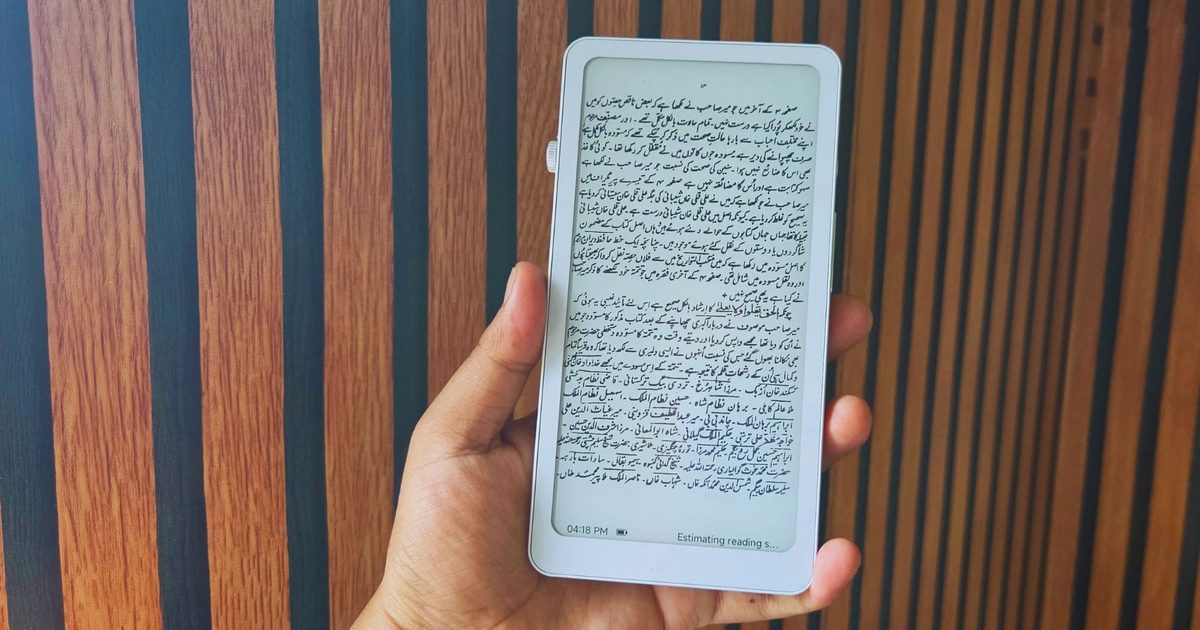
The DuRoBo Krono is one such device. It looks like a phone, but tries to stand out with a clever scrolling dial on the side. You get minimalist software, but it does not try to restrict you, thanks to full support for Android and the Google Play Store. It also has a few clever tricks that turn it into a neat AI-powered voice note-taker.
The rest of the package is fine. The screen is decent for reading. The battery life is amazing. You can even look at it as a minimalist music streaming device. And it doesn’t cost an arm and a leg, either. Overall, if you are chasing a versatile device and have been dreaming of an e-reader that looks like a phone, this is a fantastic pick.
DuRoBo Krono design and build quality
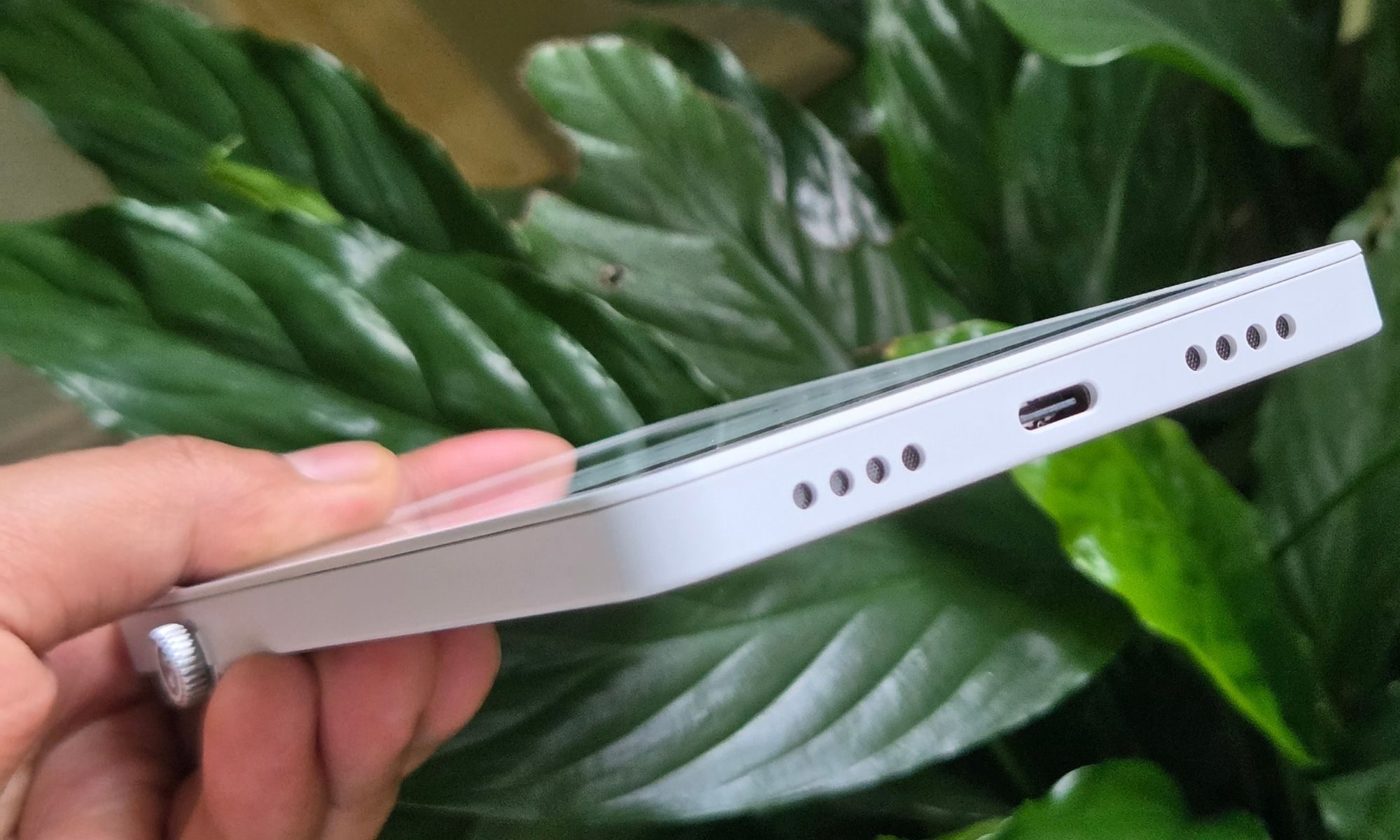
The biggest appeal here is a phone-like form factor. If you’re someone who dreads the idea of carrying a mini slate for reading and wants something that feels natural in your hands, you pick the DuRoBo Krono. It’s almost as thick and tall as my iPhone 17 Pro, but lighter than the Apple flagship.
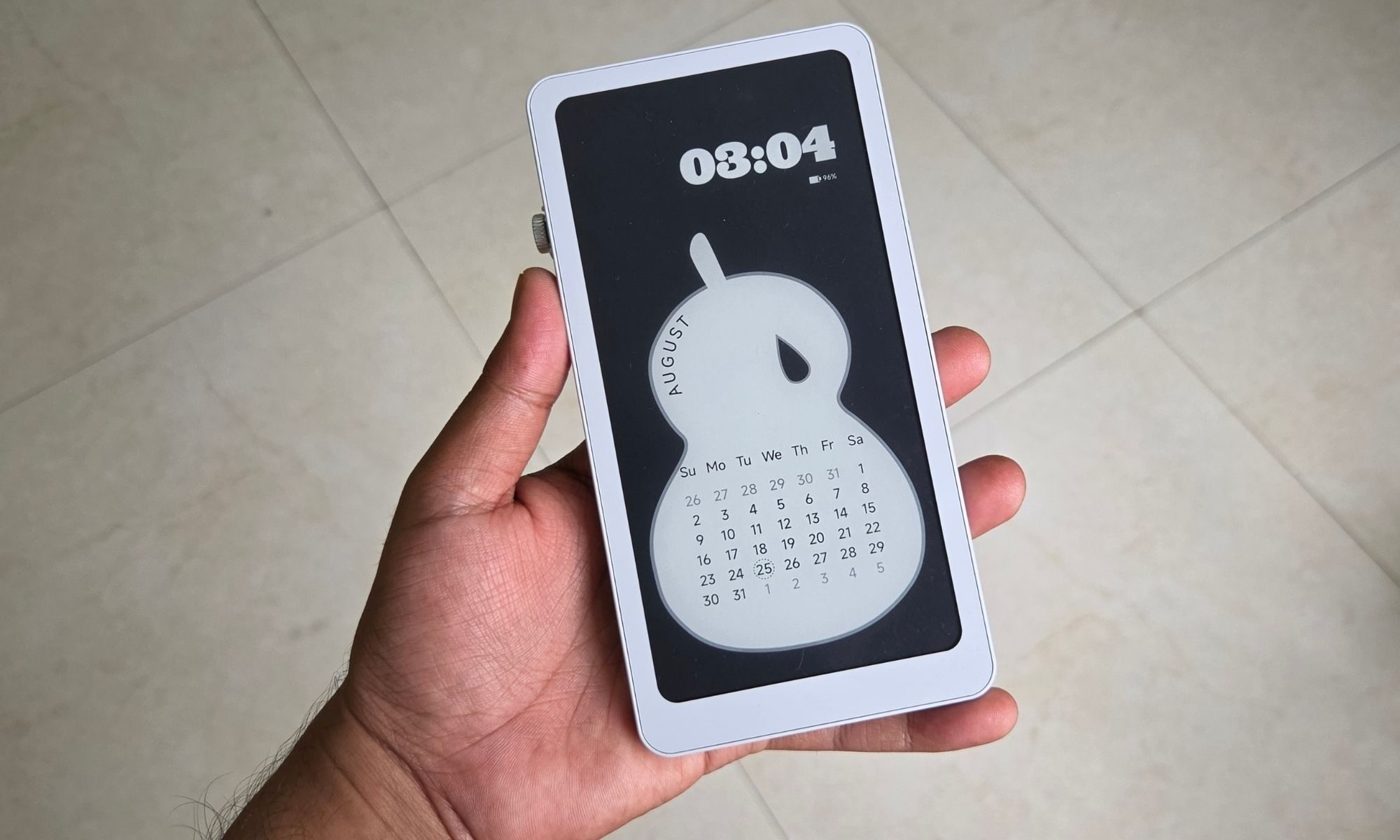
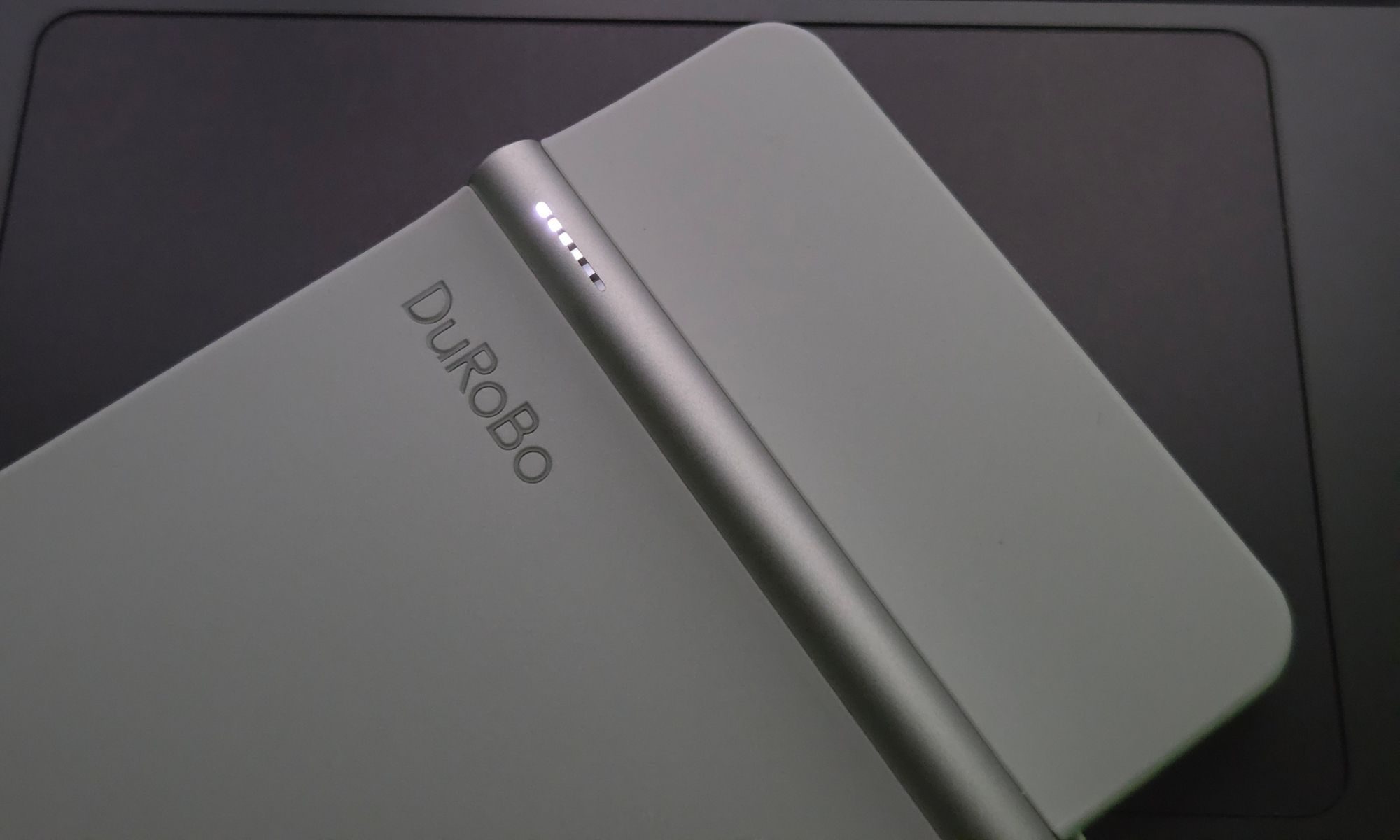
It’s a unibody shell made out of sturdy plastic, with a cylindrical metallic hump running horizontally near the top edge at the back. It looks like a metallic axis. Near the left edge, it has breathing lights, and on either end, you will find the power button and the metallic smart dial that looks like the crown wheel on the Apple Watch.

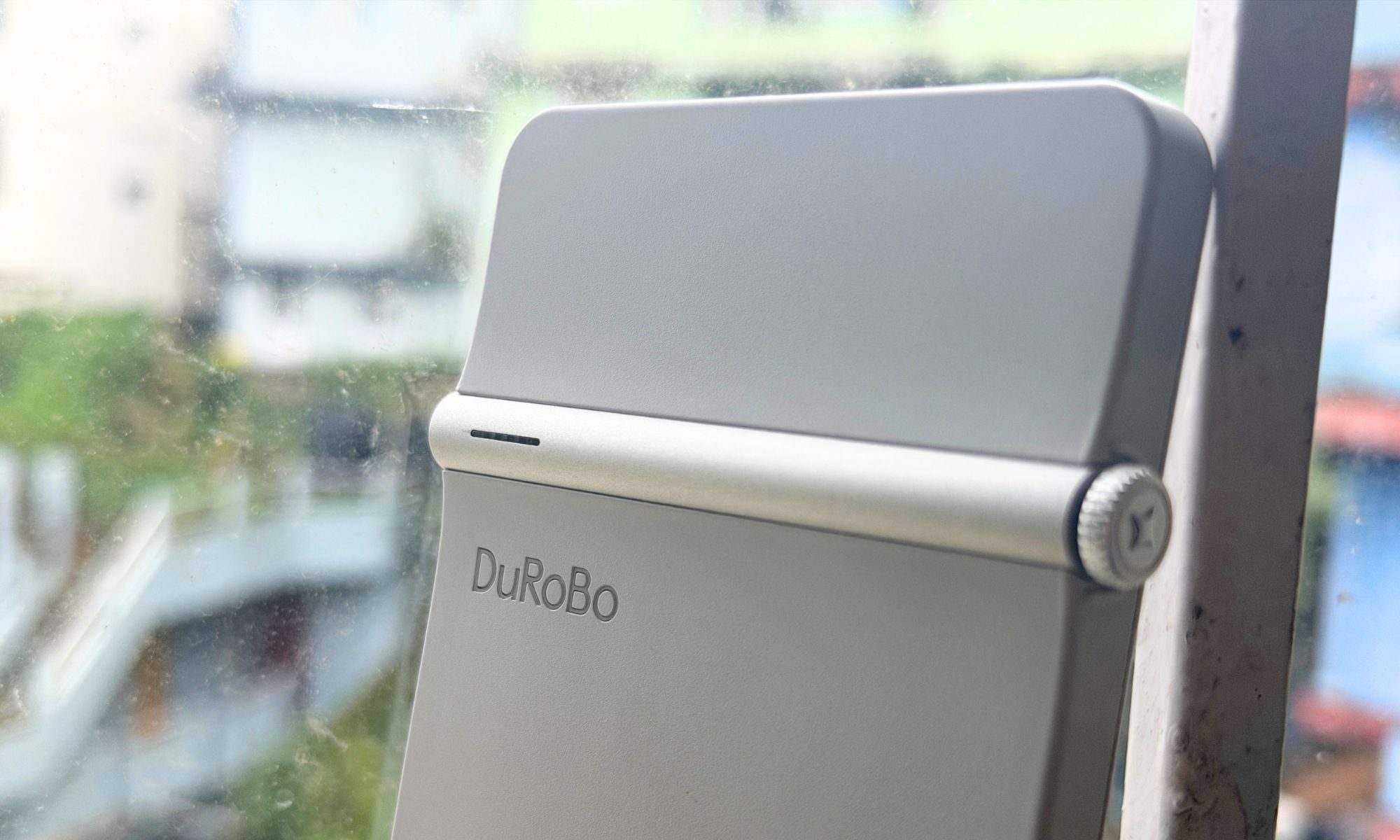
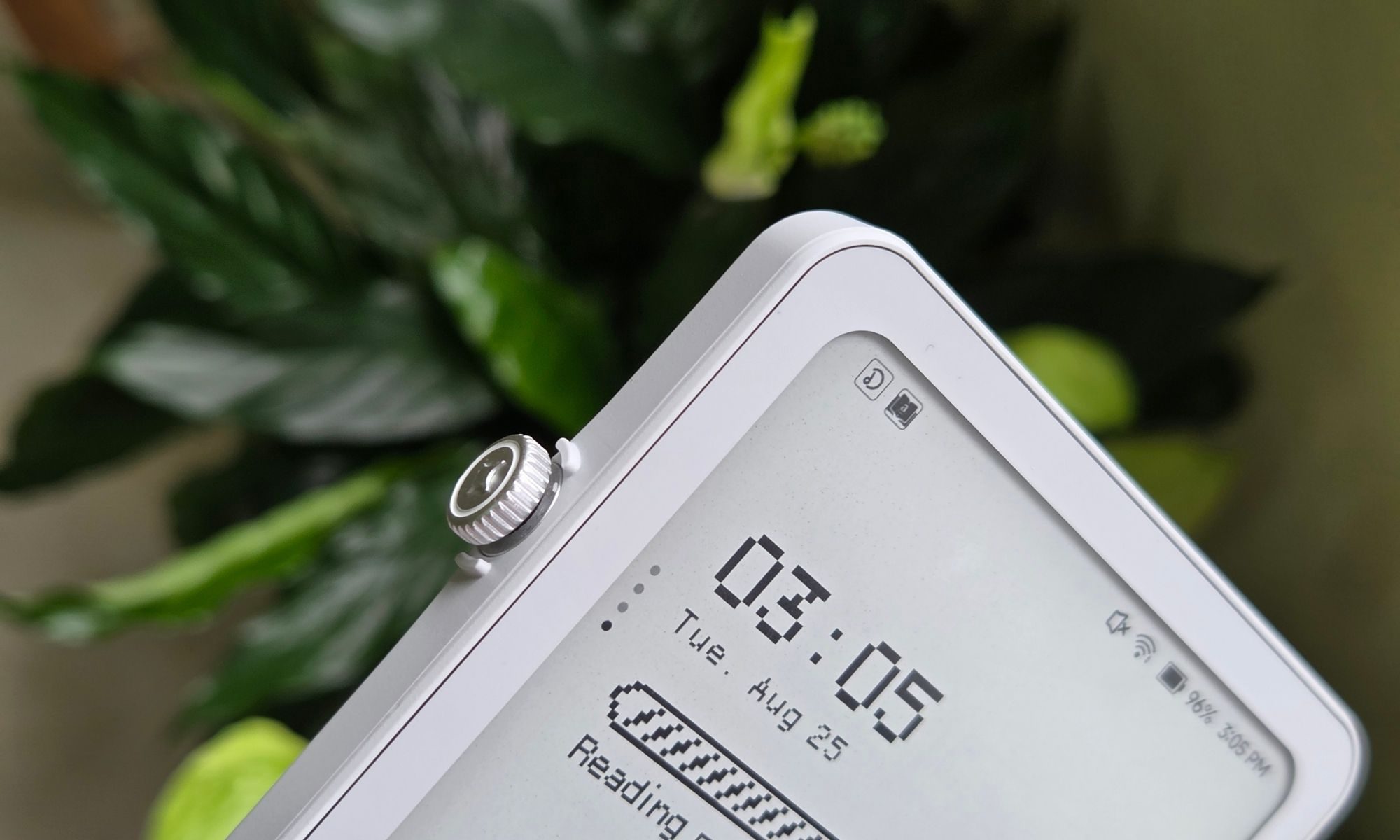
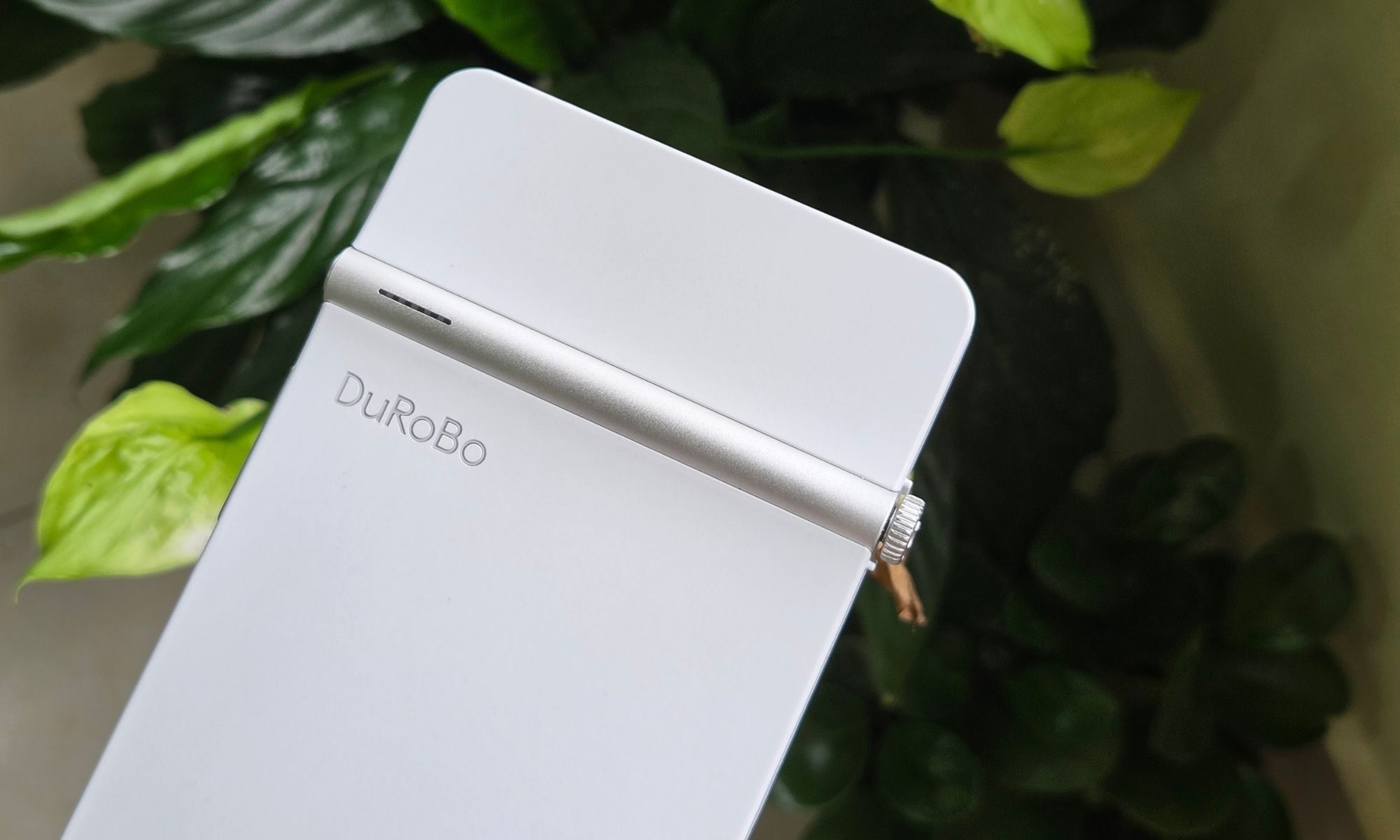
The Dial, as DuRoBo likes to call it, is pretty smart. Depending on what you are doing, it can handle volume adjustment, brightness levels, and, of course, going up and down the page you are reading. And when you long-press the dial, it enters the voice mode for the Spark AI, where you can instantly record some voice notes, while the AI helps you with transcription and even summarization.
Overall, the build quality is pretty sturdy. It doesn’t feel cheap. The plastic shell has a matte-like finish that makes the device a tad easier to grip, and it doesn’t get smudged either, especially if you have sweaty palms. What really grinds my gears is the thick bezels upfront, but we’ll get into it later.
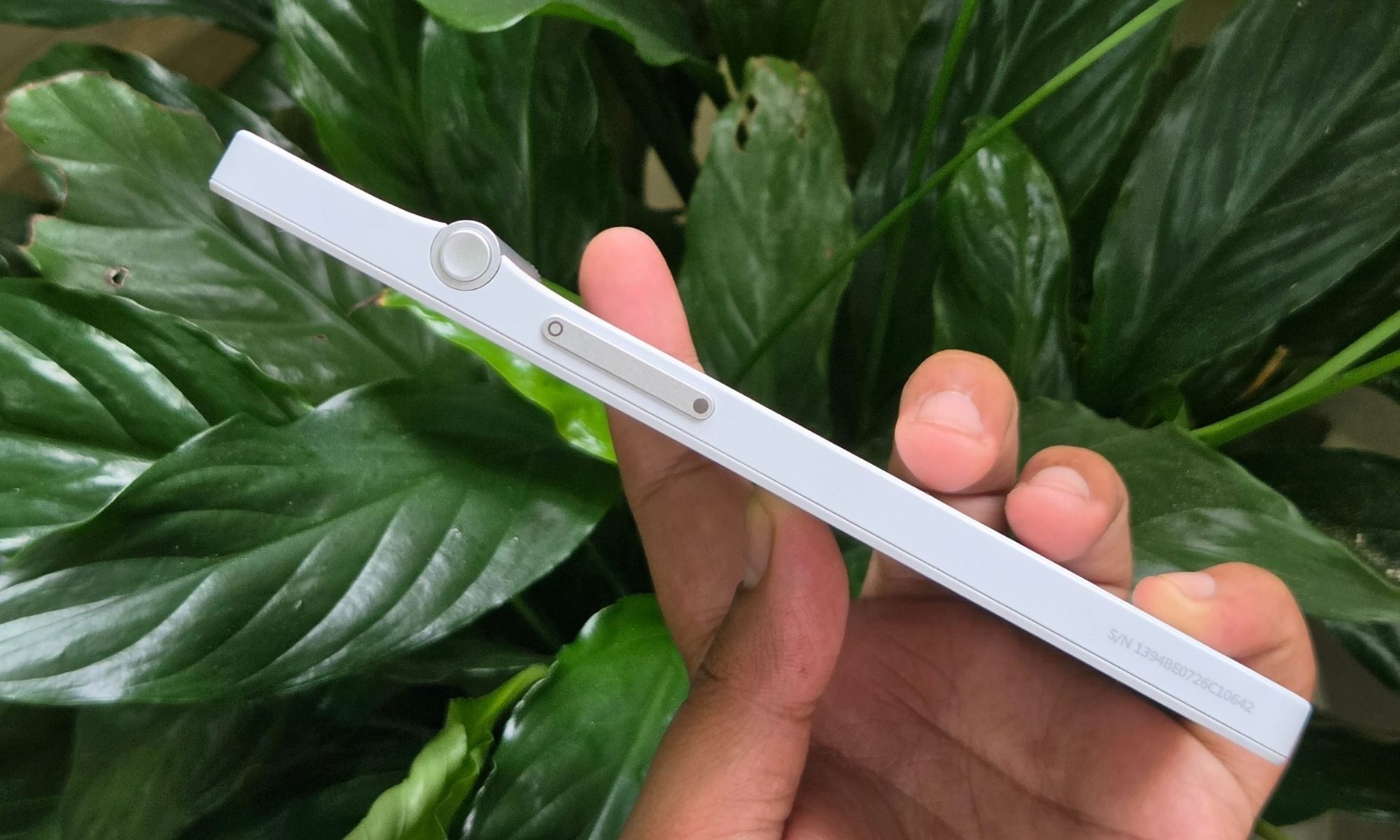
The position of the smart dial is also pretty thoughtfully executed. If you’re a right-handed person, depending on the size of your palms, you will have either your middle finger or your index finger within a comfortable reach of the dial for scrolling the page or adjusting the backlighting levels. And if you are left-handed, your thumb is naturally resting on the dial, and you don’t have to readjust the device in your hands.
The big appeal, as I mentioned earlier, is to have a device that is pocketable and doesn’t make you stretch out your palms, or make them hurt after an extended reading period. Nothing feels more natural than a smartphone in your hand, and that’s exactly what the DuRoBo Krono is after. It feels like a secondary phone in your pocket, and to a large extent, also works like it.
Score: 8/10
DuRoBo Krono display
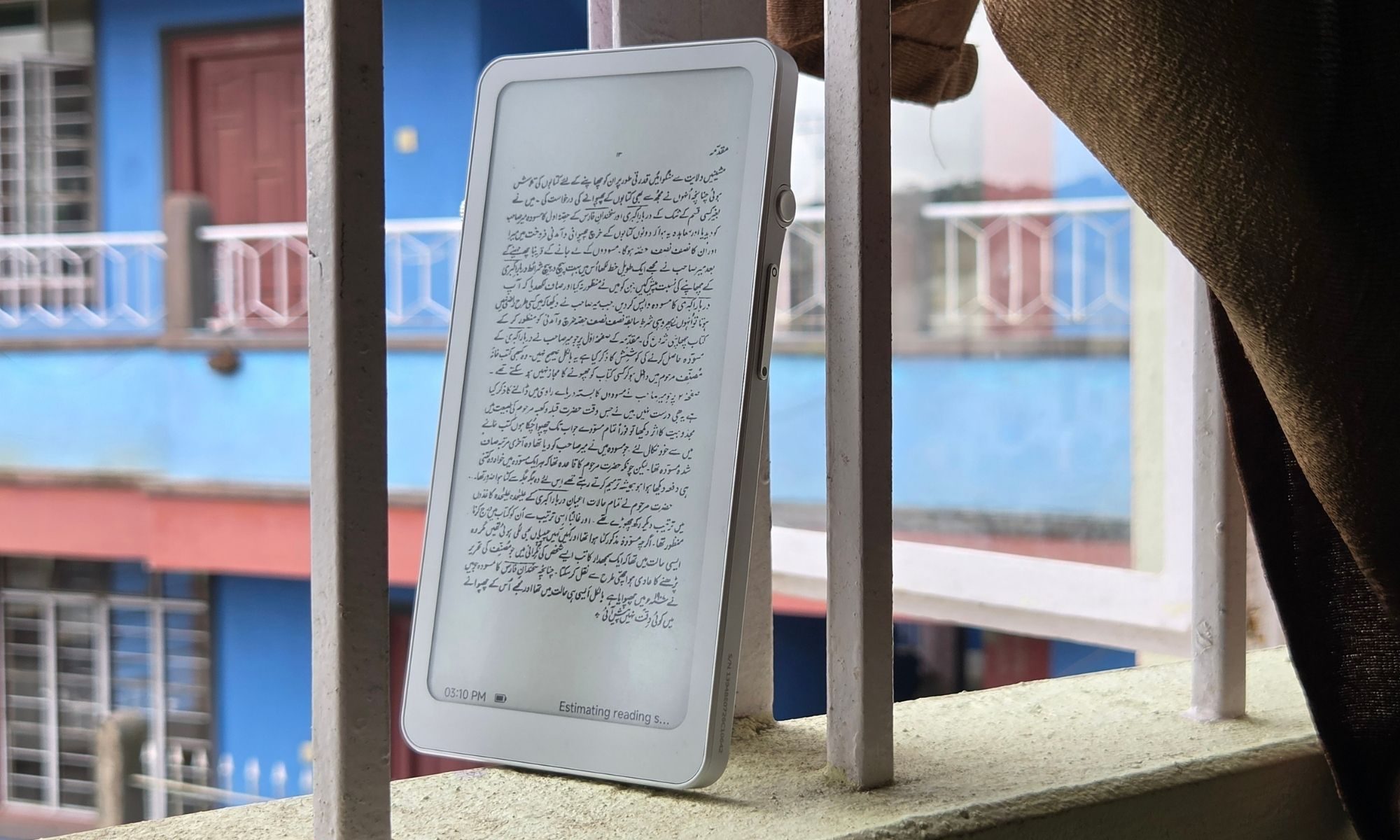
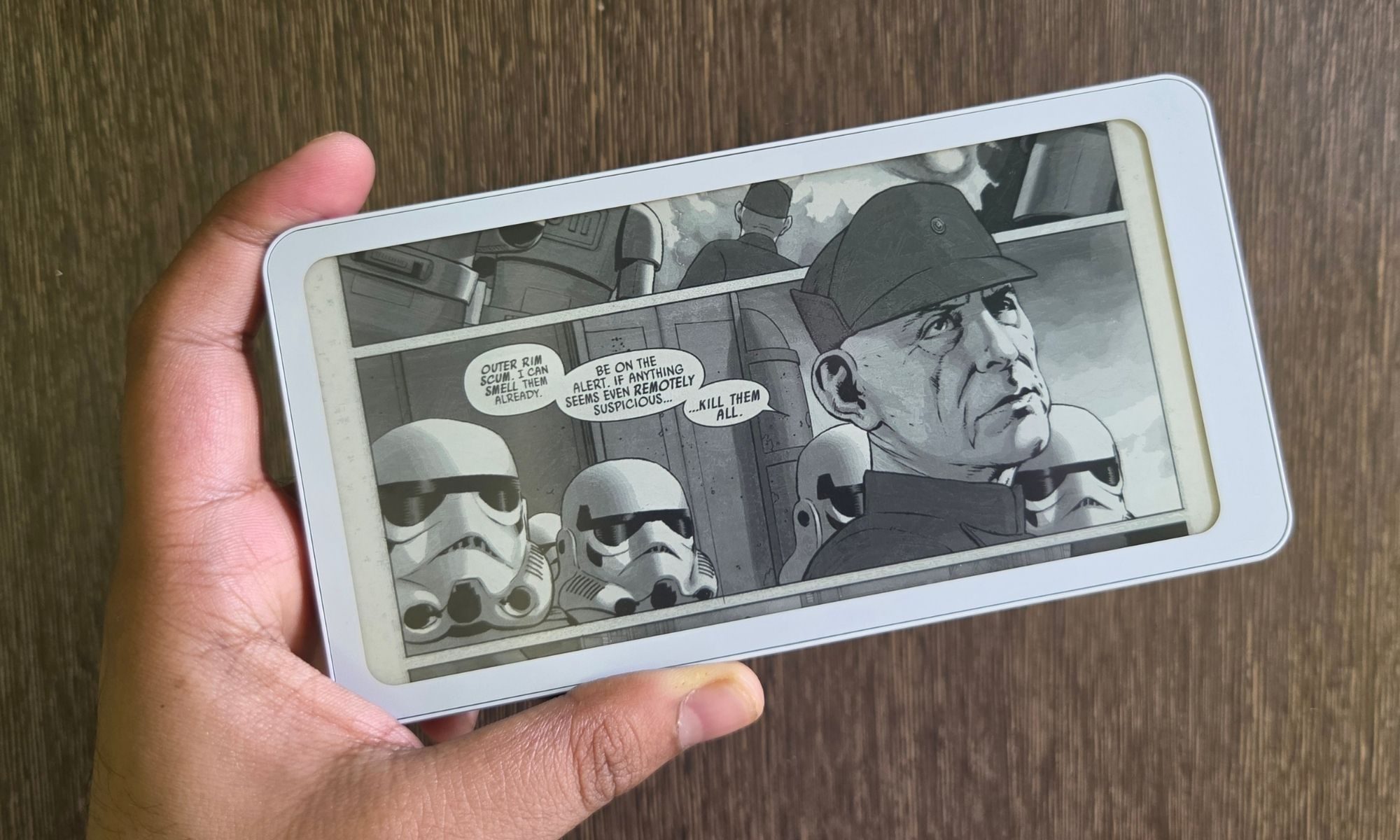
Running the show on the DuRoBo Krono is an E Ink Carta 1200 HD display, which measures 6.13 inches across and offers a resolution of 824 x 1648 pixels, which translates to a pixel density of 300 ppi. That’s plenty of sharpness for reading text. And even if you fire up the occasional picture book and have the display quality set to quality or clarity modes, you won’t struggle with making out what’s on the screen.
As you switch to a new frame or have enabled the speed preset for scrolling pace, the transition will make those images look like a sea of black and gray dots, with plenty of shimmering to go with it. But overall, for reading, I have no complaints. During daytime or even in rooms with dim light, I barely ever felt the need to turn on the front light. With the brightness level set to zero, you get a pristine white canvas that tries to ape the look of real paper.
If you’re a night owl and prefer to read in the dark, the front light comes in handy. What I appreciate the most is that you can adjust the temperature of the screen, taking it from a bright white color to an amber shade that is a lot more comfortable to gaze at for binge reading. The only issue is the refresh rate, which is something no commercially available e-ink device has managed to figure out at the hardware level.
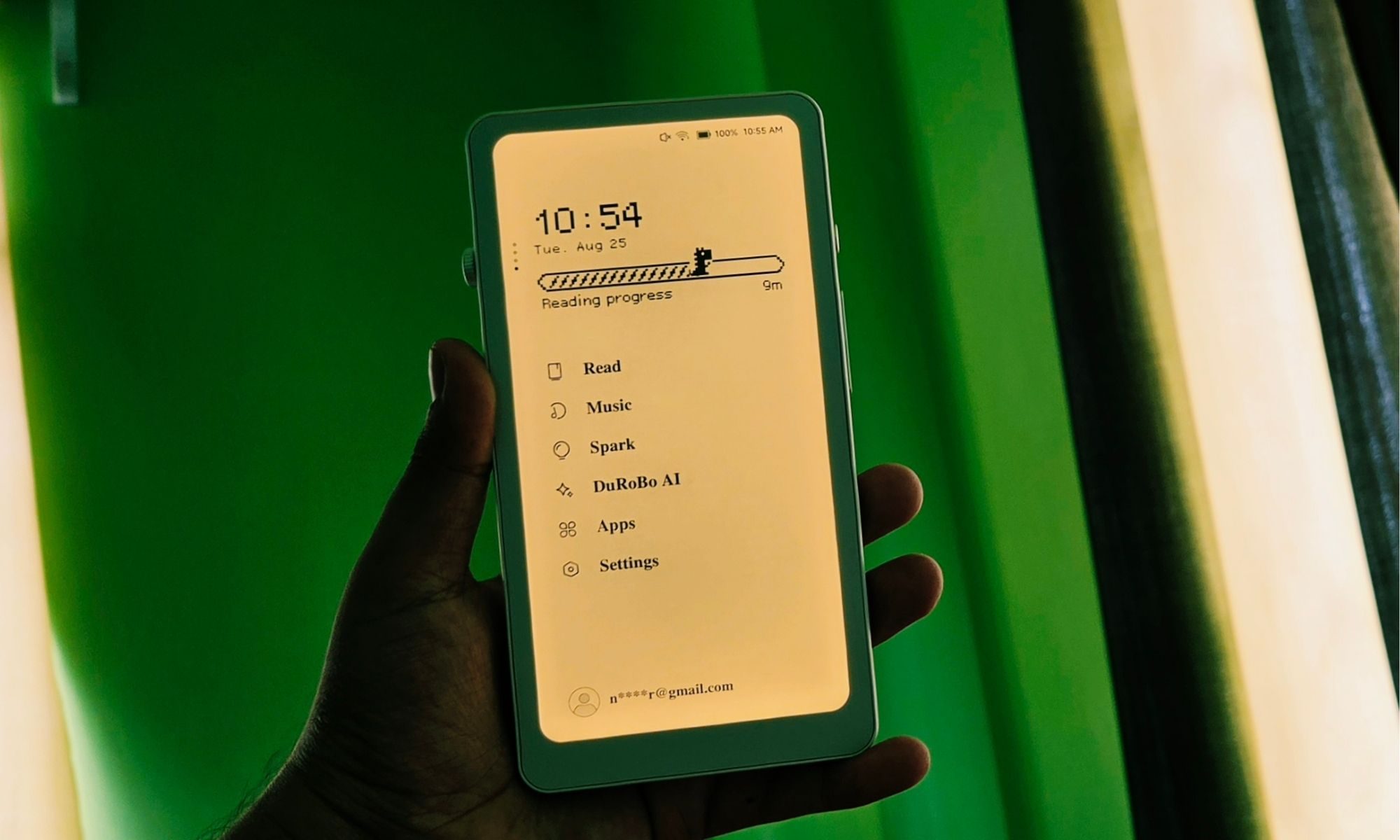
So, when you’re reading an article or a book, and have shifted the pages to scrolling mode instead of the traditional slide-based page view, the scrolling animations are smooth, but as you try to zoom in and zoom out, you feel that visual jitter very clearly. There’s no escaping that.
For reading books or any text-first content, I would suggest sticking with the speed preset because the scrolling is a lot smoother, and you don’t see any text shimmer. Furthermore, if you switch to the quality or clarity preset, it doesn’t actually create any difference in the visual quality of the text appearing on the screen. It will only make the interactions feel unnecessarily slow.
I got the job done by sticking to the speed mode. But there is a bit of an odd hiccup, and I blame it on the software rather than the hardware.
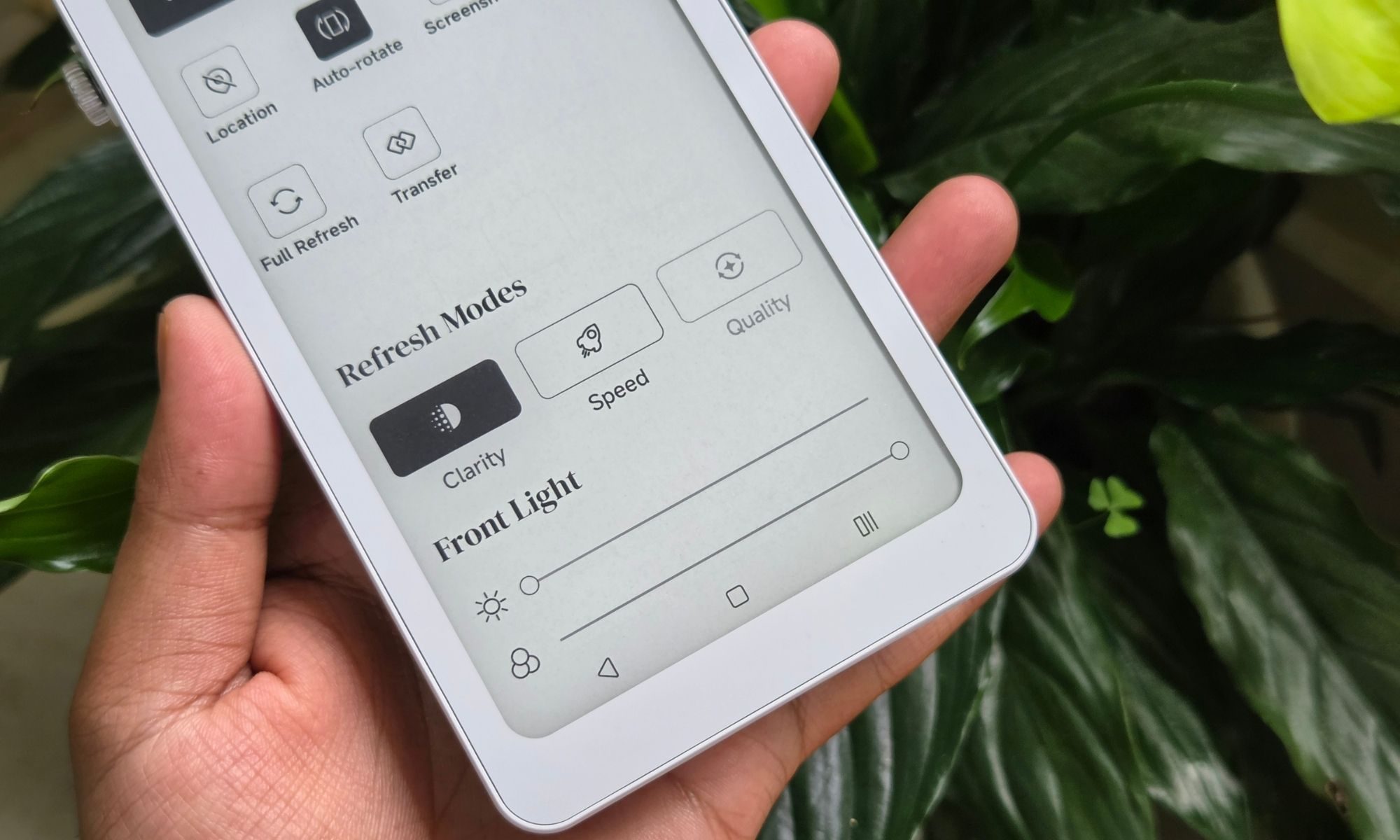
So, when I am using the built-in reader, which is simply named “Read” on the DuRoBo Krono, I cannot access the three-level refresh mode controls. It doesn’t work for the random article PDFs that I have saved on my system, nor does it work for the PDF books that I have downloaded on the device. But as soon as I switch to a third-party app, like the Kindle app downloaded from the Google Play Store, these three controls appear in the quick settings panel.
I hope DuRoBo fixes this odd problem. But as far as the raw reading pleasure goes, I don’t have any fundamental complaints about it. The display is sharp, bright, and feels easy on the eyes. And if your ultimate goal is a phone-like device to handle your reading habits, you won’t be disappointed by the DuRoBo Krono.
Score: 8/10
DuRoBo Krono Software
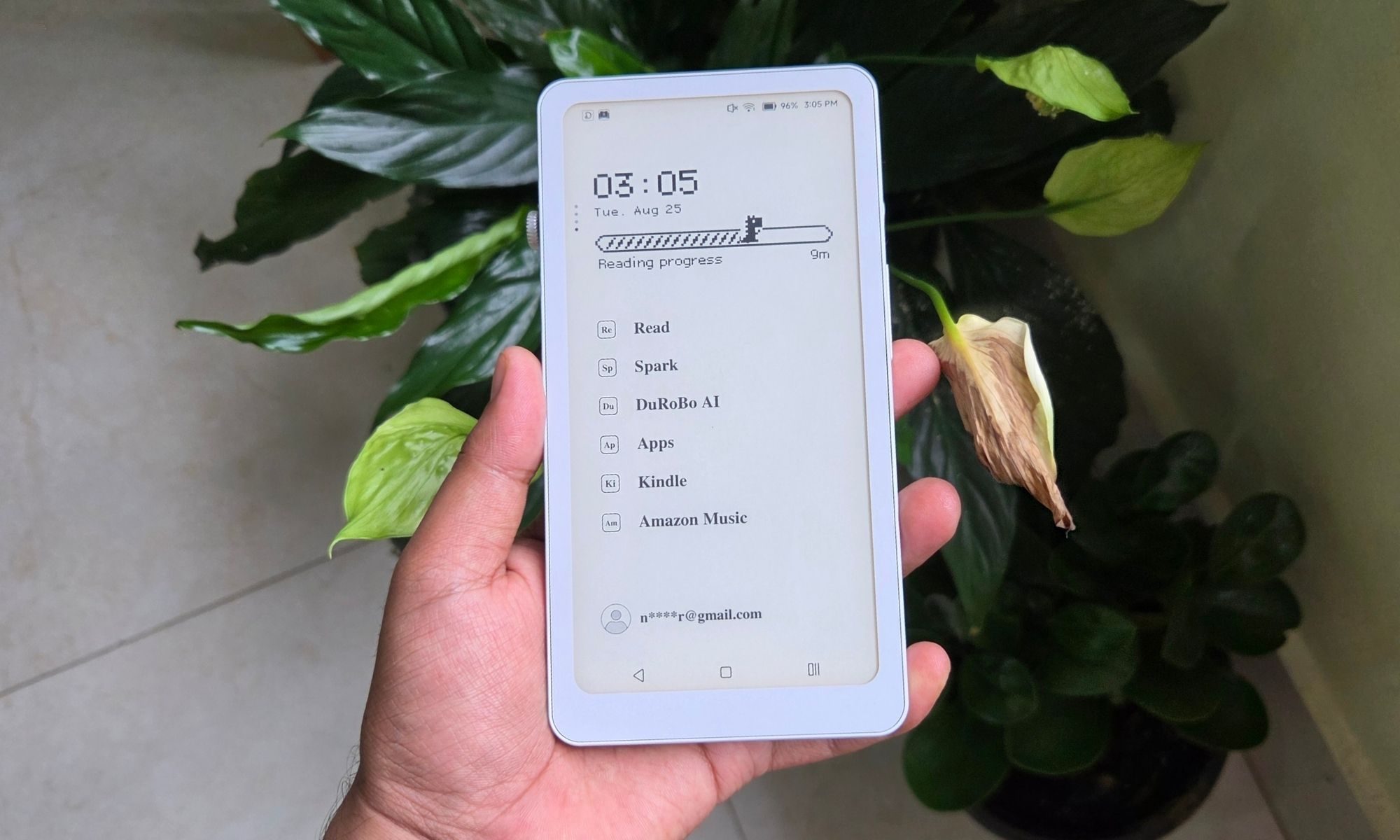
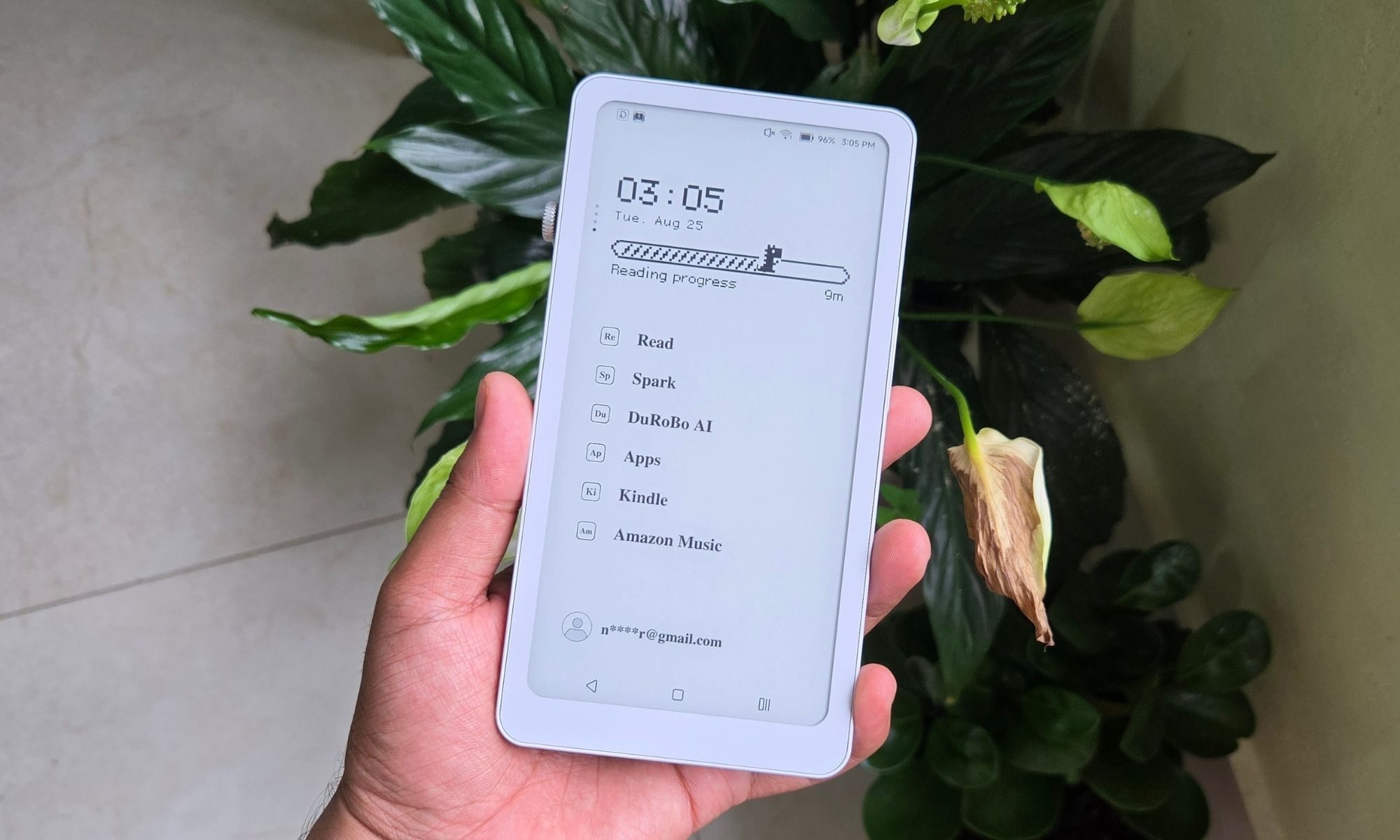
The software is the most controversial part of the DuRoBo Krono experience. The company went with a minimalist UI, which I believe suits the purpose. On the home screen, you just get six core controls. You can customize it and place your most frequently used apps, or stick to the default options. It’s almost identical to what you get with Niagara and Mako launchers on Android.
Personally, I like it a lot. I’ve used a bunch of phone-like e-reader devices, and all of them have the same home screen launcher look as your average Android smartphone or an iPhone. And that familiar look takes away from the inherent appeal of a device that is intended for losing yourself in pages.
Of course, you have full Google Play support, and you can download whichever app you want and put it right on the main screen for quick access. But this minimalism also comes at a cost. I almost feel like the company didn’t put any effort into creating a standout reading experience on the DuRoBo Krono.
It’s so bare-bones that you often find yourself frustrated by the lack of even the most basic controls and page customization options. For example, when you’re reading a book, the only two controls available on the screen are changing the reading mode and opening the content list. In the top right corner of the screen, you get the bookmark option, and that’s all.
Only when you long-press on a word or passage do you get access to some basic formatting controls like underline, highlight, annotation, and copy.
The only standout tool is the AI explainer, which itself feels pretty slow. I almost never used it after a few attempts at trying to find the meaning or context. Functionally, this AI tool works fine, but it’s just so slow that I forgot its existence. The answers you get after summoning it sound exactly like how ChatGPT or Gemini would tell you the meaning and context of a word or passage.
There is no option to engage in a back-and-forth chat about it. Visually, when you tap on the expand button of the AI window, it takes you to a page that looks like a combination of a dictionary and thesaurus, with some added context in a conversational tone. It might come in handy from time to time if you’re trying to look up the meaning of a word or seeking background information on a name, location, or event.
The built-in text-to-speech feature, on the other hand, is also bare-bones. The recitation tone is extremely mechanical, and the only control you get is the speed. That’s all. You can’t even change the voice of the reader. The only occasion where I used the built-in Read app on the DuRoBo Krono is when I just wanted to skim through an article or a research paper. That’s all.
But if you’re someone who is particular about having control over the reading experience, you will want a third-party app. The Kindle app, for example, will let you play with different fonts, adjust their size, the spacing, the page layout, margins, text alignment, background color, enable page scrolling with the volume button, and pick between a whole bunch of custom themes that will save you plenty of time.
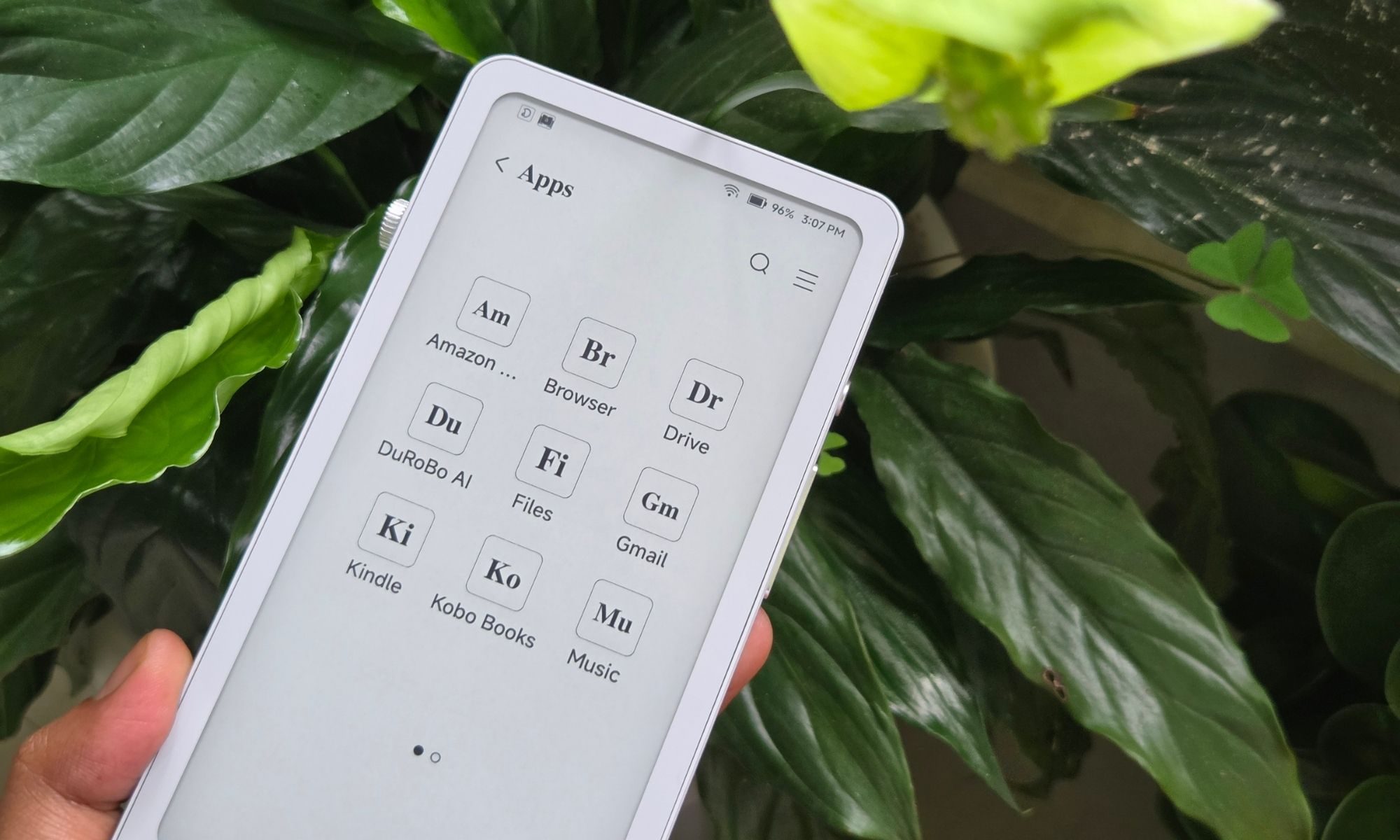
The Kindle app is not the best reading app out there. But compared to the Read app that ships on the DuRoBo Krono, Amazon’s app feels like a quantum leap in terms of customization options and useful features. But that’s not the only issue I have with the software experience.
As mentioned above, the refresh mode controls are implemented haphazardly. Additionally, beyond brightness and backlight color controls, you don’t get anything else. For comparison, on the Onyx Boox series of e-reader devices, you get at least five levels of display refresh rate, dark color enhancement, and a light color filtering slider. And these are the core controls that are implemented universally across the software experience, not just the built-in reader app.
But I also have a counterargument to make here. Compared to reading on a seven-inch or eight-inch slate, or even a device with a more squarish form factor, you don’t really need as many controls on a smartphone-sized screen. You are predominantly buying the DuRoBo Krono because it looks and feels just like your phone, and you are basically chasing that form factor for reading books.
If that sounds like you, there is not a lot that you’re missing. As I mentioned earlier, you just might like this stripped-down, minimalist, and no-frills software experience. You simply unlock the device, fire up the reading app of your choice, and start scrolling through pages, without even tapping on the screen.
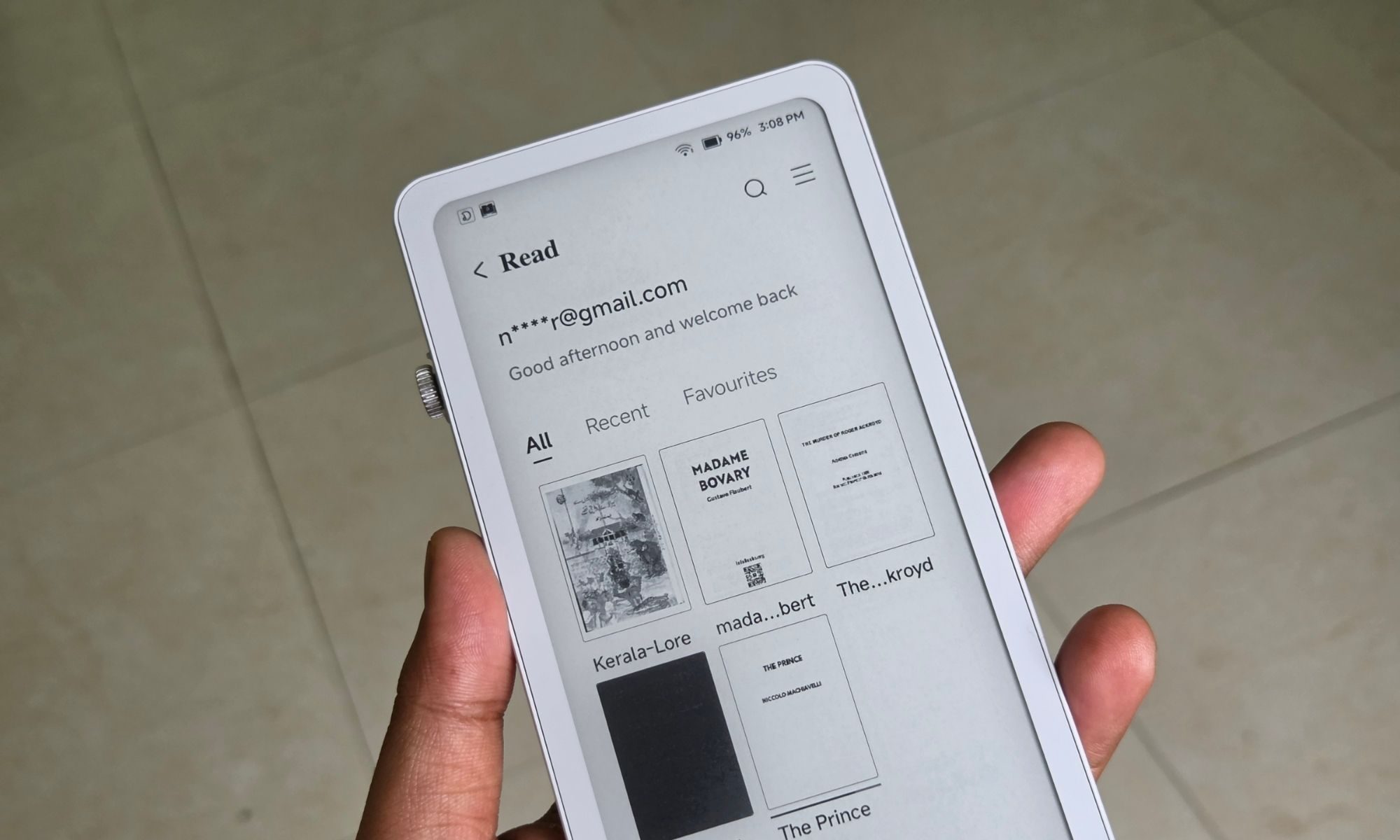
Of course, it runs Android, so there is no hassle when it comes to accessing your books and having to worry about supported formats. You just download the required app or the cloud drive apps like Google Drive or Box, and quickly access all your books and reading material. All you need to do is scan the QR code or type in the IP address in your web browser’s URL field to access the file transfer dashboard.
This is not your typical cloud sync system. Instead, it’s a locaI network that lets you quickly drag and drop the files stored on your laptop and access them on the DuRoBo Krono within a matter of seconds. You can move your local music files, pictures, books, documents, and more without having to worry about any sign-in hassles.
I would go as far as claiming that the DuRoBo Krono is a perfect device for people who are chasing a digital detox. If you’re worried about the constant barrage of notifications, this one offers a respite. You can simply move your music files and the reading material on the DuRoBo Krono and never have to worry about linking it to the internet at all.
Score: 7/10
DuRoBo Krono performance and AI
The DuRoBo Krono comes equipped with an unspecified octa-core processor, paired with 6 GB of RAM and 128 GB of onboard storage. There is no microSD card slot on this one, which is a shame. You also don’t get a 3.5-amp headphone jack, which leaves the USB-C port as the only hardware-level interface available to you.
Now, for a reading device, the onboard hardware is more than enough. But as you download more Android apps, you might start to see some sluggishness. For example, if you’re trying to switch between different apps that are running simultaneously in the background, the jitters are noticeable. In hindsight, those slow UI interactions also have to do with the fact that this is an inherently slow screen, not even your usual 60Hz panel available on even dirt-cheap phones.
So, what you see in terms of slow transitions and animations can be blamed more on the screen than the processor itself. In general, the durable kernel felt pretty snappy to me, whether it was scrolling the Internet, checking my Feedly lists, reading a book, watching the occasional podcast video on YouTube, or listening to music on Spotify.
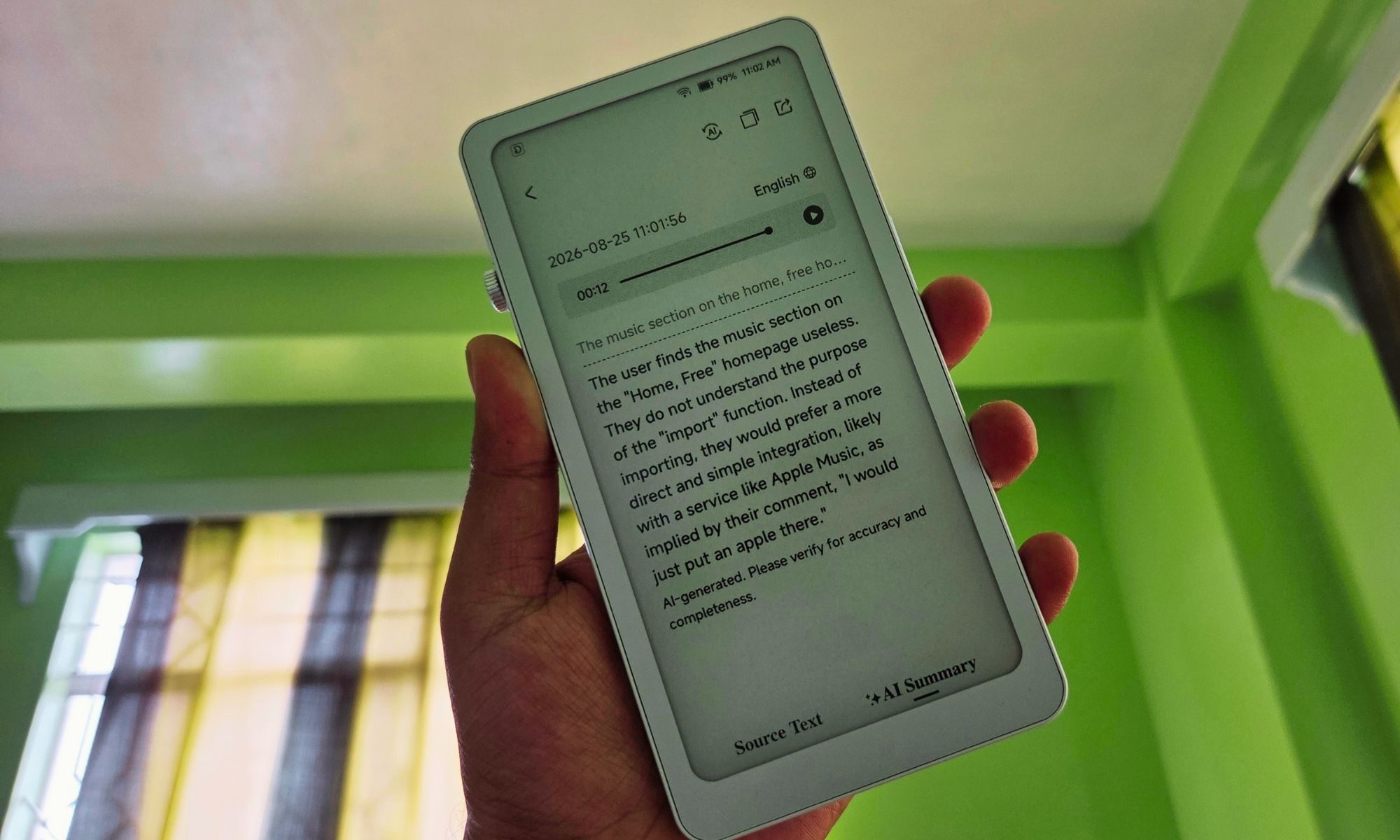
What sets the Turbo Chrono apart from other phone-like e-reader devices is the built-in integration of an AI-powered notetaker. DuRoBo calls it Spark. You can access it by long-pressing the dial. The broad idea is that when you get that creative spark, you don’t have to open a dedicated app or access a device.
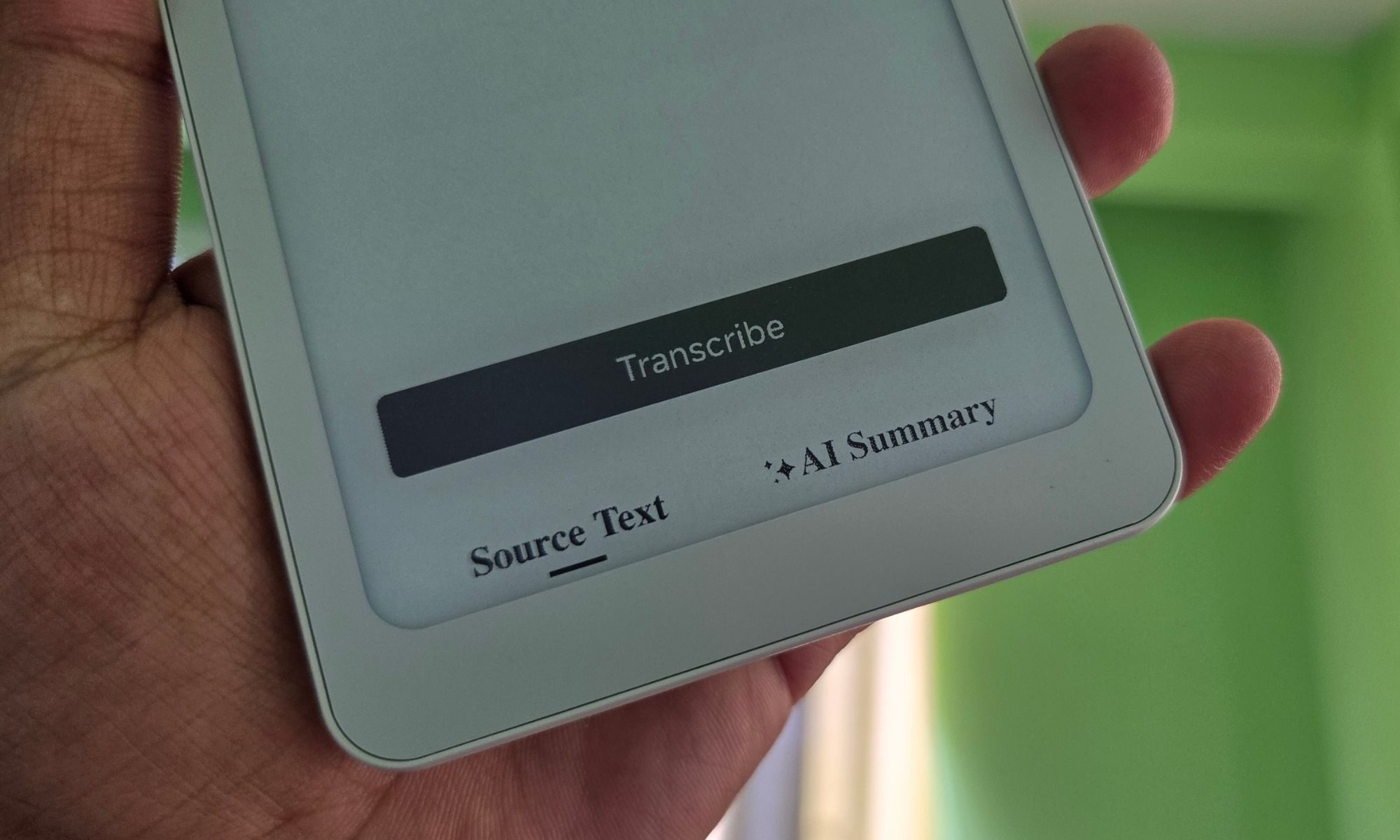
Simply press the button, record your voice note, and save it. The onboard transcription system turns your voice notes into text, and there is also an AI Summarizer at your disposal. As far as transcription accuracy goes, I would say it’s around 90% accurate at identifying the words. It mostly struggles with proper nouns or words that are not inherently a part of the English language lexicon.
It’s just funny that the Spark AI misread the very name of the device and transcribed it as “durable kernel” in front instead of “DuRoBo Krono.” Would I trust it as a note-taking device for recording my interviews and getting them transcribed? I would say yes. It’s not quite as accurate as a dedicated solution like WisprFlow or Willow Voice, but it more or less gets the job done.
Besides English, you also get native support for Dutch, German, French, Spanish, Portuguese, Chinese, Japanese, and Korean. Unfortunately, there is no option available in the Spark AI app to add additional language modules. For those that are not available, you can simply install any other third-party transcription app from the Google Play Store and get the job done.
Score: 7/10
DuRoBo Krono battery life
The DuRoBo Krono comes equipped with a 3,950 battery. That’s like half of what you get on a modern-age Chinese flagship phone these days. But when you pair this with a monochrome screen and modest processor, the per-charge mileage is downright amazing.
My reading habits are rather haphazard. Some days I spent only an hour reading a book, while seated in a cafe or just slouching on my sofa. I shifted into binge mode and spent three to four hours reading in one go.
With that kind of use in usage pattern, combined with the occasional 15-30 minute interviews, the DuRoBo Krono went a whole week in my most recent endurance test, and still had about 24% juice left in the tank.
Now, it’s extremely hard to specify just how many hours this device is going to last, and that’s because that would depend on a number of factors. Do you turn on the screen backlight? What is the brightness level? Do you use the device for listening to music, either offline or streamed through the Internet? How is your daily AI usage and voice note-taking within the Spark app? You get the drift.
But if you’re solely looking at the DuRoBo Krono from the perspective of a reading device that looks like a phone, this one will easily go beyond a week, and even survive a couple. Even if it lasts one week with mixed usage, I’ll still call it a win.
Score: 8/10
Should you buy?
The DuRoBo Krono is rather a straightforward pick. If you need a minimalist reading device that looks like your phone, offers a no-frills reading and scrolling experience, and takes you away from the digital noise of a regular smartphone, it’s an easy pick. The battery life is enough to support your marathon reading sessions, lasting days in a row.
The display is versatile enough to suit daytime readers as well as night owls. On the software side, it takes an utterly minimalist route. But if you find that limiting, you can go ahead and download any app of your choice from the Google Play Store. That’s the flexibility that you don’t get with devices from the likes of Amazon.
On the flip side, there are still a few rough edges with the software, but nothing that can’t be fixed. And, hey, it can also double as your dedicated AI-powered note-taking and transcription device, without burdening you with any subscription. So there’s that hidden perk. Overall, at its current asking price of $280, the DuRoBo Krono is a meaningful addition to your everyday carry.
Why not try?
Boox Palma 2 Pro: Boox no longer officially sells the Palma 2, so your only option is either trying to find it from a third-party store or picking the BOOX Palma 2 Pro. Priced at $379.99, this one comes with a color e-ink panel, offers far more rewarding software, and even supports stylus input.
Bigme HiBreak: Priced at $250, the Bigme HiBreak is a full-fledged smartphone, not a dedicated e-reader. The perks of picking this one include a paper-like color display, a built-in camera, a hybrid slot for accommodating a 4G SIM, and a microSD card, alongside a faster screen refresh rate technology.
XTEINK X4: If you are chasing the ultimate minimalist heating device, you should try out the XTEINK X4, which only costs $80 in the US. It’s pretty small, attaches magnetically to the back of your phone, and offers a solid battery life for a device of its size. If you want the warm backlight convenience, the X4 Pro model will serve you well at $99 a pop.
How I tested
I carried the DuRoBo Krono with me for a spell of four weeks and used it as my primary reading device. In that spell, I paired it with my smartphone via WiFi hotspot to occasionally download Android apps and add books to my library from the Kindle store and Google Drive.
I also compared it against a bunch of devices from rival brands, including Onyx Boox and XTEINK, to gauge the display quality, reading experience day-to-day, software performance, and reading conveniences. I also tested a variety of files, including PDFs, TIFFs, WAVs, and EPUBs, to consume audio-visual content in different formats.
FAQ (Frequently Asked Questions)
What is the screen size on the durable DuRoBo Krono?
You get a 6.13-inch 300 PPI E Ink Carta 1200 HD panel on the device.
What operating system does it run?
The DuRoBo Krono ships with a heavily skinned version of Android 15 out of the box.
What are the key hardware specs?
The device comes equipped with an octa-core processor, 6GB of RAM, and 128GB.
Is there a microSD card slot on the device?
No, there isn’t. All file transfers either happen in wireless mode or while connected via the USB-C port.
Does it offer cellular connectivity support?
No. In order to connect the DuRoBo Krono to the Internet, you will have to join a Wi-Fi network or mobile hotspot.