

Close Menu
Best in TechnologyBest in Technology
  • News
  • Phones
  • Laptops
  • Gadgets
  • Gaming
  • AI
  • Tips
  • More
    • Web Stories
    • Global
    • Press Release

Subscribe to Updates

Get the latest tech news and updates directly to your inbox.

What's On
The sideloading workaround Google promised months ago is finally rolling out

The sideloading workaround Google promised months ago is finally rolling out

19 August 2026
Dell XPS 13 vs. MacBook Neo: A Surprising Upset

Dell XPS 13 vs. MacBook Neo: A Surprising Upset

19 August 2026
TikTok might soon let you send money straight through DMs

TikTok might soon let you send money straight through DMs

19 August 2026
Facebook X (Twitter) Instagram
Just In
  • The sideloading workaround Google promised months ago is finally rolling out
  • Dell XPS 13 vs. MacBook Neo: A Surprising Upset
  • TikTok might soon let you send money straight through DMs
  • Flock Has a Powerful New AI Tool for Police. We Got Its Code
  • NVIDIA delivers 10,000 H200 chips to Chinese ByteDance and Tencent, more to follow
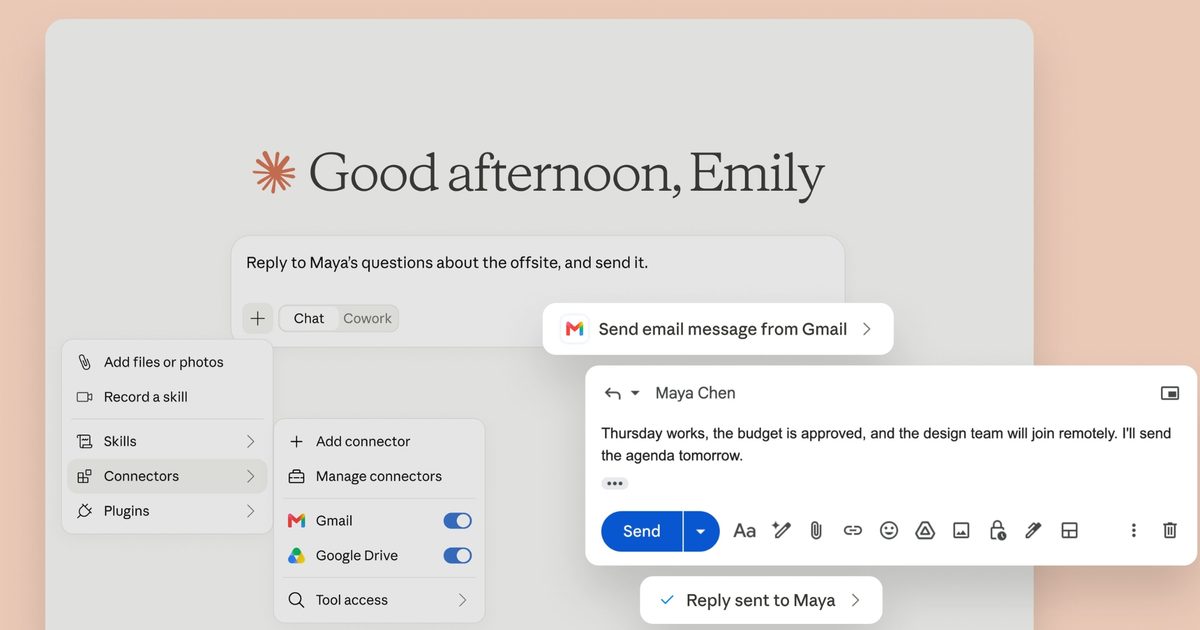
  • Claude can now reply to and send Gmail messages on your behalf
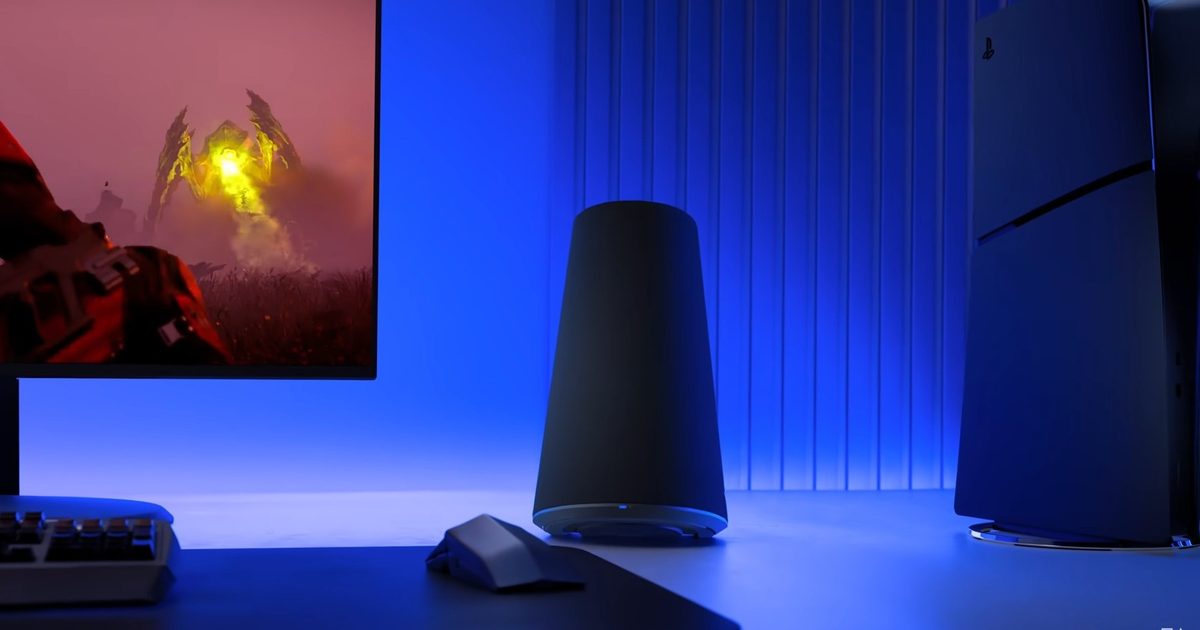
  • Sony’s $220 PlayStation speakers pack one feature I wish every desktop setup had
  • New GTA 6 leaked footage shows Jason shooting hoops and causing chaos on the road
Facebook X (Twitter) Instagram Pinterest Vimeo
Best in TechnologyBest in Technology
  • News
  • Phones
  • Laptops
  • Gadgets
  • Gaming
  • AI
  • Tips
  • More
    • Web Stories
    • Global
    • Press Release
Subscribe
Best in TechnologyBest in Technology
Home » Dell XPS 13 vs. MacBook Neo: A Surprising Upset
News

Dell XPS 13 vs. MacBook Neo: A Surprising Upset

News RoomBy News Room19 August 20265 Mins Read
Share Facebook Twitter Pinterest LinkedIn Tumblr Reddit Telegram Email
Dell XPS 13 vs. MacBook Neo: A Surprising Upset
Share
Facebook Twitter LinkedIn Pinterest Email

Ever since the MacBook Neo was announced this spring, I’ve been looking for a serious alternative. Not a cheap knockoff that sacrifices quality for price. No, no. I was hunting for a Windows laptop with the same goal as the MacBook Neo—hiding its compromises and delivering an otherwise premium laptop at a lower cost. For months, it was crickets.

Then, the Dell XPS 13 showed up on my doorstep, and it understood the assignment. For many reasons, this was the one I’d been waiting for. But the question remains: Is it actually the better budget laptop? The answer surprised me when I dug into the testing.

Hidden Compromises

When the MacBook Neo was originally announced, it was a shocker. Apple coming in at the $599 price point for the base configuration felt unreal. Apple had never in its history brought the MacBook to such a low price. Even at its new $699 starting price, it’s in unprecedented territory. Importantly, this encroached on the territory of Windows laptops, where it has traditionally had a monopoly.

Photograph: Luke Larsen

And while many Windows laptops are available at this price, they suffer from many of the same problems, such as cheap materials or corners cut with low-quality displays and touchpads. Even a cheap laptop I like quite a bit, like the HP OmniBook 5 (with the Snapdragon X Plus), has a weak point in its touchpad.

But the Dell XPS 13 sought to match the MacBook Neo’s premium quality in nearly every aspect. It has the same starting price of $699 (or $599 for students). It’s exactly the same size at just a half-inch thick, so when the lid is closed and you’re holding it, it feels just as portable. The XPS 13 weighs 2.2 pounds, half a pound lighter than the MacBook Neo. The Neo isn’t heavy, but holding both in your hands, the difference is noticeable. That’s the first point in favor of the XPS 13.

Despite a slightly smaller screen (13 inches, measured diagonally), the MacBook Neo sits taller than the XPS 13 when the lid is open. That’s because the XPS 13’s 13.4-inch display is surrounded by much smaller bezels—particularly the bottom, which gives the XPS 13 a more modern look. The white keyboard and flashier color options of the MacBook Neo certainly have their appeal, especially since the XPS 13 comes in only two shades of silver. But in general, more screen real estate and smaller dimensions are preferable, especially if you want to travel on an airplane with your laptop.

And then there’s the screen itself. Most $700 laptops have mediocre screens that aren’t bright enough and have poor colors. I never expected Apple to skimp on the display, of course, and it didn’t. It goes up to 509 nits (as tested) and has decent color reproduction. But the XPS 13 is better in three ways. First, it has a touchscreen, which MacBooks don’t (yet) have. That’s a nice addition for an entry-level model. It also has a 120-Hz refresh rate, which gives the screen fast, fluid responsiveness that not even the MacBook Air has. Again, that’s a feature that’s exceedingly rare to find on a budget-level laptop. Lastly, the XPS 13 has better color saturation, specifically on the Adobe RGB and P3 color scales. It’s actually one of the better IPS screens I’ve tested on a laptop, and it’s as sharp as the MacBook Neo.

None of these are weak points of the MacBook Neo, but it’s worth noting that the XPS 13 has it beat in a number of these areas. That’s also true of the keyboard and trackpad. Both are excellent on these laptops, and I found myself comfortable using them right off the bat. Again, trackpads in particular can be a sore spot for budget Windows laptops, but Dell smartly didn’t skimp on it. Apple’s the one that compromised on the keyboard, both by not including Touch ID in the base model and by removing backlighting (which the XPS 13 includes).

Ports, Storage, and Videoconferencing

I already mentioned the display and the portability, but there are a few other places where the XPS 13 is the clear winner. The first is the USB-C ports. Both devices have two, but the XPS 13 splits them, so one is on the left side, and one is on the right side. I really like this decision, as it allows you to charge the device from either side. Then, there’s the speed of these USB-C ports. One of the USB-C ports on the MacBook Neo is an outdated USB 2 port. Not only is it slow for file transfers, but it also can’t natively output to an external display. Both USB-C ports on the XPS 13 are USB 3.2 Gen 2, which can each support a 4K display and transfer data at up to 10 Gbps.

The Neo does have an advantage when it comes to ports, though. It has a headphone jack, whereas the XPS 13 doesn’t. This might be less of a big deal today than it was in the past, but I prefer laptops to keep them.

The XPS 13 comes with 512 GB of storage in both the base and upgraded models. The MacBook Neo base model comes only with 256 GB, and you’ll need to upgrade to the Touch ID model for 521 GB. On top of that, Dell’s laptop uses faster storage. That’s a winning combination.

Share. Facebook Twitter Pinterest LinkedIn Tumblr Email
Previous ArticleTikTok might soon let you send money straight through DMs
Next Article The sideloading workaround Google promised months ago is finally rolling out

Related Articles

The sideloading workaround Google promised months ago is finally rolling out
News

The sideloading workaround Google promised months ago is finally rolling out

19 August 2026
TikTok might soon let you send money straight through DMs
News

TikTok might soon let you send money straight through DMs

19 August 2026
Flock Has a Powerful New AI Tool for Police. We Got Its Code
News

Flock Has a Powerful New AI Tool for Police. We Got Its Code

19 August 2026
NVIDIA delivers 10,000 H200 chips to Chinese ByteDance and Tencent, more to follow
News

NVIDIA delivers 10,000 H200 chips to Chinese ByteDance and Tencent, more to follow

19 August 2026
Claude can now reply to and send Gmail messages on your behalf
News

Claude can now reply to and send Gmail messages on your behalf

19 August 2026
Sony’s 0 PlayStation speakers pack one feature I wish every desktop setup had
News

Sony’s $220 PlayStation speakers pack one feature I wish every desktop setup had

19 August 2026
Demo
Top Articles
5 laptops to buy instead of the M4 MacBook Pro

5 laptops to buy instead of the M4 MacBook Pro

17 November 2024133 Views
ChatGPT o1 vs. o1-mini vs. 4o: Which should you use?

ChatGPT o1 vs. o1-mini vs. 4o: Which should you use?

15 December 2024112 Views
Costco partners with Electric Era to bring back EV charging in the U.S.

Costco partners with Electric Era to bring back EV charging in the U.S.

28 October 2024100 Views

Subscribe to Updates

Get the latest tech news and updates directly to your inbox.

Latest News
Claude can now reply to and send Gmail messages on your behalf News

Claude can now reply to and send Gmail messages on your behalf

News Room19 August 2026
Sony’s 0 PlayStation speakers pack one feature I wish every desktop setup had News

Sony’s $220 PlayStation speakers pack one feature I wish every desktop setup had

News Room19 August 2026
New GTA 6 leaked footage shows Jason shooting hoops and causing chaos on the road News

New GTA 6 leaked footage shows Jason shooting hoops and causing chaos on the road

News Room19 August 2026
Most Popular
The Spectacular Burnout of a Solar Panel Salesman

The Spectacular Burnout of a Solar Panel Salesman

13 January 2025137 Views
5 laptops to buy instead of the M4 MacBook Pro

5 laptops to buy instead of the M4 MacBook Pro

17 November 2024133 Views
ChatGPT o1 vs. o1-mini vs. 4o: Which should you use?

ChatGPT o1 vs. o1-mini vs. 4o: Which should you use?

15 December 2024112 Views
Our Picks
Flock Has a Powerful New AI Tool for Police. We Got Its Code

Flock Has a Powerful New AI Tool for Police. We Got Its Code

19 August 2026
NVIDIA delivers 10,000 H200 chips to Chinese ByteDance and Tencent, more to follow

NVIDIA delivers 10,000 H200 chips to Chinese ByteDance and Tencent, more to follow

19 August 2026
Claude can now reply to and send Gmail messages on your behalf

Claude can now reply to and send Gmail messages on your behalf

19 August 2026

Subscribe to Updates

Get the latest tech news and updates directly to your inbox.

Facebook X (Twitter) Instagram Pinterest
  • Privacy Policy
  • Terms of use
  • Advertise
  • Contact Us
© 2026 Best in Technology. All Rights Reserved.

Type above and press Enter to search. Press Esc to cancel.