



Close Menu
Best in TechnologyBest in Technology
  • News
  • Phones
  • Laptops
  • Gadgets
  • Gaming
  • AI
  • Tips
  • More
    • Web Stories
    • Global
    • Press Release

Subscribe to Updates

Get the latest tech news and updates directly to your inbox.

What's On
Intel just pulled its 14A production schedule forward by a year

Intel just pulled its 14A production schedule forward by a year

24 July 2026
European Researchers Say Big Tech Is Blocking Access to Their Data

European Researchers Say Big Tech Is Blocking Access to Their Data

24 July 2026
All PlayStation Network Services Are Down

All PlayStation Network Services Are Down

24 July 2026
Facebook X (Twitter) Instagram
Just In
  • Intel just pulled its 14A production schedule forward by a year
  • European Researchers Say Big Tech Is Blocking Access to Their Data
  • All PlayStation Network Services Are Down
  • Space is becoming Bezos and Musk’s next data center site, and we have every reason to worry
  • Kagi Brings Back Old-School Search, One Human-Made Website at a Time
  • Atari And Universal Sign Deal For The Rights To Adapt 10 Classic Games Like Pong And Breakout Into Films
  • Facebook debuts Seller app for Marketplace and tests a TikTok-style video feed
  • Silicon Valley Is Completely Divided Over Chinese AI
Facebook X (Twitter) Instagram Pinterest Vimeo
Best in TechnologyBest in Technology
  • News
  • Phones
  • Laptops
  • Gadgets
  • Gaming
  • AI
  • Tips
  • More
    • Web Stories
    • Global
    • Press Release
Subscribe
Best in TechnologyBest in Technology
Home » Why is my AirPods case flashing orange and how to fix it
News

Why is my AirPods case flashing orange and how to fix it

News RoomBy News Room19 July 20243 Mins Read
Share Facebook Twitter Pinterest LinkedIn Tumblr Reddit Telegram Email
Why is my AirPods case flashing orange and how to fix it
Share
Facebook Twitter LinkedIn Pinterest Email

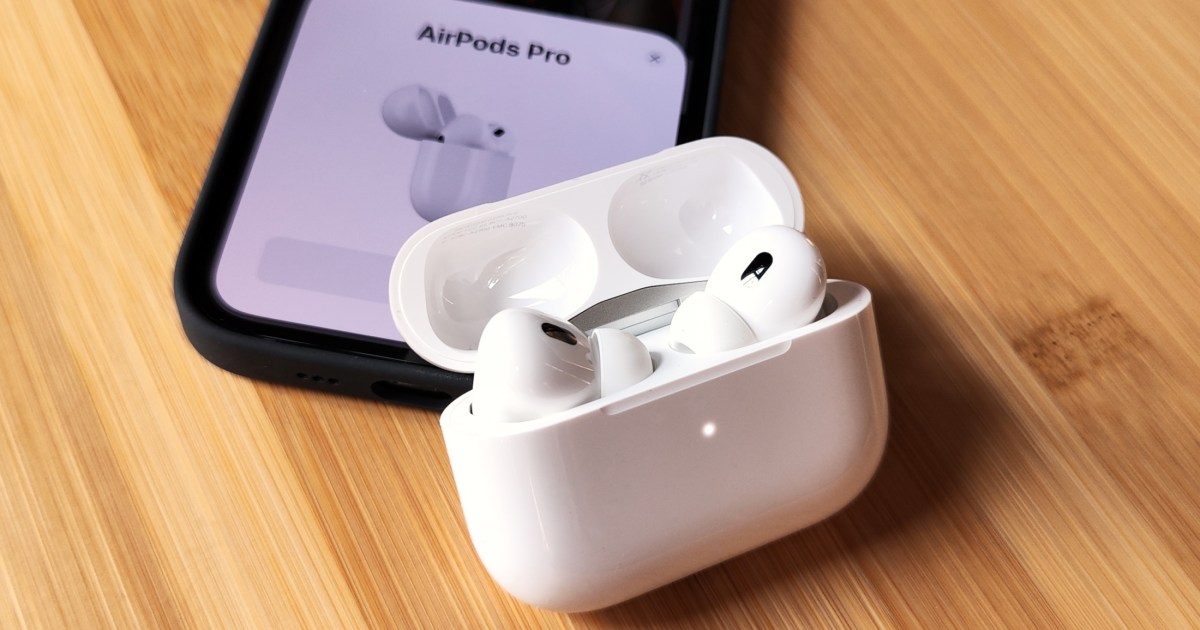
You absolutely love your AirPods, but then the unthinkable happens: You see a flashing orange light on the AirPods case. What does this mean? How do you fix it? We’re here to help you get back in the game with one of the best earbuds on the market.

Our steps will work with the second-generation AirPods Pro, AirPods 3, and older versions.
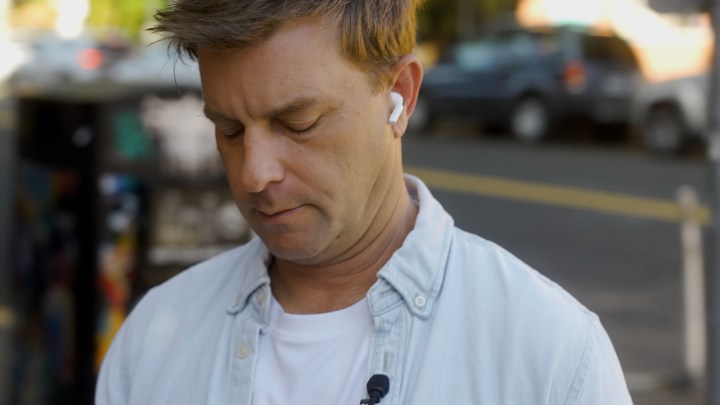
A man wearing the Apple AirPods Pro 2 with USB-C and MagSafe.

What does an orange light mean on my AirPods?

Seeing a solid orange light on your AirPods case is positive, indicating that either your AirPods or the case itself is charging. A flashing orange LED indicates a potential issue. A lot depends on whether the earbuds are in the case.

Step 1: AirPods are in the case, solid orange light: Your AirPods are currently charging, so everything is fine when you see this message.

Step 2: Solid orange light; AirPods are not in the case: In this scenario, the charging case might not have enough battery to charge your AirPods. This means that the next time you put the AirPods in the case, you will need to connect the case to an electrical outlet to charge it.

Step 3: The light on the case is flashing orange: When the case’s light is flashing orange, it typically indicates that the AirPods cannot pair with the audio source, such as your iPhone, smart TV, or other Bluetooth-enabled device.
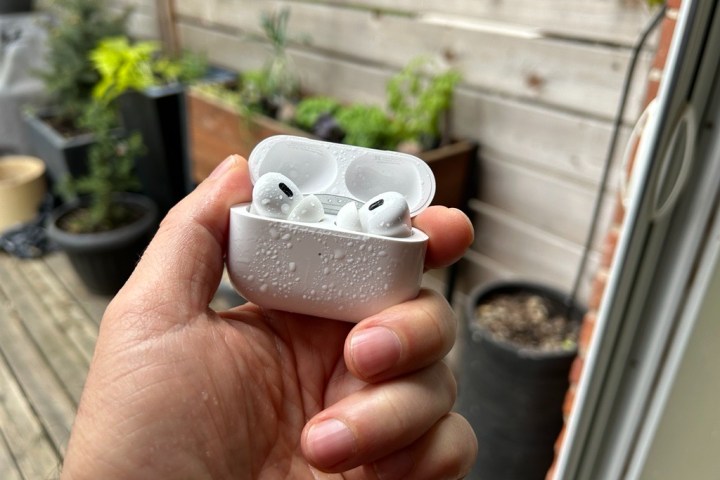
A pair of Apple AirPods Pro in an open case with water splashed on them.

How to resolve a flashing orange light scenario

If the light on the AirPods case is flashing orange, there are a few things you can do to resolve the issue. The easiest thing you can do is simply wait by keeping the AirPods in the case. Hopefully, the flashing light will go away once the case or AirPods are charged enough.

If that doesn’t work, let’s reset and re-pair your AirPods.

Step 1: To do so, keep the AirPods in the case, then wait at least 30 seconds.

Step 2: On your iPhone, select the Settings app. In the Settings app, choose Bluetooth.

Step 3: Choose the “i” icon next to the AirPod device’s name, then choose Forget This Device, then confirm. Exit the Settings app.
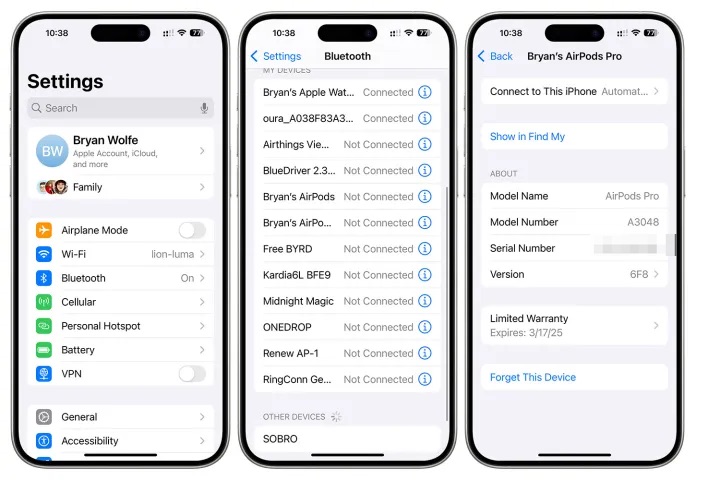
Screenshot showing how to unpair AirPods from iPhone.

Step 4: You should place the AirPods near your iPhone, then open the lid on your AirPods while pressing the setup button on the back of the earbuds case for at least 15 seconds. Follow the directions on the screen to re-pair your AirPods.

Step 5: If you’re still seeing the flashing orange light on your AirPods case, the problem might be with the audio source. In this case, reboot that device and see if the problem goes away.

Step 6: You can also clean your AirPods following our directions. This solution is the one least likely to resolve the issue, but try it nonetheless.

Step 7: When all else fails, contact Apple Support. Hopefully, it can assist you with resolving the flashing orange light situation.




Share. Facebook Twitter Pinterest LinkedIn Tumblr Email
Previous ArticleHow to customize the Echo Spot display
Next Article Forestrike Is A Puzzle-Like Kung Fu Game By The Makers Of Olija

Related Articles

Intel just pulled its 14A production schedule forward by a year
News

Intel just pulled its 14A production schedule forward by a year

24 July 2026
European Researchers Say Big Tech Is Blocking Access to Their Data
News

European Researchers Say Big Tech Is Blocking Access to Their Data

24 July 2026
Space is becoming Bezos and Musk’s next data center site, and we have every reason to worry
News

Space is becoming Bezos and Musk’s next data center site, and we have every reason to worry

24 July 2026
Kagi Brings Back Old-School Search, One Human-Made Website at a Time
News

Kagi Brings Back Old-School Search, One Human-Made Website at a Time

24 July 2026
Facebook debuts Seller app for Marketplace and tests a TikTok-style video feed
News

Facebook debuts Seller app for Marketplace and tests a TikTok-style video feed

24 July 2026
Silicon Valley Is Completely Divided Over Chinese AI
News

Silicon Valley Is Completely Divided Over Chinese AI

24 July 2026
Demo
Top Articles
5 laptops to buy instead of the M4 MacBook Pro

5 laptops to buy instead of the M4 MacBook Pro

17 November 2024133 Views
ChatGPT o1 vs. o1-mini vs. 4o: Which should you use?

ChatGPT o1 vs. o1-mini vs. 4o: Which should you use?

15 December 2024111 Views
Costco partners with Electric Era to bring back EV charging in the U.S.

Costco partners with Electric Era to bring back EV charging in the U.S.

28 October 2024100 Views

Subscribe to Updates

Get the latest tech news and updates directly to your inbox.

Latest News
Atari And Universal Sign Deal For The Rights To Adapt 10 Classic Games Like Pong And Breakout Into Films Gaming

Atari And Universal Sign Deal For The Rights To Adapt 10 Classic Games Like Pong And Breakout Into Films

News Room24 July 2026
Facebook debuts Seller app for Marketplace and tests a TikTok-style video feed News

Facebook debuts Seller app for Marketplace and tests a TikTok-style video feed

News Room24 July 2026
Silicon Valley Is Completely Divided Over Chinese AI News

Silicon Valley Is Completely Divided Over Chinese AI

News Room24 July 2026
Most Popular
The Spectacular Burnout of a Solar Panel Salesman

The Spectacular Burnout of a Solar Panel Salesman

13 January 2025137 Views
5 laptops to buy instead of the M4 MacBook Pro

5 laptops to buy instead of the M4 MacBook Pro

17 November 2024133 Views
ChatGPT o1 vs. o1-mini vs. 4o: Which should you use?

ChatGPT o1 vs. o1-mini vs. 4o: Which should you use?

15 December 2024111 Views
Our Picks
Space is becoming Bezos and Musk’s next data center site, and we have every reason to worry

Space is becoming Bezos and Musk’s next data center site, and we have every reason to worry

24 July 2026
Kagi Brings Back Old-School Search, One Human-Made Website at a Time

Kagi Brings Back Old-School Search, One Human-Made Website at a Time

24 July 2026
Atari And Universal Sign Deal For The Rights To Adapt 10 Classic Games Like Pong And Breakout Into Films

Atari And Universal Sign Deal For The Rights To Adapt 10 Classic Games Like Pong And Breakout Into Films

24 July 2026

Subscribe to Updates

Get the latest tech news and updates directly to your inbox.

Facebook X (Twitter) Instagram Pinterest
  • Privacy Policy
  • Terms of use
  • Advertise
  • Contact Us
© 2026 Best in Technology. All Rights Reserved.

Type above and press Enter to search. Press Esc to cancel.