






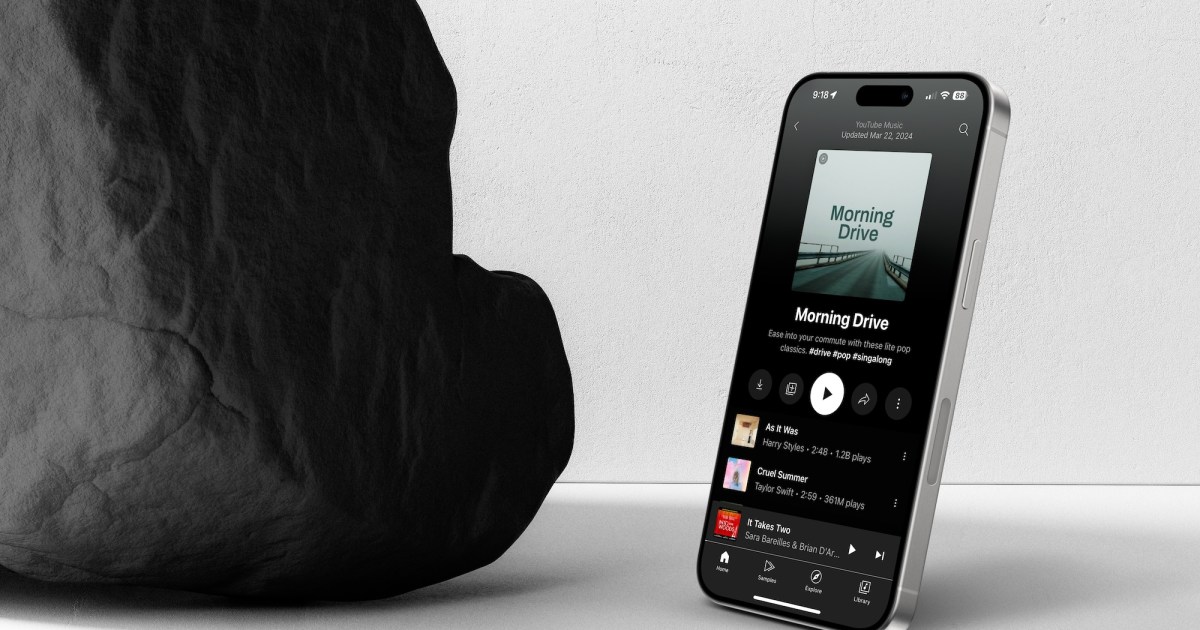
YouTube is one of the most popular online destinations for video, but it’s also one of the premier places in the world to find music. It’s no surprise, then, that Google went and rolled all that music content out into a dedicated music app called YouTube Music. The app offers music and podcasts and has free and premium versions.
If you’re wondering how YouTube Music compares to other music streaming services like Spotify, Tidal, or Apple Music, it really depends on how frequently you rely on YouTube to search for music and how important music videos are to you. In this article, we’ll give you all the information you need to make an informed decision.
The basics
YouTube Music offers a simple, fast, minimalistic interface. With direct controls, it’s designed to get you to your favorite songs and music videos quickly. Its various sections include Home, Sample, Explore, and Library. The Home page contains your recommended songs, music videos, mixes, charts, and more. The Sample section, the newest service, features short video snippets curated based on your listening habits. Meanwhile, Explore allows you to discover new albums, while Library shows your listening history, favorite artists, and playlists.
YouTube Music uses your Google account information and history to personalize your experience. If you have been using YouTube to listen to music for some time, you will find prompts to add your favorite musicians and create a profile for recommendations. However, you can skip this step if you prefer. The app will automatically continue playing your past favorites if left to its own devices.
Google introduced a link to Podcasts in the Home section in 2023. A glance at the section reveals that Google is not currently competing with Spotify and Apple Podcasts regarding library size. Instead, the platform promotes podcasts that align with the listener’s musical preferences.
YouTube Music offers around 100 million tracks, which puts it in the same neighborhood as similar services like Amazon Music Unlimited, Apple Music, Spotify, Qobuz, and Tidal.
Free vs. Premium subscriptions
A free Google account allows access to the YouTube music and podcast library. However, free users must deal with limitations such as occasional ads, no access to background playback, and limited control over song selection when listening to radio stations or playlists.
By subscribing to YouTube Music Premium, you can remove ads, listen to content in the background, download content for offline use, and skip songs with no limitations.
You automatically have a YouTube Music Premium subscription if you are a YouTube Premium subscriber.
Audio quality
YouTube Music offers several different audio tiers you can switch between depending on how much bandwidth you are comfortable with taking up. These tiers also dictate how much audio will download onto your device and the size of those files:
- Low: This sets the bit rate to 48kbps AAC, which uses the least data.
- Normal: This is the default setting for YouTube Music and is set at 128kbps AAC. It balances data usage and sound quality.
- High: This option sets the bit rate to 256kbps AAC, and is ideal for locations with solid internet connections.
- Always High: This feature uses a bit rate of 256kbps AAC, but prioritizes high audio quality even with a weak internet connection, resulting in increased data usage.
You can switch between these anytime by heading to the YouTube Music settings. Downloads for offline listening provide you with standard audio files. YouTube Music does not offer the ability to listen to or download hi-res audio files — that’s one area where features like Apple, Tidal, and Amazon Music’s Hi-Fi tiers, among others, can go well beyond what YouTube Music is capable of. If audio quality is your top concern when subscribing to a service, YouTube Music isn’t the best choice. Still, it’s a very competitive option if you are interested in reliable streaming.
Costs and tiers
After the free YouTube Music plan, there are three YouTube Music Premium plans to choose from, depending on your situation:
- Individual plan: $11 per month (you can cancel anytime); $110 (when paid annually, for a savings of 15%)
- Family plan: $17 per month (share with up to five family members living in the same household)
- Student plan: $5.50 per month (this requires student verification)
New subscribers can try YouTube Music Premium free for 30 days.
Platform compatibility
YouTube Music provides two ways to access its service: a web browser and a standalone app. The web browser option is suitable for using a desktop or laptop computer. However, you can download the app if you’d like to use the service on mobile devices like Android, Google/Android TV, ChromeOS, iOS, or WearOS for the Apple Watch. You can also easily cast the music video or any other content to a compatible screen using Chromecast.
Features and music discovery
Music videos are integrated into the music player and play automatically if they are available with a song (otherwise, you get album art). The videos will downsize and stay in the corner if you navigate elsewhere in the YouTube Music app. There are also options to search for live performances and similar categories specifically. That makes YouTube Music one of the best options if you like music videos or want a visual component in the background while listening to music.
You can also choose to create an automatic playlist based on what music videos you’ve liked and listened to in the past, or create a new playlist of your own and add songs — with options to make it public on your YouTube channel or set it as private. You can also do a lot with any song you’re looking at. Select the Dropdown menu to a song, and you’ll see options to play it next, add it to your current queue, add it to a playlist or your liked songs, learn more about the artist, and more.
YouTube Music will also produce automated mixes based on your favorite artists and radio station recommendations featuring the artists you like listening to. My Supermix is a great way to discover new music and many other genre-based new release mixes. You’ll also find recommendations from broadly popular playlists, current chart-toppers, specific genres, and more. If you like playlists, you’ll find a lot to love here, but YouTube doesn’t have any human-curated options, so you’ll have to put your faith in the algorithm.
With the “Your Music Tuner” feature, you can create radio stations featuring music from up to 30 artists. The feature can be tweaked to your preferences, such as whether you want it to include only the artists you added or whether it’s OK to include similar artists.
Editors’ Recommendations


