
.jpg "Best Car Vacuums (2026): Handheld, Cordless, Shopping Tips")



If you’ve ever been playing a game just fine and then found your fans spinning up fast and loud and your frame rate tanking, you may have become a victim of thermal throttling. It’s when your processor, graphics card, or some other component feels it’s getting too hot to continue safely, so it lowers its speed to keep itself running and alive.
This sends frame rates right where you might expect: into the toilet. Want to learn more about thermal throttling and how to prevent it? Here’s a little breakdown of what you need to know.
What is thermal throttling?
Thermal throttling is when one of your system’s components, most typically your CPU or graphics card, reaches its maximum safe operating temperature. At that point, a safety measure kicks in to lower the power draw of that component, thereby reducing its clock speed and operating temperature. This prevents the CPU or GPU from overheating and potentially causing damage to its internal electronics.
Modern processors and GPUs have more nuance in their throttling, so you may only see a small drop in their clock speed if they start to overheat, while older designs could drop to base clocks, leading to a massive reduction in the raw performance of your system. That’s still preferable to the chip becoming damaged from excess heat build-up, but modern boost algorithms and smart thermal management allow the latest processors and graphics chips to perform at much closer proximity to their thermal thresholds for extended periods of time.
Get your weekly teardown of the tech behind PC gaming
Although thermal throttling is most widely noted among processors and graphics cards, SSDs can thermally throttle, too, leading to a reduction in storage performance while the SSD cools to more comfortable temperatures.
What does thermal throttling do to frame rates?
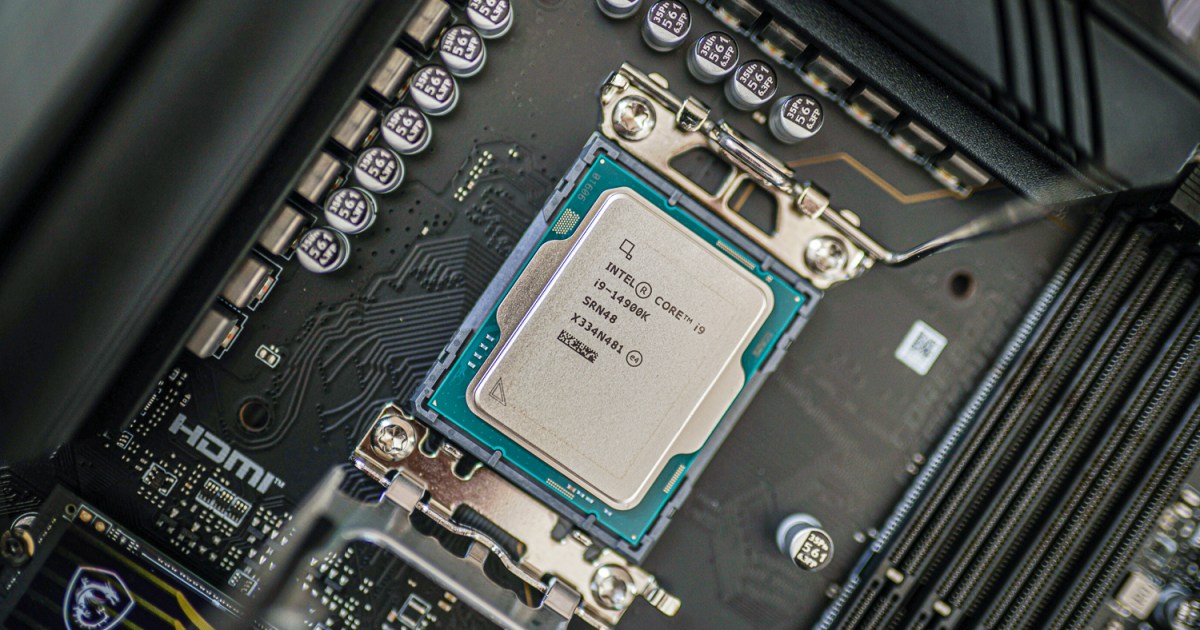
If you’re playing a game and your graphics card or processor thermally throttle, you’re going to notice — but it depends on the reason you’re experiencing that thermal throttling. If you’re just using a high-powered processor that struggles with even high-end cooling, like the Intel Core i9-14900K, then you might find that you just see a few percent drop in CPU performance from its peak, and that’s about it. That might see you drop a few frames per second, depending on your settings, but ultimately, not a huge deal.
However, if your CPU or graphics card is thermally throttling because their cooling is inadequate, the thermal paste has run dry, your system is clogged with dust, or the ambient temperature is too high, you could see a much more dramatic change. FPS can crater, so a smooth game starts to look like a slideshow, and in some cases, you might just see the game or graphics driver crash. In the worst case with runaway temperatures, your whole system might restart.
In short, thermal throttling will reduce your frame rates, potentially quite badly. It’s definitely something you want to avoid if you can.
How can you prevent thermal throttling?
Preventing thermal throttling is as simple as ensuring your components have adequate cooling, especially under sustained heavy loads. However, that depends on the kinds of workloads you’re going to throw at your system. If you’re just answering emails and browsing the web, then your components aren’t going to work as hard as if you were playing games. If you’re playing games, your components are unlikely to work as hard as if you were transcoding video for 10 hours a day. You’ll also have different thermal considerations if you live in a hot part of the world or it’s the summer.
With all that said, you want to start strong and then keep your system well-maintained. That means:
- Get a good cooler with enough cooling potential to handle the TDP of your CPU.
- For graphics cards, check reviews for the model you’re buying and make sure its cooler is good enough for your needs.
- Replace the thermal paste on your coolers at least once a year, or use thermal pads.
- Keep your system clean and free from excess dust buildup, particularly around the heatsink fins.
- For SSDs, get one with a heatsink and ensure your system cooling is effective.
If you find that even doing all that doesn’t prevent thermal throttling, then you’ll want to consider undervolting or underclocking your components. That makes them run with less power, or at a lower clock speed regardless of thermal throttling. This should help them avoid reaching those higher temperatures in the first place.
How do you know if your CPU is thermal throttling?
Outside of your frame rate or system wide performance falling, you can check if your CPU is thermal throttling by using an application to track its temperature. There are several apps and programs you can use to check your CPU’s temperature, and most of them will include a little warning if your CPU is hitting its thermal maximum. Most also include clock speed tracking, so you can watch your MHz fall in real time.
Intel’s XTU and AMD’s Ryzen Master will also explicitly tell you if your CPU is thermally throttling.
How to check if your graphics card is thermal throttling?
To check if your graphics card is thermal throttling, you need to look at its temperature. You can check your GPU’s temperature in Windows by looking at the Performance tab of the Task Manager. Alternatively, you can use third-party applications, like HWInfo, GPU-Z, or MSI Afterburner.
Editors’ Recommendations