




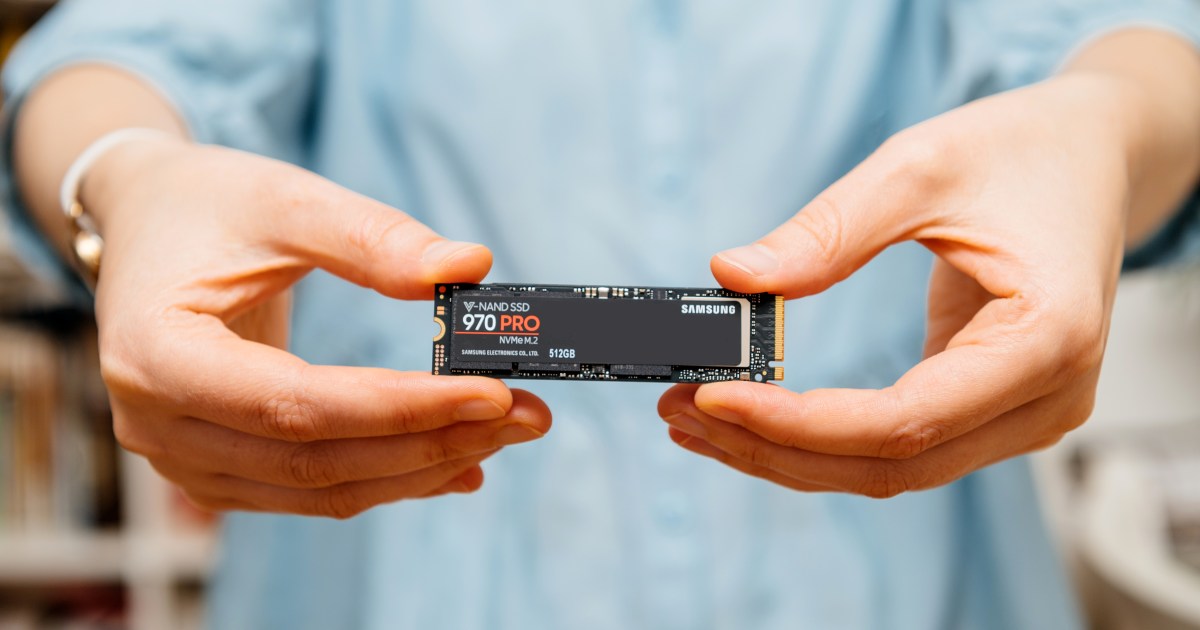
NVMe drives are the fastest storage solution you can use in modern computing. Not only that, they’re small and slim, they require no additional power or data cables, and their storage sizes keep getting bigger, while their price tags keep going lower. Better yet, if your PC or laptop is only a year or two old, you probably have one in your system already.
But what is NVMe? What makes it different from SATA or M.2 drives? Just how fast can NVMe go?
We’ll answer those questions and more in this in-depth look at what NVMe is, and why you’ll probably play all your future games on it.
What is NVMe?
Non-Volatile Memory Express, or NVMe, technology is a type of interface that utilizes the PCI Express protocol to access data on non-volatile storage (like hard drives and SSDs) far faster than was possible with SATA drives that used the AHCI standard. It was developed to take advantage of the higher bandwidth and lower latency of the PCI Express protocol that has traditionally been used for graphics cards and add-in cards like audio cards, as well as high-speed network interfaces.
Before the launch of NVMe drives, SSDs and hard drives used the SATA interface. However, performance limitations of that communication standard meant that there was a hard ceiling on SSD performance, so a new interface was required. Initially, developers got around this bottleneck by plugging SSDs straight into PCI Express slots, but they used non-standard specifications to do so.
With NVMe, there’s a standard that every manufacturer can build to. Today, most modern NVMe SSDs utilize the M.2 form factor. That’s the interface that connects it to the motherboard where it typically has a dedicated slot or two — or you can use a PCIe add-in card with its own M.2 slots.
There are various drive sizes for this design, but the NVMe drives pictured in this guide are all based on the M.2 specification.
SATA vs. NVMe
SATA technology was the predominant storage technology before NVMe came along, and it improved in leaps and bounds over the generations. It hit a hard wall with SATA III though, with a maximum throughput of just 600 MBps. In comparison, the third generation of PCI Express drives could transfer up to 1,000 MBps per lane. With a typical NVMe drive using four PCIexpress lanes, that’s a more than 12x increase in potential performance.
Since then, we’ve had the launch of PCIe 4 and PCIe 5 NVMe SSDs. These drives can offer sustained read and write performance up to 14,000 MBps, although this is rarely a reflection of real-world performance. As it stands, the fastest NVMe SSDs only offer marginal improvements over slower NVMe SSDs, and not even that dramatic an uplift over SATA SSDs.
But they are faster, so if you want the best game load times and fastest system boot times, a latest-generation NVMe SSD will give it to you. On top of that, games that utilize the DirectStorage API for faster load times and less pop-in, will require NVMe SSDs to take full advantage of it. There are only a handful of games that support it at the time of writing, but that’s likely to change in the years to come.
Similarly so, if you’re looking to upgrade or expand the storage for your PS5, you’ll need a PCIe 4 drive that can handle up to 5,500 MBps sustained read and write.
The other advantage of NVMe drives over SATA drives is that they’re much smaller and simpler. They plug straight into a slot on the motherboard and don’t need any extra cabling. They also use a fraction of the power, although high-end models can require some passive cooling to prevent the controller from throttling.
Do you need an NVMe drive?
Not necessarily. The most important upgrade for any PC still using a hard drive for a boot drive or game drive is to any kind of SSD. SATA SSDs are so much faster than spinning disk hard drives and so close in price per gigabyte now, that there’s almost no reason to use hard drives any more (outside of longer-term, large-scale storage).
However, if you want to improve your game load times and get yourself ready for Direct Storage gaming, then an NVMe from the third or fourth generation (at least) is ideal. The lower storage capacities of more affordable drive types, like 512GB and 1TB, are almost cost comparable with SATA SSDs now anyway. They’re also smaller, lighter, and super easy to install in just about anything. You can even install a bigger one in your Steam Deck if you’re feeling adventurous.
Adding secondary NVMe SSDs is a great way to expand your PC or laptop’s storage, too. Most modern PCs have space for one or more NVMe SSDs, and you can add one in to a native slot or get a PCIe add-in card that takes them. Even then, it’s easier than finding a mounting point for a SATA drive, then running the power and SATA cables to it.
Is NVMe faster than RAM?
No. As fast as NVMe drives are, they are still a fraction of the speed of modern DDR4 and DDR5 memory. Even with a fast NVMe SSD, you still need to make sure you have enough memory for the apps and games you want to use.
That said, if your system runs low on memory, it will lean on the SSD to pick up some of the slack and, in those instances, the system won’t grind to a halt quite as much with an NVMe SSD as it would with an older SATA SSD or hard drive. NVMe drives absolutely contribute to the snappy and responsive feeling of modern PCs, since they can fetch data faster, but they’re no substitute for fast RAM.
What are the best NVMe SSDs?
The answer to this question changes all the time, and the best SSD for you will be different from what is best for someone else based on your wants, needs, and budget. Still, if you want our advice, here are our favorite SSDs at the moment.
Need help deciding? Here’s our guide on how to buy an SSD.