




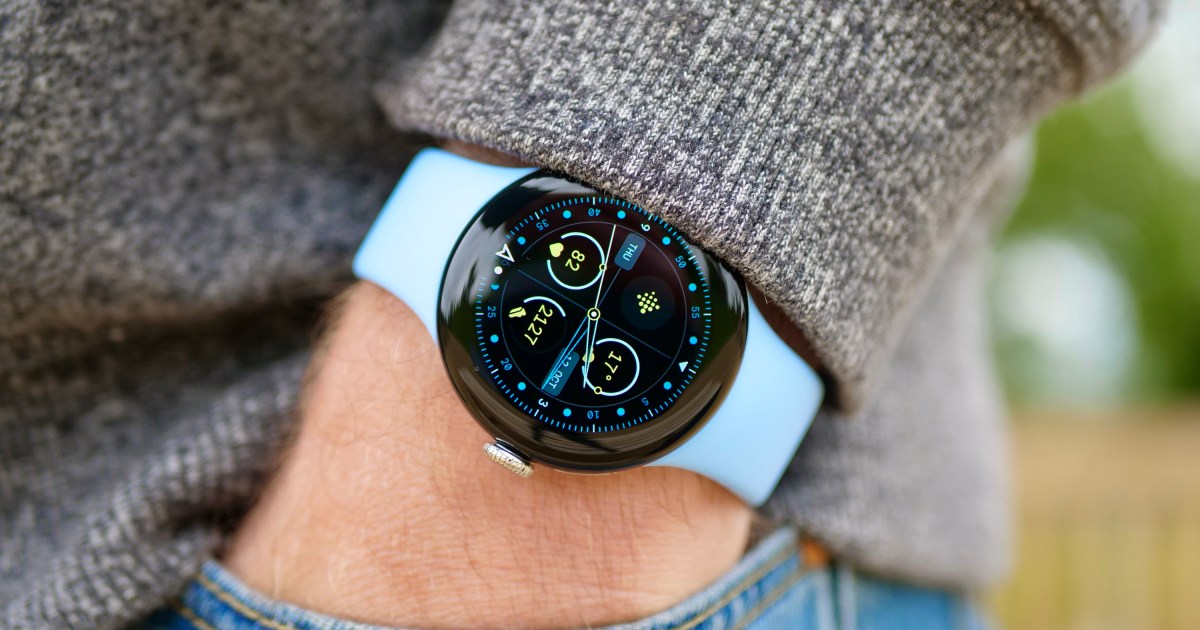
Last year, the Google Pixel Watch 2 launched alongside the Google Pixel 8 series. The watch has been much better received than the first-generation model and is one of the best smartwatches released in the past year. The Pixel Watch 2 offers longer battery life, faster operation, reduced weight, and other improvements.
Despite these positives, the Pixel Watch 2 isn’t perfect. As such, you may run into some problems with the wearable device. Here are some common Pixel Watch 2 issues and how to fix them.
Pixel Watch 2 is not charging correctly
The first issue experienced by some users goes entirely against the watch’s improved battery life. Some report that they can’t charge their watch with the newly designed charging system. Separately, others have noted they have experienced aggressive idle battery drain.
As we previously explained, though Google doesn’t specifically address the cause of Pixel Watch 2 battery issues, it has offered a dedicated support page for further assistance. The document titled “Fix a Google Pixel Watch that won’t charge” provides a few suggestions, including turning off the watch’s Battery Defender feature.
If your Google watch is not turning on, you should first try charging it again. To do this, connect the watch to the charging puck that came with it. Make sure that the pins on the puck match the back of the watch perfectly, as the charging puck for the Pixel Watch 2 is different than the one for the original Pixel Watch. This was also mentioned in our review of the Pixel Watch 2. Let it charge for at least 10 minutes.
You should eventually see a lightning bolt on the watch display followed by a low number percent. When the watch finally boots up, you should see a Google logo in the center of the display.
If your smartwatch’s battery percentage is stuck at 80%, Google recommends turning off the Battery Defender feature. This feature helps prolong the battery’s lifespan by stopping the watch from charging once it has been on the charger for four or more days. If you see a notification on your screen, the watch’s battery is not charging beyond 80%. To charge your watch to 100%, remove it from the charger and put it back on. This will turn off the Battery Defender feature, allowing the watch to charge fully.
Pixel Watch 2 screen burn-in
Some Pixel Watch 2 users are experiencing a screen burn-in issue. Screen burn-in is when you see discoloration or afterimage on an electronic display. It can affect various types of devices, including OLED and CRT.
Fortunately, the issue does not appear permanent on the Pixel Watch 2. It seems to be a software problem, and Google is expected to release a fix for it soon. In the meantime, there are two options you can try to resolve the issue: turning off the always-on display option or using Bedtime mode to keep the screen off.
To turn off the always-on display, go to the watch settings and select Display. Then, toggle off the always-on screen setting. To use Bedtime mode, swipe from the top to activate the Quick Settings menu and tap the Bedtime mode icon. With Bedtime mode on, the watch’s tilt-to-wake option turns off.
Outdated Google Calendar notifications
One issue you might experience with your Pixel Watch 2 is repetitive calendar notifications or notifications for events that have already passed. Even after deleting the event from the calendar, these notifications may still appear on your watch.
To resolve this issue, you can try restarting your watch. To do so, go to the Settings app and select System. From there, tap on Restart. Alternatively, you can hold the watch’s crown for five seconds and then reboot through the menu that appears.
If the problem persists, you can try clearing the Calendar app cache. To do so, go to Settings, then choose Apps and Notifications > App Info > System apps > Calendar > App Info > Clear cache.
Too many passcode requests
To ensure maximum security and comply with the requirements of using Google Wallet with your watch, you must set up a PIN or pattern during the initial setup process. You only need to enter this information again when you use Google Wallet or put your watch back on your wrist.
Some Pixel Watch 2 users have noted online that they are being asked to add their PIN or pattern multiple times. This issue can most likely be resolved by ensuring your watch band is slightly more secure. This will make it more likely the watch knows the band is snug.
Turning off the PIN or pattern is another solution, but then you’ll lose the ability to use Google Wallet.
Media controls that don’t work
Your watch can play and handle different media types, such as music, podcasts, etc. These controls are designed to launch automatically when needed. However, some users have reported that these media controls sometimes don’t work as expected or disappear randomly.
To fix this issue, you can try rebooting the Pixel Watch 2. Another solution is to toggle the Autolaunch Media Controls feature on/off. Go to the watch settings and select Apps and Notifications > App Info > System apps > Media Controls to do this. Then, turn off the feature and enable it from the same screen again.
When in doubt
If you encounter any issue with your Pixel Watch 2 not mentioned in this list, other users face the same problem. Google is probably already working on a software solution to fix the issue and make it available soon.
Additionally, if you have an issue and nothing seems to fix it, it never hurts to contact Google’s support team to see your what options are.
We will keep updating this post as necessary when any new problems with the Pixel Watch 2 are reported.
Editors’ Recommendations