



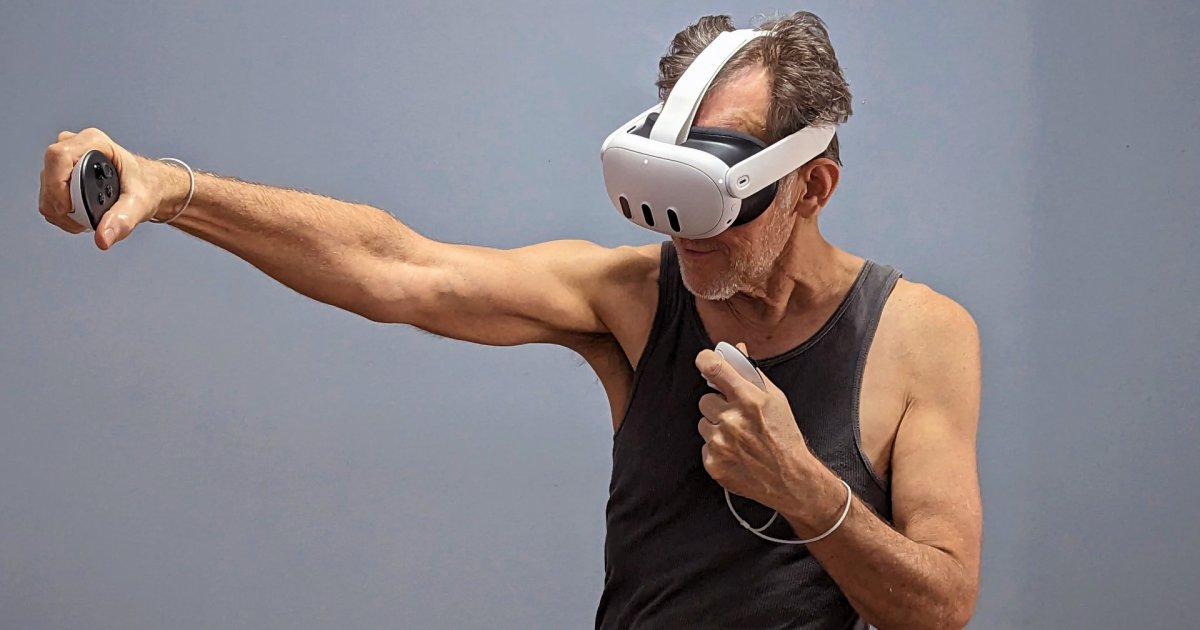
The Meta Quest 3 is amazing for gaming, and seeing your actual surroundings adds a new twist to many Quest 3 mixed-reality games. This versatile VR headset can also run apps, so you can use it almost like a Chromebook or a phone.
From browsing the internet, watching movies (2D and 3D), virtual travel, and immersing yourself in 3D worlds to working on spreadsheets, writing documents, and creating 3D models, Meta’s Quest 3 provides an early look at what’s possible with a spatial computer.
Web browsing in 3D
One of the best apps for the Quest 3 is the Meta web browser. That might seem counterintuitive, but think about how much time you spend in the browser on your phone and computer. It’s the gateway to the internet and a planet’s worth of information and apps.
When you open the browser, you’ll see a row of popular websites that are a click away — or a pinch with hand-tracking. Below that, Meta highlights several web apps that provide an immersive experience. These are typically quick-loading free games that you can spend some time playing without committing to a download.
Of course, you can enter your own websites to browse. The default search engine is Google, but you can pick Bing, Yahoo DuckDuckGo, or Ecosia if you prefer. The browser is based on Chromium, and while there are some limitations, most websites work.
Sign into a popular social media or video streaming service to browse your feed or watch a movie. You can use a large virtual tablet with hand tracking and a touch interface or change to controllers to work with up to three resizable screens that you can make larger than your TV or scaled down to create a bank of monitors that you can see side-by-side.
Digital Trends and your other favorite websites load quickly and let you browse the latest news and stories of interest. You can open Stackedit.io or another online text editor to take notes or save links to use on your phone or computer. Cloud storage lets you move files between devices.
It’s a pretty decent browser. Even popular design tools like Figma, Canva, and Pixlr work. However, some web apps, like Microsoft Word and Google Docs, don’t work well on the Quest 3.
The cinema experience
Quest 3 apps take advantage of unlimited screen space, wrapping around the viewer to create an experience like going to a movie theater or watching in a home cinema without the need for a large room, a giant screen, and a surround sound speaker system.
The mixed reality is good enough on the Quest 3 that some people wear their headsets to watch a video in the browser while doing housework or multitasking with something that doesn’t demand complete attention.
For a change of pace, try lying back while watching a movie. Sometimes, you can tilt the view so the screen hovers above you. Meta includes the Quest TV app for browsing videos, including content in 360 and 3D. You can watch concerts, comedy shows, documentaries, and more for free with Quest TV.
You’ll need to sign into your streaming accounts for your favorite series and movies. While services like YouTube, Disney+, Apple TV+, and Amazon Prime Video work in the Meta browser, not everything does. Netflix and Amazon Prime Video have Quest apps, but they haven’t been updated recently, and the quality settings are lower than you might expect.
There are several ways around this problem. Bigscreen Beta is a free VR app that lets you choose from a variety of environments where you can watch videos with friends in avatar form. The app supports Twitch, PlutoTV, Disney+, and Amazon Prime Video. You might need to connect Bigscreen Beta to your Windows PC for Netflix, Hulu, and other streaming services.
Inside, working out
Working out in VR feels more like playing a game, but it’s serious exercise. While fast action games like Beat Saber can work up a sweat, dedicated fitness apps go further, tracking your heart rate, the time you spend in motion, and more.
Supernatural is one of my favorite exercise apps, with real videos of coaches to guide you, a large library of popular songs to keep you moving, and beautiful 360 scenes from around the world. The ability to feel like you’re out in nature, striking and dodging targets while moving to your favorite songs, is a powerful inspiration to work out.
FitXR and Les Mills BodyCombat are also very good, offering a greater variety of options and mixed reality modes that take advantage of the Quest 3’s color passthrough cameras.
Virtual sports
You can play football, basketball, tennis, and racing as an esport, but it feels more like the real thing to play in VR since you get stereoscopic vision, a 360 view of the action, and can physically move to interact. I’ve only scratched the surface of virtual sports, but I enjoy putting a full ping pong table in my small bedroom with Eleven Table Tennis, learning full-court racket work with Pickleball One, and refining my rowing skills with MarineVerse Kayaking.
There’s also an NFL-licensed VR multiplayer app, NFL Pro Era II, that lets you call plays as the Quarterback of your favorite team in different stadiums and weather conditions. Gym Class is a basketball simulator where you can play pickup street games or organize a team and play on NBA-licensed courts.
Many more apps
That’s just the beginning. There are plenty of other apps available that might suit your needs better. The Meta Quest store has hundreds of titles. You can even sideload Android apps with SideQuest or wirelessly connect to your Windows PC or Mac via Immersed. With so many options, there’s always a solution.
Check out more great Quest 3 mixed reality apps and games I love using with the new Meta Quest 3.
Editors’ Recommendations