






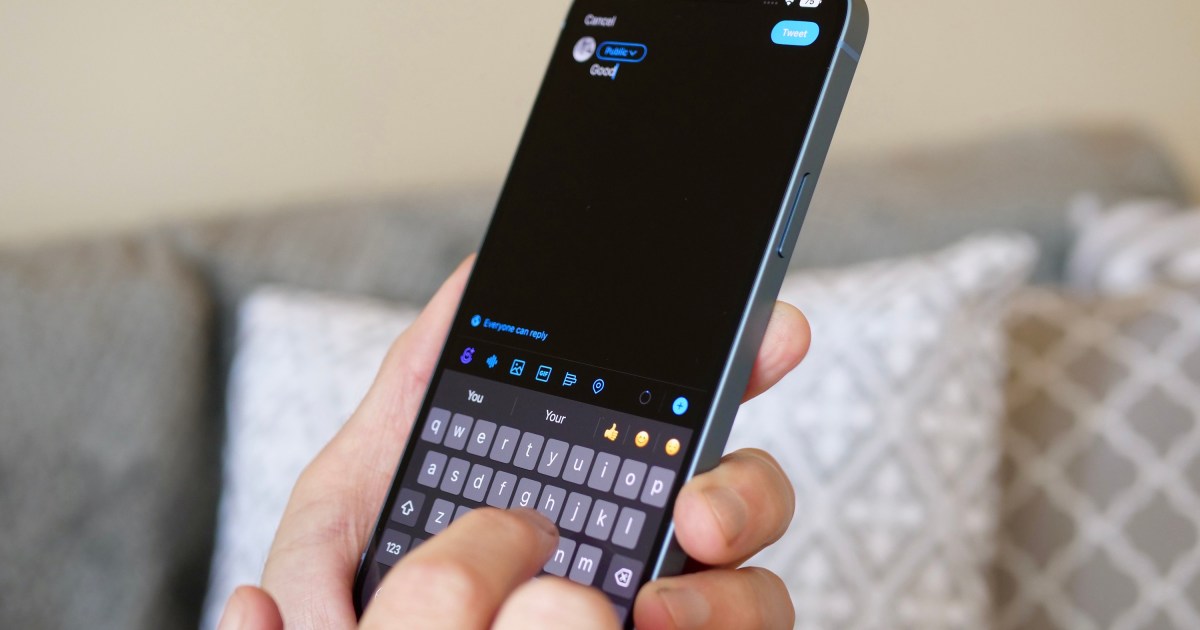
The iPhone’s default keyboard may not meet everyone’s needs. Its limited features may leave some users wanting more variety and flexibility, especially on larger devices like the iPhone 15 Pro Max or smaller models like the iPhone SE (2022).
We have conducted research and compiled a comprehensive list of the best third-party keyboards for iPhone, that can significantly enhance your texting experience. These keyboards offer a wide range of features and customization options, such as adjustable key size, swipe typing, themes, and easier access to emojis. Most of these keyboards are available for free, while some offer premium subscription options. Either way, you’ll easily be able to find a keyboard that suits your needs and preferences.
For something different, take a look at our lists of the top Android and iOS emoji keyboards.
Microsoft’s SwiftKey AI keyboard is a highly rated third-party keyboard that is favored by many people. The keyboard is powered by the company’s Copilot AI and is designed to learn your writing style. This allows it to recognize informal language, nicknames, and even your favorite emojis, which sets it apart from its competitors. The keyboard also offers various personalization options, including different themes, which enhance its appearance and appeal to the user.
Download SwiftKey
Typewise has a unique take on key shapes. The app keeps the QWERTY design but switches the traditional rectangle-shaped keys for hexagonal ones — which Typewise says creates more surface area so you can type more accurately. While there is a slight learning curve, Typewise includes a built-in game to practice typing. With swipe gestures, dark mode support, and autocorrect modification, this is a great alternative for those tired of the conventional iOS keyboard. Newer versions include automatic language detection, which switches the app between selected languages, an undo button, and text replacement for often-used phrases.
Download Typewise
Grammarly
The Grammarly iOS keyboard app offers sophisticated grammar review that goes beyond the usual spell check to provide advice on punctuation, spelling context, and misused words. It also helps you build your vocabulary and offers synonyms, which makes it an ideal app for students or business people. Grammarly also has emoji, a smart autocorrect feature, and allows you to build your own dictionary. You also get features that include swipe typing, home screen widgets, and focus filters that mute vibrations and sound effects.
Download Grammarly
The Facemoji Emoji Keyboard is a free tool that allows you to add a touch of personality to text messages and social media posts. With a wide range of emojis, fonts, and stickers available, you can easily create unique and engaging content for platforms like WhatsApp, TikTok, Instagram, Messenger, Facebook, Snapchat, and SMS. Whether you want to express your emotions through colorful emojis or add some flair to your text with stylish fonts, the Facemoji Emoji Keyboard has something for everyone.
Download Facemoji
Phraseboard Keyboard
Phraseboard aims to take the pain out of the tedious job of typing the same responses and phrases repeatedly by allowing you to save them so you can select one of your prewritten answers to reply rapidly. You can create your own customized phrases and sort them by category. You can even quickly access the Phraseboard widget to create new phrases no matter what you’re doing with your iPhone. All your phrases sync with iCloud. The basic app costs $2, and subscriptions are available for some premium language and functionality features.
Download Phraseboard
Gboard is a keyboard from Google and includes everything you’d ever want within a single app. Whether you’re sending GIFs or emojis, searching Google for information, sending directions, or anything else, Gboard has you covered. With Gboard, you can search and send anything from Google, including information on nearby restaurants, videos, images, weather forecasts, news, sports scores — you name it. The app also offers Glide Typing, which allows you to type messages faster and more accurately.
Download Gboard
Fleksy offers users a fun and interactive way to type in their own style. You can customize your Fleksy keyboard with powerful extensions and more than 50 colorful themes. Some of the themes cost $1, but many are free. More than 800 emoji come with the app, and it also has its own built-in GIF search engine. The keyboard supports several languages: English, French, Spanish, Russian, Arabic, Italian, Portuguese, Turkish, Hebrew, and Dutch. It learns your typing habits as you go, enabling it to give you accurate predictions, which helps reduce typos.
Download Fleksy
Fonts
Are you tired of sending your friends and family the same old boring messages? Spice things up with the Fonts keyboard app! You can customize your messages with a wide selection of fonts to fit your unique personality and style. Whether you’re feeling flirty, professional, or just plain silly, there’s a font for every mood. The Fonts keyboard works through iMessage, Snapchat, Instagram, Facebook, Messenger, Clubhouse, TikTok, Telegram, Roblox, WhatsApp, Twitch, Discord, and more.
Download Fonts
The king of keyboard customization is Color Keyboard. Sure, it gives you emoji and autocorrection and even allows you to tap and hold the space bar to move the cursor, but what really sets this keyboard apart is the option to change anything you want about the keyboard’s look. You can change the background using solid colors, gradients, textures, and even your own pictures. You can also customize the buttons by changing the colors and borders, adding shadows, customizing the fonts, and changing the sounds. If your aim is customization, Color Keyboard takes things to the next level, but you have to subscribe to access everything, starting at $3 per week and rising for longer intervals and premium features.
Download Color Keyboard
Bitmoji
Bitmoji, a popular keyboard app, is ideal if you want to send an emoji that resembles you rather than using standard emoji or text. Bitmoji allows you to customize and send a personalized emoji, all from your keyboard. Use Bitmoji with any of your favorite chat apps, like iMessage or Snapchat. It’s never been easier to adapt a dynamic avatar with an ever-changing collection of stickers and moods. You’ll need your Facebook login information to sign into Bitmoji and initiate the avatar creation process.
Download Bitmoji
GIF Keyboard
If a picture is worth a thousand words, then a GIF can truly help get your point across. Get access to the massive library of animated and musical GIFs for free. From there, you can search for specific GIFs or use keywords to find animations that suit your mood. The GIF keyboard app is compatible with WhatsApp, Twitter, Facebook, Messenger, iMessage, and just about any other messaging app or social media site. To send a GIF, press your finger on your chosen GIF and hold it down to browse options. Once you’ve found one, share its link, the GIF itself, or a video, or save the media to your photo library. You can also customize the tool to match your specifications and save your favorite GIFs using the keyboard.
Download GIF Keyboard
For the visual among us, the All Symbol Keyboard is an exciting alternative to humdrum alphanumerics with all the custom fonts, symbols, fancy letters, special characters, and emoticons you could ever want — compatible with any app on your iPhone. It works with Instagram, WhatsApp, Snapchat, and many others. Whether you’re looking for high-impact symbols to enhance your keyboard, Facebook, Instagram, or Twitter posts, or even your username, launch the app and start typing. Premium versions provide unlimited access to features like the All Symbol Keyboard (every single symbol) and Facemoji library, but there’s tons of free stuff to get you started.
Download All Symbol Keyboard
Editors’ Recommendations


