

Close Menu
Best in TechnologyBest in Technology
  • News
  • Phones
  • Laptops
  • Gadgets
  • Gaming
  • AI
  • Tips
  • More
    • Web Stories
    • Global
    • Press Release

Subscribe to Updates

Get the latest tech news and updates directly to your inbox.

What's On
I let Gemini take care of my houseplants, and they’ve never looked better

I let Gemini take care of my houseplants, and they’ve never looked better

14 July 2026
9 Tips to Get More Out of Google Chat

9 Tips to Get More Out of Google Chat

14 July 2026
Pixel Watch 5 leak bares it all, and it seems Google is playing it safe again

Pixel Watch 5 leak bares it all, and it seems Google is playing it safe again

14 July 2026
Facebook X (Twitter) Instagram
Just In
  • I let Gemini take care of my houseplants, and they’ve never looked better
  • 9 Tips to Get More Out of Google Chat
  • Pixel Watch 5 leak bares it all, and it seems Google is playing it safe again
  • Plex Keeps Getting Worse. Is Jellyfin a Decent Replacement?
  • I underestimated this NotebookLM feature until it completely changed how I study
  • Best RGB TVs (2026): My Picks After Testing the Hottest TVs
  • The Concorde dream is within reach. NASA X-59 just has to silence the supersonic boom
  • This Luddite Puppet Hopes You’re Not Reading This on Your Smartphone
Facebook X (Twitter) Instagram Pinterest Vimeo
Best in TechnologyBest in Technology
  • News
  • Phones
  • Laptops
  • Gadgets
  • Gaming
  • AI
  • Tips
  • More
    • Web Stories
    • Global
    • Press Release
Subscribe
Best in TechnologyBest in Technology
Home » Microsoft Unveils AI-Powered Copilot+ PCs With Recall and Cocreate Features
Laptops

Microsoft Unveils AI-Powered Copilot+ PCs With Recall and Cocreate Features

News RoomBy News Room21 May 20243 Mins Read
Share Facebook Twitter Pinterest LinkedIn Tumblr Reddit Telegram Email
Microsoft Unveils AI-Powered Copilot+ PCs With Recall and Cocreate Features
Share
Facebook Twitter LinkedIn Pinterest Email

Microsoft unveiled Copilot+ PCs, a new class of Windows PCs powered by artificial intelligence (AI) at its Surface and AI event on Monday. Calling it “the fastest, most intelligent Windows PCs ever built”, the Windows maker highlighted that these computers will feature a special chipset capable of more than 40 trillion operations per second (TOPS). Further, these PCs will also offer new AI features such as Recall and Cocreate, as well as integration of third-party apps leveraging AI such as Adobe and CapCut.

Copilot+ PCs are part of Microsoft’s AI PC vision and are essentially PC operating systems that allow OEMs to bring out the full potential of the hardware in place to support AI features. This class of PCs will come with specific hardware requirements. In its announcement post, the Windows maker revealed that Acer, ASUS, Dell, HP, Lenovo, and Samsung have all partnered to launch Copilot+ PCs starting June 18. Microsoft will also introduce new Surface devices under this class.

So, what is new with Copilot+ PCs? Microsoft said these devices will get a new AI-powered Recall feature. Recall lets users visually check their usage history. Users will be able to scroll through a toggle bar to chronologically sift through their timeline as files, folders, and websites appear underneath in a preview box. The company said, “Copilot+ PCs organise information like we do – based on relationships and associations unique to each of our individual experiences.”

Another new feature is Cocreate, a tool for digital art creators, that is available within Paint and Photos. In Paint, as the user draws an image, the AI will also generate a visually similar image taking cues from the user. The user can go to the AI-drawn image and refine it with text prompts.

In Photos, users can restyle and edit images with AI. Apart from this, Microsoft is also collaborating with third-party apps such as Adobe, CapCut, DaVinci Resolve Studio, Cephable, LiquidText, and more to integrate AI features. Microsoft will also offer access to Copilot, Live Captions, and other AI features announced previously, in these computer systems.

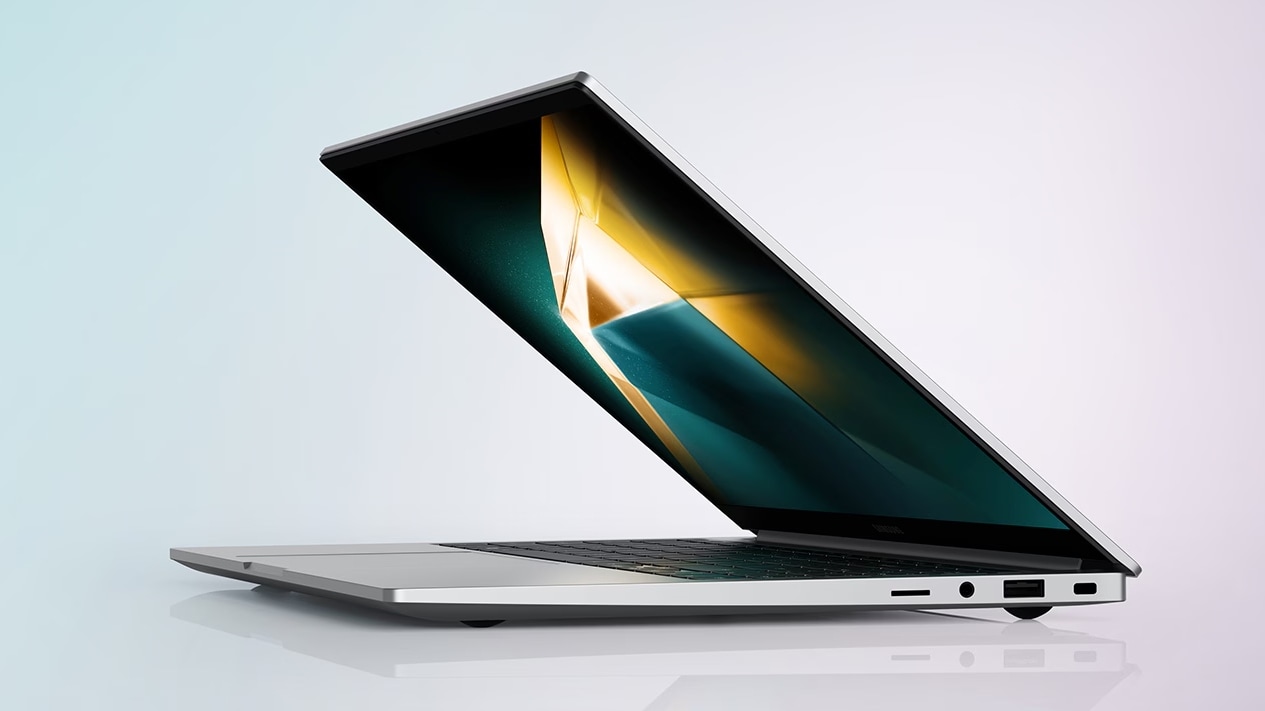
Microsoft also revealed a range of new Copilot+ PCs that will soon be launched to the public. These include Acer’s Swift 14 AI, Asus Vivobook S 15, Dell’s XPS 13, Inspiron 14 Plus, Inspiron 14, Latitude 7455, and Latitude 5455, HP’s OmniBook X AI PC and EliteBook Ultra G1q AI PC, and Lenovo’s Yoga Slim 7x. Samsung’s Galaxy Book 4 Edge, which will be launched on June 18, will also be classified as a Copilot+ PC.

Microsoft also introduced new consumer-focused Surface Pro and Surface Laptop, which will become the company’s first-ever Copilot+ PCs. These will also be launched on June 18.


Share. Facebook Twitter Pinterest LinkedIn Tumblr Email
Previous ArticleThe best Copilot+ laptops that were just announced
Next Article Senua’s Saga: Hellblade 2 review: Xbox’s new exclusive is a fierce sequel

Related Articles

Flipkart Independence Day Sale 2025: Best Deals on Laptops Teased Before the Sale Begins
Laptops

Flipkart Independence Day Sale 2025: Best Deals on Laptops Teased Before the Sale Begins

12 August 2025
Apple MacBook Model With A-Series Chip, Affordable Price Tag to Launch in Early 2026: Report
Laptops

Apple MacBook Model With A-Series Chip, Affordable Price Tag to Launch in Early 2026: Report

12 August 2025
Vivo V60 – Price in India, Specifications (12th August 2025)
Laptops

Vivo V60 – Price in India, Specifications (12th August 2025)

12 August 2025
HTC Wildfire E4 Plus – Price in India, Specifications (12th August 2025)
Laptops

HTC Wildfire E4 Plus – Price in India, Specifications (12th August 2025)

12 August 2025
Honor X7c – Price in India, Specifications (12th August 2025)
Laptops

Honor X7c – Price in India, Specifications (12th August 2025)

12 August 2025
Apple MacBook Model With A-Series Chip, Affordable Price Tag to Launch in Early 2026: Report
Laptops

Apple MacBook Pro With M6 Chip, OLED Display Launch Expected by Early 2027: Mark Gurman

11 August 2025
Demo
Top Articles
5 laptops to buy instead of the M4 MacBook Pro

5 laptops to buy instead of the M4 MacBook Pro

17 November 2024133 Views
ChatGPT o1 vs. o1-mini vs. 4o: Which should you use?

ChatGPT o1 vs. o1-mini vs. 4o: Which should you use?

15 December 2024111 Views
Costco partners with Electric Era to bring back EV charging in the U.S.

Costco partners with Electric Era to bring back EV charging in the U.S.

28 October 2024100 Views

Subscribe to Updates

Get the latest tech news and updates directly to your inbox.

Latest News
Best RGB TVs (2026): My Picks After Testing the Hottest TVs News

Best RGB TVs (2026): My Picks After Testing the Hottest TVs

News Room14 July 2026
The Concorde dream is within reach. NASA X-59 just has to silence the supersonic boom News

The Concorde dream is within reach. NASA X-59 just has to silence the supersonic boom

News Room14 July 2026
This Luddite Puppet Hopes You’re Not Reading This on Your Smartphone News

This Luddite Puppet Hopes You’re Not Reading This on Your Smartphone

News Room14 July 2026
Most Popular
The Spectacular Burnout of a Solar Panel Salesman

The Spectacular Burnout of a Solar Panel Salesman

13 January 2025137 Views
5 laptops to buy instead of the M4 MacBook Pro

5 laptops to buy instead of the M4 MacBook Pro

17 November 2024133 Views
ChatGPT o1 vs. o1-mini vs. 4o: Which should you use?

ChatGPT o1 vs. o1-mini vs. 4o: Which should you use?

15 December 2024111 Views
Our Picks
Plex Keeps Getting Worse. Is Jellyfin a Decent Replacement?

Plex Keeps Getting Worse. Is Jellyfin a Decent Replacement?

14 July 2026
I underestimated this NotebookLM feature until it completely changed how I study

I underestimated this NotebookLM feature until it completely changed how I study

14 July 2026
Best RGB TVs (2026): My Picks After Testing the Hottest TVs

Best RGB TVs (2026): My Picks After Testing the Hottest TVs

14 July 2026

Subscribe to Updates

Get the latest tech news and updates directly to your inbox.

Facebook X (Twitter) Instagram Pinterest
  • Privacy Policy
  • Terms of use
  • Advertise
  • Contact Us
© 2026 Best in Technology. All Rights Reserved.

Type above and press Enter to search. Press Esc to cancel.