




“It’s the same,” said my friend when I showed him the Samsung Galaxy S24 Ultra and the Samsung Galaxy S23 Ultra together, telling you all you need to know about the design changes between the latest Ultra phone and its predecessor.
But is that the full story? I’ve used the S24 Ultra over the weekend and have a few thoughts to share ahead of my full review, which is coming soon, and they may help with any preorder decisions you may be making this week.
One big design change
My friend’s blunt observation about the design isn’t inaccurate at all, but there is one alteration I do want to talk about — the switch to a flat screen. Combined with the flatter sides on the S24 Ultra, it makes the phone feel bulkier in your hand. The S23 Ultra is surprisingly svelte-feeling when you hold it, with the curvier frame more comfortably sitting in the palm of your hand.
Even if it is mostly an optical illusion as both screens are the same size, the Galaxy S24 Ultra’s flat screen more effectively shows off the enormous size of the 6.8-inch Super AMOLED panel, which is also accentuated by the smaller lower bezel. But most notably, it’s much more comfortable to write on when you use the S Pen stylus. The flatness means the heel pad of your hand rests more naturally, and requires less awareness to keep in place when you’re writing.
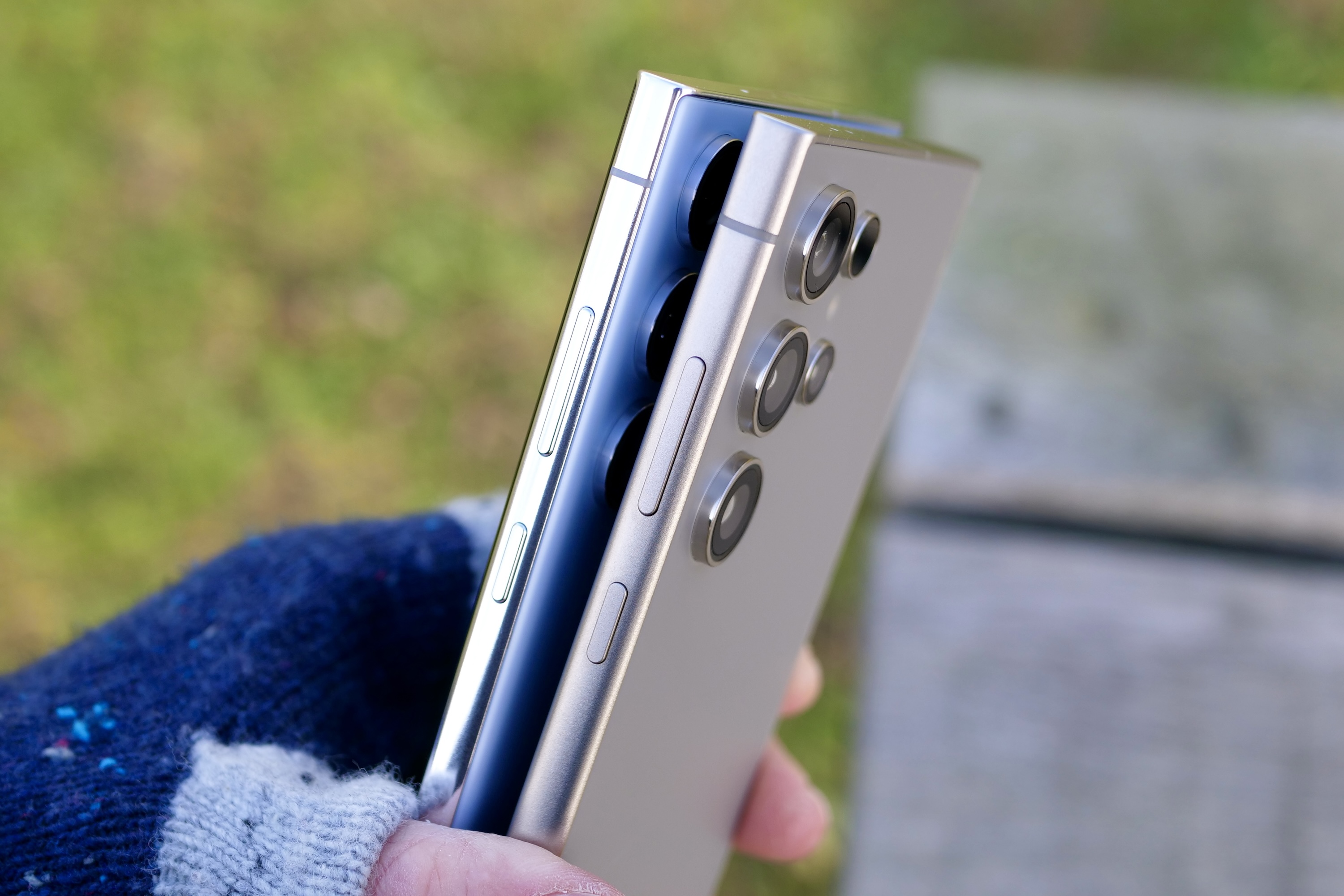
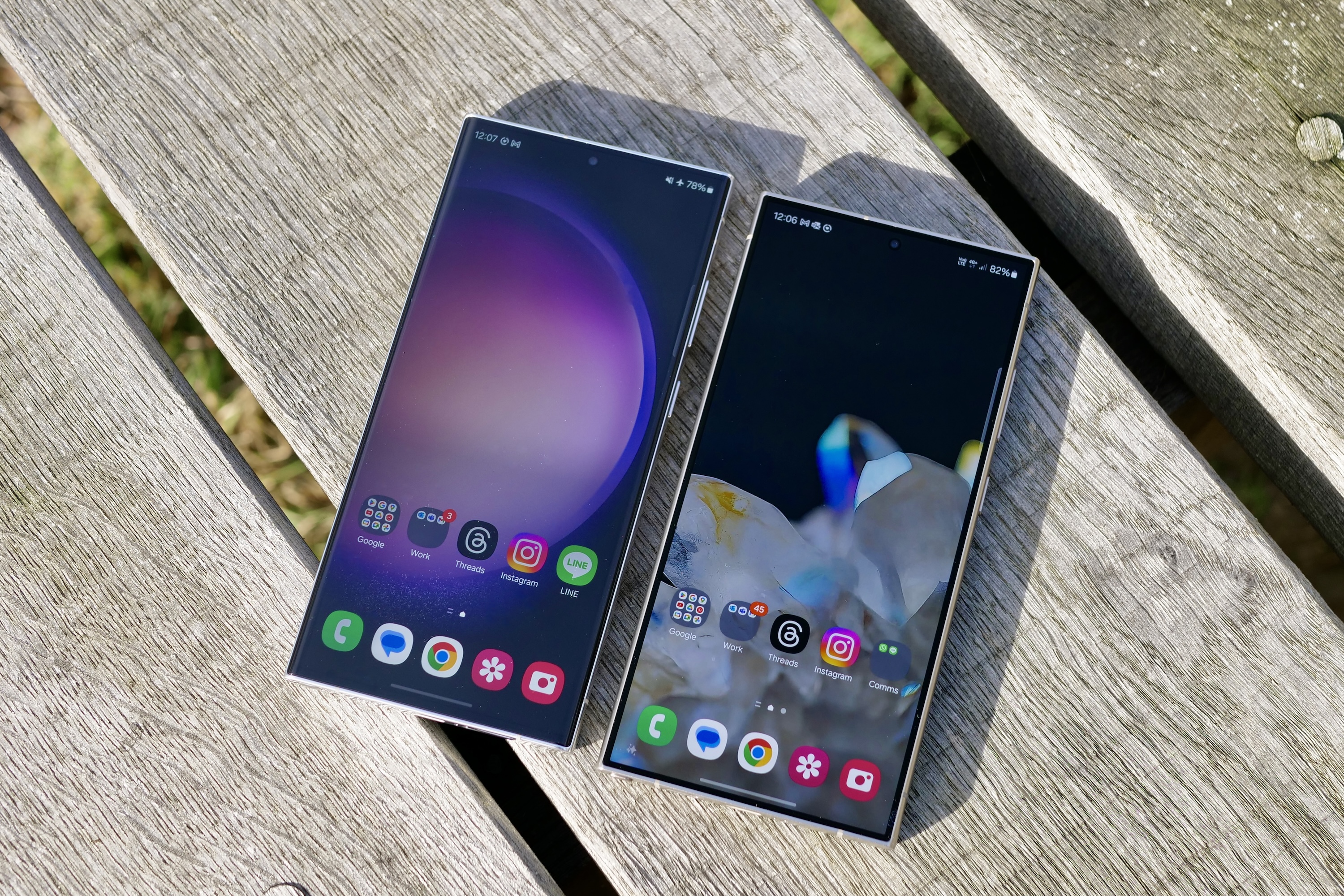
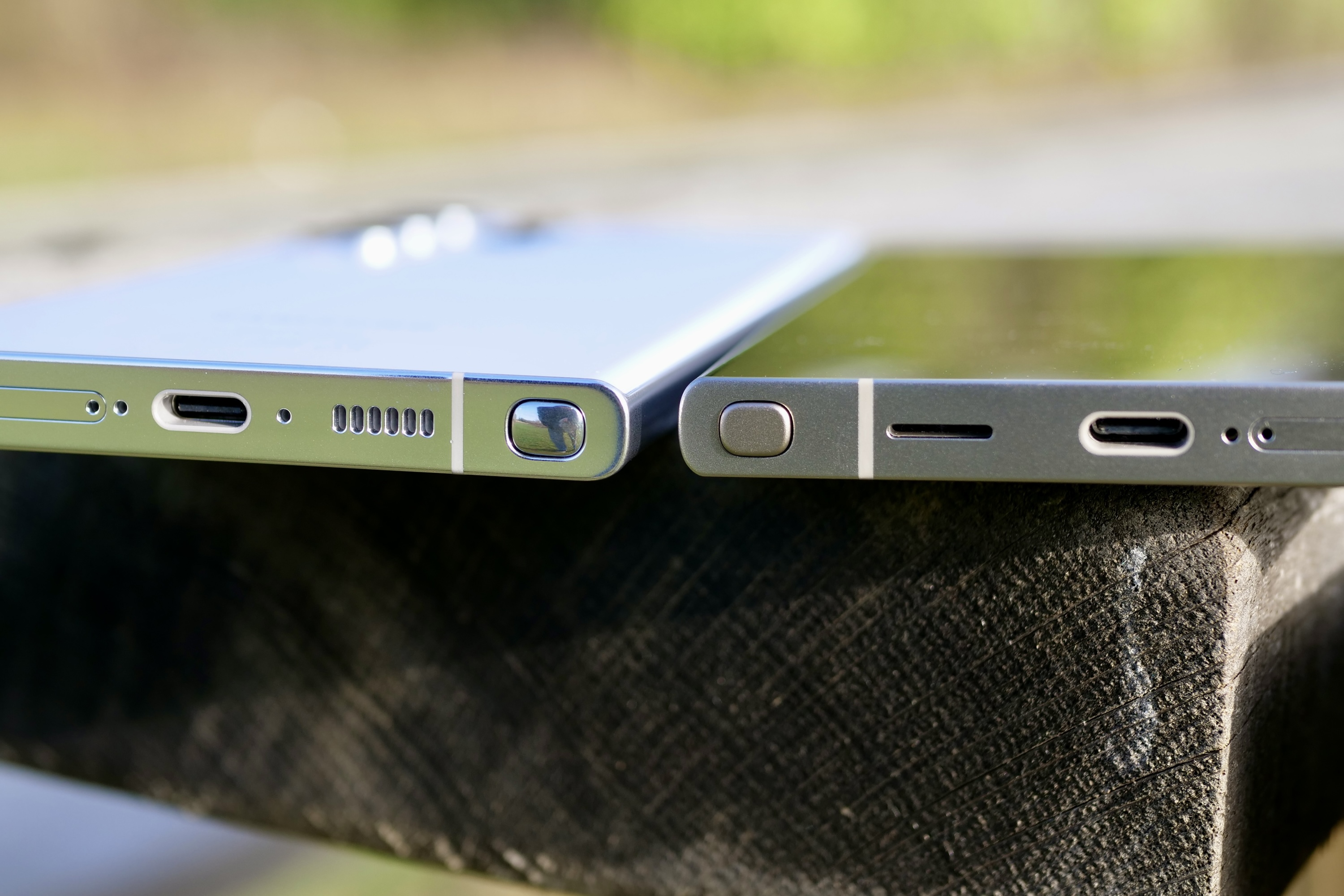
Finally, the Gorilla Armor glass is noticeably less reflective than the Galaxy S23 Ultra’s Gorilla Glass Victus 2 glass, and it’s also possible to spot the increase in overall brightness. Outside on a (moderately, as I live in the U.K.) sunny day, the S24 Ultra’s screen shines, and I can’t imagine any situation where you’ll be squinting at it because it’s too dim.
There are some very slight differences in vibrancy and saturation, with the S23 Ultra amping the colors a little more than its replacement, but I doubt you’d notice unless the two were to be examined side by side.
Battery life and performance so far
I put my SIM card in the Galaxy S24 Ultra on Friday morning and didn’t need to charge the battery until Sunday night when I went to bed, and it still had 25% remaining. Over the weekend, my total screen time amounted to five hours, and use included taking photos, using GPS, and streaming video, plus the usual calls, messages, and social network apps.
Out of the box, the Galaxy S24 is configured to operate the screen at FHD+ resolution, with an adaptive refresh rate, and without the always-on screen active. I changed the always-on screen to operating throughout the day, plus I connected the phone to a smart ring using Bluetooth.
Nothing strenuous, but considering this also included all the background activity setting up a new phone includes, it’s a strong performance. The Galaxy S24 Ultra and the Qualcomm Snapdragon 8 Gen 3 for Galaxy processor are shaping up to be a very efficient pairing, and there’s no question mark over the combined speed either, as the phone absolutely flies.
Importantly, it’s faster in areas where the Galaxy S23 Ultra lacked. I’ve been taking photos back-to-back with both phones, and it has been most noticeable in the camera app. From taking photos at 30x zoom to burst mode images, the S24 Ultra reacts a beat or so faster than the S23 Ultra, and although it won’t affect everyone all the time, it makes using the camera a more fluid, polished experience.
I’m only a few days into using the Galaxy S24 Ultra, so these are only preliminary assessments. But so far, no alarm bells have rung, and no terrible problems compared to the Galaxy S23 Ultra have appeared either. Long battery life and superfast performance, plus an incredibly bright, less reflective and stronger screen that makes the S Pen better to use? I’ll take those over any cursory design refresh every day.
What about the AI?
When I first used the Galaxy S24 Ultra, the new Galaxy AI features I tried impressed me. But what about now that I’ve spent some time with the phone?
I’ve not had any reason to use the translation features, the message suggestions, or the note-taking enhancements, and I doubt that many people will be using them on a daily basis. However, the Circle to Search by Google feature is something I’ll use more regularly.
The simple gesture to activate it is key, as is its speed, reliability, and accuracy. You can see a few screenshots above of it recognizing items and objects from my Instagram feed, Chrome, and photos. It takes just seconds to do this, and it removes the problem of knowing what to ask Google in order to search for something you’ve only seen in a photo. At the moment, it will send you to websites to purchase items, list links to Google Maps and other general sites for landmarks, and so on. However, it doesn’t search for people, so don’t expect it to answer “Who Is that?” style questions.
The Generative AI edit mode for photos is brilliant and fills in the blanks when you edit an image so effectively that you struggle to see where it has worked. It does this not only on photos you’ve taken, but also on third-party images saved to your Google Photos account and elsewhere. It’s very versatile in this respect, but it’s not a Magic Editor challenger for one simple reason — it doesn’t reimagine your photos to produce something otherworldly.
This means it’s not quite as fun as Google’s tool. But on that subject, I also want to highlight how great the Adobe Lightroom for Samsung app is. It is so simple to use, yet can transform your photos in a less artificial way than with Magic Editor. It’s available through the Galaxy App Store app, but does have a subscription attached.



I’ve also tried out another AI-enhanced feature in the camera: the S24 Ultra’s auto slow-motion mode. When you take a standard video, you can tap and hold the screen during playback, and the phone slows the video down for you while filling in the “missing” frames so it appears smooth and uninterrupted. It’s extremely convincing, and you can have fun editing and saving the slowed-down videos separately.
The Galaxy S24 Ultra’s AI toolkit isn’t so comprehensive you’ll use every feature every day, but when you do, it all seems to work very well and provides some enjoyment at the same time. It’s all very well judged and implemented.
The Galaxy S24 Ultra is off to a good start
If it sounds like I’m being won over by the Galaxy S24 Ultra, it’s because I am. It’s a superb smartphone, but it needs to be for the new $1,300 starting price. I can’t say with certainty whether you should buy it yet — that’s coming in the review — but what about an upgrade if you already own a Samsung Ultra phone?
No one is likely to be considering an upgrade from the S23 Ultra to the S24 Ultra due to the design, and even the change from aluminum to titanium isn’t worth swapping your old phone for either. But what about the inside? Over the weekend, I haven’t felt like I’m simply using the Galaxy S23 Ultra all over again thanks to the screen changes, the performance, and the AI tools.
There’s also a lot more to come, as I haven’t closely examined the photos, played many games, or experimented with the various AI features I may only use on an occasional basis. There’s always a concern about phones that look basically the same as the old model — specifically that it will feel, operate, and behave like the old one too. The Galaxy S24 Ultra is very much an all-new phone for 2024, and the year gap between it and the S23 Ultra is obvious when you use it.
However, if the Galaxy S23 Ultra is in your hand now, and knowing that at least some of the AI features will come to it later this year, the other alterations aren’t so momentous that you should rush to upgrade. But if you have a Galaxy S22 Ultra or earlier, then the Galaxy S24 Ultra will probably look a lot more tempting, and I think it’ll be a solid update. Newcomers to Samsung’s Ultra phones are going to be blown away by this massive, hugely capable, and genuinely-new-depsite-the-design smartphone. So far, the S24 Ultra is a great start to the year, and my full review will be coming soon.
Editors’ Recommendations