Close Menu
Best in TechnologyBest in Technology
  • News
  • Phones
  • Laptops
  • Gadgets
  • Gaming
  • AI
  • Tips
  • More
    • Web Stories
    • Global
    • Press Release

Subscribe to Updates

Get the latest tech news and updates directly to your inbox.

What's On
I just watched Project Hail Mary, here’s why it’s one of the best movies of the year

I just watched Project Hail Mary, here’s why it’s one of the best movies of the year

21 March 2026
A terrific MacBook Air rival just made its debut, but you likely won’t be able to buy it

A terrific MacBook Air rival just made its debut, but you likely won’t be able to buy it

21 March 2026
How BYD Got EV Chargers to Work Almost as Fast as Gas Pumps

How BYD Got EV Chargers to Work Almost as Fast as Gas Pumps

21 March 2026
Facebook X (Twitter) Instagram
Just In
  • I just watched Project Hail Mary, here’s why it’s one of the best movies of the year
  • A terrific MacBook Air rival just made its debut, but you likely won’t be able to buy it
  • How BYD Got EV Chargers to Work Almost as Fast as Gas Pumps
  • Google experiments with AI-generated headlines in search results
  • Cyberattack on a Car Breathalyzer Firm Leaves Drivers Stuck
  • Google will still let you sideload apps, but there’s a catch now
  • I Tried DoorDash’s Tasks App and Saw the Bleak Future of AI Gig Work
  • Xiaomi SU7 EV makes Tesla look bad with sheer style and substance
Facebook X (Twitter) Instagram Pinterest Vimeo
Best in TechnologyBest in Technology
  • News
  • Phones
  • Laptops
  • Gadgets
  • Gaming
  • AI
  • Tips
  • More
    • Web Stories
    • Global
    • Press Release
Subscribe
Best in TechnologyBest in Technology
Home » iOS 18 Lets Users Hide App, Widget Names From the iPhone Home Screen: How it Works
Phones

iOS 18 Lets Users Hide App, Widget Names From the iPhone Home Screen: How it Works

News RoomBy News Room20 June 20242 Mins Read
Share Facebook Twitter Pinterest LinkedIn Tumblr Reddit Telegram Email
iOS 18 Lets Users Hide App, Widget Names From the iPhone Home Screen: How it Works
Share
Facebook Twitter LinkedIn Pinterest Email

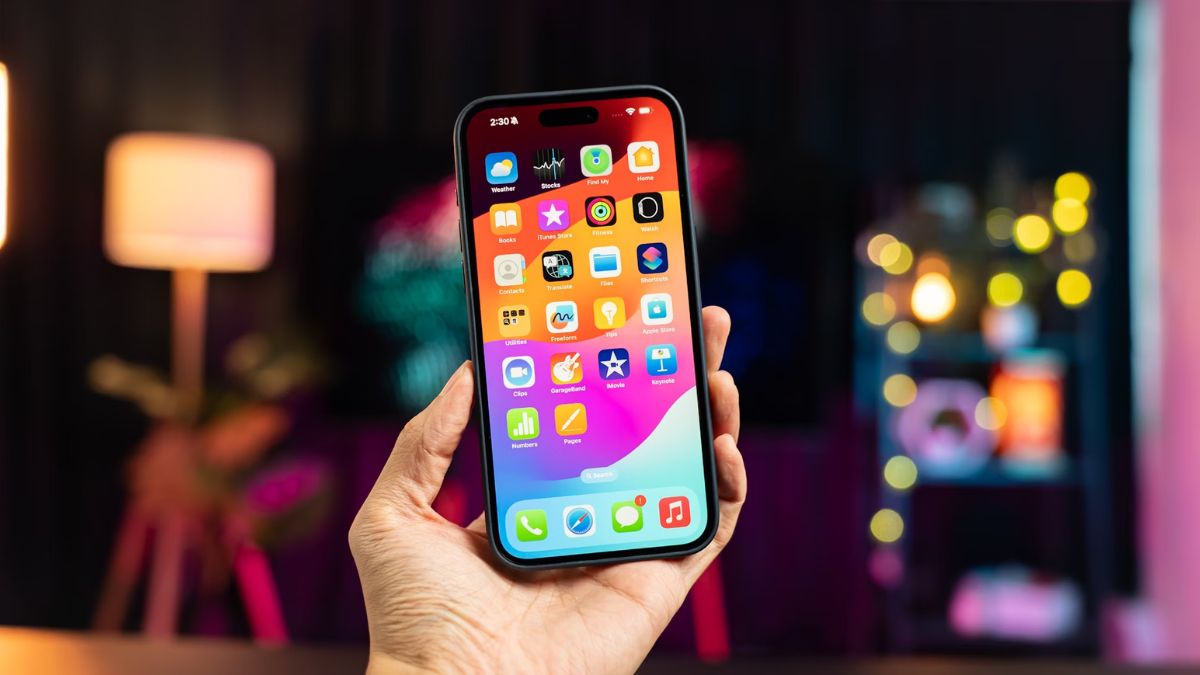
iOS 18 — Apple’s upcoming iPhone’s operating system update — is set to bring several new features and improvements to the operating system. One of the features that Apple showcased during the keynote at its annual Worldwide Developers Conference (WWDC 2024) earlier this month, is the ability to not only hide apps but also app and widget names from the iPhone’s home screen. This feature, along with a redesigned Control Centre and the ability to place icons anywhere, are expected to deliver more customisation options once the update rolls out to users later this year.

How to hide app names on iOS 18

With iOS 18 Developer Beta 1, users can finally hide app, folder and widget names from the home screen, according to Apple. While several Android phones allow users to do the same thing, iPhone owners will also be able to set up their home screens to only display app icons.

  1. Tap and hold on an empty area on the Home Screen of your iPhone.
  2. Select Edit in the top-left corner of the screen.
  3. Tap on Customise and then select Large. icon size option.
  4. Increasing the size of the icons will automatically hide app names from the iPhone’s home screen.

Hidden App Names on Home Screen

At the moment, there doesn’t appear to be any way for users to hide app, folder and widget names while keeping the icon size small.

Other customisation options on iOS 18

iOS 18 also brings several other customisation options, including a revamped Control Center, which features a new controls gallery with new options to choose from. Users can also swipe across pages to access additional controls and toggles.

The update also brings Dark Mode to icons on the home screen. Apple says users can now choose from different icon styles: Automatic, Dark, Light, and Tinted. They can also place icons anywhere on the home screen, instead of the icons automatically shifting to the preset grid.

Other customisation options in iOS 18 include the ability to pick custom lock screen shortcuts. As per Apple, users can now select options from the aforementioned controls gallery to replace the existing camera and flashlight quick toggles on the iPhone’s lock screen.
Share. Facebook Twitter Pinterest LinkedIn Tumblr Email
Previous ArticleSpaceX rival Rocket Lab preps landmark rocket launch
Next Article This JBL Clip waterproof speaker has a nice discount in time for summer

Related Articles

Vivo V60 Launched in India With Snapdragon 7 Gen 4 SoC, 50-Megapixel Telephoto Camera: Price, Features
Phones

Vivo V60 Launched in India With Snapdragon 7 Gen 4 SoC, 50-Megapixel Telephoto Camera: Price, Features

12 August 2025
OnePlus Said to Be Testing Display With 165Hz Refresh Rate; Might Arrive on Midrange Smartphone
Phones

OnePlus Said to Be Testing Display With 165Hz Refresh Rate; Might Arrive on Midrange Smartphone

12 August 2025
Flipkart Independence Day Sale 2025 Begins Tomorrow: Deals on iPhone 16, Samsung Galaxy S24, and More
Phones

Flipkart Independence Day Sale 2025 Begins Tomorrow: Deals on iPhone 16, Samsung Galaxy S24, and More

12 August 2025
Honor X7c 5G Specifications Teased Ahead of India Launch; Will Feature 5,200mAh Battery, Snapdragon 4 Gen 2 SoC
Phones

Honor X7c 5G Specifications Teased Ahead of India Launch; Will Feature 5,200mAh Battery, Snapdragon 4 Gen 2 SoC

12 August 2025
Samsung Galaxy A07 Design, Colour Options, Key Features Leaked; Tipped to Get Six Android OS Upgrades
Phones

Samsung Galaxy A07 Design, Colour Options, Key Features Leaked; Tipped to Get Six Android OS Upgrades

12 August 2025
Realme P4 Series Key Specifications Confirmed Ahead of Launch in India on August 20
Phones

Realme P4 Series Key Specifications Confirmed Ahead of Launch in India on August 20

12 August 2025
Demo
Top Articles
5 laptops to buy instead of the M4 MacBook Pro

5 laptops to buy instead of the M4 MacBook Pro

17 November 2024130 Views
ChatGPT o1 vs. o1-mini vs. 4o: Which should you use?

ChatGPT o1 vs. o1-mini vs. 4o: Which should you use?

15 December 2024111 Views
Costco partners with Electric Era to bring back EV charging in the U.S.

Costco partners with Electric Era to bring back EV charging in the U.S.

28 October 2024100 Views

Subscribe to Updates

Get the latest tech news and updates directly to your inbox.

Latest News
Google will still let you sideload apps, but there’s a catch now News

Google will still let you sideload apps, but there’s a catch now

News Room21 March 2026
I Tried DoorDash’s Tasks App and Saw the Bleak Future of AI Gig Work News

I Tried DoorDash’s Tasks App and Saw the Bleak Future of AI Gig Work

News Room21 March 2026
Xiaomi SU7 EV makes Tesla look bad with sheer style and substance News

Xiaomi SU7 EV makes Tesla look bad with sheer style and substance

News Room21 March 2026
Most Popular
The Spectacular Burnout of a Solar Panel Salesman

The Spectacular Burnout of a Solar Panel Salesman

13 January 2025137 Views
5 laptops to buy instead of the M4 MacBook Pro

5 laptops to buy instead of the M4 MacBook Pro

17 November 2024130 Views
ChatGPT o1 vs. o1-mini vs. 4o: Which should you use?

ChatGPT o1 vs. o1-mini vs. 4o: Which should you use?

15 December 2024111 Views
Our Picks
Google experiments with AI-generated headlines in search results

Google experiments with AI-generated headlines in search results

21 March 2026
Cyberattack on a Car Breathalyzer Firm Leaves Drivers Stuck

Cyberattack on a Car Breathalyzer Firm Leaves Drivers Stuck

21 March 2026
Google will still let you sideload apps, but there’s a catch now

Google will still let you sideload apps, but there’s a catch now

21 March 2026

Subscribe to Updates

Get the latest tech news and updates directly to your inbox.

Facebook X (Twitter) Instagram Pinterest
  • Privacy Policy
  • Terms of use
  • Advertise
  • Contact Us
© 2026 Best in Technology. All Rights Reserved.

Type above and press Enter to search. Press Esc to cancel.