





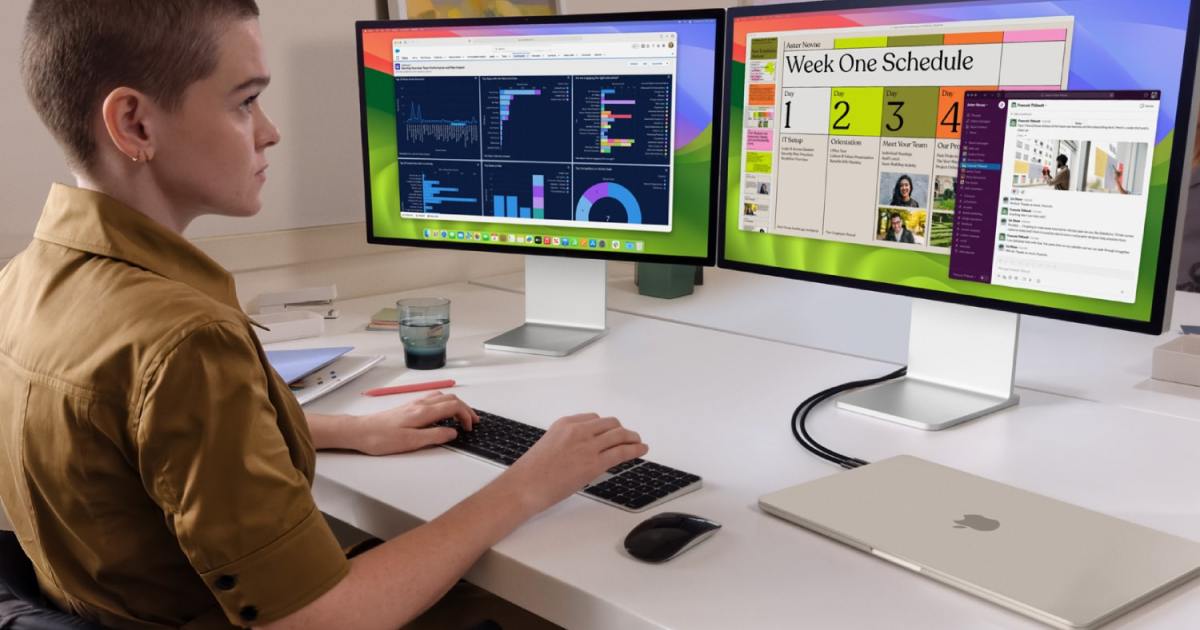
The best Macs have a reputation for being easy to use, and as someone who switches between Windows and macOS every day, I can confirm that that reputation is well-earned. But macOS isn’t just a straightforward, easy-peasy system with about as much depth as a puddle — it’s also a brilliant platform for power users.
A lot of that comes down to the thriving ecosystem of apps that are available on macOS. Load up your Apple computer with a few choice selections and you’ll be able to get so much more out of it than you ever thought possible, from automating tedious processes to making clever use of AI and everything in between.
In this article, we’ve rounded up eight of the best Mac apps for power users. Each one is tailor-made for Mac fans and enthusiasts who want to get more from their computers.
BetterTouchTool
BetterTouchTool is one of my favorite Mac apps thanks to the sheer breadth of things it can do. Want to add custom gestures to your mouse or trackpad? Need a great way to automate repetitive tasks? Looking to create some keyboard shortcuts that are designed to save you time? That’s just the start of what BetterTouchTool is capable of.
One of my favorite uses for BetterTouchTool is one of its simplest features: it lets me manage window tiling and assign custom shortcuts to each window position. It can be as simple or as deep as you want it to be, but either way, it’s a massive step up over Apple’s window management system.
Aside from that, this app lets you design your own “drop zones” that interact with your MacBook’s notch, create new layouts and functions for your Elgato Stream Deck, use MIDI devices as triggers for actions and shortcuts, and so much more. It’s so stacked with power user tools that the easiest way to understand it is to try it out for yourself — take it from me, you won’t regret it.
ChatGPT
ChatGPT has completely upended the world, putting a huge amount of power at your fingertips to help you research new ideas, improve your writing skills, generate images and videos, and much more. But you don’t need to open up your web browser every time you want to use it, as ChatGPT’s developer OpenAI has launched a bespoke Mac app that you can use from the comfort of your desktop.
OpenAI has worked in a few perks to incentivize using the desktop app instead of the ChatGPT website. For example, you can let it fetch images from your Photos library, webcam, or directly from a screenshot, making it faster and easier to upload images that ChatGPT can help with. You can also speak directly to ChatGPT, something you can’t do on the web.
Even the way you launch ChatGPT is neat: just press Option-Space to open a chat box. It’s similar to the familiar Command-Space control that launches the Spotlight search bar in macOS. Not only is this easy to remember, but it’s much faster than having to load up a web browser.
If you enjoy using ChatGPT’s powerful tools in your day-to-day life, this macOS app could become an essential part of your routine. With all its capabilities, it’ll be a great addition to your Mac.
Alfred
Alfred is designed to be an all-in-one overhaul of the way you use macOS, with the idea being savingyou time while putting powerful tools at your fingertips. Its wide-ranging abilities cover finding files, searching the web, managing your clipboard history, using the Terminal, sending emails and attachments, and more.
A key aspect of Alfred is its Powerpack. This lets you craft in-depth workflows that automate almost any task you can think of. It also allows you to link hotkeys, keywords, and actions into detailed automations, all without having to write any code at all.
Alfred also comes with a text expansion feature that can save you a ton of needless typing. Once you’ve set it up, you’ll just need to type a custom trigger word or key combination to have Alfred write out the full phrase you’ve stored. If you find yourself typing the same thing over and over, it could be a huge time-saver.
That’s just a snippet of what Alfred can do, but it’s worth checking out its full list of features on the app’s website. It might be the best way to make your Mac life a little easier.
Hazel
The more you use your Mac, the faster files can pile up in its nooks and corners. If sorting them all out has become an overwhelming burden — or if you just want to ensure you never get into a state like that — Hazel is an essential app.
Hazel is essentially a batch processor. You set up a few rules, such as how you want to rename files, where you want to move them to, and where the app should look for them, then Hazel will automatically get started, working its way through your files and sorting them out in seconds — potentially saving you hours in the process.
The best part is that you don’t even need to tell Hazel to start working. Since it monitors the folders that you define, it knows when you’ve added files that should have your rules applied to them. So, just drop a file into a folder and watch as it’s moved, renamed, or whatever else you need. It’s one of those rare apps that is both deeply powerful and a true time-saver.
Keyboard Maestro
Keyboard Maestro is all about one thing: automation. And we’re not just talking about a small assortment of tasks . As the developer says, “If you can perform it manually, Keyboard Maestro can almost certainly automate it for you.”
That includes a varied selection, from launching an app or visiting a website to creating full reports and managing multiple items in your clipboard history. Keyboard Maestro can combine actions into long and complex flows, with conditions, loops, and more, making it very versatile and up to almost any task you assign it.
Its versatility makes it a Mac power user’s best friend, able to conform to whatever advanced task you have in mind. It takes a little bit of learning when you first start, but once you’ve mastered it, you’ll never want to be without it.
Shortcuts
Apple is no stranger to power user apps — in fact its own Shortcuts app (preloaded on your Mac) can enable some incredibly in-depth actions that are well-suited to enthusiast Mac users. Fire it up and you’ll be able to create shortcuts that carry out repetitive or difficult tasks. You can also set automations that trigger at a certain time of day — when you arrive at a defined location, when you connect to CarPlay, and more. All your shortcuts are synced to your other Apple devices, putting them within reach of whatever Apple product you’re using.
Despite its name, the Shortcuts app is not just about saving yourself time by automating tasks. It can also be used to enable things that would not only be tedious or lengthy to do yourself, but downright tricky too. For instance, one of my favorite shortcuts was created by the MacStories website to automatically place screenshots inside a device frame, such as putting an iPhone screenshot inside an image of one of Apple’s phones. That’s something I don’t really have the skill to do myself, but thanks to a handy shortcut, I’m able to do it in seconds.
It’s an apt illustration of the power contained within the Shortcuts app. While I wish it was a little easier to get started, there’s no doubting the power that’s contained under the hood of Apple’s app. If you consider yourself a power user, you’ll love learning what it can do.
Little Snitch
It pays to understand which of your apps are connecting to the internet and where they’re sending your private data. If you’re not careful, you could end up sharing far more personal information than you ever intended.
To put a stop to that risk, use Little Snitch. This handy app shows you exactly what is connecting to the web, when it happens, and how much data is sent and received. Armed with that knowledge, you can put a stop to leaky apps that are sharing more than you want them to.
And it’s not just for blocking apps — you can decide which website connections are permitted, giving you granular control over what data goes to and from your Mac. And with plenty of analytical tools at your disposal, you won’t be left guessing over the metrics that Little Snitch brings to your attention.
SoundSource
Managing audio on your Mac can be a pain, especially if you’re dealing with multiple sources, inputs, and outputs. What if you want to send your Spotify tunes to your Bluetooth speakers, but keep system sounds playing out of your Mac, for example? You can’t do that by default, but it’s a cinch with SoundSource.
This handy app lives in your Mac’s menu bar and provides a simple menu to manage audio in granular detail. You can have sound output (like music or movie audio) going to your headphone,s but keep macOS sound effects muted, thereby preventing distractions. Or you can change which microphone you use on the fly, without having to dig into the settings menu.
Better yet, SoundSource lets you control things on a per-app basis. Want the Apple TV app to play out of your headphones, but Safari sound to come out of your Mac’s speakers? You can do so at the drop of a hat with SoundSource. If you’ve ever been frustrated at the limited audio controls you get in macOS, this app is worth your time.