


Close Menu
Best in TechnologyBest in Technology
  • News
  • Phones
  • Laptops
  • Gadgets
  • Gaming
  • AI
  • Tips
  • More
    • Web Stories
    • Global
    • Press Release

Subscribe to Updates

Get the latest tech news and updates directly to your inbox.

What's On
Viture Pro 2 review: Affordable glasses that I loved more for work than play

Viture Pro 2 review: Affordable glasses that I loved more for work than play

18 August 2026
Apple just accidentally revealed its camera-equipped AirPods

Apple just accidentally revealed its camera-equipped AirPods

18 August 2026
CMF’s next earbuds are coming, and I have a pretty good guess what they are

CMF’s next earbuds are coming, and I have a pretty good guess what they are

18 August 2026
Facebook X (Twitter) Instagram
Just In
  • Viture Pro 2 review: Affordable glasses that I loved more for work than play
  • Apple just accidentally revealed its camera-equipped AirPods
  • CMF’s next earbuds are coming, and I have a pretty good guess what they are
  • Apple Wallet driver’s licenses are coming to North Carolina, but there’s a catch
  • Forget doomscrolling, Gen Z is now scrolling for birds on TikTok
  • The Pixel 11 gives me three reasons to ditch my iPhone 17, and I’m afraid they’ll work
  • What Is El Niño? Here’s What It Means for Weather, Water, and Global Economy
  • Exclusive Hands-On Preview – Aug 17, 2026
Facebook X (Twitter) Instagram Pinterest Vimeo
Best in TechnologyBest in Technology
  • News
  • Phones
  • Laptops
  • Gadgets
  • Gaming
  • AI
  • Tips
  • More
    • Web Stories
    • Global
    • Press Release
Subscribe
Best in TechnologyBest in Technology
Home » I found a better way to dictate on my Mac, and it doesn’t need the cloud
News

I found a better way to dictate on my Mac, and it doesn’t need the cloud

News RoomBy News Room17 August 20265 Mins Read
Share Facebook Twitter Pinterest LinkedIn Tumblr Reddit Telegram Email
I found a better way to dictate on my Mac, and it doesn’t need the cloud
Share
Facebook Twitter LinkedIn Pinterest Email

Apple has improved its dictation feature a lot on the Mac, but it’s still nowhere near as good as some of the AI-powered dictation apps that have taken the App Store by storm. 

My only issue with these apps is that most of the good ones are subscription-based, and I don’t want to add yet another subscription to my already long list. That’s why I was happily surprised when I discovered TypeWhisper. 

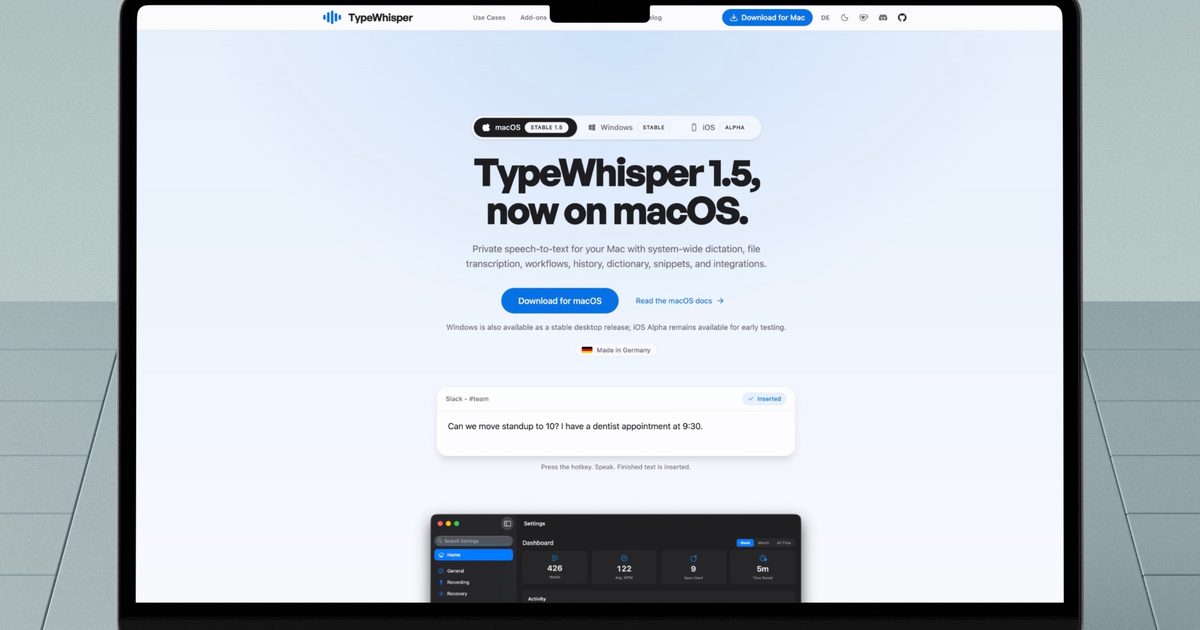
It uses local AI models to transcribe text and is one of the best dictation apps I have tried. It has become my go-to app for jabbering and jotting down my thoughts that I can refine and process later. So, let’s talk about it. 

An introduction to TypeWhisper

At its core, TypeWhisper turns speech into text using AI models that run locally on Mac. The App Store is packed with apps that do something similar, but most of them lock the good stuff behind a subscription and ship your voice off to the cloud for processing.

TypeWhisper does the opposite. You can use cloud-based models if you find them to be more accurate, but you are not stuck using them. There are several on-device models that cost absolutely nothing to use. I have been testing the app for a while now, and I’m consistently surprised by how fast and accurate the transcriptions are, even with the free local models.

It works inside your favorite writing apps

My favorite part of TypeWhisper is how little friction there is between talking and typing. I can use a global keyboard shortcut and start dictating from literally anywhere on my Mac. I can hold it down for push-to-talk, or tap it once to toggle recording on and off.
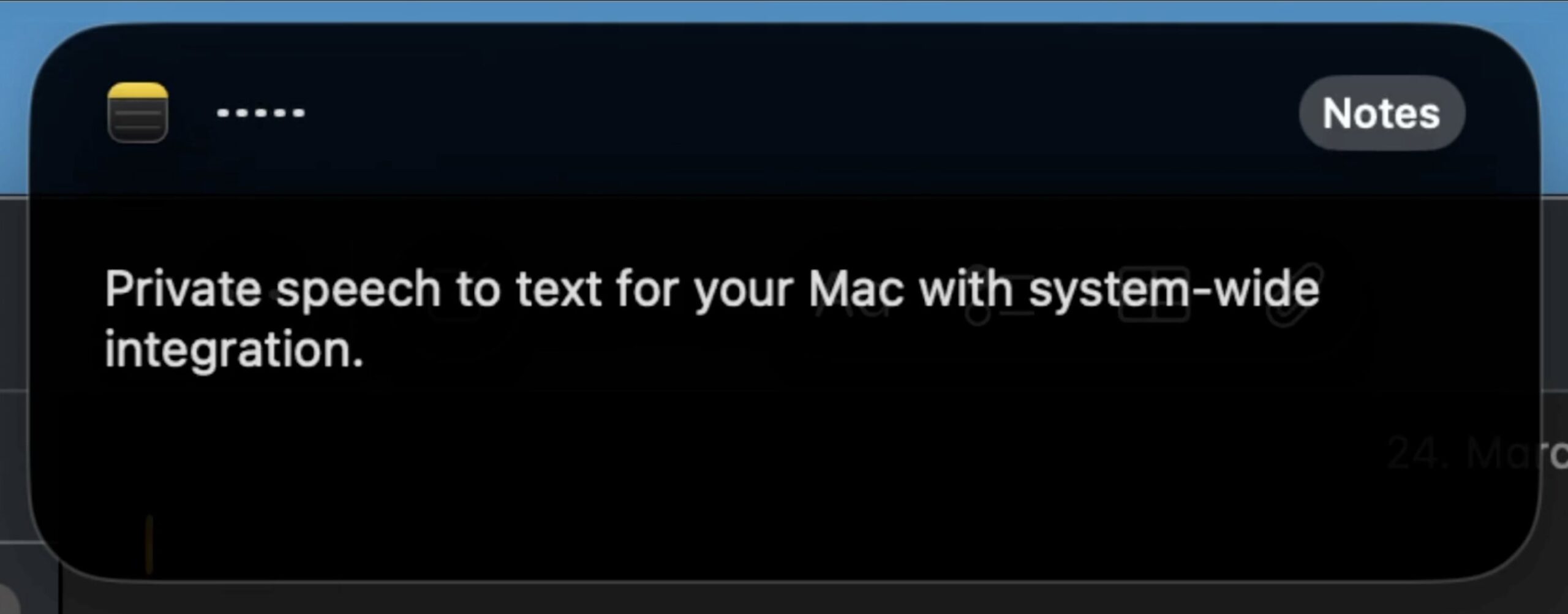
TypeWhisper in action

Once I am done talking, TypeWhisper drops the transcribed text directly into whatever text field I had open. That means I don’t have to copy and paste text manually from TypeWhisper to the app I want the text inside. For example, if I am dictating an email, I can do it directly inside my email app. 

Here’s another example of how I use it. Say I want to add a note in my Obsidian vault. I hit my shortcut, talk through my ideas, hit the shortcut again to stop, and a second or two later, my words show up in the app. It sounds simple, but once you get used to talking instead of typing, going back feels painfully slow.

Adapts to your vocabulary

If you often use specific names, brands, or industry terms, TypeWhisper lets you teach it your own vocabulary. I can define custom terms, set up corrections for words it tends to get wrong, and let it build a personal dictionary over time as I keep using it.
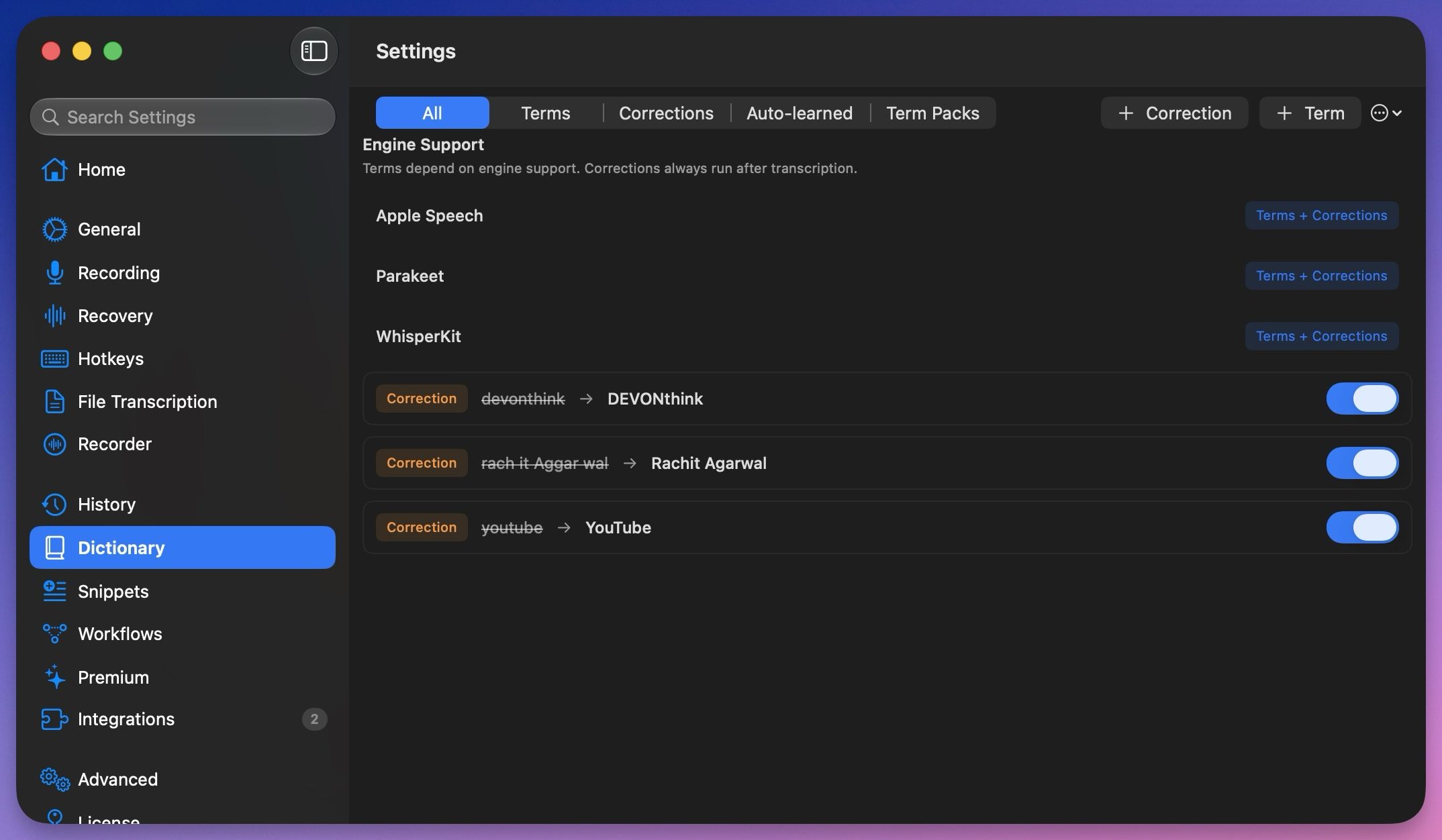
Dictionary in TypeWhisper

What I like most is that I don’t always have to add these words manually. If I fix a misheard word after dictating, TypeWhisper notices the correction and remembers it for next time. That means I don’t have to spend time digging through a settings menu to do it. 

Talk it out, let AI tidy it up

A powerful feature of TypeWhisper is that it can run your transcribed text through AI before adding it to a document. Suppose I want my dictation formatted in Markdown for Obsidian. I can set up a workflow for that and even choose which AI provider handles it, whether that’s an on-device option or a service like OpenAI or Gemini.
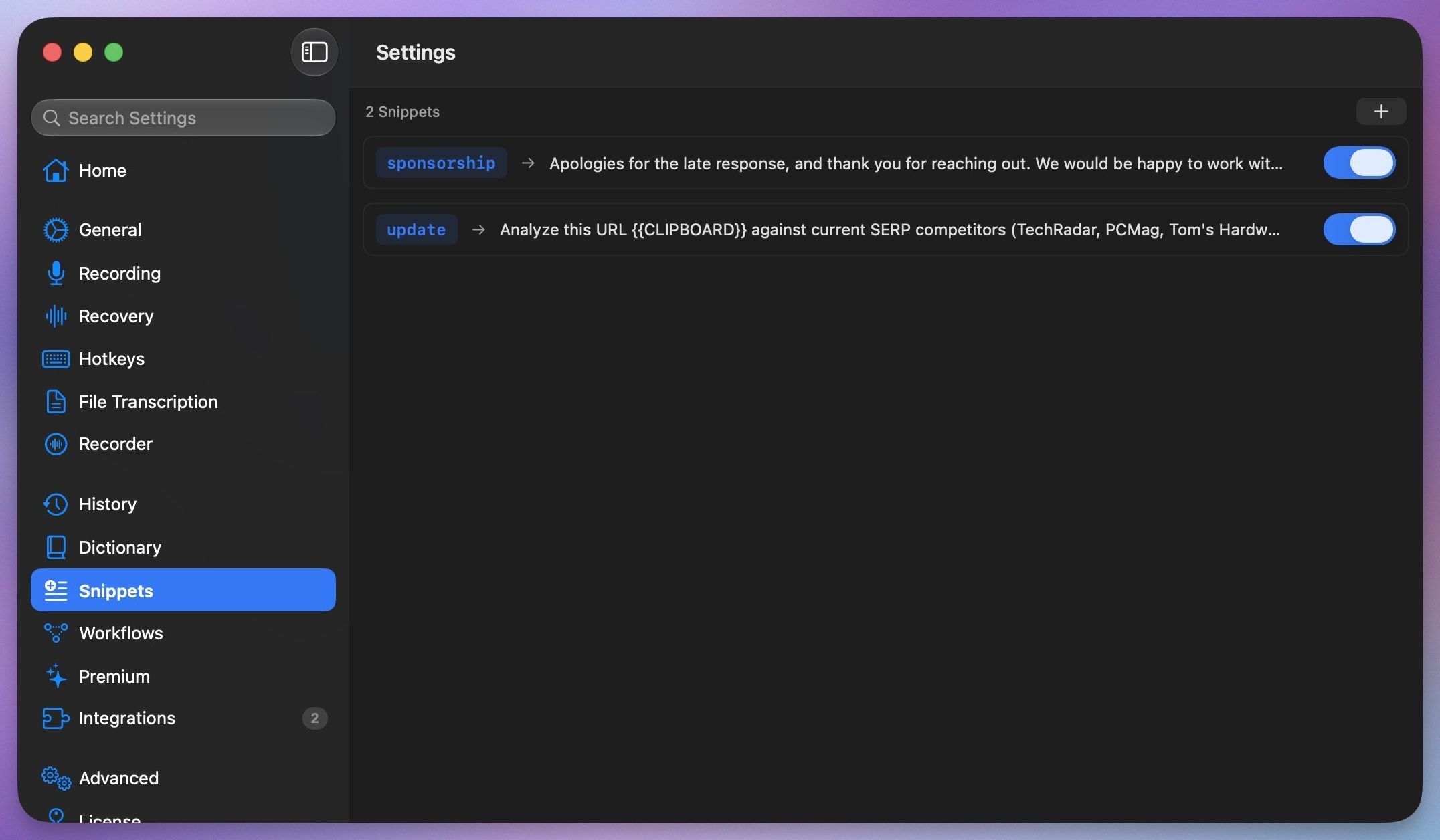
TypeWhisper snippets

I also love the snippets feature, which is handy for dictating repeated text. I have set up trigger phrases, which, when spoken, expand into a full sentence or even a paragraph. 

A few more handy extras

TypeWhisper can also transcribe recorded audio and video files. I can even export subtitle files with timestamps if that’s what I need. There’s a searchable history of everything I have dictated, complete with filters, so I can go back and find something I said last week without much hassle. There’s a mode that boosts microphone gain so the app can hear me even in noisy environments.
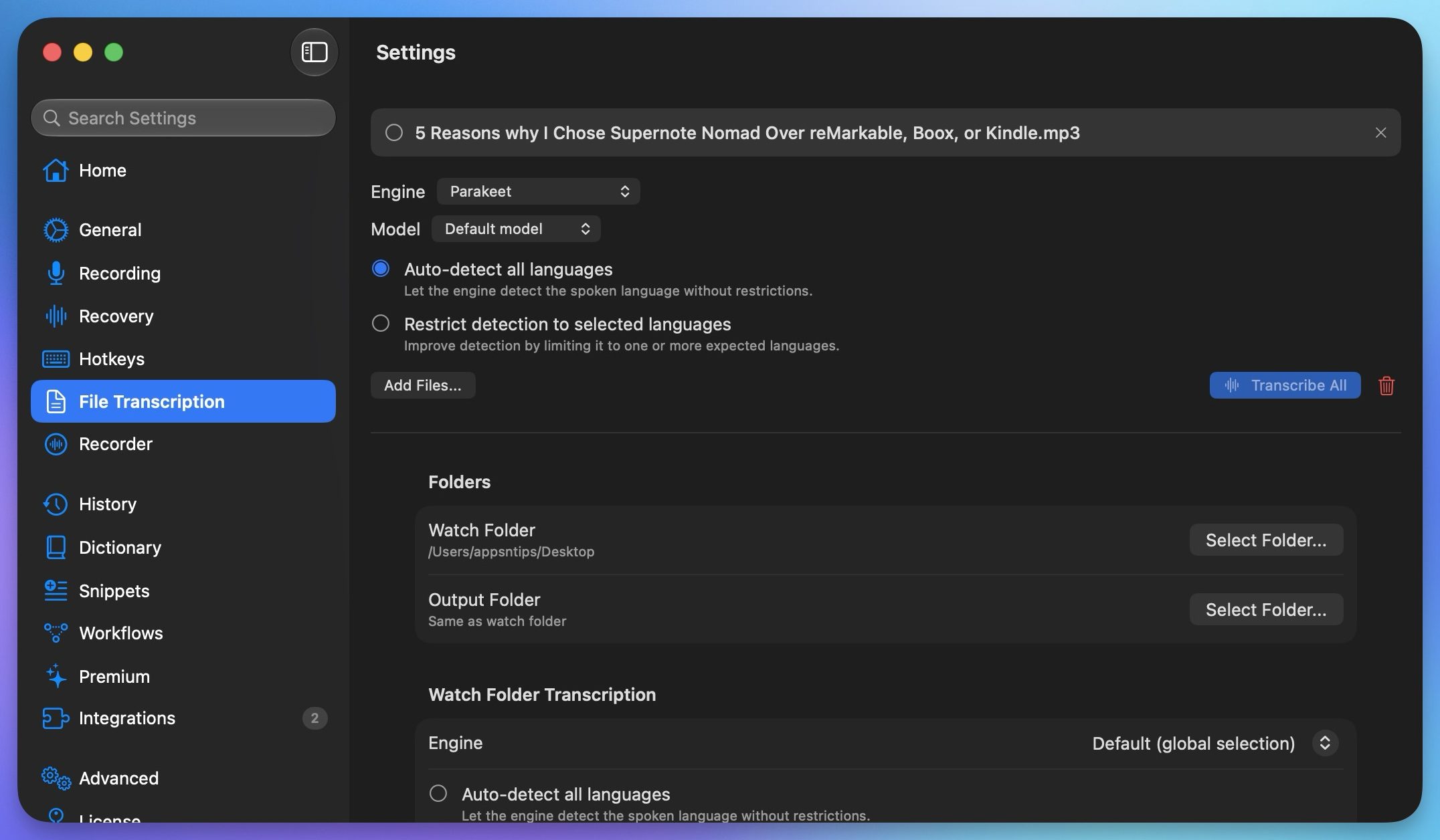
TypeWhisper transcribe audio feature

TypeWhisper also has an add-ons hub that lets you add extra features. One I really like is the Filler Words add-on. It automatically strips out all those “ums” and “uhs” from my dictation before the text even gets pasted in, so I get cleaned-up text.
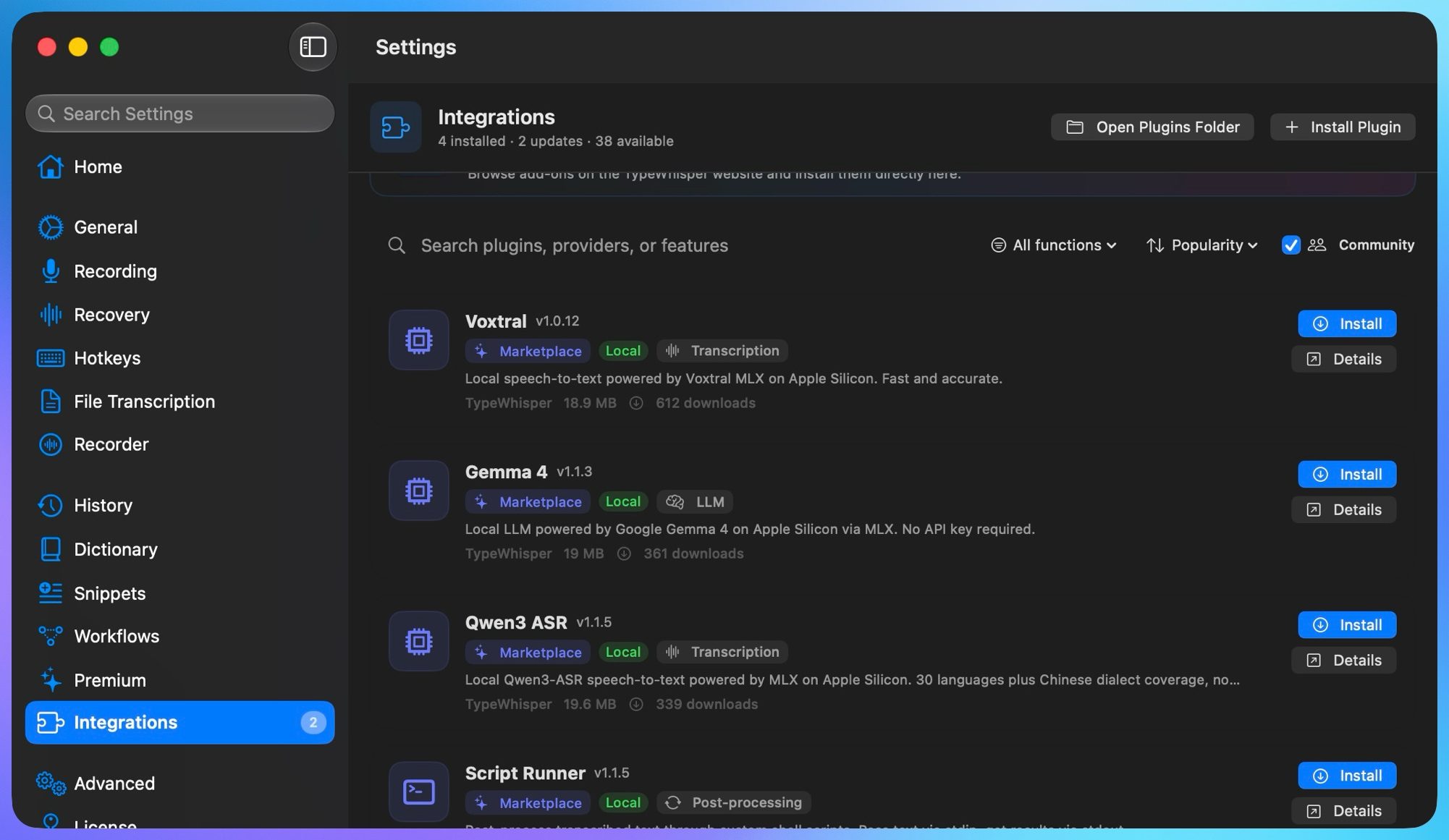
TypeWhisper add ons library

There’s a whole marketplace of these add-ons, and if you are handy with coding, you can even build add-ons specific to your workflow.

My final thoughts on TypeWhisper

TypeWhisper has become an integral part of my workflow. The app is fast and accurate, and it’s free. If you’ve not tried a dictation app because you assumed it would be slow or inaccurate, or because you didn’t want to pay a subscription just to talk to your computer, give TypeWhisper a shot. I guarantee it will become a permanent fixture on your Mac.


Share. Facebook Twitter Pinterest LinkedIn Tumblr Email
Previous ArticleMac users now have an easier way to install apps from DMG files
Next Article Meta promised to stop creepy AI glasses videos, but they’re still all over Instagram

Related Articles

Viture Pro 2 review: Affordable glasses that I loved more for work than play
News

Viture Pro 2 review: Affordable glasses that I loved more for work than play

18 August 2026
Apple just accidentally revealed its camera-equipped AirPods
News

Apple just accidentally revealed its camera-equipped AirPods

18 August 2026
CMF’s next earbuds are coming, and I have a pretty good guess what they are
News

CMF’s next earbuds are coming, and I have a pretty good guess what they are

18 August 2026
Apple Wallet driver’s licenses are coming to North Carolina, but there’s a catch
News

Apple Wallet driver’s licenses are coming to North Carolina, but there’s a catch

18 August 2026
Forget doomscrolling, Gen Z is now scrolling for birds on TikTok
News

Forget doomscrolling, Gen Z is now scrolling for birds on TikTok

18 August 2026
The Pixel 11 gives me three reasons to ditch my iPhone 17, and I’m afraid they’ll work
News

The Pixel 11 gives me three reasons to ditch my iPhone 17, and I’m afraid they’ll work

18 August 2026
Demo
Top Articles
5 laptops to buy instead of the M4 MacBook Pro

5 laptops to buy instead of the M4 MacBook Pro

17 November 2024133 Views
ChatGPT o1 vs. o1-mini vs. 4o: Which should you use?

ChatGPT o1 vs. o1-mini vs. 4o: Which should you use?

15 December 2024112 Views
Costco partners with Electric Era to bring back EV charging in the U.S.

Costco partners with Electric Era to bring back EV charging in the U.S.

28 October 2024100 Views

Subscribe to Updates

Get the latest tech news and updates directly to your inbox.

Latest News
The Pixel 11 gives me three reasons to ditch my iPhone 17, and I’m afraid they’ll work News

The Pixel 11 gives me three reasons to ditch my iPhone 17, and I’m afraid they’ll work

News Room18 August 2026
What Is El Niño? Here’s What It Means for Weather, Water, and Global Economy News

What Is El Niño? Here’s What It Means for Weather, Water, and Global Economy

News Room17 August 2026
Exclusive Hands-On Preview – Aug 17, 2026 Gaming

Exclusive Hands-On Preview – Aug 17, 2026

News Room17 August 2026
Most Popular
The Spectacular Burnout of a Solar Panel Salesman

The Spectacular Burnout of a Solar Panel Salesman

13 January 2025137 Views
5 laptops to buy instead of the M4 MacBook Pro

5 laptops to buy instead of the M4 MacBook Pro

17 November 2024133 Views
ChatGPT o1 vs. o1-mini vs. 4o: Which should you use?

ChatGPT o1 vs. o1-mini vs. 4o: Which should you use?

15 December 2024112 Views
Our Picks
Apple Wallet driver’s licenses are coming to North Carolina, but there’s a catch

Apple Wallet driver’s licenses are coming to North Carolina, but there’s a catch

18 August 2026
Forget doomscrolling, Gen Z is now scrolling for birds on TikTok

Forget doomscrolling, Gen Z is now scrolling for birds on TikTok

18 August 2026
The Pixel 11 gives me three reasons to ditch my iPhone 17, and I’m afraid they’ll work

The Pixel 11 gives me three reasons to ditch my iPhone 17, and I’m afraid they’ll work

18 August 2026

Subscribe to Updates

Get the latest tech news and updates directly to your inbox.

Facebook X (Twitter) Instagram Pinterest
  • Privacy Policy
  • Terms of use
  • Advertise
  • Contact Us
© 2026 Best in Technology. All Rights Reserved.

Type above and press Enter to search. Press Esc to cancel.