



Close Menu
Best in TechnologyBest in Technology
  • News
  • Phones
  • Laptops
  • Gadgets
  • Gaming
  • AI
  • Tips
  • More
    • Web Stories
    • Global
    • Press Release

Subscribe to Updates

Get the latest tech news and updates directly to your inbox.

What's On
OpenAI says AI models autonomously pulled off a major hack, but only a Chinese AI helped recovery

OpenAI says AI models autonomously pulled off a major hack, but only a Chinese AI helped recovery

22 July 2026
China’s AI talent shortage has tech giants recruiting teenagers

China’s AI talent shortage has tech giants recruiting teenagers

22 July 2026
Tesla’s Summer Update adds smarter Grok, personalized navigation, and Caraoke scoring

Tesla’s Summer Update adds smarter Grok, personalized navigation, and Caraoke scoring

22 July 2026
Facebook X (Twitter) Instagram
Just In
  • OpenAI says AI models autonomously pulled off a major hack, but only a Chinese AI helped recovery
  • China’s AI talent shortage has tech giants recruiting teenagers
  • Tesla’s Summer Update adds smarter Grok, personalized navigation, and Caraoke scoring
  • An unpatched Shark vacuum flaw could put your smart home at risk
  • Beatbot AquaSense X review: The pool cleaner for those that want to be pampered
  • The AI game-dev boom has a dark side: fewer jobs for the people starting out
  • I found an iPhone app that builds a skincare routine from a 30-second face scan
  • The Army Is Burning Through Its AI Tokens
Facebook X (Twitter) Instagram Pinterest Vimeo
Best in TechnologyBest in Technology
  • News
  • Phones
  • Laptops
  • Gadgets
  • Gaming
  • AI
  • Tips
  • More
    • Web Stories
    • Global
    • Press Release
Subscribe
Best in TechnologyBest in Technology
Home » How to set up the Blink Mini 2 as a chime
News

How to set up the Blink Mini 2 as a chime

News RoomBy News Room3 April 20243 Mins Read
Share Facebook Twitter Pinterest LinkedIn Tumblr Reddit Telegram Email
How to set up the Blink Mini 2 as a chime
Share
Facebook Twitter LinkedIn Pinterest Email

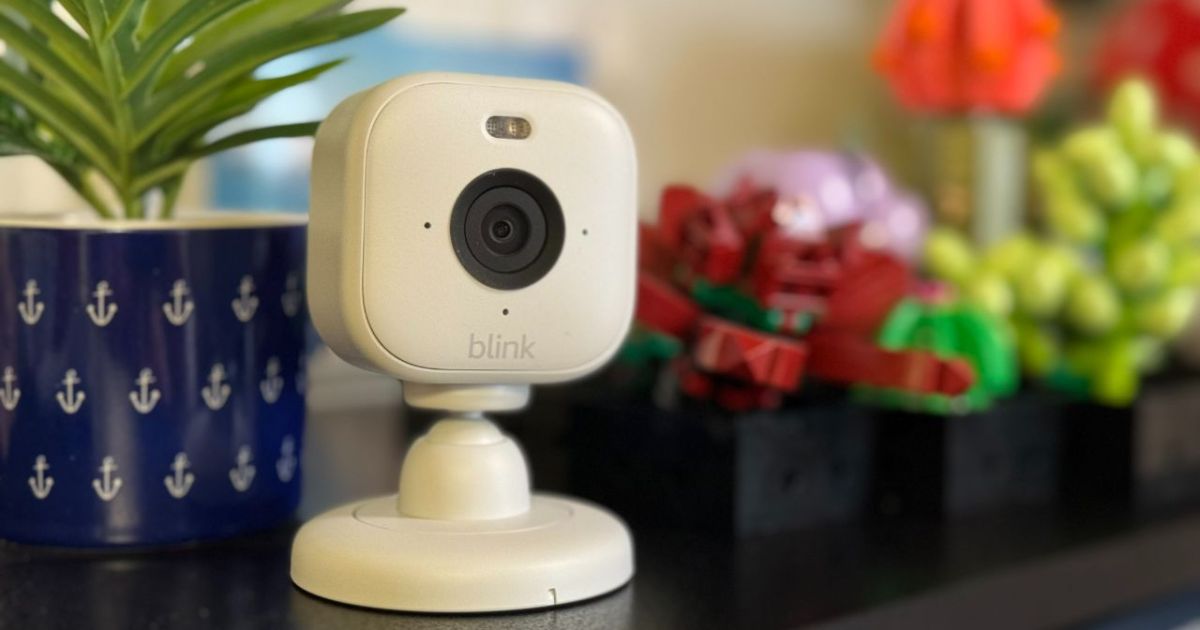
If you’ve been shopping for an affordable security camera that’s packed with useful features, the Blink Mini 2 should check all the right boxes. Along with serving as both an indoor or outdoor camera, the tiny device can double as a chime for your smart doorbell. There are a few limitations to the feature, but as long as you’re using a Blink Video Doorbell, you should have no problem linking the two devices together.

Need help with the process? Here’s how to use your Blink Mini 2 as a chime for your Blink Video Doorbell and receive alerts when someone is at your front door.

How to use the Blink Mini 2 as a chime

Once you’ve linked the Blink Mini 2 with your Blink Video Doorbell, the camera will play a chime sound from its speaker. This is incredibly useful for all homes, but it’s also a great way to save money as it prevents you from having to buy a standalone chime for the doorbell. With both products installed, here’s how to get your Blink Mini 2 working as a chime.

Step 1: Whether you’re using a Sync Module 2 or not, ensure the Blink Mini 2 and Blink Video Doorbell are connected to the same account and are on the same system.

Step 2: Tap the More button on the Blink Video Doorbell’s thumbnail.

Step 3: Select Device Settings, then Doorbell and Chime Settings.

Step 4: Next, tap the Use Blink Mini Camera as Chime.

Step 5: This will pull up a list of all the Blink Mini devices that are installed in the same system as your Blink Video Doorbell. Select the Blink Mini 2 you want to use as the chime. Note that multiple cameras can be selected.

Step 6: Press Save.

Step 7: That’s it! Your Blink Mini 2 will now chime when the Blink Video Doorbell rings.

The Blink Mini 2 placed on two books.

How to customize the Blink Mini 2 chime settings

Once your Blink Mini 2 is configured to work as a chime, you’ll gain access to a few additional settings you can tinker with.

Step 1: Tap the More button on the Blink Video Doorbell thumbnail.

Step 2: Select Device Settings, then Audio Settings.

Step 3: This will open a menu with options for Speaker Volume and Mini as a Chime Volume. The former lets you adjust the speaker volume of your camera, while the latter changes the volume of the chime that plays when your doorbell rings.

Blink Mini 2 chime troubleshooting

Getting the Blink Mini 2 and Blink Video Doorbell linked is usually a simple process, but there are a few pitfalls to be aware of. For one, you’ll need to make sure the two are running on the same system. When you first add your devices to the app, you’ll be asked to create a new system or add it to an existing system. If you accidentally installed the devices on different systems, you can simply delete the device and go through the install process again – this time choosing to install it on an existing system.

You’ll also want to make sure you check the volume of your chime, as turning it too low could prevent you from hearing it when the doorbell rings. Aside from those two issues, you shouldn’t encounter any problems getting this unique feature to work. If you do, consider reaching out to Blink for more extensive troubleshooting.

Editors’ Recommendations



Share. Facebook Twitter Pinterest LinkedIn Tumblr Email
Previous ArticleNASA reveals target date for first crewed Starliner flight
Next Article HP Envy x360 14 Laptop With 2.8K OLED Display, Up to Intel Core Ultra 7 CPUs Launched in India

Related Articles

OpenAI says AI models autonomously pulled off a major hack, but only a Chinese AI helped recovery
News

OpenAI says AI models autonomously pulled off a major hack, but only a Chinese AI helped recovery

22 July 2026
China’s AI talent shortage has tech giants recruiting teenagers
News

China’s AI talent shortage has tech giants recruiting teenagers

22 July 2026
Tesla’s Summer Update adds smarter Grok, personalized navigation, and Caraoke scoring
News

Tesla’s Summer Update adds smarter Grok, personalized navigation, and Caraoke scoring

22 July 2026
An unpatched Shark vacuum flaw could put your smart home at risk
News

An unpatched Shark vacuum flaw could put your smart home at risk

22 July 2026
Beatbot AquaSense X review: The pool cleaner for those that want to be pampered
News

Beatbot AquaSense X review: The pool cleaner for those that want to be pampered

22 July 2026
The AI game-dev boom has a dark side: fewer jobs for the people starting out
News

The AI game-dev boom has a dark side: fewer jobs for the people starting out

22 July 2026
Demo
Top Articles
5 laptops to buy instead of the M4 MacBook Pro

5 laptops to buy instead of the M4 MacBook Pro

17 November 2024133 Views
ChatGPT o1 vs. o1-mini vs. 4o: Which should you use?

ChatGPT o1 vs. o1-mini vs. 4o: Which should you use?

15 December 2024111 Views
Costco partners with Electric Era to bring back EV charging in the U.S.

Costco partners with Electric Era to bring back EV charging in the U.S.

28 October 2024100 Views

Subscribe to Updates

Get the latest tech news and updates directly to your inbox.

Latest News
The AI game-dev boom has a dark side: fewer jobs for the people starting out News

The AI game-dev boom has a dark side: fewer jobs for the people starting out

News Room22 July 2026
I found an iPhone app that builds a skincare routine from a 30-second face scan News

I found an iPhone app that builds a skincare routine from a 30-second face scan

News Room22 July 2026
The Army Is Burning Through Its AI Tokens News

The Army Is Burning Through Its AI Tokens

News Room22 July 2026
Most Popular
The Spectacular Burnout of a Solar Panel Salesman

The Spectacular Burnout of a Solar Panel Salesman

13 January 2025137 Views
5 laptops to buy instead of the M4 MacBook Pro

5 laptops to buy instead of the M4 MacBook Pro

17 November 2024133 Views
ChatGPT o1 vs. o1-mini vs. 4o: Which should you use?

ChatGPT o1 vs. o1-mini vs. 4o: Which should you use?

15 December 2024111 Views
Our Picks
An unpatched Shark vacuum flaw could put your smart home at risk

An unpatched Shark vacuum flaw could put your smart home at risk

22 July 2026
Beatbot AquaSense X review: The pool cleaner for those that want to be pampered

Beatbot AquaSense X review: The pool cleaner for those that want to be pampered

22 July 2026
The AI game-dev boom has a dark side: fewer jobs for the people starting out

The AI game-dev boom has a dark side: fewer jobs for the people starting out

22 July 2026

Subscribe to Updates

Get the latest tech news and updates directly to your inbox.

Facebook X (Twitter) Instagram Pinterest
  • Privacy Policy
  • Terms of use
  • Advertise
  • Contact Us
© 2026 Best in Technology. All Rights Reserved.

Type above and press Enter to search. Press Esc to cancel.