







Not only is Minecraft the bestselling game of all time, but it’s also insanely addictive to play. Who could say no to an immersive polygonal world of mining, agriculture, and digital zombies? Released all the way back in 2009, both PC and console versions of the famous title have come along.
The Minecraft world has expanded many times over, and a lot of that expansion is thanks to its players. We’re talking about Minecraft mods, and the game has seen quite a few of these exciting add-ons over the last 15 years. And if you’d like to experience one of these mods yourself, we’ve put together this guide to teach you how to install them on your PlayStation, Xbox, and/or desktop.
[Author’s note: This is a general overview of how to install Minecraft mods, not an all-encompassing guide. Installation can differ from mod to mod, so be sure to follow the download and installation instructions that can typically be found online alongside the download options.]
Installing Minecraft mods on Windows
There are a few different ways to get mods running with Minecraft, but the easiest and most popular method requires an application called Forge. Here’s how it works:
Step 1: Go to the official Forge website and download the recommended version of the software. You can also install the latest version of Forge, but it could have some unresolved bugs that will affect your ability to properly run some mods.
Step 2: Download the mods you want to install from a reliable source. CurseForge is a popular location with hundreds of great mods to choose from. However, not all mods are compatible with all versions of Minecraft, or even with Forge. Make sure to research the specific mod you’re interested in to find out if it’s compatible with your software.
Step 3: Create the “mods” folder in the .minecraft directory. Here’s the target address:
C:Users[yourname]AppDataRoaming.minecraft
If the AppData folder isn’t visible in File Explorer, click View at the app’s top and then check Hidden Items.
If this is your first mod, there is no “mods” folder within the .minecraft folder. With the .minecraft folder open, right-click within File Explorer and select New followed by Folder on the pop-up menu. Name that folder “mods.”
Step 4: Move the downloaded mod into the Mods folder.
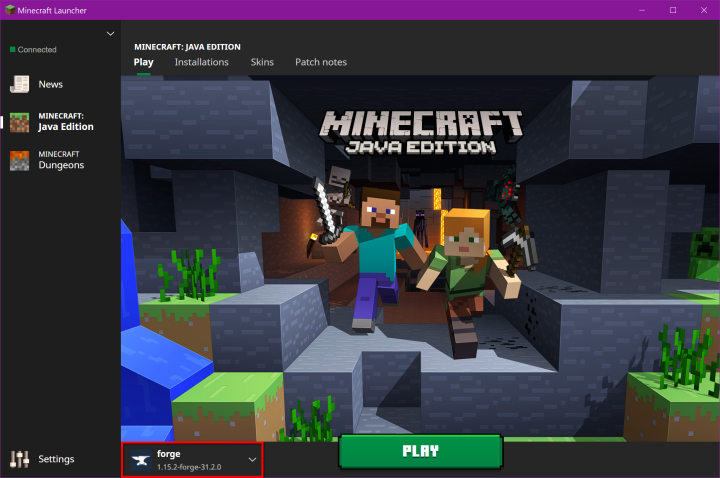
Step 5: Run Minecraft, but first make sure your Forge account is active. If not, your mods won’t load properly.
That’s it! As we mentioned, there are several other mod launchers on the internet besides Forge – such as LiteLoader – so you can always shop around if you don’t like everything it has to offer. That being said, it’s the most popular for a reason, and most new mods are usually compatible with the software.
Installing Minecraft mods on Mac
Mac users can follow steps 1 and 2 from the instructions above, though you should follow these instructions for step 3:
Create the “mods” folder in the minecraft directory. Here’s the target address:
~/Library/Application Support/minecraft
You can quickly access this folder using the Command + Shift + G keyboard shortcut. Alternatively, open Finder, click Go on the menu bar and access the Library folder by pressing the Option key. Open Application Support followed by minecraft after that.
Once there, right-click within that folder, select New Folder on the pop-up menu, and name it “mods.”
Mac users can now go back to following steps 4 and 5 from the above set of instructions.
Installing Minecraft mods on consoles
Unfortunately, mods don’t technically exist for Minecraft on Xbox and PlayStation. Instead, players have access to add-ons. Unlike mods, these add-ons aren’t free and are heavily restricted compared to PC mods. However, they’re still better than nothing, and they’re incredibly easy to install.
Step 1: Launch Minecraft on your console and select Marketplace on the main menu.
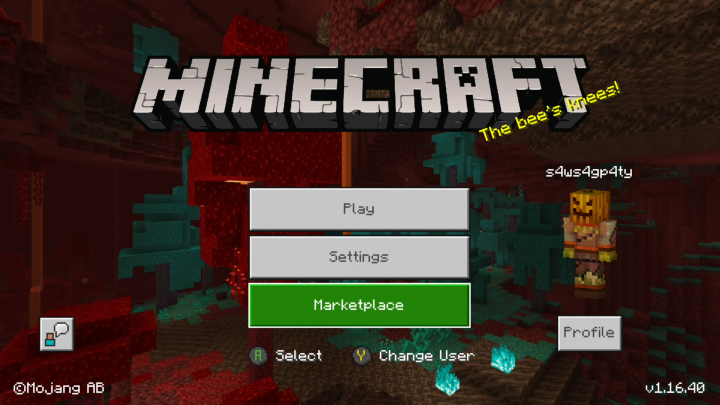
Step 2: Select a Skin Pack, World, Texture Pack, or Mash-up Pack.
Step 3: Use Minecoins or a credit card to purchase the add-on.
Can you get Minecraft mods for Nintendo Switch?
Similar to PlayStation and Xbox versions of Minecraft, the Nintendo Switch version doesn’t accept traditional mods. You’ll still be able to purchase “add-ons” through the Minecraft Marketplace dashboard, and if you’re comfortable with advanced custom firmware integration, you may be able to find and upload modded versions of the game.
Installing Minecraft mods on Android
Unfortunately, it’s not possible to use true mods with a handheld version of Minecraft, similar to the limitations you find on consoles. Luckily, you can use a third-party app, such as Add-ons for Minecraft, BlockLauncher, and Mods for Minecraft to let you customize the game how you want. This is how it works:
Step 1: Navigate to Blocklauncher and install the popular, useful app that’s widely used to load mods.
Step 2: Follow the app’s directions, as BlockLauncher will give you different instructions based on the type of device you’re on.
Step 3: Return to the Google Play Store and download Mods for Minecraft PE. This app will allow you to download and install your mods quickly and efficiently.
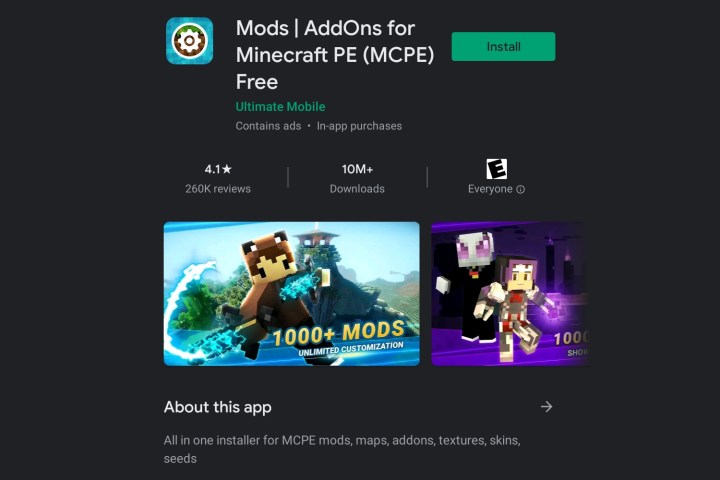
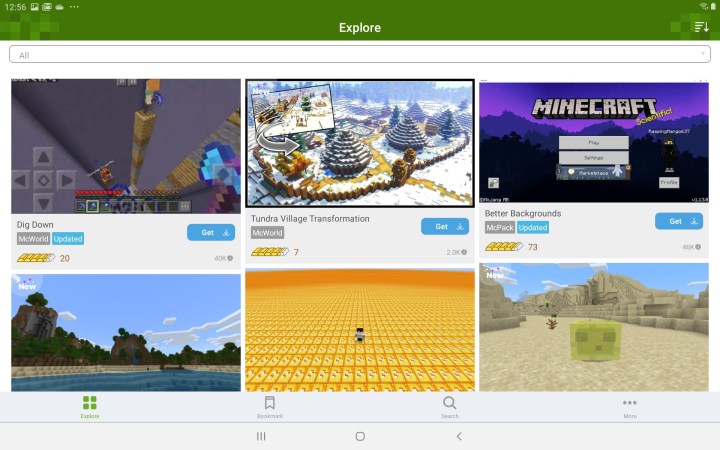
Step 4: Head to the search function and use it to search for the mod you want to download.
Step 5: Once you find the perfect mod for you, click Install. This will automatically install the mod into the game you selected.
Installing Minecraft mods on iOS
Step 1: The first thing you should do is install a few add-ons for Minecraft. These are readily available for download in the App Store.
Step 2: To find and install your add-ons, follow the on-screen steps.
Are Minecraft mods free to download?
A majority of Minecraft mods can be downloaded for free. In fact, there are over 100,000 mods to choose from on the CurseForge platform alone, and most of these uploads are free. The only thing you’ll pay for (in most cases) is the base game, which is currently $26.95 for the Java Edition (Windows, Mac, Linux).
Are Minecraft mods safe to download?
Generally speaking, downloading Minecraft mods is a safe and easy process. The key is to make sure you’re downloading from trusted mod sites, with minecraftmods.com, planetminecraft.com, 9minecraft.net, and curseforge.com typically being safe bets.
We also recommend creating a backup of your server before installing any mods. If something goes wrong during the installation process, you’ll be able to load up a version of the game that still works.
These days, modding Minecraft games is relatively simple. We believe the excellent content you receive is entirely worth the time and effort you put in to download the mods. We can assure you that you’ll fall head over heels for at least one of the mods you come across.
Editors’ Recommendations


