


Close Menu
Best in TechnologyBest in Technology
  • News
  • Phones
  • Laptops
  • Gadgets
  • Gaming
  • AI
  • Tips
  • More
    • Web Stories
    • Global
    • Press Release

Subscribe to Updates

Get the latest tech news and updates directly to your inbox.

What's On
The Motorola Edge 70 Max leak just exposed a much more ambitious phone than expected

The Motorola Edge 70 Max leak just exposed a much more ambitious phone than expected

13 July 2026
I wouldn’t have recommended this Nintendo Switch 2 accessory before, but this deal changes everything

I wouldn’t have recommended this Nintendo Switch 2 accessory before, but this deal changes everything

13 July 2026
This floating AI robot looks like it escaped a Studio Ghibli film, and that’s exactly the point

This floating AI robot looks like it escaped a Studio Ghibli film, and that’s exactly the point

13 July 2026
Facebook X (Twitter) Instagram
Just In
  • The Motorola Edge 70 Max leak just exposed a much more ambitious phone than expected
  • I wouldn’t have recommended this Nintendo Switch 2 accessory before, but this deal changes everything
  • This floating AI robot looks like it escaped a Studio Ghibli film, and that’s exactly the point
  • This app gives your Mac a music player you’ll actually enjoy using
  • Anthropic is giving away Claude Fable 5 at no extra cost for a limited time
  • Scammers are now cloning trusted news websites to steal your money
  • The days of unrestricted social media for children may be coming to an end
  • Apple could launch two new Apple Pencils next spring alongside the iPad Pro
Facebook X (Twitter) Instagram Pinterest Vimeo
Best in TechnologyBest in Technology
  • News
  • Phones
  • Laptops
  • Gadgets
  • Gaming
  • AI
  • Tips
  • More
    • Web Stories
    • Global
    • Press Release
Subscribe
Best in TechnologyBest in Technology
Home » How to download YouTube videos for offline viewing
News

How to download YouTube videos for offline viewing

News RoomBy News Room6 January 20244 Mins Read
Share Facebook Twitter Pinterest LinkedIn Tumblr Reddit Telegram Email
How to download YouTube videos for offline viewing
Share
Facebook Twitter LinkedIn Pinterest Email

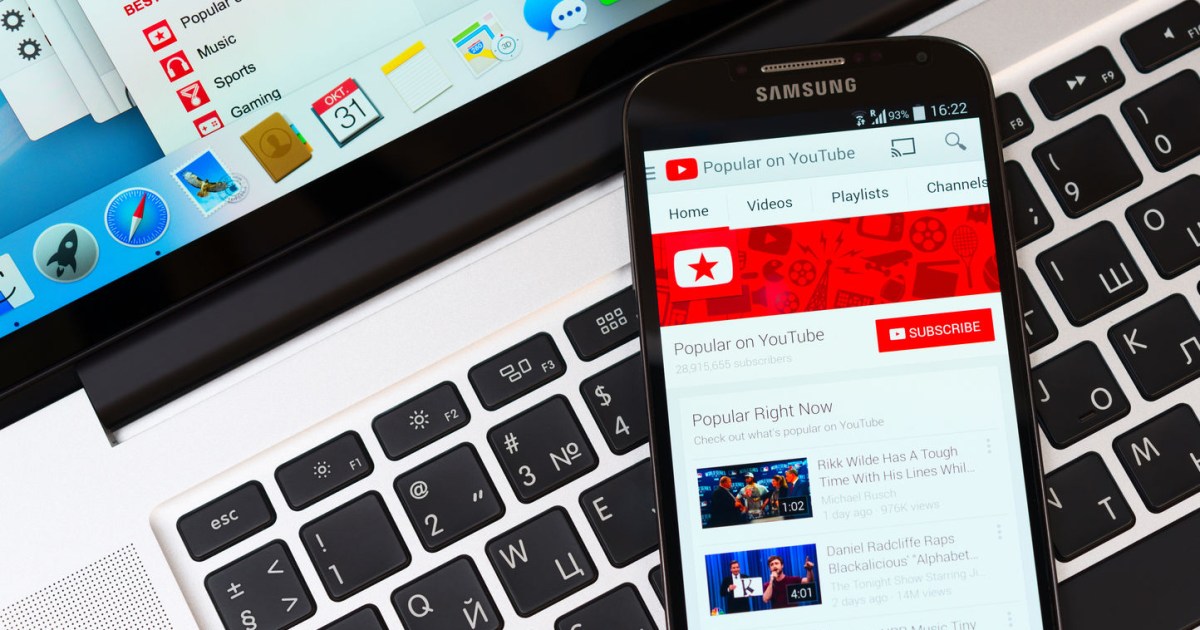
YouTube has a lot of excellent and super helpful content, including visual aides, tutorials, and DIY videos. In fact, it’s one of the best places to go learn something new or learn a little more about a subject you’re interested in. There are also a lot of fantastic user-generated videos, indie documentaries, and fan films that warrant repeated viewings. There’s just one problem. You have to be online to watch YouTube videos and content. So, if you’re going on a long flight, for example, or visiting somewhere remote, you may be out of luck if you’re hoping to kick back and watch some YouTube. That is, unless, you know how to download YouTube videos.

You should know that Google generally frowns upon users downloading YouTube content, and even expressly forbids doing so in its terms of service for YouTube except under limited conditions. That said, when it comes to copyright terms, it should be alright as long as you’re doing it for your own, personal and offline use, and not redistributing the content in any way.

Nevertheless, if you’re looking to watch YouTube videos offline, here’s how you can go about downloading them, even for free in some cases.

YouTube Premium Downloads

While it’s not free, YouTube Premium, the paid version of the online service, does allow users to download videos for offline viewing. But there are some important distinctions to make here. Anything you download is limited to 1080P full-HD quality or lower — so no 4K content. Moreover, the way downloads work for YouTube Premium is similar to something like Netflix or Hulu’s mobile apps. The streaming video is saved to your local device storage in a proprietary format and you can only use the YouTube app to watch it. Downloads will remain available for up to 30 days at a time before you have to reconnect to the internet to renew the license.

If you’ve never signed up for YouTube Premium before you may be in luck. There is a YouTube Premium free trial, which allows you to use the service for an entire month without paying a dime. After the 30 days are up, you’ll have to pay $12 per month if you want to stay subscribed.

When you’re ready, the quick guide below will walk you through downloading your first YouTube videos.

How to download videos with YouTube Premium

On desktop:

To download YouTube videos on a desktop, do the following:

  • In a browser, navigate to the main page of the video you want to download.
  • Click the Download button just below the video.

At any time, you can see the videos you’ve downloaded by selecting the menu button (three lines) in the top left and choosing Downloads. You can also visit your YouTube Downloads Feed here.

On mobile:

To download YouTube videos from a mobile device using the app, do the following:

  • From the Home tab within the YouTube App tap the menu button (three dots) next to the video you want to download.
  • Select Download video from the list of options

That’s it! You can access any videos you’ve downloaded by opening the Library tab and selecting Downloads. Remember, they will only be available to watch from within the YouTube app.

How to download YouTube videos for free

If you want to know how to download YouTube videos for free, outside of YouTube Premium, you’ll need to use a third party tool. Available for Windows, Mac, and Linux, ClipGrab is a free downloader and conversion tool for use with YouTube, Vimeo, and Facebook videos (now Meta). After installing the app, downloading YouTube videos is pretty simple. Just copy the web address of the video, insert that into ClipGrab, and then select the video format and quality you want for the output file. You can save YouTube videos in MPEG4, MP3, WMV, OGG Vorbis, OGG Theora, or native formats, which, depending on the source, will be in MPEG4, FLV, or WebM file types.

It’s quick, it’s easy, and it’s free, but, of course, it’s only available on a desktop, not mobile devices. However, you should be able to transfer the output files to your mobile to watch anywhere after the files have been downloaded.

Editors’ Recommendations


Share. Facebook Twitter Pinterest LinkedIn Tumblr Email
Previous ArticleHow to fix the ‘iPhone Unavailable’ error (4 easy ways)
Next Article OnePlus 12R to Be Available for Purchase via Amazon, Colour Options Revealed Ahead of Launch in India

Related Articles

The Motorola Edge 70 Max leak just exposed a much more ambitious phone than expected
News

The Motorola Edge 70 Max leak just exposed a much more ambitious phone than expected

13 July 2026
I wouldn’t have recommended this Nintendo Switch 2 accessory before, but this deal changes everything
News

I wouldn’t have recommended this Nintendo Switch 2 accessory before, but this deal changes everything

13 July 2026
This floating AI robot looks like it escaped a Studio Ghibli film, and that’s exactly the point
News

This floating AI robot looks like it escaped a Studio Ghibli film, and that’s exactly the point

13 July 2026
This app gives your Mac a music player you’ll actually enjoy using
News

This app gives your Mac a music player you’ll actually enjoy using

13 July 2026
Anthropic is giving away Claude Fable 5 at no extra cost for a limited time
News

Anthropic is giving away Claude Fable 5 at no extra cost for a limited time

13 July 2026
Scammers are now cloning trusted news websites to steal your money
News

Scammers are now cloning trusted news websites to steal your money

13 July 2026
Demo
Top Articles
5 laptops to buy instead of the M4 MacBook Pro

5 laptops to buy instead of the M4 MacBook Pro

17 November 2024133 Views
ChatGPT o1 vs. o1-mini vs. 4o: Which should you use?

ChatGPT o1 vs. o1-mini vs. 4o: Which should you use?

15 December 2024111 Views
Costco partners with Electric Era to bring back EV charging in the U.S.

Costco partners with Electric Era to bring back EV charging in the U.S.

28 October 2024100 Views

Subscribe to Updates

Get the latest tech news and updates directly to your inbox.

Latest News
Scammers are now cloning trusted news websites to steal your money News

Scammers are now cloning trusted news websites to steal your money

News Room13 July 2026
The days of unrestricted social media for children may be coming to an end News

The days of unrestricted social media for children may be coming to an end

News Room13 July 2026
Apple could launch two new Apple Pencils next spring alongside the iPad Pro News

Apple could launch two new Apple Pencils next spring alongside the iPad Pro

News Room13 July 2026
Most Popular
The Spectacular Burnout of a Solar Panel Salesman

The Spectacular Burnout of a Solar Panel Salesman

13 January 2025137 Views
5 laptops to buy instead of the M4 MacBook Pro

5 laptops to buy instead of the M4 MacBook Pro

17 November 2024133 Views
ChatGPT o1 vs. o1-mini vs. 4o: Which should you use?

ChatGPT o1 vs. o1-mini vs. 4o: Which should you use?

15 December 2024111 Views
Our Picks
This app gives your Mac a music player you’ll actually enjoy using

This app gives your Mac a music player you’ll actually enjoy using

13 July 2026
Anthropic is giving away Claude Fable 5 at no extra cost for a limited time

Anthropic is giving away Claude Fable 5 at no extra cost for a limited time

13 July 2026
Scammers are now cloning trusted news websites to steal your money

Scammers are now cloning trusted news websites to steal your money

13 July 2026

Subscribe to Updates

Get the latest tech news and updates directly to your inbox.

Facebook X (Twitter) Instagram Pinterest
  • Privacy Policy
  • Terms of use
  • Advertise
  • Contact Us
© 2026 Best in Technology. All Rights Reserved.

Type above and press Enter to search. Press Esc to cancel.