






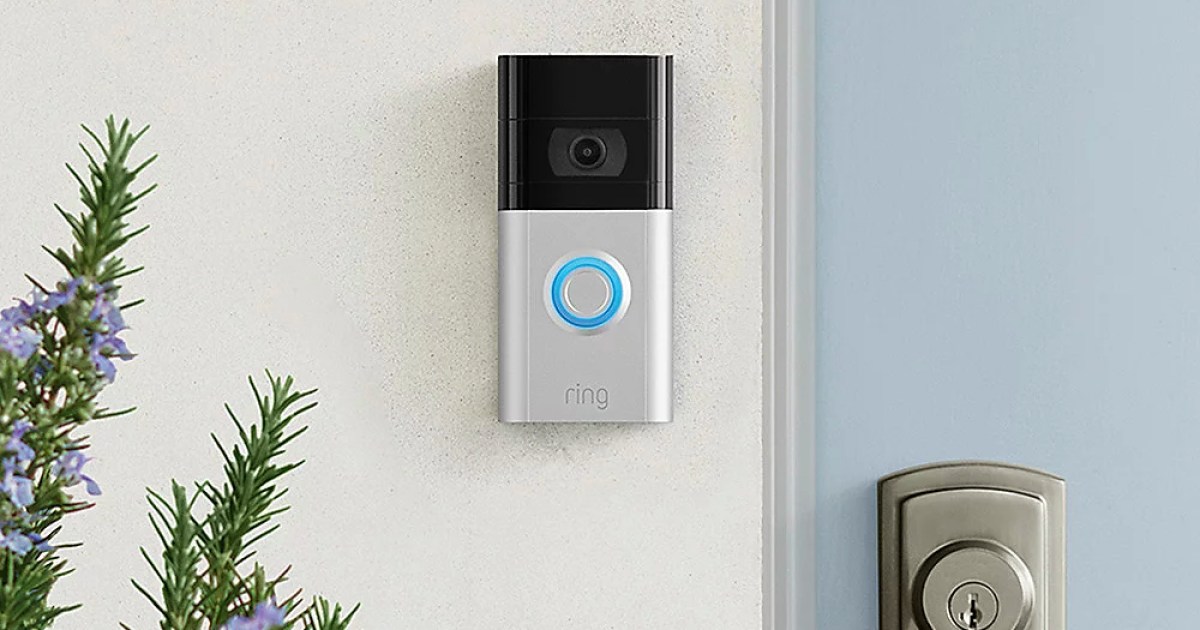
Ring’s many generations of its video doorbell are among the most popular options for monitoring your front porch, backdoor, and wherever else you can place one of these surveillance devices.
Quick to install and easy to use, a number of Ring’s Video Doorbell products come with built-in batteries for homeowners who don’t want to physically wire the device into their home’s existing doorbell system. Like most batteries, though, you’ll need to occasionally recharge the cell to keep your Video Doorbell operating.
Fortunately, the process to do so is just as easy as setting up the doorbell (if not easier).
How to remove the Ring Video Doorbell (1st gen) or Ring Video Doorbell (2020) battery
If you own one of Ring’s first-gen doorbells or the 2020 reimagining of the classic design, the entire doorbell frame needs to be removed in order to charge the battery.
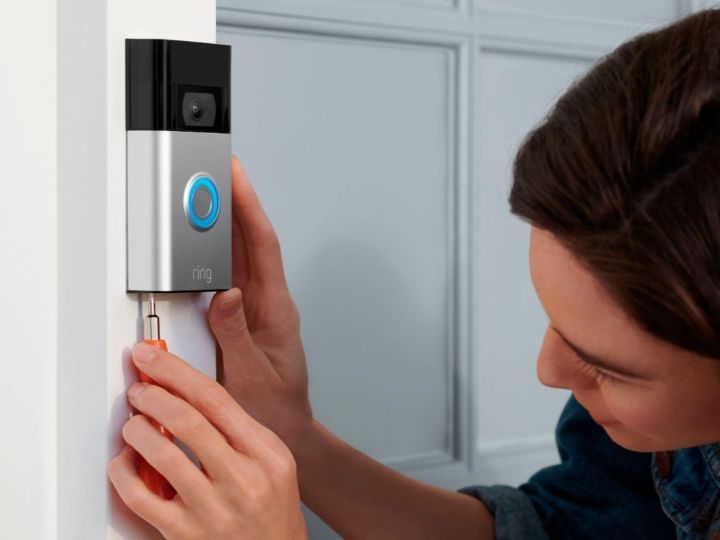
Using a Phillips-head screwdriver, remove the security screws at the bottom of the faceplate. Once the screws are out, simply lift the doorbell up and out of the mounting bracket.
How to remove the Ring Video Doorbell 2, 3, 3+, or 4 battery
Unlike the Ring Video Doorbell (first gen) and Ring Video Doorbell (2020) models, the rest of the battery-powered doorbells in Ring’s current lineup all have removable batteries. So you won’t have to go through the hassle of removing the entire doorbell when it’s time to recharge.
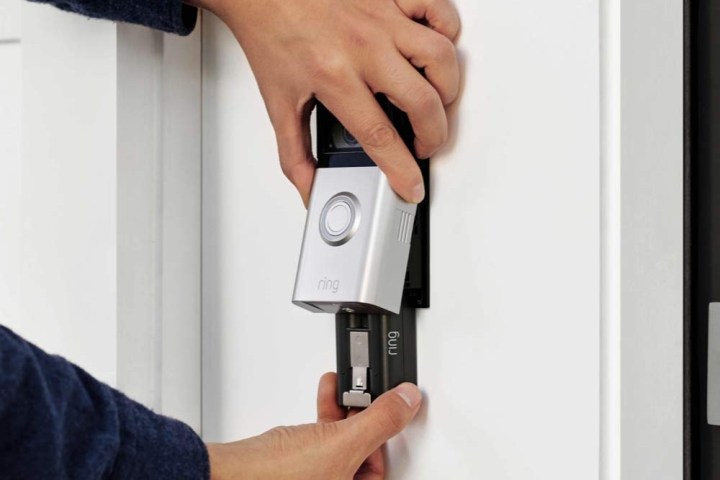
Step 1: Using a Phillips-head screwdriver, remove the security screws at the bottom of the doorbell’s faceplate. Once both screws are out, grab both faceplate ridges, squeeze, and gingerly lift away the faceplate.
Step 2: With the battery now exposed, simply press on the silver release tab to remove the pack.

How to charge your Ring Video Doorbell battery
Similar to other rechargeable battery packs, your Ring Video Doorbell is recharged using a Micro USB cable. While the doorbell came with one in the box, these can sometimes go missing — but not to worry.
Micro USB cables are one of the most common A-to-B wires for mobile devices and other smart home hardware, so there’s a good chance you have a spare one lying around that will fit your bell without an issue.
And if you’ve truly lost the one and only cord you had, you can always purchase a replacement from Ring directly.
Step 1: With battery (or entire doorbell with attached battery) and cable in hand, connect the small end of the Micro USB cable to the input on your Ring doorbell battery to charge it.
Step 2: According to Ring, it takes about six to eight hours to completely recharge a depleted doorbell battery.
While you can always connect the USB-A end of your charging cable to a laptop, game system, or other device that has a USB input, you’ll get the fastest recharge times by connecting your USB cable to a dedicated power brick that you plug into a wall outlet.
Step 3: When the battery is finished recharging, the indicator light on the cell will turn a solid green. Unplug the wire and reconnect the battery to the faceplate assembly.
For first-gen and 2020 Ring doorbells, you’ll need to reattach the entire doorbell frame to the mounting bracket.
How to check the battery level of your Ring Video Doorbell
Once your Ring Video Doorbell is recharged and back online, you’ll want to physically ring the bell a couple of times to update your battery’s charge status in the Ring app.
After doing so, you can then use the Ring companion app to ensure the battery capacity is where it should be.
Step 1: Launch the Ring app on your go-to phone or tablet (available for iOS and Android devices). Then, on the homepage, select the three bars icon in the top-right corner of the screen.
Step 2: Select Devices, then select the doorbell model of the battery you want to check. On the next screen, select Power Settings.
Step 3: The charge level of your Ring Video Doorbell will be displayed under Battery Status. Ensure the battery is completely recharged, close the app, and you’re good to go.
Consider picking up a second battery and charging station
Since it can take up to eight hours to recharge your Ring battery, many owners decide to purchase a backup battery. This allows them to use the backup battery with their video doorbell while the original battery is charging, ensuring there’s no downtime for your camera. A single Quick Release Battery Pack costs $35, and you can even find a Ring Charging Station for $30.
The Charging Station is a great idea for homes with more than one Ring product, as it’s capable of charging two batteries simultaneously via a single USB cord. Simply place your battery into one of the two charging ports, then come back later when the LED indicator shows you have a full battery. Consider giving it a look if you’re frequently recharging your Ring devices.
What drains the battery of my Ring Video Doorbell?
Ring Video Doorbells use lithium-ion battery packs, an extremely common type of cell that can be found in all kinds of indoor and outdoor devices. While a full battery charge should last several months without service, there are a few things that can affect the overall health of the battery.
Temperature extremes are one of the major causes of rapid battery-drain, particularly the cold. In fact, during the winter months, you may find that you need to recharge your doorbell’s battery more frequently.
Another factor is the amount of activity your doorbell is capturing on a daily basis. An active doorbell that is constantly triggered by motion happening on and around your property is going to be non-idle more than a doorbell in a relatively motion-free environment.
If you want to see exactly what features are affecting the health of your doorbell battery, you can monitor and adjust certain Ring Video Doorbell capabilities under the Feature Power Usage tab in the Ring app (located in Power Settings).
Editors’ Recommendations


