




Close Menu
Best in TechnologyBest in Technology
  • News
  • Phones
  • Laptops
  • Gadgets
  • Gaming
  • AI
  • Tips
  • More
    • Web Stories
    • Global
    • Press Release

Subscribe to Updates

Get the latest tech news and updates directly to your inbox.

What's On
Apple is prepping new iPads for 2026, but you shouldn’t expect any fireworks

Apple is prepping new iPads for 2026, but you shouldn’t expect any fireworks

9 February 2026
Review: Oticon Zeal

Review: Oticon Zeal

9 February 2026
iPhone 17e is eyeing three key upgrades without a price hike

iPhone 17e is eyeing three key upgrades without a price hike

9 February 2026
Facebook X (Twitter) Instagram
Just In
  • Apple is prepping new iPads for 2026, but you shouldn’t expect any fireworks
  • Review: Oticon Zeal
  • iPhone 17e is eyeing three key upgrades without a price hike
  • Review: Bryte Balance Pro Smart Mattress
  • Samsung Galaxy S26 series: Everything we know ahead of Unpacked 2026
  • QD-OLED at $399.99 is the kind of monitor deal that can instantly upgrade your whole setup
  • A full in-wall 5.1 surround system for $1,499 is the kind of Presidents’ Day deal that changes a room
  • This Marshall speaker is basically a living-room amp you can stream to, and it’s $100 off for Presidents’ Day
Facebook X (Twitter) Instagram Pinterest Vimeo
Best in TechnologyBest in Technology
  • News
  • Phones
  • Laptops
  • Gadgets
  • Gaming
  • AI
  • Tips
  • More
    • Web Stories
    • Global
    • Press Release
Subscribe
Best in TechnologyBest in Technology
Home » How to change modes on the Nest Thermostat
News

How to change modes on the Nest Thermostat

News RoomBy News Room13 December 20234 Mins Read
Share Facebook Twitter Pinterest LinkedIn Tumblr Reddit Telegram Email
How to change modes on the Nest Thermostat
Share
Facebook Twitter LinkedIn Pinterest Email

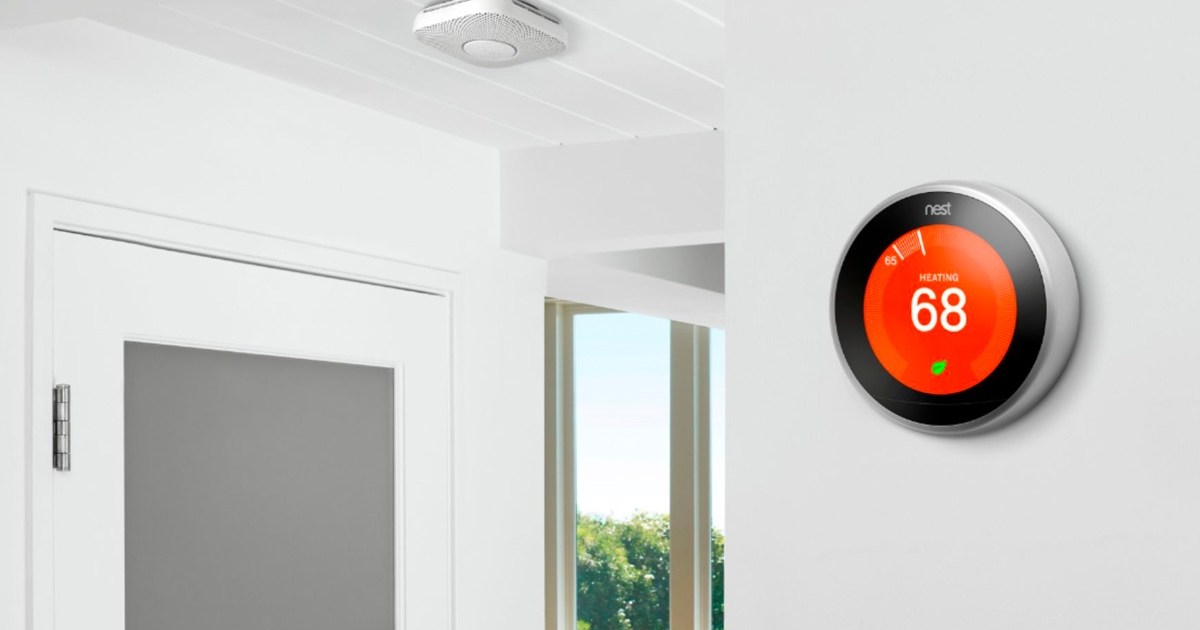
The Google Nest Thermostat and Nest Learning Thermostat are two of the most popular smart thermostats available for your smart home. Both are capable of helping you cut down on energy bills while still keeping your home cozy and comfortable. But since the products lack the physical buttons found on traditional thermostats, operating them requires a bit of a learning curve.

Trying to figure out how to turn on heat with the Nest Thermostat? Or is your home getting too warm and you need to turn on the air conditioner? Here’s a look at how to change modes on the Nest Thermostat and get your home back to your preferred temperature.

Consider using the Heat and Cool mode

Before discussing how to turn on your heat or air conditioning, it’s worth mentioning the Heat and Cool mode offered by most Nest Thermostats. This mode allows the thermostat to automatically turn on either your furnace or A/C unit based on your preferred settings. If your home gets too cold, the heat will turn on. If it gets too hot, the air conditioning will turn on. There’s no need to switch to other modes when Heat and Cool mode is activated, making it easier than ever to keep your home at a comfortable temperature.

You’ll need to put in a bit more upfront work (as you’ll need to use the app to program in your low and high ranges), but it’s definitely worth the extra effort.

How to change modes on the Nest Thermostat

Whether you’re trying to use heating, cooling, or heat and cool, changing modes on the Nest Thermostat always follows the same steps. Here’s a look at how to operate your Nest Thermostat and change its mode.

Step 1: If you’re using the Nest Thermostat or Nest Learning Thermostat, press either the touch bar or ring to open the menu.

Step 2: Next, navigate to Mode (this may also be called Temperature Mode, depending on your model).

Step 3: Finally, select the mode you want to use. On the Nest Thermostat, this can be done by sliding your finger to the mode, then tapping to select it. On the Nest Learning Thermostat, this is done by turning the ring until your preferred mode is selected, then pressing to confirm the selection.

Step 4: Once you’ve confirmed your selection, the thermostat will immediately switch over to the new mode. Be sure to dive into your Google Home app if you want to see your preferred temperature ranges for both heating and cooling.

Step 5: If you’re using the older Nest Thermostat E, you’ll instead need to press the ring to open the menu, then turn the ring to the mode you’d like to select. Once you’ve highlighted your prefered mode, press to confirm your selection.

Woman using Nest Thermostat.

How to change modes with the Google Home app

Along with serving as a destination to check your temperature ranges, you can remotely change your thermostat mode using the Google Home app. Here’s how it works.

Step 1: Open the Google Home app and select Devices.

Step 2: Find the thermostat you want to adjust.

Step 3: Select the Temperature icon, then change it to the mode you’d like to enable.

Step 4: That’s it! Using Google Home is arguably the easier way to manipulate your Nest Thermostat, as it allows you access it from anywhere in your home (so you don’t even have to get off the couch to turn on the heat). If you’re looking to save the most money, consider enabling Eco Mode, which helps limit your energy usage and finds the optimal heating and cooling schedules for your home.

Editors’ Recommendations


Share. Facebook Twitter Pinterest LinkedIn Tumblr Email
Previous ArticleWhy Even a Partial Digital Detox Is a Good Idea This Christmas
Next Article PlayStation, Xbox, And Nintendo Year In Reviews Are Now Live

Related Articles

Apple is prepping new iPads for 2026, but you shouldn’t expect any fireworks
News

Apple is prepping new iPads for 2026, but you shouldn’t expect any fireworks

9 February 2026
Review: Oticon Zeal
News

Review: Oticon Zeal

9 February 2026
iPhone 17e is eyeing three key upgrades without a price hike
News

iPhone 17e is eyeing three key upgrades without a price hike

9 February 2026
Review: Bryte Balance Pro Smart Mattress
News

Review: Bryte Balance Pro Smart Mattress

9 February 2026
Samsung Galaxy S26 series: Everything we know ahead of Unpacked 2026
News

Samsung Galaxy S26 series: Everything we know ahead of Unpacked 2026

9 February 2026
QD-OLED at 9.99 is the kind of monitor deal that can instantly upgrade your whole setup
News

QD-OLED at $399.99 is the kind of monitor deal that can instantly upgrade your whole setup

9 February 2026
Demo
Top Articles
ChatGPT o1 vs. o1-mini vs. 4o: Which should you use?

ChatGPT o1 vs. o1-mini vs. 4o: Which should you use?

15 December 2024108 Views
5 laptops to buy instead of the M4 MacBook Pro

5 laptops to buy instead of the M4 MacBook Pro

17 November 2024101 Views
Costco partners with Electric Era to bring back EV charging in the U.S.

Costco partners with Electric Era to bring back EV charging in the U.S.

28 October 202498 Views

Subscribe to Updates

Get the latest tech news and updates directly to your inbox.

Latest News
QD-OLED at 9.99 is the kind of monitor deal that can instantly upgrade your whole setup News

QD-OLED at $399.99 is the kind of monitor deal that can instantly upgrade your whole setup

News Room9 February 2026
A full in-wall 5.1 surround system for ,499 is the kind of Presidents’ Day deal that changes a room News

A full in-wall 5.1 surround system for $1,499 is the kind of Presidents’ Day deal that changes a room

News Room9 February 2026
This Marshall speaker is basically a living-room amp you can stream to, and it’s 0 off for Presidents’ Day News

This Marshall speaker is basically a living-room amp you can stream to, and it’s $100 off for Presidents’ Day

News Room9 February 2026
Most Popular
The Spectacular Burnout of a Solar Panel Salesman

The Spectacular Burnout of a Solar Panel Salesman

13 January 2025137 Views
ChatGPT o1 vs. o1-mini vs. 4o: Which should you use?

ChatGPT o1 vs. o1-mini vs. 4o: Which should you use?

15 December 2024108 Views
5 laptops to buy instead of the M4 MacBook Pro

5 laptops to buy instead of the M4 MacBook Pro

17 November 2024101 Views
Our Picks
Review: Bryte Balance Pro Smart Mattress

Review: Bryte Balance Pro Smart Mattress

9 February 2026
Samsung Galaxy S26 series: Everything we know ahead of Unpacked 2026

Samsung Galaxy S26 series: Everything we know ahead of Unpacked 2026

9 February 2026
QD-OLED at 9.99 is the kind of monitor deal that can instantly upgrade your whole setup

QD-OLED at $399.99 is the kind of monitor deal that can instantly upgrade your whole setup

9 February 2026

Subscribe to Updates

Get the latest tech news and updates directly to your inbox.

Facebook X (Twitter) Instagram Pinterest
  • Privacy Policy
  • Terms of use
  • Advertise
  • Contact Us
© 2026 Best in Technology. All Rights Reserved.

Type above and press Enter to search. Press Esc to cancel.