





Close Menu
Best in TechnologyBest in Technology
  • News
  • Phones
  • Laptops
  • Gadgets
  • Gaming
  • AI
  • Tips
  • More
    • Web Stories
    • Global
    • Press Release

Subscribe to Updates

Get the latest tech news and updates directly to your inbox.

What's On
Ayaneo’s new handheld revives the Game Boy Advance. Nintendo probably wishes it had done it first

Ayaneo’s new handheld revives the Game Boy Advance. Nintendo probably wishes it had done it first

2 August 2026
Ted Lasso season 4 is coming soon with these two major changes

Ted Lasso season 4 is coming soon with these two major changes

2 August 2026
The Moto Razr 2026 could be getting its fanciest finish yet

The Moto Razr 2026 could be getting its fanciest finish yet

2 August 2026
Facebook X (Twitter) Instagram
Just In
  • Ayaneo’s new handheld revives the Game Boy Advance. Nintendo probably wishes it had done it first
  • Ted Lasso season 4 is coming soon with these two major changes
  • The Moto Razr 2026 could be getting its fanciest finish yet
  • The Best Indie Games of 2026 (So Far)
  • Galaxy S27 Ultra price hike looks unavoidable as component prices continue to spiral
  • Sony’s 720Hz tandem WOLED gaming monitor is finally available worldwide
  • The Moto Watch Ultra could revive Motorola’s premium smartwatch ambitions
  • Google just canceled its AI Studio mobile app, and it’s not all bad news
Facebook X (Twitter) Instagram Pinterest Vimeo
Best in TechnologyBest in Technology
  • News
  • Phones
  • Laptops
  • Gadgets
  • Gaming
  • AI
  • Tips
  • More
    • Web Stories
    • Global
    • Press Release
Subscribe
Best in TechnologyBest in Technology
Home » How to access your Spotify listening history
News

How to access your Spotify listening history

News RoomBy News Room3 June 20242 Mins Read
Share Facebook Twitter Pinterest LinkedIn Tumblr Reddit Telegram Email
How to access your Spotify listening history
Share
Facebook Twitter LinkedIn Pinterest Email

You’re a voracious devourer of music, podcasts, and audiobooks on Spotify. The world’s most popular music streaming service has more content than you know what to do with, and it’s easy to lose track of everything you’ve listened to.

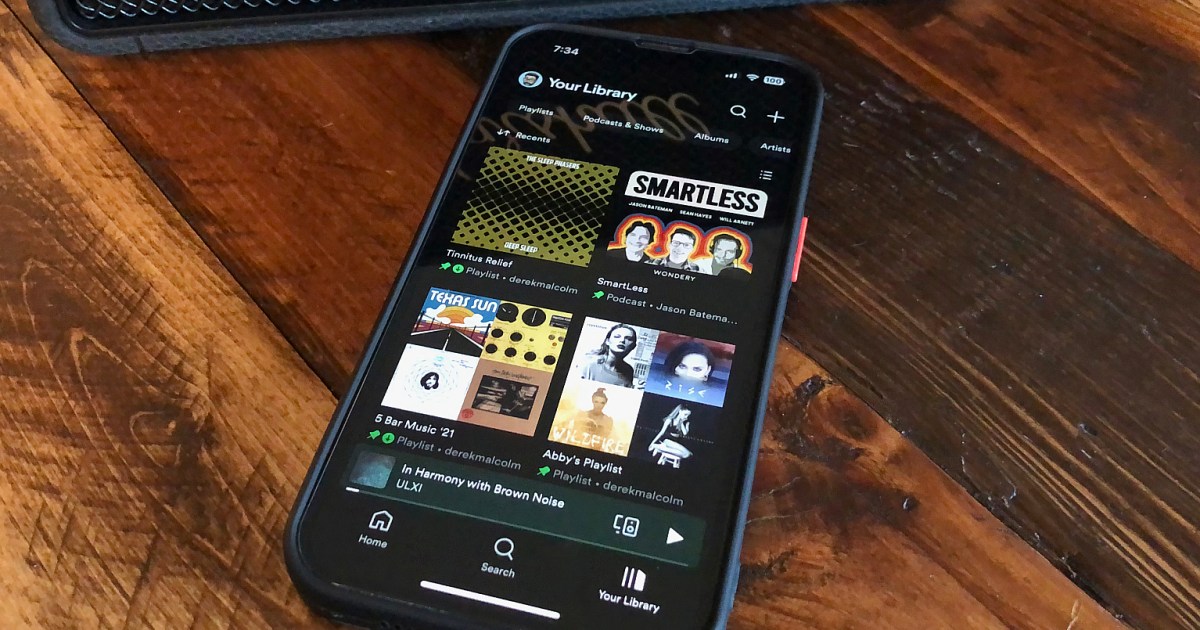
Maybe you’ve gone down a Steely Dan rabbit hole or binged an entire season of SmartLess or just lost track of all the cool new music your teenage daughter recommended. It doesn’t matter why you might need to take stock of your Spotify listening history — the point is that it’s easy to do on your smartphone/tablet and desktop Spotify apps. Here’s how.

How to find your Spotify listening history on the mobile app

The Spotify app will archive your listening history for up to 70 days. Here’s how to access it on the smartphone and tablet apps.

Step 1: Grab your smartphone or tablet and open the Spotify app.

Step 2: In the top-left corner, select your profile icon.

How to find your Spotify listening history on the mobile app.

Step 3: Next, select Listening history.

How to find your Spotify listening history on the mobile app.

Step 4: Form here, under Recently played, you’ll find everything you’ve listened to — artists, albums, playlists, songs, podcasts, audiobooks, audiobook chapters, and more.

Step 5: You can either play the content from here or tap the three dots on the right to select a different action, like add to playlist, share, view album, and more.

How to find your Spotify listening history on the mobile app.

How to find your Spotify listening history on the desktop app

Finding your Spotify listening history is just as easy on the Spotify desktop app, but in this case, it only lets you see the last 50 tracks you’ve listened to. Here’s how to access it.

Step 1: Open the Spotify desktop app on your computer.

Step 2: At the bottom right, select the Queue icon (it kind of looks like a little pill with two lines under it).

How to see your Spotify listening history on Spotify desktop.

Step 3: A pane will open up on the right side, and at the top you’ll see Queue and Recently played. Select the latter.

How to see your Spotify listening history on Spotify desktop.

Step 4: Listed below, you’ll see the last 50 tracks, podcast episodes, audiobooks, and more that you listened to.

Step 5: Again, you can either play a selection or hover over a selection and click the three-dotted dropdown menu for more options.

How to see your Spotify listening history on Spotify desktop.

Editors’ Recommendations


Share. Facebook Twitter Pinterest LinkedIn Tumblr Email
Previous ArticleHere are all the major changes the ROG Ally X makes over the original
Next Article NASA sets new target launch date for Starliner spacecraft

Related Articles

Ayaneo’s new handheld revives the Game Boy Advance. Nintendo probably wishes it had done it first
News

Ayaneo’s new handheld revives the Game Boy Advance. Nintendo probably wishes it had done it first

2 August 2026
Ted Lasso season 4 is coming soon with these two major changes
News

Ted Lasso season 4 is coming soon with these two major changes

2 August 2026
The Moto Razr 2026 could be getting its fanciest finish yet
News

The Moto Razr 2026 could be getting its fanciest finish yet

2 August 2026
Galaxy S27 Ultra price hike looks unavoidable as component prices continue to spiral
News

Galaxy S27 Ultra price hike looks unavoidable as component prices continue to spiral

1 August 2026
Sony’s 720Hz tandem WOLED gaming monitor is finally available worldwide
News

Sony’s 720Hz tandem WOLED gaming monitor is finally available worldwide

1 August 2026
The Moto Watch Ultra could revive Motorola’s premium smartwatch ambitions
News

The Moto Watch Ultra could revive Motorola’s premium smartwatch ambitions

1 August 2026
Demo
Top Articles
5 laptops to buy instead of the M4 MacBook Pro

5 laptops to buy instead of the M4 MacBook Pro

17 November 2024133 Views
ChatGPT o1 vs. o1-mini vs. 4o: Which should you use?

ChatGPT o1 vs. o1-mini vs. 4o: Which should you use?

15 December 2024111 Views
Costco partners with Electric Era to bring back EV charging in the U.S.

Costco partners with Electric Era to bring back EV charging in the U.S.

28 October 2024100 Views

Subscribe to Updates

Get the latest tech news and updates directly to your inbox.

Latest News
Sony’s 720Hz tandem WOLED gaming monitor is finally available worldwide News

Sony’s 720Hz tandem WOLED gaming monitor is finally available worldwide

News Room1 August 2026
The Moto Watch Ultra could revive Motorola’s premium smartwatch ambitions News

The Moto Watch Ultra could revive Motorola’s premium smartwatch ambitions

News Room1 August 2026
Google just canceled its AI Studio mobile app, and it’s not all bad news News

Google just canceled its AI Studio mobile app, and it’s not all bad news

News Room1 August 2026
Most Popular
The Spectacular Burnout of a Solar Panel Salesman

The Spectacular Burnout of a Solar Panel Salesman

13 January 2025137 Views
5 laptops to buy instead of the M4 MacBook Pro

5 laptops to buy instead of the M4 MacBook Pro

17 November 2024133 Views
ChatGPT o1 vs. o1-mini vs. 4o: Which should you use?

ChatGPT o1 vs. o1-mini vs. 4o: Which should you use?

15 December 2024111 Views
Our Picks
The Best Indie Games of 2026 (So Far)

The Best Indie Games of 2026 (So Far)

1 August 2026
Galaxy S27 Ultra price hike looks unavoidable as component prices continue to spiral

Galaxy S27 Ultra price hike looks unavoidable as component prices continue to spiral

1 August 2026
Sony’s 720Hz tandem WOLED gaming monitor is finally available worldwide

Sony’s 720Hz tandem WOLED gaming monitor is finally available worldwide

1 August 2026

Subscribe to Updates

Get the latest tech news and updates directly to your inbox.

Facebook X (Twitter) Instagram Pinterest
  • Privacy Policy
  • Terms of use
  • Advertise
  • Contact Us
© 2026 Best in Technology. All Rights Reserved.

Type above and press Enter to search. Press Esc to cancel.