

Close Menu
Best in TechnologyBest in Technology
  • News
  • Phones
  • Laptops
  • Gadgets
  • Gaming
  • AI
  • Tips
  • More
    • Web Stories
    • Global
    • Press Release

Subscribe to Updates

Get the latest tech news and updates directly to your inbox.

What's On
Sears Exposed AI Chatbot Phone Calls and Text Chats to Anyone on the Web

Sears Exposed AI Chatbot Phone Calls and Text Chats to Anyone on the Web

17 March 2026
Dell revives Precision laptop line with a sleeker design and serious power boost

Dell revives Precision laptop line with a sleeker design and serious power boost

17 March 2026
ChatGPT’s latest enemy is the world’s best dictionary and encyclopedia

ChatGPT’s latest enemy is the world’s best dictionary and encyclopedia

17 March 2026
Facebook X (Twitter) Instagram
Just In
  • Sears Exposed AI Chatbot Phone Calls and Text Chats to Anyone on the Web
  • Dell revives Precision laptop line with a sleeker design and serious power boost
  • ChatGPT’s latest enemy is the world’s best dictionary and encyclopedia
  • AirPods Max 2 arrive with H2 chip, better noise cancellation, and smarter audio features
  • This 144Hz “Picture Frame” 4K TV is an artistic living room upgrade that is $350 off right now
  • Sam’s Club Coupons and Deals: Save up to 60% in March 2026
  • Split-screen multitasking is finally coming to iPhones, just not the one in your hands
  • Dermstore Promo Codes and Deals: Save Up to 25%
Facebook X (Twitter) Instagram Pinterest Vimeo
Best in TechnologyBest in Technology
  • News
  • Phones
  • Laptops
  • Gadgets
  • Gaming
  • AI
  • Tips
  • More
    • Web Stories
    • Global
    • Press Release
Subscribe
Best in TechnologyBest in Technology
Home » How Siri helped me out in an almost impossible situation
News

How Siri helped me out in an almost impossible situation

News RoomBy News Room3 January 20245 Mins Read
Share Facebook Twitter Pinterest LinkedIn Tumblr Reddit Telegram Email
How Siri helped me out in an almost impossible situation
Share
Facebook Twitter LinkedIn Pinterest Email

Siri, Apple’s voice assistant, has lived in the shadow of Google Assistant and Amazon’s Alexa for a while. But recently, it proved more useful to me than any of its rivals by helping me out of an impossibly difficult situation.

What Siri did was listen and, crucially, hear, — which was something my dad was suddenly unable to do. And then, it communicated important information in a way that saved the day.

Mutton Jeff

Let me explain. My dad has worn hearing aids for years but has been “making do” for some time. The aging aids slowly deteriorated to the point where they reached the end of their working life and gave up, leaving my dad almost completely deaf. I had been in the process of organizing audiologist and hearing specialist appointments when this happened and needed to tell him what was going on, plus generally communicate with him.

Shouting the details wasn’t really ideal, and it rarely got all the information across anyway. Furthermore, deafness is extremely isolating, particularly when it happens so suddenly. Making sure my dad still felt included was important, but it’s hard to do constantly during a general conversation.

My mum had been writing things down in a notebook, a tried-and-tested way of coping with this kind of situation. However, it’s not only time-consuming but also unsuitable when there is quite a lot of detail to share. It’s fine for short sentences or a few words, but writing out hundreds of words, during which time handwriting may get worse or letters much smaller, isn’t very helpful. There had to be a better way.

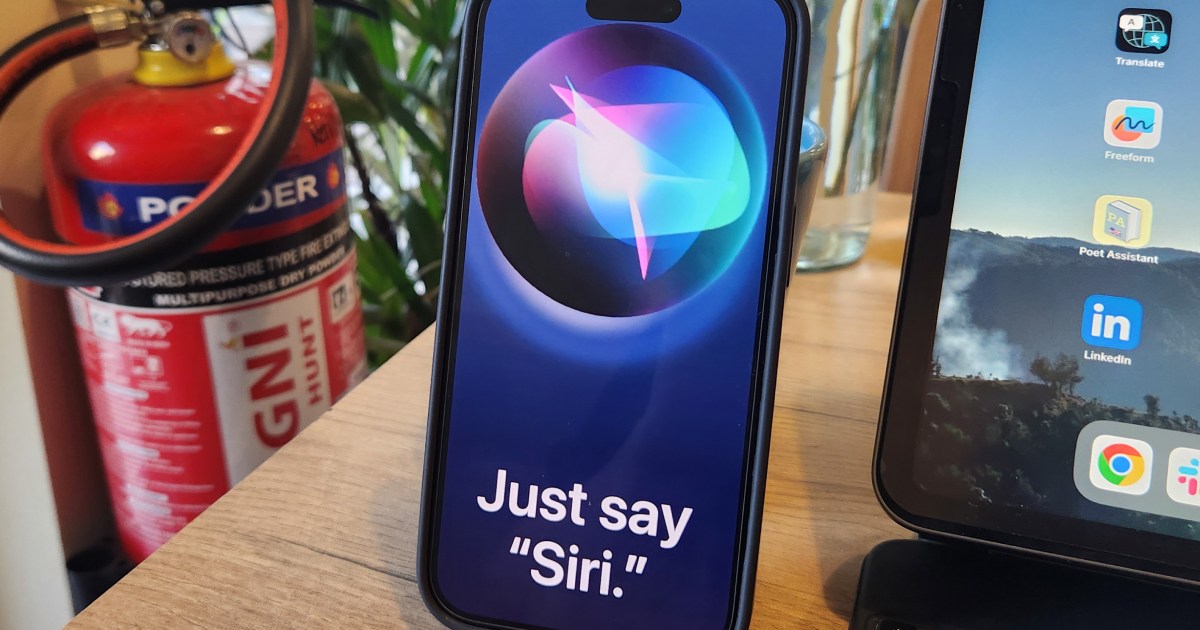
This is where Siri came in to help. I wasn’t fully aware of the function, but I knew you could dictate to Siri and have it transcribe the spoken words if you asked. I took out my iPhone (a then almost new iPhone 15 Pro Max) and said, “Siri, take a note,” and from that moment on, communicating quickly and effectively with my dad became a whole lot easier.

Fast and accurate

With this command, Siri listens as you speak and puts what it hears down into a new note in the Notes app. It’s different from what happens when you tell Siri to take a voice note, which records your voice and saves it in the Voice Memos app. This is also helpful, but not in this situation. What I wanted was for my dad to read what I said, not to spend time physically writing it out in the first place.

It’s a handy feature, but what surprised me was Siri’s accuracy. Not much has been said about the advancements Apple has made in Siri’s voice recognition and comprehension, but it proved practically flawless. I speak with a British accent and didn’t make any special changes to my inflection, speed, or manner of speaking when dictating these notes, but I don’t recall any instance where I needed to manually alter words or sections where Siri misheard or misunderstood me.

The messages included basic conversation, along with details of appointments, which often included quite technical terms, times, days, and planning information — some of which was complicated. Yet Siri didn’t falter. I spoke normally and conveyed the information in a fraction of the time and more conversationally than I would have done if I needed to write everything down.

What about when my dad went to read the notes? Due to the way Siri saves them, it’s in large, bold type on the screen, so I didn’t need to adjust it before my dad could comfortably read it. I expect it would be even easier to read if I dictated to Siri on an iPad, but I used what I had on hand.

Siri needs more recognition

When I reviewed the iPhone 15 Plus, I found Siri to have greatly improved compared to the last time I used it, and discovered it was more accurate and faster than Google Assistant on the Pixel Tablet. Having Siri always listening in advance of this situation also made generating the notes simple, as I didn’t need to wake Siri using a button press.

I’m sure Google Assistant on a Pixel 8 can do something very similar, and perhaps even Bixby on a Samsung phone can do as well, but my iPhone was there in my pocket. Apple rarely talks about Siri these days, but perhaps it should be making a bigger deal out of its ability, as just like the best Apple products, Siri worked extremely well without much work from me. I didn’t even look up a specific command; I just tried it out, and it all worked even better than I could have hoped.

I understand my situation was very specific and unlikely one everyone will encounter, but if you’ve been ignoring Siri or not experimenting with its ability, my experience shows it’s well worth getting reacquainted, as it’s probably far better and more useful than you remember. I couldn’t have done without Siri’s help in those days leading up to getting a new set of hearing aids for my dad.

Editors’ Recommendations


Share. Facebook Twitter Pinterest LinkedIn Tumblr Email
Previous ArticleForget Growth. Optimize for Resilience
Next Article Dave The Diver Surpasses 3 Million Sales

Related Articles

Sears Exposed AI Chatbot Phone Calls and Text Chats to Anyone on the Web
News

Sears Exposed AI Chatbot Phone Calls and Text Chats to Anyone on the Web

17 March 2026
Dell revives Precision laptop line with a sleeker design and serious power boost
News

Dell revives Precision laptop line with a sleeker design and serious power boost

17 March 2026
ChatGPT’s latest enemy is the world’s best dictionary and encyclopedia
News

ChatGPT’s latest enemy is the world’s best dictionary and encyclopedia

17 March 2026
AirPods Max 2 arrive with H2 chip, better noise cancellation, and smarter audio features
News

AirPods Max 2 arrive with H2 chip, better noise cancellation, and smarter audio features

17 March 2026
This 144Hz “Picture Frame” 4K TV is an artistic living room upgrade that is 0 off right now
News

This 144Hz “Picture Frame” 4K TV is an artistic living room upgrade that is $350 off right now

17 March 2026
Sam’s Club Coupons and Deals: Save up to 60% in March 2026
News

Sam’s Club Coupons and Deals: Save up to 60% in March 2026

17 March 2026
Demo
Top Articles
5 laptops to buy instead of the M4 MacBook Pro

5 laptops to buy instead of the M4 MacBook Pro

17 November 2024130 Views
ChatGPT o1 vs. o1-mini vs. 4o: Which should you use?

ChatGPT o1 vs. o1-mini vs. 4o: Which should you use?

15 December 2024111 Views
Costco partners with Electric Era to bring back EV charging in the U.S.

Costco partners with Electric Era to bring back EV charging in the U.S.

28 October 2024100 Views

Subscribe to Updates

Get the latest tech news and updates directly to your inbox.

Latest News
Sam’s Club Coupons and Deals: Save up to 60% in March 2026 News

Sam’s Club Coupons and Deals: Save up to 60% in March 2026

News Room17 March 2026
Split-screen multitasking is finally coming to iPhones, just not the one in your hands News

Split-screen multitasking is finally coming to iPhones, just not the one in your hands

News Room17 March 2026
Dermstore Promo Codes and Deals: Save Up to 25% News

Dermstore Promo Codes and Deals: Save Up to 25%

News Room17 March 2026
Most Popular
The Spectacular Burnout of a Solar Panel Salesman

The Spectacular Burnout of a Solar Panel Salesman

13 January 2025137 Views
5 laptops to buy instead of the M4 MacBook Pro

5 laptops to buy instead of the M4 MacBook Pro

17 November 2024130 Views
ChatGPT o1 vs. o1-mini vs. 4o: Which should you use?

ChatGPT o1 vs. o1-mini vs. 4o: Which should you use?

15 December 2024111 Views
Our Picks
AirPods Max 2 arrive with H2 chip, better noise cancellation, and smarter audio features

AirPods Max 2 arrive with H2 chip, better noise cancellation, and smarter audio features

17 March 2026
This 144Hz “Picture Frame” 4K TV is an artistic living room upgrade that is 0 off right now

This 144Hz “Picture Frame” 4K TV is an artistic living room upgrade that is $350 off right now

17 March 2026
Sam’s Club Coupons and Deals: Save up to 60% in March 2026

Sam’s Club Coupons and Deals: Save up to 60% in March 2026

17 March 2026

Subscribe to Updates

Get the latest tech news and updates directly to your inbox.

Facebook X (Twitter) Instagram Pinterest
  • Privacy Policy
  • Terms of use
  • Advertise
  • Contact Us
© 2026 Best in Technology. All Rights Reserved.

Type above and press Enter to search. Press Esc to cancel.