

Close Menu
Best in TechnologyBest in Technology
  • News
  • Phones
  • Laptops
  • Gadgets
  • Gaming
  • AI
  • Tips
  • More
    • Web Stories
    • Global
    • Press Release

Subscribe to Updates

Get the latest tech news and updates directly to your inbox.

What's On
This Dreame robot vacuum does the “hands-off” thing for real, and it’s down to 9.99

This Dreame robot vacuum does the “hands-off” thing for real, and it’s down to $299.99

17 February 2026
iOS 26.4 puts your iPhone in anti-theft mode by default

iOS 26.4 puts your iPhone in anti-theft mode by default

17 February 2026
The Simplest Android App for Scanning Documents

The Simplest Android App for Scanning Documents

17 February 2026
Facebook X (Twitter) Instagram
Just In
  • This Dreame robot vacuum does the “hands-off” thing for real, and it’s down to $299.99
  • iOS 26.4 puts your iPhone in anti-theft mode by default
  • The Simplest Android App for Scanning Documents
  • Paranormasight: The Mermaid’s Curse Review – A Spine-Tingling Dive
  • Nothing is ready for March 5 event with the new 4a series phones
  • Inside the Homeland Security Forum Where ICE Agents Talk Shit About Other Agents
  • Apple’s Podcast glow-up brings video, ads, and offline viewing
  • AI Digital Twins Are Helping People Manage Diabetes and Obesity
Facebook X (Twitter) Instagram Pinterest Vimeo
Best in TechnologyBest in Technology
  • News
  • Phones
  • Laptops
  • Gadgets
  • Gaming
  • AI
  • Tips
  • More
    • Web Stories
    • Global
    • Press Release
Subscribe
Best in TechnologyBest in Technology
Home » Google Testing ‘Private Space’ Feature for Android Phones to Securely Hide Apps: Report
Phones

Google Testing ‘Private Space’ Feature for Android Phones to Securely Hide Apps: Report

News RoomBy News Room12 December 20232 Mins Read
Share Facebook Twitter Pinterest LinkedIn Tumblr Reddit Telegram Email
Google Testing ‘Private Space’ Feature for Android Phones to Securely Hide Apps: Report
Share
Facebook Twitter LinkedIn Pinterest Email

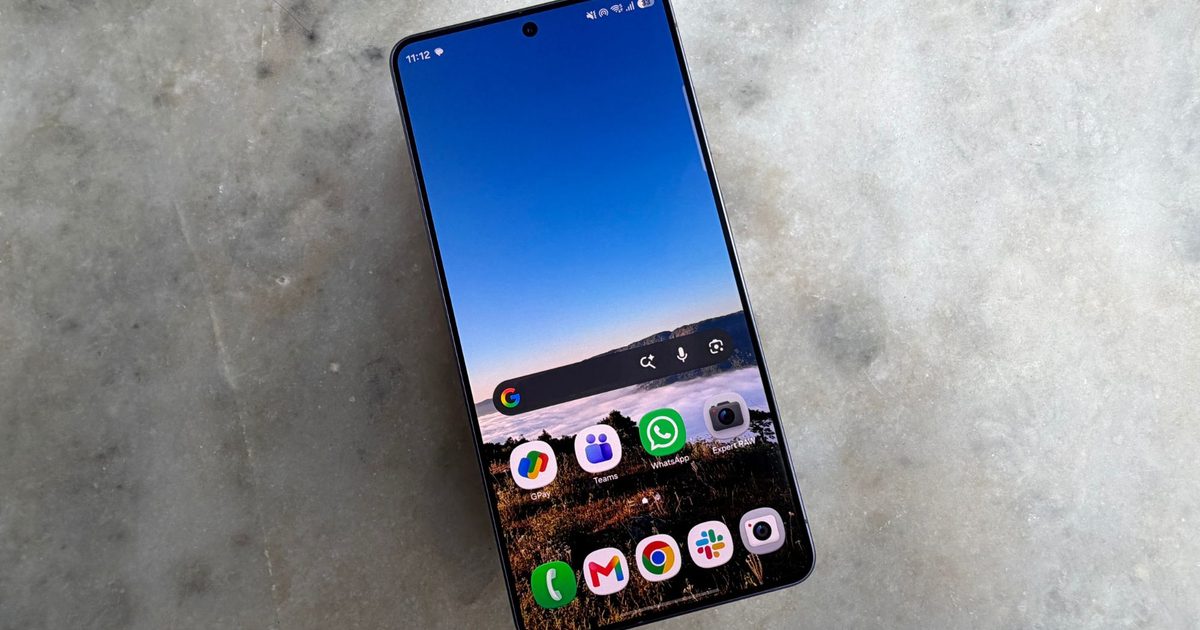
Google is reportedly working on a ‘Private Space’ feature that will add support for hiding apps securely on Android smartphones. Expected to arrive in an upcoming version of the company’s mobile operating system, the feature is expected to allow users to hide apps and files from other users safely. Samsung has offered a similar feature — Secure Folder — for the past six years. Google adding native support with Private Space will allow other phone makers to offer the same functionality on their phones.

Development of the feature was previously spotted by Mishaal Rahman on the first beta for the upcoming Android 14 QPR2 release, and the second beta version contains even more details about the feature. In an Android Police report, Rahman states that the feature can be spotted in the latest beta version, under the Security & privacy option in the settings app.

Currently in development, the feature allows Android users to create a new Android user profile on the phone that can be locked with a user’s biometrics or using their password or PIN. Users who have tried Android’s ‘Work Profile’ feature might be familiar with this functionality.

Notably, Android will hide not only the presence of these apps but also the contents of their notifications once the profile is locked. This can come in handy if you want to hand your phone over to a family member, while preventing access to certain apps or other content.

According to Rahman, Google is also developing the ability to show these apps only when searching for the words “private space” in the search bar. This would prevent other users from knowing whether you have enabled the Private Space feature in the first place.

Samsung has offered support for the same functionality in the form of Secure Folder on its smartphones since 2017. This feature also creates a separate profile, allowing users to access a separate set of contacts, files, photos and apps in an isolated container that can be protected using a password, PIN or their biometrics.

The development of the Private Space feature, however, suggests that Google will eventually allow smartphone makers to offer support for Samsung’s Secure Folder functionality on their handsets. Rahman points out that the feature could make its way to Android 15, adding that he could not enable all Private Space features on the latest beta as it is still in development.
Share. Facebook Twitter Pinterest LinkedIn Tumblr Email
Previous ArticleSamsung Galaxy A15 4G – Price in India, Specifications (12th December 2023)
Next Article YouTube Is Now Hiding Which Channels Get a Cut of Ad Revenue

Related Articles

Vivo V60 Launched in India With Snapdragon 7 Gen 4 SoC, 50-Megapixel Telephoto Camera: Price, Features
Phones

Vivo V60 Launched in India With Snapdragon 7 Gen 4 SoC, 50-Megapixel Telephoto Camera: Price, Features

12 August 2025
OnePlus Said to Be Testing Display With 165Hz Refresh Rate; Might Arrive on Midrange Smartphone
Phones

OnePlus Said to Be Testing Display With 165Hz Refresh Rate; Might Arrive on Midrange Smartphone

12 August 2025
Flipkart Independence Day Sale 2025 Begins Tomorrow: Deals on iPhone 16, Samsung Galaxy S24, and More
Phones

Flipkart Independence Day Sale 2025 Begins Tomorrow: Deals on iPhone 16, Samsung Galaxy S24, and More

12 August 2025
Honor X7c 5G Specifications Teased Ahead of India Launch; Will Feature 5,200mAh Battery, Snapdragon 4 Gen 2 SoC
Phones

Honor X7c 5G Specifications Teased Ahead of India Launch; Will Feature 5,200mAh Battery, Snapdragon 4 Gen 2 SoC

12 August 2025
Samsung Galaxy A07 Design, Colour Options, Key Features Leaked; Tipped to Get Six Android OS Upgrades
Phones

Samsung Galaxy A07 Design, Colour Options, Key Features Leaked; Tipped to Get Six Android OS Upgrades

12 August 2025
Realme P4 Series Key Specifications Confirmed Ahead of Launch in India on August 20
Phones

Realme P4 Series Key Specifications Confirmed Ahead of Launch in India on August 20

12 August 2025
Demo
Top Articles
5 laptops to buy instead of the M4 MacBook Pro

5 laptops to buy instead of the M4 MacBook Pro

17 November 2024126 Views
ChatGPT o1 vs. o1-mini vs. 4o: Which should you use?

ChatGPT o1 vs. o1-mini vs. 4o: Which should you use?

15 December 2024110 Views
Costco partners with Electric Era to bring back EV charging in the U.S.

Costco partners with Electric Era to bring back EV charging in the U.S.

28 October 202498 Views

Subscribe to Updates

Get the latest tech news and updates directly to your inbox.

Latest News
Inside the Homeland Security Forum Where ICE Agents Talk Shit About Other Agents News

Inside the Homeland Security Forum Where ICE Agents Talk Shit About Other Agents

News Room17 February 2026
Apple’s Podcast glow-up brings video, ads, and offline viewing News

Apple’s Podcast glow-up brings video, ads, and offline viewing

News Room17 February 2026
AI Digital Twins Are Helping People Manage Diabetes and Obesity News

AI Digital Twins Are Helping People Manage Diabetes and Obesity

News Room17 February 2026
Most Popular
The Spectacular Burnout of a Solar Panel Salesman

The Spectacular Burnout of a Solar Panel Salesman

13 January 2025137 Views
5 laptops to buy instead of the M4 MacBook Pro

5 laptops to buy instead of the M4 MacBook Pro

17 November 2024126 Views
ChatGPT o1 vs. o1-mini vs. 4o: Which should you use?

ChatGPT o1 vs. o1-mini vs. 4o: Which should you use?

15 December 2024110 Views
Our Picks
Paranormasight: The Mermaid’s Curse Review – A Spine-Tingling Dive

Paranormasight: The Mermaid’s Curse Review – A Spine-Tingling Dive

17 February 2026
Nothing is ready for March 5 event with the new 4a series phones

Nothing is ready for March 5 event with the new 4a series phones

17 February 2026
Inside the Homeland Security Forum Where ICE Agents Talk Shit About Other Agents

Inside the Homeland Security Forum Where ICE Agents Talk Shit About Other Agents

17 February 2026

Subscribe to Updates

Get the latest tech news and updates directly to your inbox.

Facebook X (Twitter) Instagram Pinterest
  • Privacy Policy
  • Terms of use
  • Advertise
  • Contact Us
© 2026 Best in Technology. All Rights Reserved.

Type above and press Enter to search. Press Esc to cancel.