



Close Menu
Best in TechnologyBest in Technology
  • News
  • Phones
  • Laptops
  • Gadgets
  • Gaming
  • AI
  • Tips
  • More
    • Web Stories
    • Global
    • Press Release

Subscribe to Updates

Get the latest tech news and updates directly to your inbox.

What's On
More Than a Thousand ‘Pokémon Go’ Players Descend on Times Square to Defeat Mewtwo

More Than a Thousand ‘Pokémon Go’ Players Descend on Times Square to Defeat Mewtwo

10 July 2026
Is Assassin’s Creed Black Flag Resynced A Good Remake? | The Game Informer Show

Is Assassin’s Creed Black Flag Resynced A Good Remake? | The Game Informer Show

10 July 2026
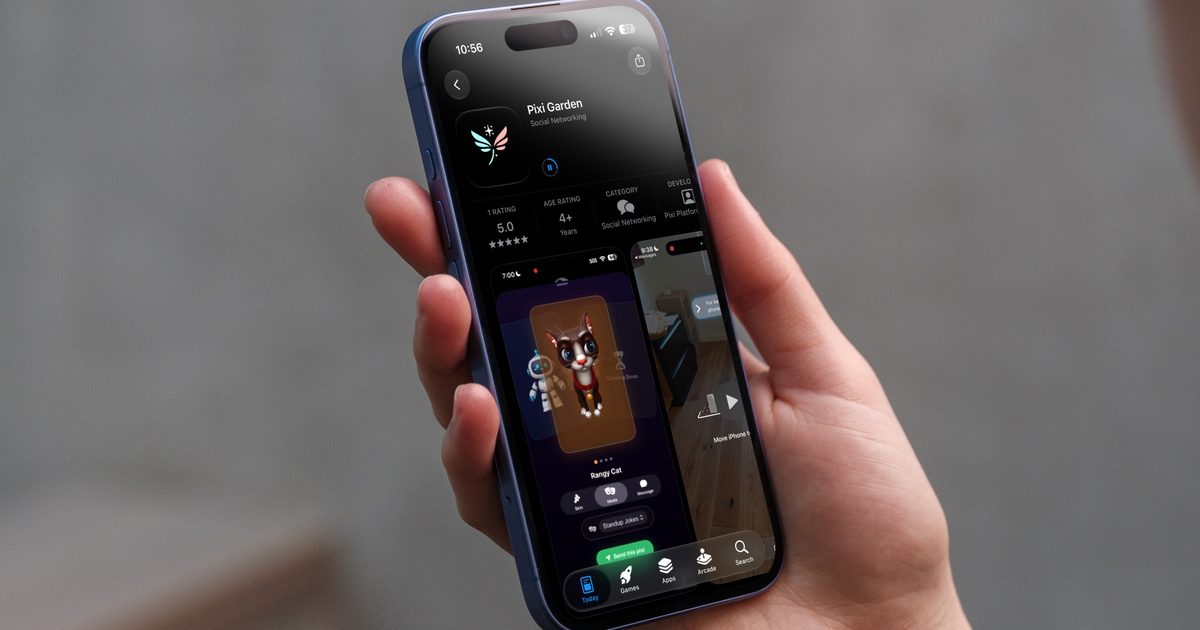
This app turns your text and voice messages into living AI characters

This app turns your text and voice messages into living AI characters

10 July 2026
Facebook X (Twitter) Instagram
Just In
  • More Than a Thousand ‘Pokémon Go’ Players Descend on Times Square to Defeat Mewtwo
  • Is Assassin’s Creed Black Flag Resynced A Good Remake? | The Game Informer Show
  • This app turns your text and voice messages into living AI characters
  • Meet the Battery Startup Taking on China’s Giants
  • Industry Connection Exclusive – Off The Grid Performance Update
  • XREAL’s $299 AR glasses are finally here, and they could be a great travel companion
  • Meta’s Pursuit of the ‘Careless People’ Author Is Relentless and Self-Defeating
  • Assassin’s Creed Black Flag Resynced Makes Edward’s Pirate Adventure The Best Place To Start The Series
Facebook X (Twitter) Instagram Pinterest Vimeo
Best in TechnologyBest in Technology
  • News
  • Phones
  • Laptops
  • Gadgets
  • Gaming
  • AI
  • Tips
  • More
    • Web Stories
    • Global
    • Press Release
Subscribe
Best in TechnologyBest in Technology
Home » How to Change Phone Number in Aadhaar Card: A Step-by-Step Guide
Tips

How to Change Phone Number in Aadhaar Card: A Step-by-Step Guide

News RoomBy News Room22 July 20252 Mins Read
Share Facebook Twitter Pinterest LinkedIn Tumblr Reddit Telegram Email
How to Change Phone Number in Aadhaar Card: A Step-by-Step Guide
Share
Facebook Twitter LinkedIn Pinterest Email

Aadhaar is a 12-digit number issued to each individual by the Unique Identification Authority of India (UIDAI). It is an important document which is mandated by several organisations to access government-issued benefits and welfare schemes. Further, it also serves as an identity proof and an address proof for all services such as banking, admissions, driving license, passport, and various forms. Due to its vital importance, it is crucial to keep all of the information registered under Aadhaar up-to-date in order to mitigate discrepancies.Whenever you enter your Aadhaar number into a portal, a one time password (OTP) is sent to your mobile number as a confirmation of your identity. However, it can be quite a hassle if you have moved to a new number and do not have it updated in the UIDAI database. To eliminate such potential instances, citizens are advised to keep the phone number registered with the government entity up-to-date.So, here’s a step-by-step guide for changing the phone number in an Aadhaar card. Do note that this process cannot be completed online. You will have to visit an Aadhaar Seva Kendra to get the phone number changed in the database.How to Book an Appointment for Aadhaar Updation Online:1. Head over to the UIDAI website through the link here and select your preferred language2. Select My Aadhaar > Get Aadhaar > Book an Appointment3. Choose your city/ location from the dropdown list and select Proceed to book Appointment4. Enter your registered mobile number, fill the Captcha for verification, and select Generate OTP5. Enter the OTP you have received and select Verify OTP6. Now, select Resident Type and enter the following information: Aadhaar Number Name on Aadhaar Date of Birth Application Verification Type State City Aadhaar Seva Kendra7. Once done, choose the details that are to be updated. For example, select New Mobile No if you wish to update your mobile number in the UIDAI database.8. Tap on Next and select the date and time of appointment. Choose Next9. Now, verify the appointment details and select Submit10. Visit the Aadhaar Seva Kendra with your appointment confirmation and get your details updated.However, do note that the updation process will require you to pay a fee of Rs. 50. Once done, you will receive an acknowledgement slip with a URN (Update Request Number) that can be used to track the status update of your request.

Share. Facebook Twitter Pinterest LinkedIn Tumblr Email
Previous ArticlePixel 10 Pro Design Officially Revealed Ahead of August 20 Launch; Google Store Offer Teased
Next Article Google Pixel 10 Leaked Design Renders Show New Colour Options, Telephoto Rear Camera

Related Articles

How to Upgrade to BSNL 4G/ 5G SIM Card Online: A Step-by-Step Guide
Tips

How to Upgrade to BSNL 4G/ 5G SIM Card Online: A Step-by-Step Guide

7 July 2025
How to Delete Emails in Bulk in Gmail Using Different Methods
Tips

How to Delete Emails in Bulk in Gmail Using Different Methods

26 June 2025
How to Add Music to Your WhatsApp Status
Tips

How to Add Music to Your WhatsApp Status

14 April 2025
Facebook Profile Lock: How to Lock Your FB Profile on Mobile, Desktop, Benefits, and More
Tips

Facebook Profile Lock: How to Lock Your FB Profile on Mobile, Desktop, Benefits, and More

26 February 2025
How to Activate New Airtel 5G SIM: A Step-by-Step Guide
Tips

How to Activate New Airtel 5G SIM: A Step-by-Step Guide

26 February 2025
Jio Choice Number: What is it and How to Buy Jio Fancy Number Using Different Methods
Tips

Jio Choice Number: What is it and How to Buy Jio Fancy Number Using Different Methods

26 February 2025
Demo
Top Articles
5 laptops to buy instead of the M4 MacBook Pro

5 laptops to buy instead of the M4 MacBook Pro

17 November 2024133 Views
ChatGPT o1 vs. o1-mini vs. 4o: Which should you use?

ChatGPT o1 vs. o1-mini vs. 4o: Which should you use?

15 December 2024111 Views
Costco partners with Electric Era to bring back EV charging in the U.S.

Costco partners with Electric Era to bring back EV charging in the U.S.

28 October 2024100 Views

Subscribe to Updates

Get the latest tech news and updates directly to your inbox.

Latest News
XREAL’s 9 AR glasses are finally here, and they could be a great travel companion News

XREAL’s $299 AR glasses are finally here, and they could be a great travel companion

News Room10 July 2026
Meta’s Pursuit of the ‘Careless People’ Author Is Relentless and Self-Defeating News

Meta’s Pursuit of the ‘Careless People’ Author Is Relentless and Self-Defeating

News Room10 July 2026
Assassin’s Creed Black Flag Resynced Makes Edward’s Pirate Adventure The Best Place To Start The Series Gaming

Assassin’s Creed Black Flag Resynced Makes Edward’s Pirate Adventure The Best Place To Start The Series

News Room10 July 2026
Most Popular
The Spectacular Burnout of a Solar Panel Salesman

The Spectacular Burnout of a Solar Panel Salesman

13 January 2025137 Views
5 laptops to buy instead of the M4 MacBook Pro

5 laptops to buy instead of the M4 MacBook Pro

17 November 2024133 Views
ChatGPT o1 vs. o1-mini vs. 4o: Which should you use?

ChatGPT o1 vs. o1-mini vs. 4o: Which should you use?

15 December 2024111 Views
Our Picks
Meet the Battery Startup Taking on China’s Giants

Meet the Battery Startup Taking on China’s Giants

10 July 2026
Industry Connection Exclusive – Off The Grid Performance Update

Industry Connection Exclusive – Off The Grid Performance Update

10 July 2026
XREAL’s 9 AR glasses are finally here, and they could be a great travel companion

XREAL’s $299 AR glasses are finally here, and they could be a great travel companion

10 July 2026

Subscribe to Updates

Get the latest tech news and updates directly to your inbox.

Facebook X (Twitter) Instagram Pinterest
  • Privacy Policy
  • Terms of use
  • Advertise
  • Contact Us
© 2026 Best in Technology. All Rights Reserved.

Type above and press Enter to search. Press Esc to cancel.