



Close Menu
Best in TechnologyBest in Technology
  • News
  • Phones
  • Laptops
  • Gadgets
  • Gaming
  • AI
  • Tips
  • More
    • Web Stories
    • Global
    • Press Release

Subscribe to Updates

Get the latest tech news and updates directly to your inbox.

What's On
The Video Games You Should Play This Weekend – February 20

The Video Games You Should Play This Weekend – February 20

21 February 2026
You Can Now Install—and Update—Microsoft Store Apps Using the Command Line

You Can Now Install—and Update—Microsoft Store Apps Using the Command Line

21 February 2026
Souvenirs From the 2026 Winter Olympics Are Being Resold for Big Bucks Online

Souvenirs From the 2026 Winter Olympics Are Being Resold for Big Bucks Online

21 February 2026
Facebook X (Twitter) Instagram
Just In
  • The Video Games You Should Play This Weekend – February 20
  • You Can Now Install—and Update—Microsoft Store Apps Using the Command Line
  • Souvenirs From the 2026 Winter Olympics Are Being Resold for Big Bucks Online
  • Best Budget Monitors: I Found 3 Impressive Screens Under $200 (2026)
  • Password Managers Share a Hidden Weakness
  • iPhone 17e: Everything we know so far
  • After the 2026 Winter Olympics, Figure Skating Will Never Be the Same
  • Leading US Research Lab Appears to Be Squeezing Out Foreign Scientists
Facebook X (Twitter) Instagram Pinterest Vimeo
Best in TechnologyBest in Technology
  • News
  • Phones
  • Laptops
  • Gadgets
  • Gaming
  • AI
  • Tips
  • More
    • Web Stories
    • Global
    • Press Release
Subscribe
Best in TechnologyBest in Technology
Home » This app just got me excited for the future of AI on Macs
News

This app just got me excited for the future of AI on Macs

News RoomBy News Room5 December 20234 Mins Read
Share Facebook Twitter Pinterest LinkedIn Tumblr Reddit Telegram Email
This app just got me excited for the future of AI on Macs
Share
Facebook Twitter LinkedIn Pinterest Email

In a year where virtually every tech company in existence is talking about AI, Apple has been silent. That doesn’t mean Apple-focused developers aren’t taking matters into their own hands, though. An update to the the popular Mac writing app iA Writer just made me really excited about seeing what Apple’s eventual take on AI will be.

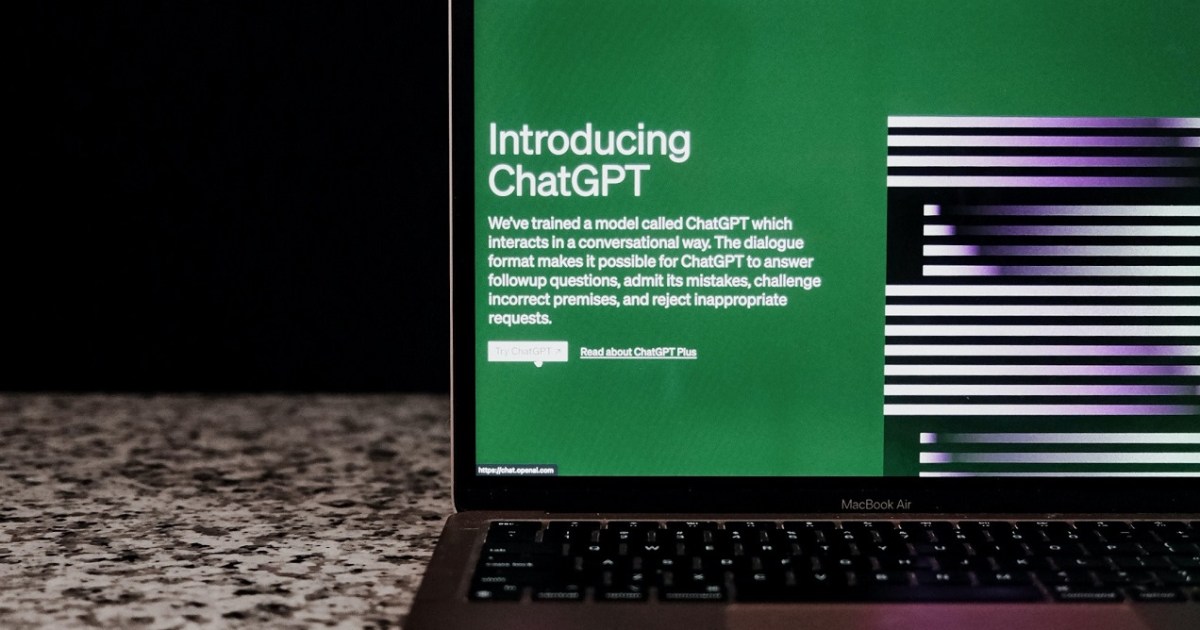
In the iA Writer 7 update, you’ll be able to use text generated by ChatGPT as a starting point for your own words. The idea is that you get ideas from ChatGPT, then tweak its output by adding your distinct flavor to the text, making it your own in the process. Most apps that use generative AI do so in a way that basically hands the reins over to the artificial intelligence, such as an email client that writes messages for you or a collaboration tool that summarizes your meetings.

Things are a little different with popular writing app iA Writer, though — and the result is a nuanced and ethically minded take on generative AI that feels like something Apple could end up doing itself.

“Working responsibly with AI”

So, here’s how it works. Any text pasted from ChatGPT is grayed out by iA Writer. Any text that you change or replace turns black, indicating that you have written it yourself. The developer of iA Writer says this will turn ChatGPT into a “dialogue partner” rather than a ghostwriter, where there’s a risk that “it takes over and you lose your voice.”

The app won’t automatically recognize pasted text as coming from ChatGPT, though — you have to mark it yourself by right-clicking and selecting Paste As > AI > Enable Authorship. There are also options for marking pasted text using keyboard shortcuts and menus.

If you leave the writing app and ask ChatGPT to edit a paragraph created in iA Writer, you can let the app know by right-clicking and choosing Paste Edits From > AI. And if you want to tell iA Writer that the words you are inserting were created by yourself rather than AI, you can select Paste As > Me.

The developer of iA Writer says that assigning authorship in this way is “new, useful, and prerequisite to working responsibly with AI text generation.” They continued: “We think that everyone would benefit from a future where we can see what the machine processed and what humans felt, thought, and expressed with their hearts and minds.”

All of this means that iA Writer’s update is not designed to detect AI plagiarism. Indeed, the developer says that “it’s up to you to decide how honest you want to be with yourself.” Done properly, though, it could turn ChatGPT into a handy assistant that improves your writing without drowning out your own voice.

The future of Apple AI

This update to iA Writer is starting on macOS, iPadOS, and iOS, but it will be coming to Windows and Android at some point too.

And of course, iA Writer isn’t the only third-party Mac app around, nor will it be the last. But it is a preview of the kind of thing Apple will need to address in full at some point. It has its own first-party apps that are all starting to look a bit outdated compared to its competitors. Google, Adobe, and Microsoft have all embraced generative AI wholesale, integrating it into nearly every piece of software. Windows Copilot is, of course, the supreme example. Apple’s own solution for bringing AI more fully into its products will likely look different — but surely it’ll need to do something.

We’re expecting it to be a major focus at WWDC 2024 next June, where we’ll hopefully see a broader vision of how Apple tackles AI.

Editors’ Recommendations


Share. Facebook Twitter Pinterest LinkedIn Tumblr Email
Previous ArticleThese are the best gaming mice to buy in 2023
Next Article A Highland Song review: Breath of the Wild-inspired indie is a Scottish delight

Related Articles

You Can Now Install—and Update—Microsoft Store Apps Using the Command Line
News

You Can Now Install—and Update—Microsoft Store Apps Using the Command Line

21 February 2026
Souvenirs From the 2026 Winter Olympics Are Being Resold for Big Bucks Online
News

Souvenirs From the 2026 Winter Olympics Are Being Resold for Big Bucks Online

21 February 2026
Best Budget Monitors: I Found 3 Impressive Screens Under 0 (2026)
News

Best Budget Monitors: I Found 3 Impressive Screens Under $200 (2026)

21 February 2026
Password Managers Share a Hidden Weakness
News

Password Managers Share a Hidden Weakness

21 February 2026
iPhone 17e: Everything we know so far
News

iPhone 17e: Everything we know so far

21 February 2026
After the 2026 Winter Olympics, Figure Skating Will Never Be the Same
News

After the 2026 Winter Olympics, Figure Skating Will Never Be the Same

21 February 2026
Demo
Top Articles
5 laptops to buy instead of the M4 MacBook Pro

5 laptops to buy instead of the M4 MacBook Pro

17 November 2024126 Views
ChatGPT o1 vs. o1-mini vs. 4o: Which should you use?

ChatGPT o1 vs. o1-mini vs. 4o: Which should you use?

15 December 2024110 Views
Costco partners with Electric Era to bring back EV charging in the U.S.

Costco partners with Electric Era to bring back EV charging in the U.S.

28 October 202499 Views

Subscribe to Updates

Get the latest tech news and updates directly to your inbox.

Latest News
iPhone 17e: Everything we know so far News

iPhone 17e: Everything we know so far

News Room21 February 2026
After the 2026 Winter Olympics, Figure Skating Will Never Be the Same News

After the 2026 Winter Olympics, Figure Skating Will Never Be the Same

News Room21 February 2026
Leading US Research Lab Appears to Be Squeezing Out Foreign Scientists News

Leading US Research Lab Appears to Be Squeezing Out Foreign Scientists

News Room21 February 2026
Most Popular
The Spectacular Burnout of a Solar Panel Salesman

The Spectacular Burnout of a Solar Panel Salesman

13 January 2025137 Views
5 laptops to buy instead of the M4 MacBook Pro

5 laptops to buy instead of the M4 MacBook Pro

17 November 2024126 Views
ChatGPT o1 vs. o1-mini vs. 4o: Which should you use?

ChatGPT o1 vs. o1-mini vs. 4o: Which should you use?

15 December 2024110 Views
Our Picks
Best Budget Monitors: I Found 3 Impressive Screens Under 0 (2026)

Best Budget Monitors: I Found 3 Impressive Screens Under $200 (2026)

21 February 2026
Password Managers Share a Hidden Weakness

Password Managers Share a Hidden Weakness

21 February 2026
iPhone 17e: Everything we know so far

iPhone 17e: Everything we know so far

21 February 2026

Subscribe to Updates

Get the latest tech news and updates directly to your inbox.

Facebook X (Twitter) Instagram Pinterest
  • Privacy Policy
  • Terms of use
  • Advertise
  • Contact Us
© 2026 Best in Technology. All Rights Reserved.

Type above and press Enter to search. Press Esc to cancel.