




Close Menu
Best in TechnologyBest in Technology
  • News
  • Phones
  • Laptops
  • Gadgets
  • Gaming
  • AI
  • Tips
  • More
    • Web Stories
    • Global
    • Press Release

Subscribe to Updates

Get the latest tech news and updates directly to your inbox.

What's On
VITURE’s new XR glasses look straight out of Phantom Blade Zero

VITURE’s new XR glasses look straight out of Phantom Blade Zero

28 August 2026
Aniimo, A Pokémon-Inspired Creature Collector – Aug 25, 2026

Aniimo, A Pokémon-Inspired Creature Collector – Aug 25, 2026

28 August 2026
Gemini Omni can now extend videos to 40 seconds and upscale them to 4K

Gemini Omni can now extend videos to 40 seconds and upscale them to 4K

28 August 2026
Facebook X (Twitter) Instagram
Just In
  • VITURE’s new XR glasses look straight out of Phantom Blade Zero
  • Aniimo, A Pokémon-Inspired Creature Collector – Aug 25, 2026
  • Gemini Omni can now extend videos to 40 seconds and upscale them to 4K
  • Nodusfall Is Hoyoverse’s Surprising New Fantasy Action Project
  • Google cracks down on memory-hogging Android apps amid an AI-fueled RAM shortage
  • Netflix Failed at Video Games. Now It’s Trying to Promote Them
  • The Wolf Among Us Remastered Emerges From The Shadows On October 29
  • Gemini Notebook now lets you reference books and turn them into different formats
Facebook X (Twitter) Instagram Pinterest Vimeo
Best in TechnologyBest in Technology
  • News
  • Phones
  • Laptops
  • Gadgets
  • Gaming
  • AI
  • Tips
  • More
    • Web Stories
    • Global
    • Press Release
Subscribe
Best in TechnologyBest in Technology
Home » 7 Ways to Limit Your Endless Doomscrolling
News

7 Ways to Limit Your Endless Doomscrolling

News RoomBy News Room19 June 20253 Mins Read
Share Facebook Twitter Pinterest LinkedIn Tumblr Reddit Telegram Email
7 Ways to Limit Your Endless Doomscrolling
Share
Facebook Twitter LinkedIn Pinterest Email

This may just lead you to check these apps more often on the web—but you can always delete your accounts entirely. This is usually not too difficult to do: In the case of X, for example, head to the website and log in, then click More > Settings and privacy > Your account > Deactivate your account and follow the instructions.

Put Your Phone in Another Room

You could consider putting your phone in a different room during parts of the day—especially at bedtime, to avoid doomscrolling when you should be sleeping.

Note that several studies have shown that just having a phone in the same room with you can have an impact on your attention and focus, even if you don’t actually pick it up and use it.

Set Screen Time Limits

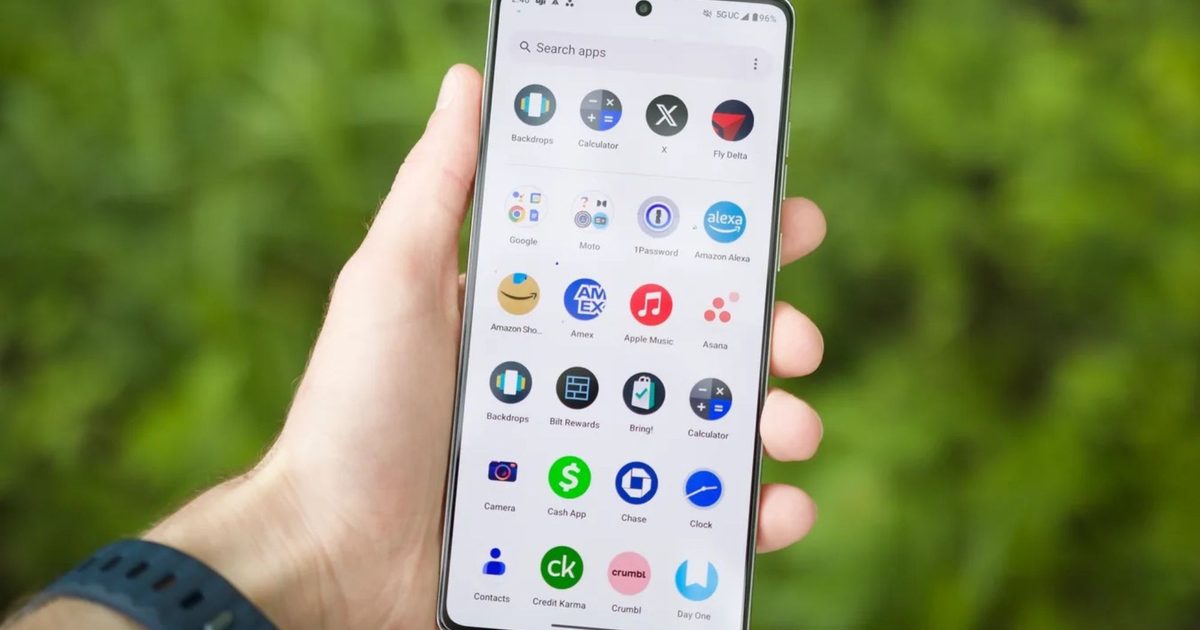
Modern phones come with built-in tools that allow you to limit your screen time, so you can put restrictions on how long you use specific apps and how long you’re on your phone overall. Of course, you’re able to disable these limits as easily as you can enable them—it’s your phone after all—but you can use them in combination with your own willpower to change your habits.

If you’re on Android, you can open Settings and choose Digital Wellbeing and Parental Controls, then App limits, to put some restrictions in place. Over on iOS, from Settings tap Screen Time, then App & Website Activity. On both platforms, you get a pretty detailed breakdown of how you’ve been spending your time on your phone.

Scroll Something Else

If you must spend time on your phone (what else are you going to do on the subway platform?), you can replace social media and news with apps like Calm for mindful meditation; Blinklist for reading summaries of books, podcasts, and talks; and Kindle for ebook reading, which will also be synced to your actual Kindle, if you have one.

Tell Your Phone It’s Bedtime

Enabling a bedtime schedule on Android

Courtesy of David Nield

Both Android and iOS now let you set a specific bedtime on your phone, the idea being that it helps you wind down properly by steering you away from opening apps and doomscrolling into the early hours. These bedtime modes put limits on incoming notifications, dim the screen, and give you the option of using a more simplified phone interface late at night.

If you’re on Android, open the Clock app and switch to the Bedtime tab: You can set start and end times for the mode and access settings such as turning the screen gray at a specific hour. On iPhone, head to the main iOS Settings screen, then tap Focus, then Sleep. The next screen will show all the available options and timers.

Get a Reminder to Stop

This is iPhone only, but Adam Davidson over at How-To Geek has a neat idea: Create an iOS shortcut to generate a snarky message from ChatGPT or Claude AI that warns about the harm of doomscrolling, and have it go off every time you open certain apps. The message can be shown on screen or read aloud.
Share. Facebook Twitter Pinterest LinkedIn Tumblr Email
Previous ArticleSamsung Galaxy M36 5G India Launch Date Set for June 27; Colours, Key Features Revealed
Next Article Realme 15 Series Launch Timeline Leaked; Lite Variant Surfaces Online

Related Articles

VITURE’s new XR glasses look straight out of Phantom Blade Zero
News

VITURE’s new XR glasses look straight out of Phantom Blade Zero

28 August 2026
Gemini Omni can now extend videos to 40 seconds and upscale them to 4K
News

Gemini Omni can now extend videos to 40 seconds and upscale them to 4K

28 August 2026
Google cracks down on memory-hogging Android apps amid an AI-fueled RAM shortage
News

Google cracks down on memory-hogging Android apps amid an AI-fueled RAM shortage

28 August 2026
Netflix Failed at Video Games. Now It’s Trying to Promote Them
News

Netflix Failed at Video Games. Now It’s Trying to Promote Them

28 August 2026
Gemini Notebook now lets you reference books and turn them into different formats
News

Gemini Notebook now lets you reference books and turn them into different formats

28 August 2026
A Georgia Cop Used Flock to Track 2 Other Cops: His Ex and Her Friend
News

A Georgia Cop Used Flock to Track 2 Other Cops: His Ex and Her Friend

28 August 2026
Demo
Top Articles
5 laptops to buy instead of the M4 MacBook Pro

5 laptops to buy instead of the M4 MacBook Pro

17 November 2024133 Views
ChatGPT o1 vs. o1-mini vs. 4o: Which should you use?

ChatGPT o1 vs. o1-mini vs. 4o: Which should you use?

15 December 2024112 Views
Costco partners with Electric Era to bring back EV charging in the U.S.

Costco partners with Electric Era to bring back EV charging in the U.S.

28 October 2024101 Views

Subscribe to Updates

Get the latest tech news and updates directly to your inbox.

Latest News
Netflix Failed at Video Games. Now It’s Trying to Promote Them News

Netflix Failed at Video Games. Now It’s Trying to Promote Them

News Room28 August 2026
The Wolf Among Us Remastered Emerges From The Shadows On October 29 Gaming

The Wolf Among Us Remastered Emerges From The Shadows On October 29

News Room28 August 2026
Gemini Notebook now lets you reference books and turn them into different formats News

Gemini Notebook now lets you reference books and turn them into different formats

News Room28 August 2026
Most Popular
The Spectacular Burnout of a Solar Panel Salesman

The Spectacular Burnout of a Solar Panel Salesman

13 January 2025137 Views
5 laptops to buy instead of the M4 MacBook Pro

5 laptops to buy instead of the M4 MacBook Pro

17 November 2024133 Views
ChatGPT o1 vs. o1-mini vs. 4o: Which should you use?

ChatGPT o1 vs. o1-mini vs. 4o: Which should you use?

15 December 2024112 Views
Our Picks
Nodusfall Is Hoyoverse’s Surprising New Fantasy Action Project

Nodusfall Is Hoyoverse’s Surprising New Fantasy Action Project

28 August 2026
Google cracks down on memory-hogging Android apps amid an AI-fueled RAM shortage

Google cracks down on memory-hogging Android apps amid an AI-fueled RAM shortage

28 August 2026
Netflix Failed at Video Games. Now It’s Trying to Promote Them

Netflix Failed at Video Games. Now It’s Trying to Promote Them

28 August 2026

Subscribe to Updates

Get the latest tech news and updates directly to your inbox.

Facebook X (Twitter) Instagram Pinterest
  • Privacy Policy
  • Terms of use
  • Advertise
  • Contact Us
© 2026 Best in Technology. All Rights Reserved.

Type above and press Enter to search. Press Esc to cancel.