




Close Menu
Best in TechnologyBest in Technology
  • News
  • Phones
  • Laptops
  • Gadgets
  • Gaming
  • AI
  • Tips
  • More
    • Web Stories
    • Global
    • Press Release

Subscribe to Updates

Get the latest tech news and updates directly to your inbox.

What's On
Apple TV just got more expensive, again

Apple TV just got more expensive, again

28 August 2026
AI Has Human Doctors Asking: What’s Left for Us?

AI Has Human Doctors Asking: What’s Left for Us?

28 August 2026
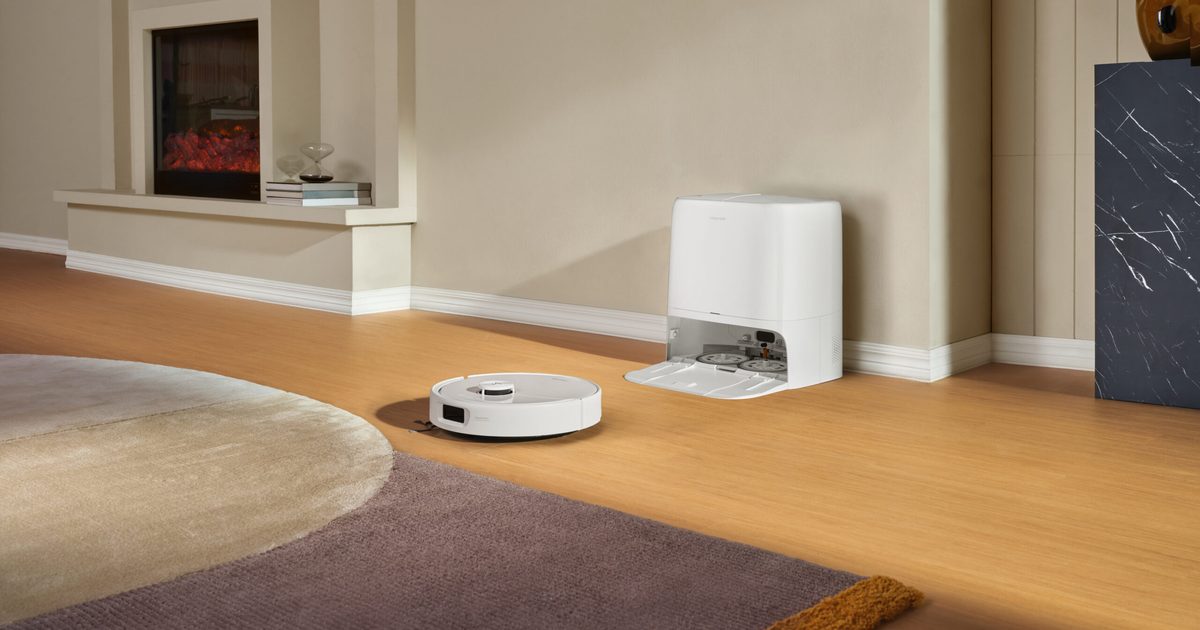
Roborock’s new robot vacuum can remove its own mops before cleaning carpets

Roborock’s new robot vacuum can remove its own mops before cleaning carpets

28 August 2026
Facebook X (Twitter) Instagram
Just In
  • Apple TV just got more expensive, again
  • AI Has Human Doctors Asking: What’s Left for Us?
  • Roborock’s new robot vacuum can remove its own mops before cleaning carpets
  • Review: XGIMI Vibe One Battery-Powered Projector
  • GTA VI could take 80 hours to finish, so maybe cancel your date now
  • Inside Meta’s Push to Put Robots to Work in Data Centers
  • HIZERO thinks your vacuum cleaner may be doing too much
  • The 31 Best Deals From the REI Labor Day Sale
Facebook X (Twitter) Instagram Pinterest Vimeo
Best in TechnologyBest in Technology
  • News
  • Phones
  • Laptops
  • Gadgets
  • Gaming
  • AI
  • Tips
  • More
    • Web Stories
    • Global
    • Press Release
Subscribe
Best in TechnologyBest in Technology
Home » I tried out Google’s latest AI tool that generates images in a fun, new way
News

I tried out Google’s latest AI tool that generates images in a fun, new way

News RoomBy News Room17 December 20243 Mins Read
Share Facebook Twitter Pinterest LinkedIn Tumblr Reddit Telegram Email
I tried out Google’s latest AI tool that generates images in a fun, new way
Share
Facebook Twitter LinkedIn Pinterest Email

Google’s latest AI tool helps you automate image generation even further. The tool is called Whisk, and it’s based on Google’s latest Imagen 3 image generation model. Rather than relying solely on text prompts, Whisk helps you create your desired images using other images as the base prompt.

Whisk is currently in an experimental phase, but once set up it’s fairly easy to navigate. Google detailed in a blog post introducing Whisk that it is intended for “rapid visual exploration, not pixel-perfect edits.”

Exploring the tool has a fast-paced feel, in comparison to other text-based tools, that are more contingent on the details and accuracy of the words to produce an image.

After going through the Welcome page, which lists the important details you should know about how the tool functions, the page asking if you’d like to sign up for emails, and the privacy policy, you’ll load right into the main page of Whisk. I saw a prompt with a dinosaur plushie as the image style, but the other options are an enamel pin and sticker. I just went with the first.

Next, you’re directed to upload an image for the subject. I uploaded a photograph of a smartwatch on my wrist and quickly realized this wasn’t going to work. The third option on the right was in a perpetual loading mode, so I tried again, with a more cartoonish image I found on my hard drive, and this loaded right away into plushie figurines of three mythical creatures.

Once the image was generated, I was able to go into an editing section, with a text prompt area. Simply using the suggested prompt “the character is eating ice cream,” I generated additional images with the same creatures holding ice cream cones.

Alternatively, you can scroll down below the main prompt creation and select start from scratch. This will allow you to upload all your own images or enter your own text. You can also add additional text from the beginning so that your characters can do an action. If you’re lost for what images to add or text to type, you can click the Inspire Me button, and Whisk will fill in images.

The tool also allows you to access a My Library section, where you can view all of the images you’ve created. In this section, you can enable or disable the library if you’d prefer to not save your creations. You can also delete images individually or delete library data as a whole.

The Whisk tool is reminiscent of the Microsoft Designer prompt that allows users to create Funko Pop! figures. As a whole, you can use Microsoft Designer to generate a range of whimsical or realistic images. However, the AI generator runs solely on text prompts.

As said, Whisk still includes the opportunity to add text prompts, which Google noted is included due to the tool’s potential to “miss the mark,” so you always have the option to fill in prompts when needed.




Share. Facebook Twitter Pinterest LinkedIn Tumblr Email
Previous ArticleCatly does not use generative AI or contain NFTs, devs say
Next Article Waymo is taking its robotaxis overseas for the first time

Related Articles

Apple TV just got more expensive, again
News

Apple TV just got more expensive, again

28 August 2026
AI Has Human Doctors Asking: What’s Left for Us?
News

AI Has Human Doctors Asking: What’s Left for Us?

28 August 2026
Roborock’s new robot vacuum can remove its own mops before cleaning carpets
News

Roborock’s new robot vacuum can remove its own mops before cleaning carpets

28 August 2026
Review: XGIMI Vibe One Battery-Powered Projector
News

Review: XGIMI Vibe One Battery-Powered Projector

28 August 2026
GTA VI could take 80 hours to finish, so maybe cancel your date now
News

GTA VI could take 80 hours to finish, so maybe cancel your date now

28 August 2026
Inside Meta’s Push to Put Robots to Work in Data Centers
News

Inside Meta’s Push to Put Robots to Work in Data Centers

28 August 2026
Demo
Top Articles
5 laptops to buy instead of the M4 MacBook Pro

5 laptops to buy instead of the M4 MacBook Pro

17 November 2024133 Views
ChatGPT o1 vs. o1-mini vs. 4o: Which should you use?

ChatGPT o1 vs. o1-mini vs. 4o: Which should you use?

15 December 2024112 Views
Costco partners with Electric Era to bring back EV charging in the U.S.

Costco partners with Electric Era to bring back EV charging in the U.S.

28 October 2024101 Views

Subscribe to Updates

Get the latest tech news and updates directly to your inbox.

Latest News
Inside Meta’s Push to Put Robots to Work in Data Centers News

Inside Meta’s Push to Put Robots to Work in Data Centers

News Room28 August 2026
HIZERO thinks your vacuum cleaner may be doing too much News

HIZERO thinks your vacuum cleaner may be doing too much

News Room28 August 2026
The 31 Best Deals From the REI Labor Day Sale News

The 31 Best Deals From the REI Labor Day Sale

News Room28 August 2026
Most Popular
The Spectacular Burnout of a Solar Panel Salesman

The Spectacular Burnout of a Solar Panel Salesman

13 January 2025137 Views
5 laptops to buy instead of the M4 MacBook Pro

5 laptops to buy instead of the M4 MacBook Pro

17 November 2024133 Views
ChatGPT o1 vs. o1-mini vs. 4o: Which should you use?

ChatGPT o1 vs. o1-mini vs. 4o: Which should you use?

15 December 2024112 Views
Our Picks
Review: XGIMI Vibe One Battery-Powered Projector

Review: XGIMI Vibe One Battery-Powered Projector

28 August 2026
GTA VI could take 80 hours to finish, so maybe cancel your date now

GTA VI could take 80 hours to finish, so maybe cancel your date now

28 August 2026
Inside Meta’s Push to Put Robots to Work in Data Centers

Inside Meta’s Push to Put Robots to Work in Data Centers

28 August 2026

Subscribe to Updates

Get the latest tech news and updates directly to your inbox.

Facebook X (Twitter) Instagram Pinterest
  • Privacy Policy
  • Terms of use
  • Advertise
  • Contact Us
© 2026 Best in Technology. All Rights Reserved.

Type above and press Enter to search. Press Esc to cancel.