


Close Menu
Best in TechnologyBest in Technology
  • News
  • Phones
  • Laptops
  • Gadgets
  • Gaming
  • AI
  • Tips
  • More
    • Web Stories
    • Global
    • Press Release

Subscribe to Updates

Get the latest tech news and updates directly to your inbox.

What's On
A Look Back On The First Two Onimusha Games With Planner And

A Look Back On The First Two Onimusha Games With Planner And

3 August 2026
Save big on DJI creator gear with these AliExpress July deals

Save big on DJI creator gear with these AliExpress July deals

3 August 2026
Attack On Titan 3 Gets A New Trailer And December Launch Date

Attack On Titan 3 Gets A New Trailer And December Launch Date

3 August 2026
Facebook X (Twitter) Instagram
Just In
  • A Look Back On The First Two Onimusha Games With Planner And
  • Save big on DJI creator gear with these AliExpress July deals
  • Attack On Titan 3 Gets A New Trailer And December Launch Date
  • MSI launches a white 16-inch gaming laptop with a 12GB RTX 5070 and a pile of matching accessories
  • Review: Nothing Ear (3a) Wireless Earbuds
  • Big Walk Review – A Walk To Remember
  • Google can’t catch a break as the Pixel 11 Pro leaks once again
  • AI Conquered Coding. Fast Food Is Next
Facebook X (Twitter) Instagram Pinterest Vimeo
Best in TechnologyBest in Technology
  • News
  • Phones
  • Laptops
  • Gadgets
  • Gaming
  • AI
  • Tips
  • More
    • Web Stories
    • Global
    • Press Release
Subscribe
Best in TechnologyBest in Technology
Home » How to apply and clean off thermal paste
News

How to apply and clean off thermal paste

News RoomBy News Room27 April 20245 Mins Read
Share Facebook Twitter Pinterest LinkedIn Tumblr Reddit Telegram Email
How to apply and clean off thermal paste
Share
Facebook Twitter LinkedIn Pinterest Email

If you’re building a computer, you need thermal paste, or heat paste, to ensure that your computer’s processor doesn’t overheat. It’s a gloopy, silvery material that you squirt between the processor and the cooler to fill in all the micro cavities in their surfaces, which enables a more efficient transfer of heat from the processor to the cooler. The best thermal pastes work so well they let your processor run harder and faster, at lower temperatures, making your PC quieter in turn.

You need to replace the thermal interface material every few years, too, so if you haven’t opened up your PC in a while, it might be time to give it a spring cleaning. Keep reading to learn how to apply heat paste and how to clean it. Plus, we’ll go over other aspects of its use, such as how often you need to reapply it and if there are any alternatives to using heat paste.

How to apply thermal paste

If your CPU and cooler are clean and ready to go, we can jump right in to applying new heat paste. If they aren’t clean, and have old heat paste on them, scroll down to the section on how to clean your CPU first.

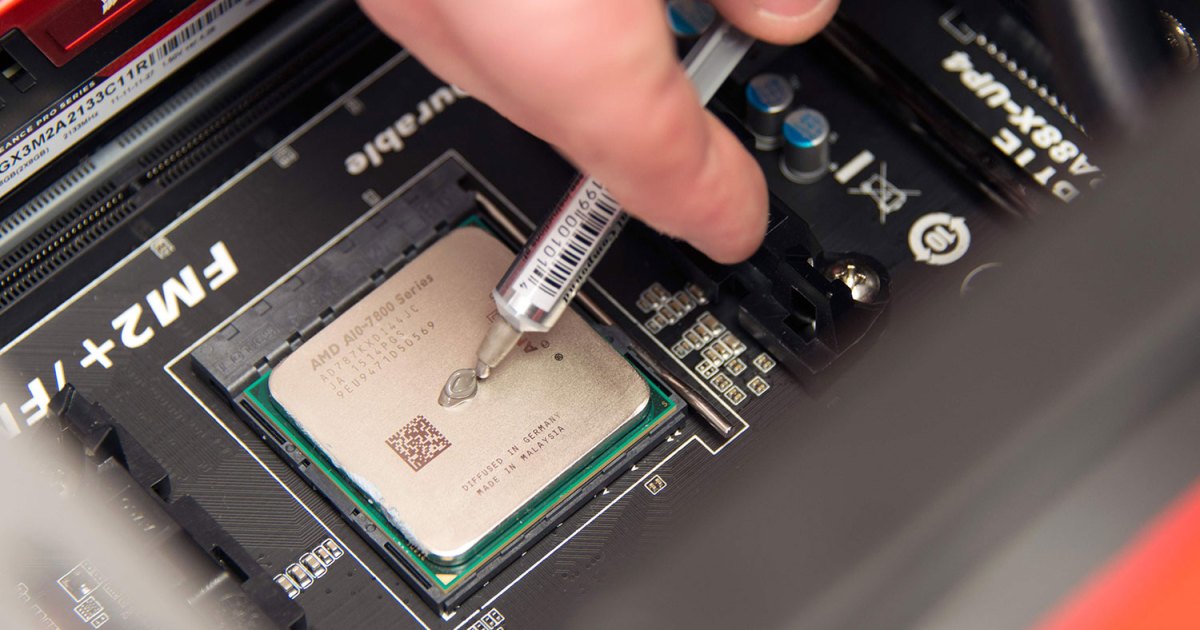
The key to applying thermal paste is not to overdo it; you only need to use a small, pea-sized bit of paste – anything more would be excessive. As long as you aren’t using a conductive heat paste, however, putting on too much won’t break anything, it’ll just be messy and in extreme cases, can cause your cooler to actually be less effective.

Step 1: Install your CPU in the motherboard if you haven’t already, then use the plunger on the tube of thermal paste to squirt a pea-sized amount in the center of the processor.

Step 2: Next, install the CPU cooler while applying top-down pressure to the unit. Note that there is no need to first spread the paste before installing the cooler; the cooler’s pressure will evenly distribute the thermal paste.

Step 3: Once the cooler is installed, check the CPU’s edges to see if any excess thermal paste has spilled over, and, if needed, wipe it away with a microfiber cloth or paper towel.
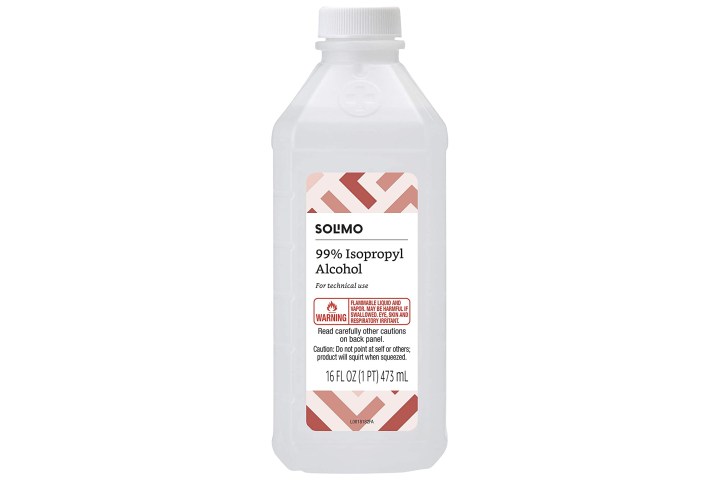
Isopropyl Alcohol Amazon

How to clean off heat paste

If you already have a working machine that needs thermal paste to be reapplied, you’ll first need to clean off the old thermal paste. Before beginning, ensure that the CPU cooler has been removed, and you can visually see the thermal paste; it is generally white or gray.

Step 1: Begin by wiping the top of your CPU with the microfiber cloth to remove as much thermal paste as you can without issue.

Step 2: Place the microfiber cloth over the end of the isopropyl alcohol bottle and upend it until some of it has saturated the cloth, then wipe the CPU down until all the old heat paste has been removed.

If you like, you can use cotton swabs soaked in isopropyl alcohol to remove any errant bits of heat paste that are proving tricky to get to, but you don’t have to.

Step 3: Repeat the above process to remove any old thermal paste that may be stuck to the underside of your CPU cooler.

Step 4: Now you can move on to applying new heat paste, as per the section above.

How often should you apply heat paste?

This one is up to you, as some leave their heat paste for years at a time without much issue, and some replace it every year. Intel recommends reapplying the solution “every few years” or if you remove your cooler for any reason. Typically, your thermal paste will last you quite a while, but keep an eye on your temperatures, as if they start to rise, it could be a sign your thermal paste is drying up.

Need help with that? Here’s how to check your CPU temperature.
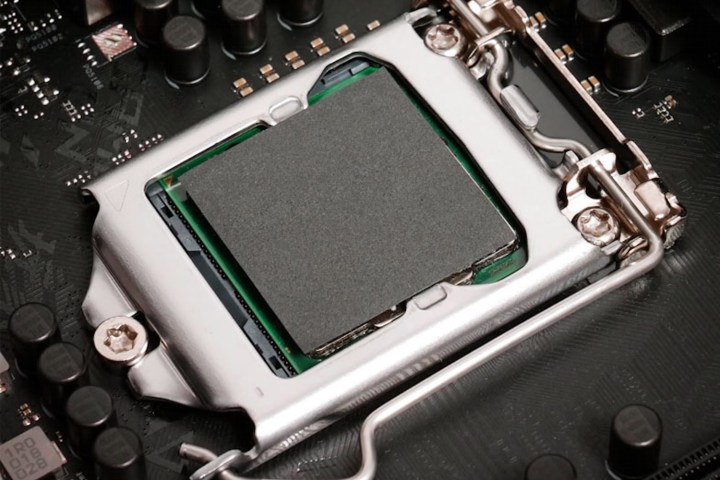
Thermal Grizzly heat pad.

Do you have to use heat paste?

Yes, kind of. You have to have something to fill the gaps in between the cooler and the processor, and heat paste is the most common and effective solution. However, if you don’t want to re-apply heat paste at least once every couple of years, you could opt for a thermal pad instead.

Thermal pads perform the same job as heat paste, but they’re a malleable material with strong thermal conductivity. That lets them transfer heat from the CPU to the cooler efficiently, but without the chance of drying out or degrading, so performance should remain the same for years to come. They don’t tend to offer as strong performance as the best heat pastes, but for peace of mind and ease of use, they win hands down.

Want to upgrade your CPU cooler at the same time as re-applying the heat paste? Here are our favorite AIO water coolers for easy installation.

Editors’ Recommendations



Share. Facebook Twitter Pinterest LinkedIn Tumblr Email
Previous ArticleReview: Ceretone Core One OTC Hearing Aids
Next Article The Best iPad Accessories

Related Articles

Save big on DJI creator gear with these AliExpress July deals
News

Save big on DJI creator gear with these AliExpress July deals

3 August 2026
MSI launches a white 16-inch gaming laptop with a 12GB RTX 5070 and a pile of matching accessories
News

MSI launches a white 16-inch gaming laptop with a 12GB RTX 5070 and a pile of matching accessories

3 August 2026
Review: Nothing Ear (3a) Wireless Earbuds
News

Review: Nothing Ear (3a) Wireless Earbuds

3 August 2026
Google can’t catch a break as the Pixel 11 Pro leaks once again
News

Google can’t catch a break as the Pixel 11 Pro leaks once again

3 August 2026
AI Conquered Coding. Fast Food Is Next
News

AI Conquered Coding. Fast Food Is Next

3 August 2026
DeepSeek just slashed AI prices again, and China’s AI race is getting even messier
News

DeepSeek just slashed AI prices again, and China’s AI race is getting even messier

3 August 2026
Demo
Top Articles
5 laptops to buy instead of the M4 MacBook Pro

5 laptops to buy instead of the M4 MacBook Pro

17 November 2024133 Views
ChatGPT o1 vs. o1-mini vs. 4o: Which should you use?

ChatGPT o1 vs. o1-mini vs. 4o: Which should you use?

15 December 2024111 Views
Costco partners with Electric Era to bring back EV charging in the U.S.

Costco partners with Electric Era to bring back EV charging in the U.S.

28 October 2024100 Views

Subscribe to Updates

Get the latest tech news and updates directly to your inbox.

Latest News
Big Walk Review – A Walk To Remember Gaming

Big Walk Review – A Walk To Remember

News Room3 August 2026
Google can’t catch a break as the Pixel 11 Pro leaks once again News

Google can’t catch a break as the Pixel 11 Pro leaks once again

News Room3 August 2026
AI Conquered Coding. Fast Food Is Next News

AI Conquered Coding. Fast Food Is Next

News Room3 August 2026
Most Popular
The Spectacular Burnout of a Solar Panel Salesman

The Spectacular Burnout of a Solar Panel Salesman

13 January 2025137 Views
5 laptops to buy instead of the M4 MacBook Pro

5 laptops to buy instead of the M4 MacBook Pro

17 November 2024133 Views
ChatGPT o1 vs. o1-mini vs. 4o: Which should you use?

ChatGPT o1 vs. o1-mini vs. 4o: Which should you use?

15 December 2024111 Views
Our Picks
MSI launches a white 16-inch gaming laptop with a 12GB RTX 5070 and a pile of matching accessories

MSI launches a white 16-inch gaming laptop with a 12GB RTX 5070 and a pile of matching accessories

3 August 2026
Review: Nothing Ear (3a) Wireless Earbuds

Review: Nothing Ear (3a) Wireless Earbuds

3 August 2026
Big Walk Review – A Walk To Remember

Big Walk Review – A Walk To Remember

3 August 2026

Subscribe to Updates

Get the latest tech news and updates directly to your inbox.

Facebook X (Twitter) Instagram Pinterest
  • Privacy Policy
  • Terms of use
  • Advertise
  • Contact Us
© 2026 Best in Technology. All Rights Reserved.

Type above and press Enter to search. Press Esc to cancel.