

Close Menu
Best in TechnologyBest in Technology
  • News
  • Phones
  • Laptops
  • Gadgets
  • Gaming
  • AI
  • Tips
  • More
    • Web Stories
    • Global
    • Press Release

Subscribe to Updates

Get the latest tech news and updates directly to your inbox.

What's On
Volkswagen’s new ,000 electric SUV shows what US buyers are missing

Volkswagen’s new $20,000 electric SUV shows what US buyers are missing

30 August 2026
Brave’s new Email Alias feature can keep websites away from your real inbox address

Brave’s new Email Alias feature can keep websites away from your real inbox address

30 August 2026
The HiLight Studio app reveals what Google hides about the Pixel 11 Pro’s RGB light, but it’s not for everyone

The HiLight Studio app reveals what Google hides about the Pixel 11 Pro’s RGB light, but it’s not for everyone

30 August 2026
Facebook X (Twitter) Instagram
Just In
  • Volkswagen’s new $20,000 electric SUV shows what US buyers are missing
  • Brave’s new Email Alias feature can keep websites away from your real inbox address
  • The HiLight Studio app reveals what Google hides about the Pixel 11 Pro’s RGB light, but it’s not for everyone
  • Take A Tour And Watch Us Hand Out Magazines At Gamescom 2026
  • Nvidia’s DLSS 5 leak is making games prettier and people weirder
  • You no longer need a subscription to try Google’s Dreambeans app
  • Hisense made a phone with a second screen you can literally take off
  • 3 underrated movies on HBO Max you should watch this weekend (August 29-30)
Facebook X (Twitter) Instagram Pinterest Vimeo
Best in TechnologyBest in Technology
  • News
  • Phones
  • Laptops
  • Gadgets
  • Gaming
  • AI
  • Tips
  • More
    • Web Stories
    • Global
    • Press Release
Subscribe
Best in TechnologyBest in Technology
Home » Windows 11 Start Menu Ads Rolling Out for All Users: How to Turn Them Off
Laptops

Windows 11 Start Menu Ads Rolling Out for All Users: How to Turn Them Off

News RoomBy News Room25 April 20243 Mins Read
Share Facebook Twitter Pinterest LinkedIn Tumblr Reddit Telegram Email
Windows 11 Start Menu Ads Rolling Out for All Users: How to Turn Them Off
Share
Facebook Twitter LinkedIn Pinterest Email

Windows 11 Start menu is getting an update that might leave some users feeling annoyed. Microsoft is rolling out Start menu ads with the new Windows 11 update that is expected to reach all users this week. These ads are shown as part of the recommended section and the tech giant is pitching them as a discoverability feature to learn about “great” Microsoft Store apps. However, for those who prefer that their Start menu remains clean and without unsolicited advertisements, there is an easy solution to disable them.

The personalised ads are part of Microsoft’s Windows KB5036980 update, which was in preview for the last two weeks. As per a report by The Verge, the company began testing with ads earlier this month. Now, on its support page, the tech giant revealed the addition of ads and said, “The Recommended section of the Start menu will show some Microsoft Store apps. These apps come from a small set of curated developers. This will help you to discover some of the great apps that are available.”

Reportedly, some users are already seeing these ads. Currently, the recommended section shows the recently used files and apps, however, based on some screenshots we have seen online, the ads will begin to feature in this area. Interestingly, there are no visual cues to identify a promoted app compared to one you already have apart from the user’s knowledge of installed apps. There is one small clue — while all other installed apps show the time when it was last used, promoted apps come with a small description of it.

Luckily, Microsoft is not pushing these ads on users without any escape. The company has also explained an easy method to disable these ads. Some users might find value in these ads as they are curated by select developers and can help in discovering useful apps. However, if you would rather not see them and want to return the Start menu to its pristine appearance, you can follow these steps.

  1. Click on the Start menu.
  2. Locate the Settings app and click on it.
  3. Click on Personalisation.
  4. Within the Personalisation menu, locate Start and click on it.
  5. Look for the fourth option from the top titled Show recommendations for tips, app promotions, and more.
  6. Turn off the toggle for the option.
  7. The ads should be disabled for you.

Related Stories

  • Microsoft Announces End of Support for Android apps on Windows 11 in 2025

    6 March 2024

  • Windows 11 Update Brings New AI Capabilities to Copilot, Improvements to Widgets, More

    Windows 11 Update Brings New AI Capabilities to Copilot, Improvements to Widgets, More

    1 March 2024

  • Microsoft Previews AI Features for Notepad, Snipping Tool Improvements in Windows 11

    Microsoft Previews AI Features for Notepad, Snipping Tool Improvements in Windows 11

    15 February 2024

  • God of War Ragnarök: Valhalla, Avatar Frontiers of Pandora, More: December Games on PC, PlayStation, Xbox, Apple

    God of War Ragnarök: Valhalla, Avatar Frontiers of Pandora, More: December Games on PC, PlayStation, Xbox, Apple

    20 December 2023

  • Oppo, OnePlus, and Realme Phones to Gain Phone Link, Link to Windows Support, But There's a Catch

    Oppo, OnePlus, and Realme Phones to Gain Phone Link, Link to Windows Support, But There’s a Catch

    17 November 2023

Share. Facebook Twitter Pinterest LinkedIn Tumblr Email
Previous ArticleAll Teddy Bear locations in Fallout 76
Next Article Vivo X100s Live Image Surfaces Online; Suggests Flat Display, Quad Rear Cameras, More

Related Articles

Flipkart Independence Day Sale 2025: Best Deals on Laptops Teased Before the Sale Begins
Laptops

Flipkart Independence Day Sale 2025: Best Deals on Laptops Teased Before the Sale Begins

12 August 2025
Apple MacBook Model With A-Series Chip, Affordable Price Tag to Launch in Early 2026: Report
Laptops

Apple MacBook Model With A-Series Chip, Affordable Price Tag to Launch in Early 2026: Report

12 August 2025
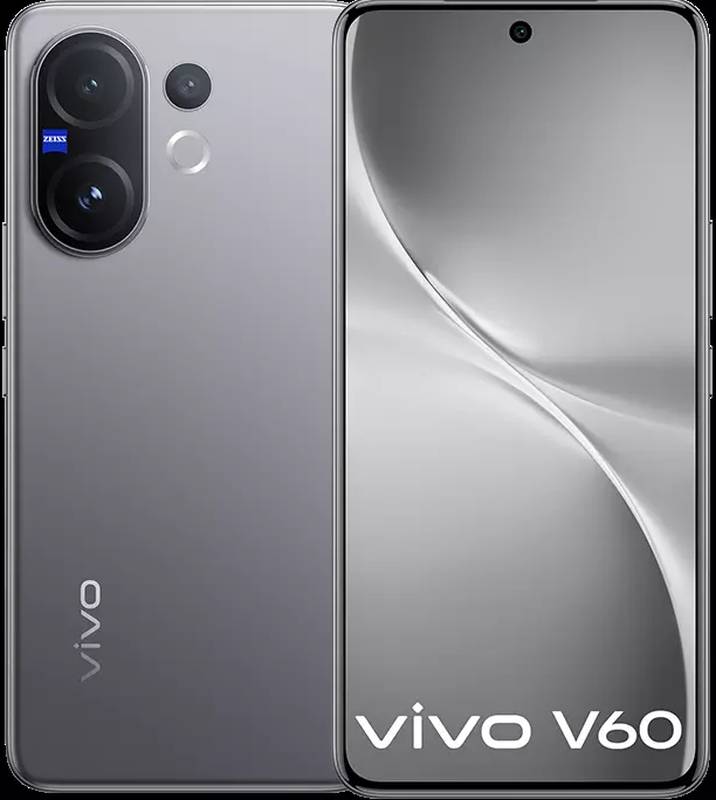
Vivo V60 – Price in India, Specifications (12th August 2025)
Laptops

Vivo V60 – Price in India, Specifications (12th August 2025)

12 August 2025
HTC Wildfire E4 Plus – Price in India, Specifications (12th August 2025)
Laptops

HTC Wildfire E4 Plus – Price in India, Specifications (12th August 2025)

12 August 2025
Honor X7c – Price in India, Specifications (12th August 2025)
Laptops

Honor X7c – Price in India, Specifications (12th August 2025)

12 August 2025
Apple MacBook Model With A-Series Chip, Affordable Price Tag to Launch in Early 2026: Report
Laptops

Apple MacBook Pro With M6 Chip, OLED Display Launch Expected by Early 2027: Mark Gurman

11 August 2025
Demo
Top Articles
5 laptops to buy instead of the M4 MacBook Pro

5 laptops to buy instead of the M4 MacBook Pro

17 November 2024134 Views
ChatGPT o1 vs. o1-mini vs. 4o: Which should you use?

ChatGPT o1 vs. o1-mini vs. 4o: Which should you use?

15 December 2024112 Views
Costco partners with Electric Era to bring back EV charging in the U.S.

Costco partners with Electric Era to bring back EV charging in the U.S.

28 October 2024101 Views

Subscribe to Updates

Get the latest tech news and updates directly to your inbox.

Latest News
You no longer need a subscription to try Google’s Dreambeans app News

You no longer need a subscription to try Google’s Dreambeans app

News Room29 August 2026
Hisense made a phone with a second screen you can literally take off News

Hisense made a phone with a second screen you can literally take off

News Room29 August 2026
3 underrated movies on HBO Max you should watch this weekend (August 29-30) News

3 underrated movies on HBO Max you should watch this weekend (August 29-30)

News Room29 August 2026
Most Popular
The Spectacular Burnout of a Solar Panel Salesman

The Spectacular Burnout of a Solar Panel Salesman

13 January 2025137 Views
5 laptops to buy instead of the M4 MacBook Pro

5 laptops to buy instead of the M4 MacBook Pro

17 November 2024134 Views
ChatGPT o1 vs. o1-mini vs. 4o: Which should you use?

ChatGPT o1 vs. o1-mini vs. 4o: Which should you use?

15 December 2024112 Views
Our Picks
Take A Tour And Watch Us Hand Out Magazines At Gamescom 2026

Take A Tour And Watch Us Hand Out Magazines At Gamescom 2026

30 August 2026
Nvidia’s DLSS 5 leak is making games prettier and people weirder

Nvidia’s DLSS 5 leak is making games prettier and people weirder

30 August 2026
You no longer need a subscription to try Google’s Dreambeans app

You no longer need a subscription to try Google’s Dreambeans app

29 August 2026

Subscribe to Updates

Get the latest tech news and updates directly to your inbox.

Facebook X (Twitter) Instagram Pinterest
  • Privacy Policy
  • Terms of use
  • Advertise
  • Contact Us
© 2026 Best in Technology. All Rights Reserved.

Type above and press Enter to search. Press Esc to cancel.