


Close Menu
Best in TechnologyBest in Technology
  • News
  • Phones
  • Laptops
  • Gadgets
  • Gaming
  • AI
  • Tips
  • More
    • Web Stories
    • Global
    • Press Release

Subscribe to Updates

Get the latest tech news and updates directly to your inbox.

What's On
Kids’ smartwatches are meant to keep children safe, but hackers can turn them into stalking devices

Kids’ smartwatches are meant to keep children safe, but hackers can turn them into stalking devices

7 August 2026
Our Favorite Fans Are on Sale to Help With Summer Heat Waves (2026)

Our Favorite Fans Are on Sale to Help With Summer Heat Waves (2026)

7 August 2026
Warehouse Management Systems: The Secret Software Powering e-Commerce

Warehouse Management Systems: The Secret Software Powering e-Commerce

7 August 2026
Facebook X (Twitter) Instagram
Just In
  • Kids’ smartwatches are meant to keep children safe, but hackers can turn them into stalking devices
  • Our Favorite Fans Are on Sale to Help With Summer Heat Waves (2026)
  • Warehouse Management Systems: The Secret Software Powering e-Commerce
  • Zohran Mamdani’s NYC Tech Team Is What DOGE Should Have Been
  • Caviar just gave Meta’s smart glasses the gold treatment but forgot to make it pretty
  • Scientists Used AI to Create 16 New Viruses
  • OnePlus announces its first ColorOS beta, kicking off the transition from OxygenOS
  • The 5 Best Laptop Power Banks I’ve Personally Tested (2026)
Facebook X (Twitter) Instagram Pinterest Vimeo
Best in TechnologyBest in Technology
  • News
  • Phones
  • Laptops
  • Gadgets
  • Gaming
  • AI
  • Tips
  • More
    • Web Stories
    • Global
    • Press Release
Subscribe
Best in TechnologyBest in Technology
Home » How to fix a Yale Assure Lock 2 that won’t connect to Wi-Fi
News

How to fix a Yale Assure Lock 2 that won’t connect to Wi-Fi

News RoomBy News Room16 April 20243 Mins Read
Share Facebook Twitter Pinterest LinkedIn Tumblr Reddit Telegram Email
How to fix a Yale Assure Lock 2 that won’t connect to Wi-Fi
Share
Facebook Twitter LinkedIn Pinterest Email

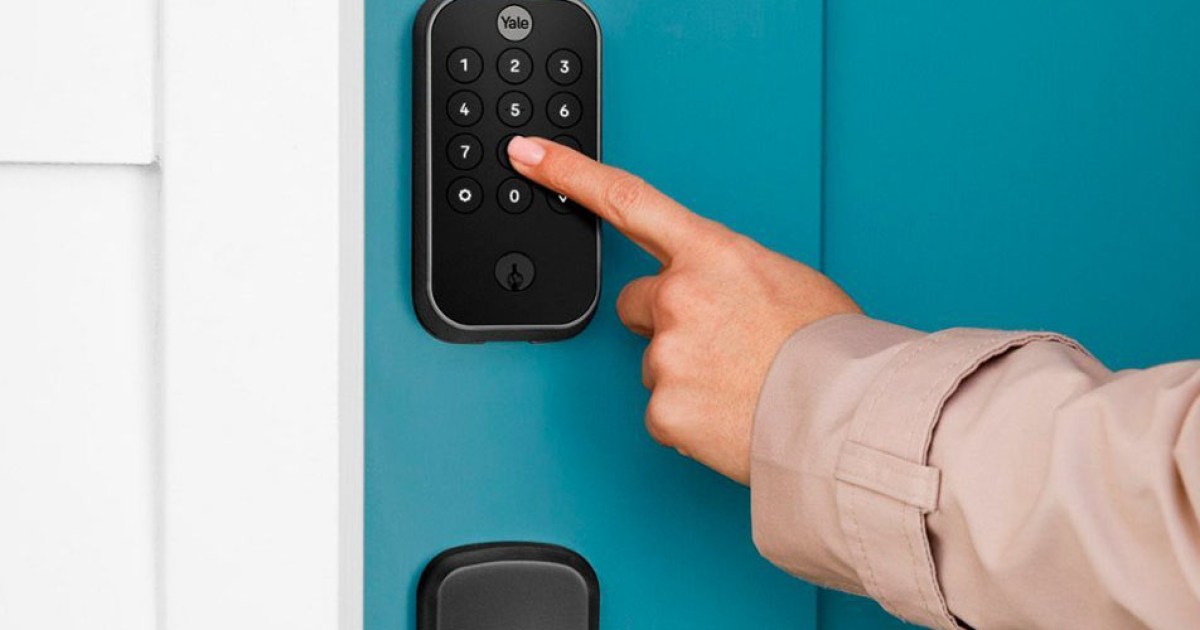
The Yale Assure Lock 2 is one of the best smart locks, as it’s available in a variety of formats and makes it easy to keep tabs on your front door when away from home. Much of this functionality is driven by support for Wi-Fi connections on select models, as you can quickly connect the unit to your home network and access all its features via its companion mobile app.

However, some users may notice their Yale Assure Lock 2 appears offline or that it’s no longer connected to Wi-Fi. It can be a frustrating issue to deal with, as a lock that’s offline won’t let you access its best features – meaning you’ll want to get it back online as soon as possible.

Has your Yale Assure Lock 2 gone offline or disconnected from Wi-Fi? Here’s how to reconnect the Yale Assure Lock 2 to Wi-Fi and regain access to all its features.

How to reconnect Yale Assure Lock 2 to Wi-Fi

Keep in mind that not all Yale Assure Lock 2 models connect to Wi-Fi. Only those with a Wi-Fi Smart Module are capable of Wi-Fi connections, with others limited to just Bluetooth. If you do have a Wi-Fi Smart Module, you’ll be glad to know that Yale designed these components in such a way that they’ll automatically try to reconnect to your Wi-Fi network when it goes offline. Unfortunately, this doesn’t work in all scenarios. If your Yale Assure Lock 2 has been offline for several minutes, here’s what you should do to get it back online.

Step 1: First, ensure that you have a stable internet connection and that your router isn’t offline. Since the Wi-Fi Smart Module tries to automatically connect to the internet, there’s a good chance the problem isn’t actually with your smart lock and is instead related to your home network.

Step 2: If everything looks good with the router, you’ll want to start troubleshooting at your smart lock. To start, ensure the lock’s battery hasn’t died. This can be done either by checking your companion mobile app or attempting to lock (or unlock) the door. If the unit is dead, try replacing the batteries. Once the batteries are replaced, the lock should attempt to reconnect to Wi-Fi.

Step 3: If the unit isn’t dead, you’ll want to remove, then reinstall the batteries. Simply slide the battery cover up, remove all four batteries from the unit, then reinsert them. This will force the lock to go through a startup cycle – which includes attempting to connect to your Wi-Fi.

Step 4: During this time, consider turning off Bluetooth on your smartphone to ensure you can access the lock via Wi-Fi. Note that it could take several minutes to establish the Wi-Fi connection.

Step 5: Once a Wi-Fi connection is established, you’ll see a Wi-Fi icon appear at the top right of the mobile app. If the lock still can’t connect to Wi-Fi, you may need to reach out to Yale’s customer support team for help.

Editors’ Recommendations


Share. Facebook Twitter Pinterest LinkedIn Tumblr Email
Previous ArticleChange Healthcare’s New Ransomware Nightmare Goes From Bad to Worse
Next Article Every Villain In Insomniac's Spider-Man Universe

Related Articles

Kids’ smartwatches are meant to keep children safe, but hackers can turn them into stalking devices
News

Kids’ smartwatches are meant to keep children safe, but hackers can turn them into stalking devices

7 August 2026
Our Favorite Fans Are on Sale to Help With Summer Heat Waves (2026)
News

Our Favorite Fans Are on Sale to Help With Summer Heat Waves (2026)

7 August 2026
Warehouse Management Systems: The Secret Software Powering e-Commerce
News

Warehouse Management Systems: The Secret Software Powering e-Commerce

7 August 2026
Zohran Mamdani’s NYC Tech Team Is What DOGE Should Have Been
News

Zohran Mamdani’s NYC Tech Team Is What DOGE Should Have Been

7 August 2026
Caviar just gave Meta’s smart glasses the gold treatment but forgot to make it pretty
News

Caviar just gave Meta’s smart glasses the gold treatment but forgot to make it pretty

7 August 2026
Scientists Used AI to Create 16 New Viruses
News

Scientists Used AI to Create 16 New Viruses

7 August 2026
Demo
Top Articles
5 laptops to buy instead of the M4 MacBook Pro

5 laptops to buy instead of the M4 MacBook Pro

17 November 2024133 Views
ChatGPT o1 vs. o1-mini vs. 4o: Which should you use?

ChatGPT o1 vs. o1-mini vs. 4o: Which should you use?

15 December 2024112 Views
Costco partners with Electric Era to bring back EV charging in the U.S.

Costco partners with Electric Era to bring back EV charging in the U.S.

28 October 2024100 Views

Subscribe to Updates

Get the latest tech news and updates directly to your inbox.

Latest News
Scientists Used AI to Create 16 New Viruses News

Scientists Used AI to Create 16 New Viruses

News Room7 August 2026
OnePlus announces its first ColorOS beta, kicking off the transition from OxygenOS News

OnePlus announces its first ColorOS beta, kicking off the transition from OxygenOS

News Room7 August 2026
The 5 Best Laptop Power Banks I’ve Personally Tested (2026) News

The 5 Best Laptop Power Banks I’ve Personally Tested (2026)

News Room7 August 2026
Most Popular
The Spectacular Burnout of a Solar Panel Salesman

The Spectacular Burnout of a Solar Panel Salesman

13 January 2025137 Views
5 laptops to buy instead of the M4 MacBook Pro

5 laptops to buy instead of the M4 MacBook Pro

17 November 2024133 Views
ChatGPT o1 vs. o1-mini vs. 4o: Which should you use?

ChatGPT o1 vs. o1-mini vs. 4o: Which should you use?

15 December 2024112 Views
Our Picks
Zohran Mamdani’s NYC Tech Team Is What DOGE Should Have Been

Zohran Mamdani’s NYC Tech Team Is What DOGE Should Have Been

7 August 2026
Caviar just gave Meta’s smart glasses the gold treatment but forgot to make it pretty

Caviar just gave Meta’s smart glasses the gold treatment but forgot to make it pretty

7 August 2026
Scientists Used AI to Create 16 New Viruses

Scientists Used AI to Create 16 New Viruses

7 August 2026

Subscribe to Updates

Get the latest tech news and updates directly to your inbox.

Facebook X (Twitter) Instagram Pinterest
  • Privacy Policy
  • Terms of use
  • Advertise
  • Contact Us
© 2026 Best in Technology. All Rights Reserved.

Type above and press Enter to search. Press Esc to cancel.