





I’ve been using a Mac for a long time, and over the years, I’ve gotten pretty good at figuring out what’s going wrong when something feels off. Most of the time, I start in the Settings app. I poke around, change a few things, and usually find whatever is causing the problem. Storage is a good example. I recently noticed my Mac slowing down, opened the Storage section, and immediately got a clear breakdown of what was taking up space. One cleanup later, I had freed up some much-needed storage, and everything felt normal again. I’ve done something similar when trying to figure out battery drain or unusually high CPU usage. macOS gives you plenty of places to look when you know something isn’t quite right.
There’s one thing it doesn’t make nearly as obvious, though: where all your internet data is actually going. I only started thinking about this because my internet had been acting strangely for the past few days. Things felt slower than usual, and I couldn’t figure out why. My connection seemed fine, and I wasn’t downloading anything massive, so what was eating up all that bandwidth? Turns out, quite a few apps on my Mac were using the internet in the background, and I had no idea. I probably wouldn’t have figured that out either if I hadn’t come across a Mac app that showed me exactly what was happening behind the scenes. And that’s where things got interesting.
My Wi-Fi wasn’t the problem after all
Before I discovered Bytetally, I treated almost every Wi-Fi problem the same way: restart the router and hope for the best. It’s the oldest trick in the book, but to be fair, it works most of the time. So when the internet on my Mac started crawling recently, that’s exactly what I did. And when everything else at home seemed to be working just fine, I realized the router probably wasn’t the problem. That’s when I started using Bytetally, and it gave me a completely different way of looking at my Mac’s internet connection. Instead of simply telling me whether I’m connected to Wi-Fi, it shows me what every app is actually doing with that connection. I can see how much data an app has downloaded or uploaded, watch its activity in real time, and even control how much bandwidth it gets.
That last part is what really opened my eyes. I found that Chrome alone had downloaded around 8GB of data on my Mac. Another app had moved several gigabytes in the background without me even noticing. Normally, all I saw was a slow internet connection, and I probably blamed my router again. Bytetally actually gave me something to point at. It gets even more useful when something suddenly starts hogging the connection. The app puts my current download and upload speeds right in the Mac menu bar, so I can glance up and immediately notice when there’s an unusual spike. Say I’m downloading a large file for work, and everything suddenly slows to a crawl. Instead of closing random apps and hoping one of them fixes it, I can open Bytetally and see something like Dropbox pulling 18MB/s, Chrome using 2MB/s, and Slack sitting at 300KB/s. If Dropbox is the culprit, I don’t necessarily have to kill the download completely. I can temporarily limit its speed, finish whatever I’m doing, and let it loose again later.
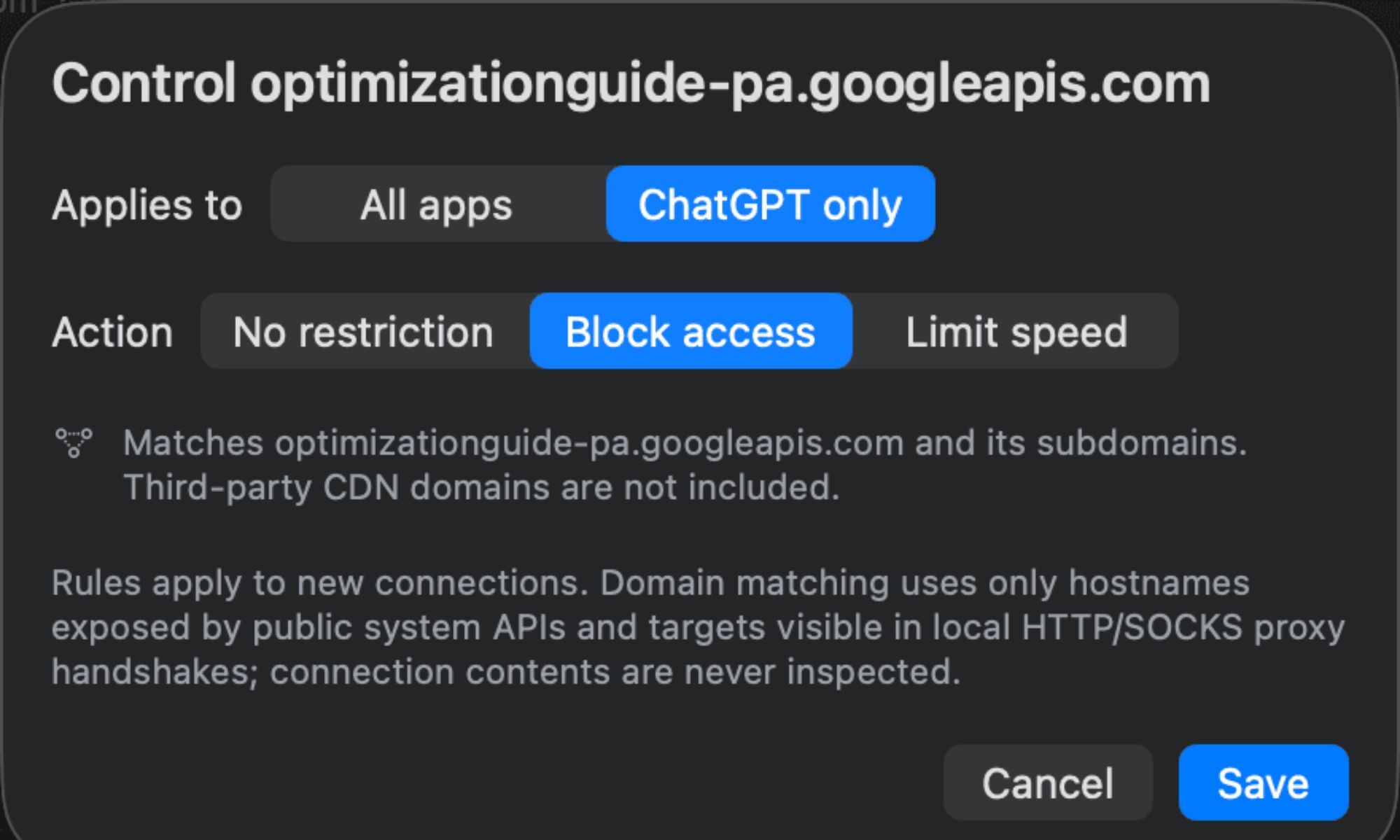
I can see this being even more useful when I’m away from home. If I connect my Mac to my iPhone’s hotspot, for example, every gigabyte suddenly matters a lot more. I can set a separate data allowance for that connection and see which Mac apps are chewing through my mobile data. So if Chrome starts downloading something huge or a cloud-storage app decides it’s the perfect time to sync a folder full of videos, I can catch it before my hotspot allowance disappears
I’m the bandwidth boss now
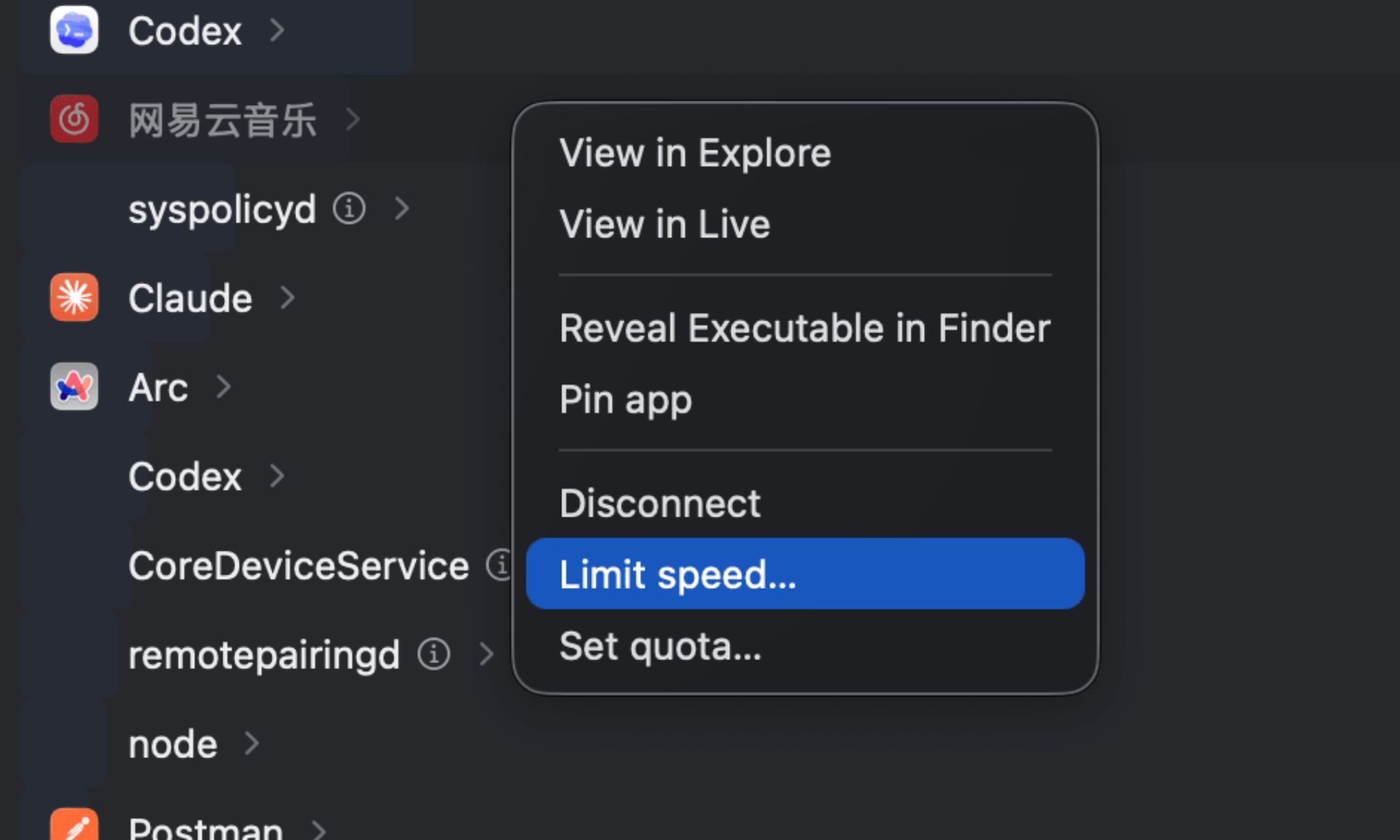
After using Bytetally for a while, I’ve stopped treating a busy internet connection as something I have to live with. If one app is getting a little too greedy, I can slow it down for a while and give that bandwidth to whatever actually needs it. That has been surprisingly handy in everyday use. If I’m on a video call and a cloud backup suddenly kicks in, I can throttle the backup instead of shutting it down completely. If there’s an app I don’t want using the internet at all, I can cut off its connection. And for apps that tend to chew through data, I can give them their own quota and stop them from going beyond it. It feels a bit like being the traffic controller for my Mac, except I’m deciding which apps get the fast lane.
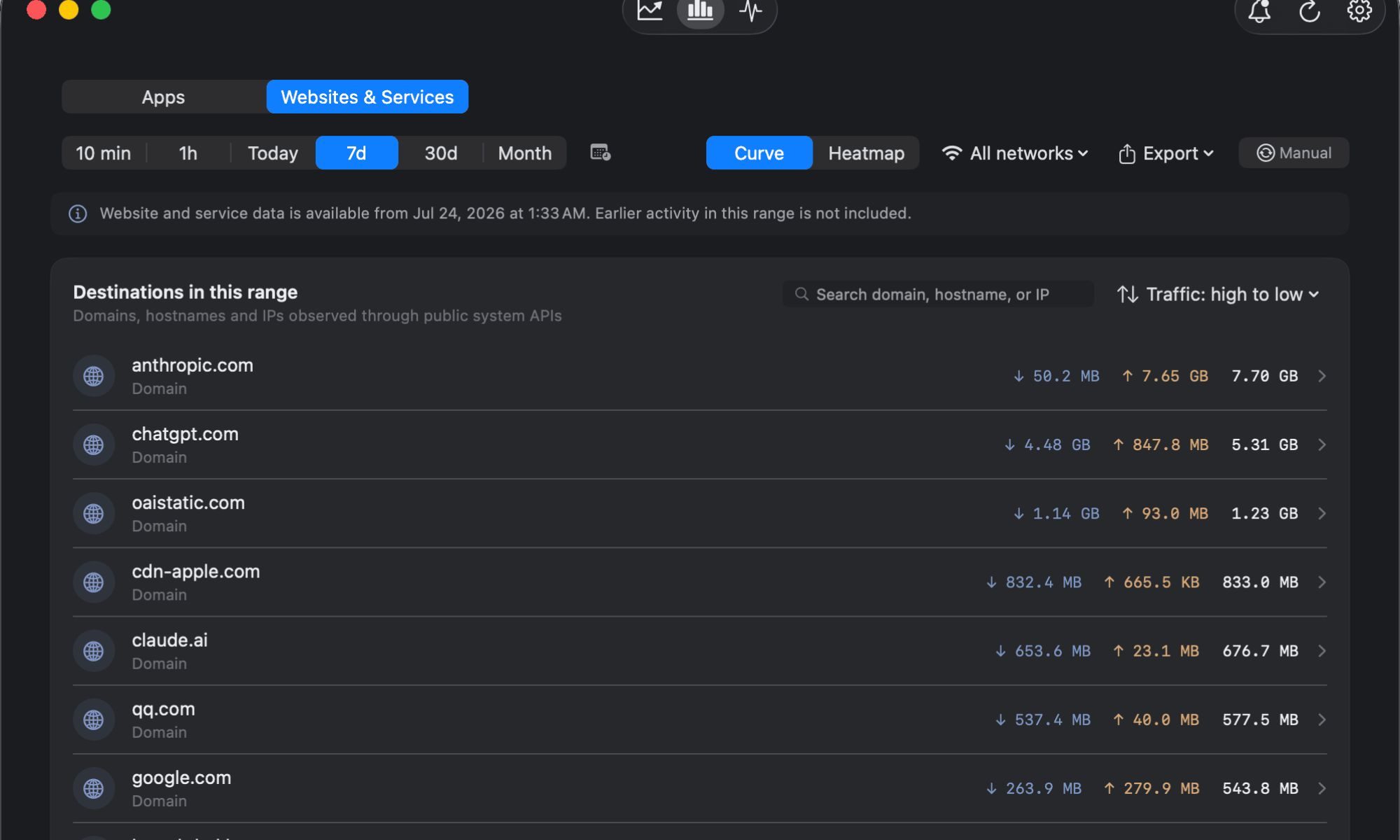
The nice part is that you don’t actually have to pay to get the basics. Bytetally’s core monitoring features are free, and they’re not locked behind a temporary trial. You can see how much each app uploads and downloads, keep an eye on your current speeds from the menu bar, look back at seven days of usage, and even get a better idea of which apps are responsible for traffic that would otherwise be harder to trace. For most people who want to figure out why their internet occasionally feels sluggish, that might already be enough.
The more advanced controls are where Bytetally Pro comes in. It costs $1.99 per month or $9.99 per year, with both subscriptions including a seven-day free trial. There’s also a $19.99 lifetime option, which caught my attention. It supports Family Sharing, and because that price is currently an early-bird offer, buying it now also means getting future features without paying more later. That makes the lifetime option particularly tempting. Bytetally is still a relatively young app, so there’s always the question of how much more useful it could become over time. The developer plans to raise the lifetime price as more features are added, while early buyers keep what they paid. At $19.99, it’s essentially a small bet on where the app goes next — and considering how much more control it has already given me over something I previously couldn’t even properly see, I can understand the appeal.