



It’s only been a week since Google launched the Pixel 11 series globally, and I’ve already been putting the Pixel 11 through its paces. This is the vanilla model of the bunch, and on the surface, Google hasn’t changed the design or tried to reinvent what already worked last year. And you know what? I’m completely fine with that.
I’ve always been a firm believer in “if it ain’t broke, don’t fix it,” and the Pixel 11 feels like Google took that saying pretty seriously. A lot of what made the Pixel 10 work is still here, just with a few tweaks sprinkled in. That might not sound particularly exciting, but after actually living with the phone for the past few days, I’ve found myself enjoying it more than I expected. So, rather than writing it off for looking a little too familiar, I gave this baby a proper chance. And while I’m still putting it through plenty of tests, there are already a few things about the Pixel 11 that I’ve really started to like.
The visor glow-up is very real
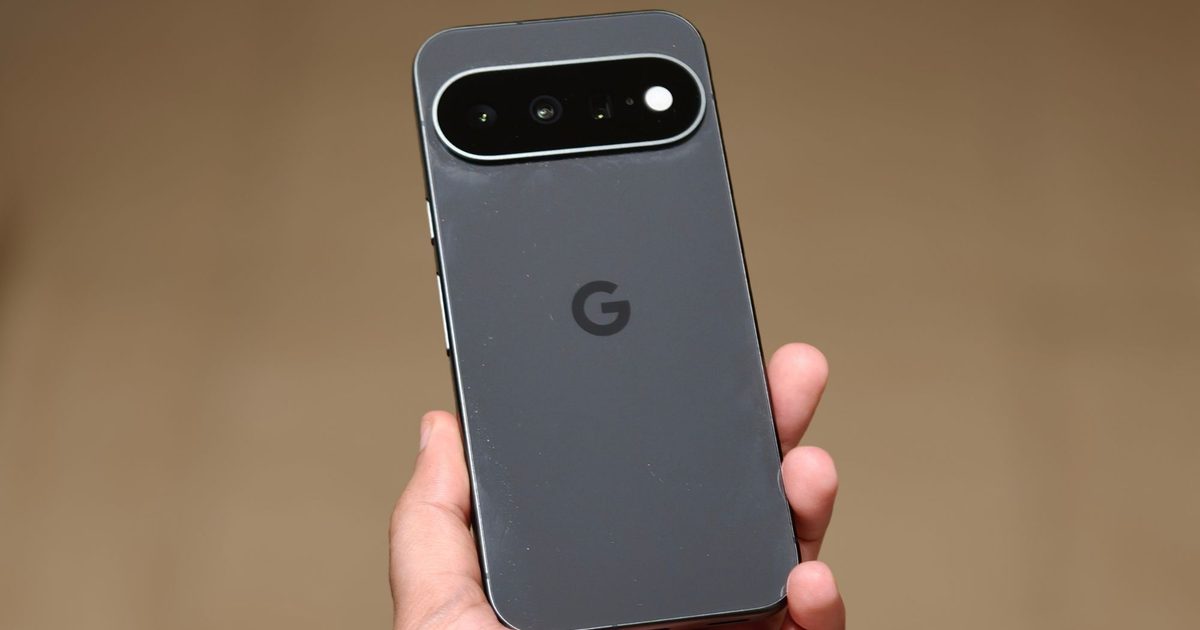
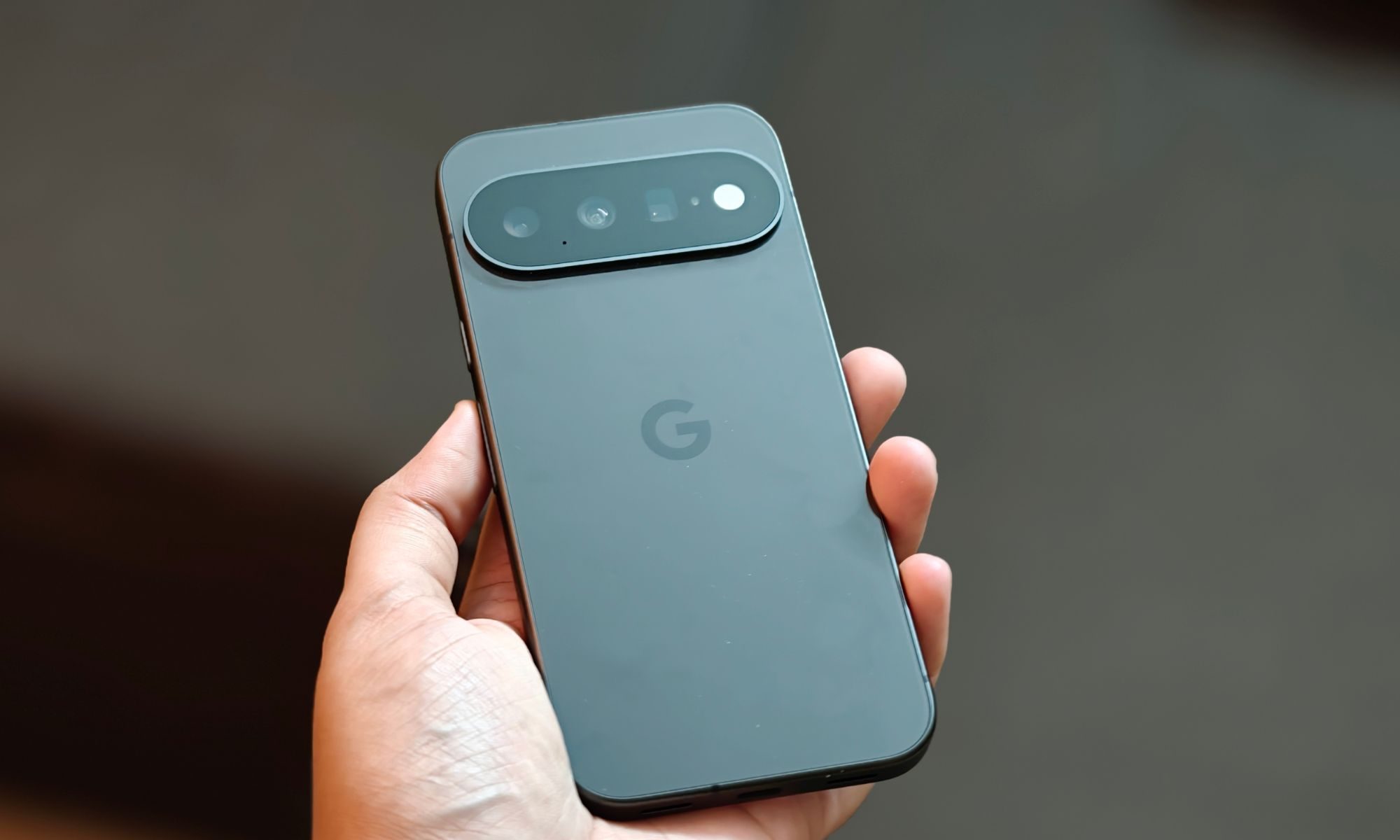
Before I get into the features, there’s one design change I have to appreciate: the camera visor. Google has made it around 40% slimmer this year, and this isn’t one of those improvements you have to squint to notice. I could see the difference almost immediately. The Pixel 11 still weighs close to 200 grams, and it hasn’t become dramatically thinner either, but that slimmer camera bar makes the back look noticeably cleaner and a little more premium.
One thing is spoiling the look for me, though: that glossy finish. I’m using the Obsidian variant, and it feels like I only have to look at the phone for fingerprints and smudges to start appearing. Dirt shows up ridiculously easily too, which is a shame because I like how this phone looks when it’s clean. Google already gives the Pro models a much nicer matte treatment, so why can’t the baby Pixel get the same love?
Ramble away, nobody has to know
How much rambling is too much rambling? Because if you ask me, Rambler might be one of the best features I’ve used on a Pixel. I’m someone who tends to throw in plenty of “uhs,” “umms,” awkward pauses, and half-finished thoughts when I’m speaking, especially when I’m trying to get an idea out quickly. Rambler basically makes all of that disappear. It’s a Gemini-powered feature built right into Gboard, and instead of simply turning everything I say into text word for word, it cleans up my speech along the way. So, on days when I can’t be bothered to type out a long message, I can start talking naturally. I don’t have to plan every sentence in my head first, either. Rambler removes the filler words and tidies everything up, so the final text reads as if I somehow delivered the whole thing perfectly on the first try.
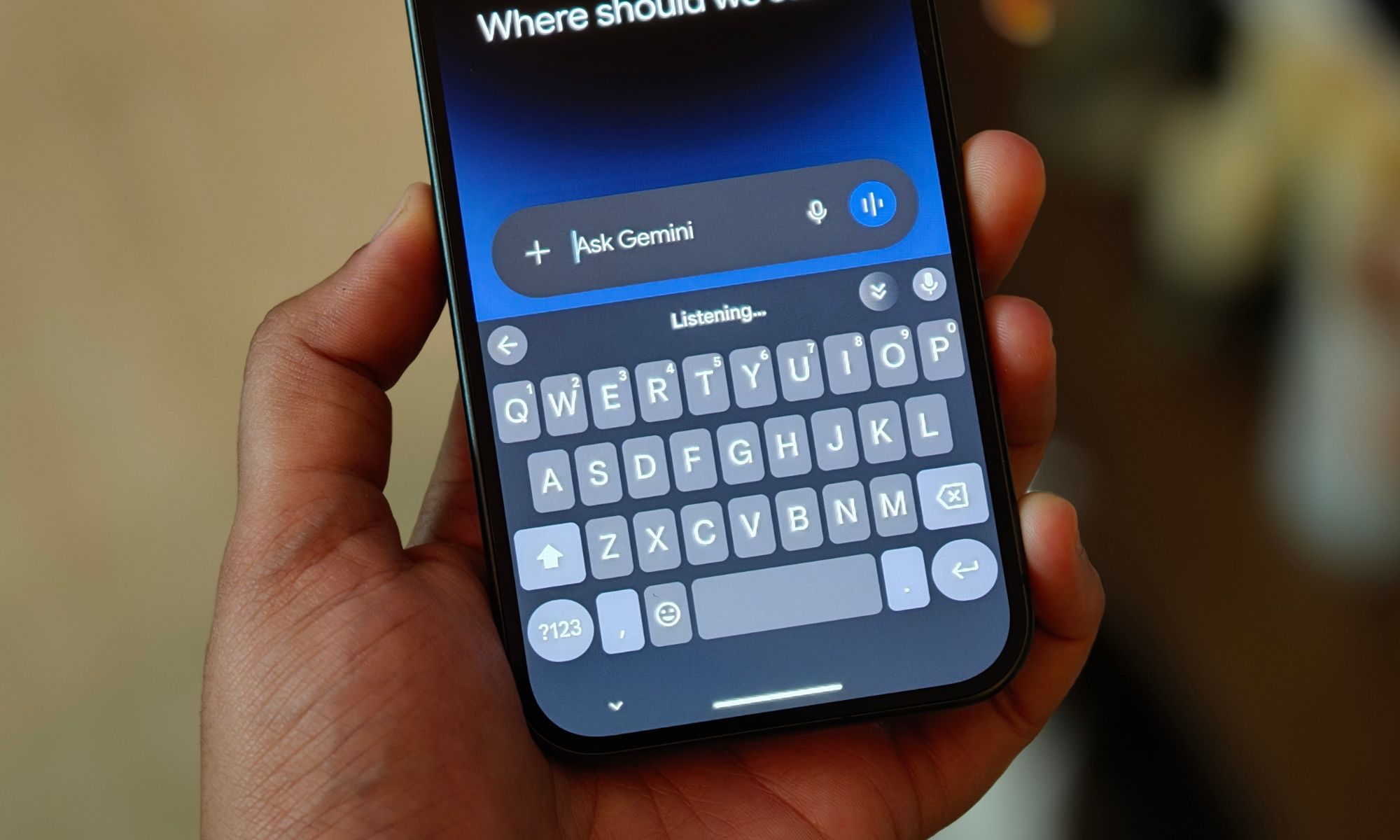
What makes it even more useful for me is that I don’t have to stick to a single language while speaking. Rambler can handle multiple languages within the same voice input session, so I can switch languages mid-thought and keep going. Once you start dictating longer messages, notes, or random ideas this way, going back to carefully tapping everything out feels absolutely tedious.
See it, Circle it, Google it
Circle to Search has been one of those features I’ve gotten really used to. See a pair of sneakers in an Instagram post? Hold down the bottom of the screen, circle them, and Google goes looking. Spot a lamp you like on Pinterest? Same thing. It saves me from trying to describe something to Google with a hilariously vague search like “round orange lamp with tiny legs.” But on the Pixel 11, Circle to Search can go beyond whatever is already on my screen. I can use it directly through the camera, which means I can search for things I’m looking at in the real world. I point the camera at whatever has caught my attention, bring up Circle to Search, circle it, and let Google figure out the rest.
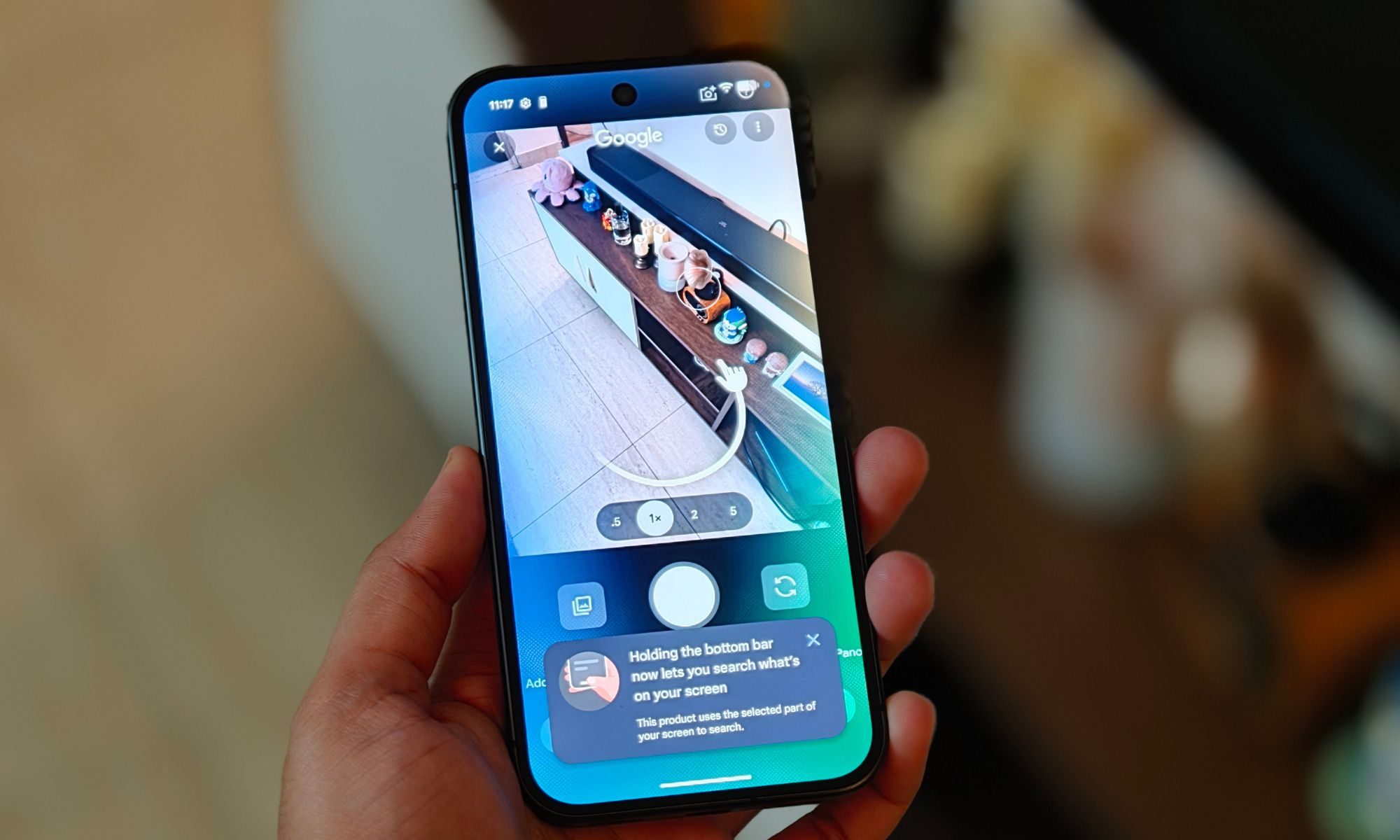
That sounds like a fairly simple addition, but it makes the feature so much more useful in everyday life. If I spot a pair of headphones at a café and want to know which model they are, see a plant I can’t name, or come across a chair in a store that I want to find online, I don’t have to take a photo first or awkwardly figure out how to describe it in a search box. I can just point, circle, and search. In a way, the Pixel 11’s camera has become the phone’s pair of eyes. If I can see something, there’s a good chance my Pixel can help me figure out what it is without me having to explain a thing.
Why fix it later when you can do it now?
The Pixel 11’s camera tricks don’t stop there. I’ve also been playing around with Camera Looks, and this one is becoming my favorite way to give photos a little personality before I even press the shutter button. So, now I can point the camera at whatever I’m about to shoot, jump into the Looks section, and choose between Original, Natural, Shadows, and Vanilla. Each one changes the overall feel of the image, so I can decide whether I want something closer to what my eyes are seeing or a shot with a little more character. And I’m not stuck with whatever Google thinks looks best, either. I can tweak things like brightness, shadows, and highlights right there in the camera.
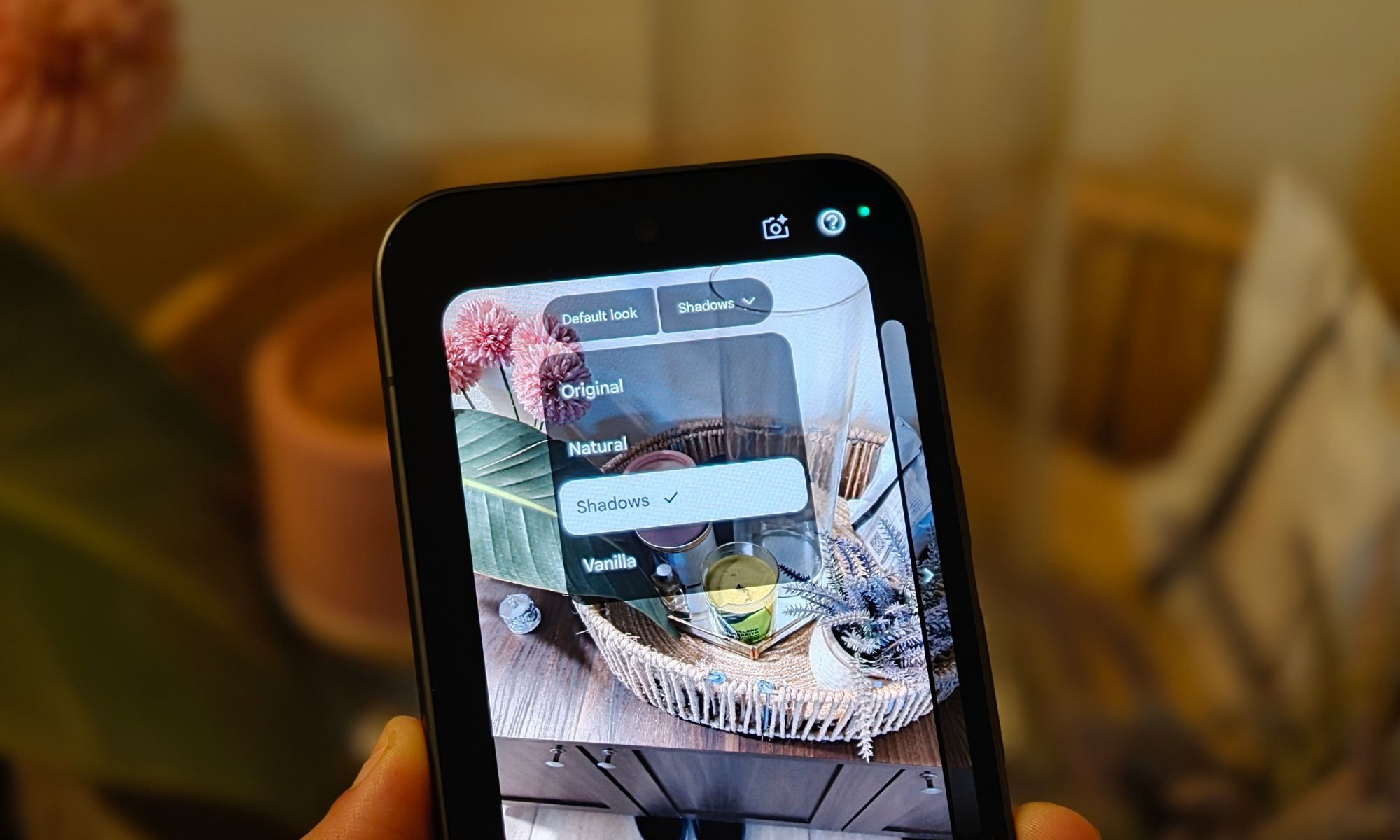
That’s what I’ve been enjoying the most. Say I’m taking a photo of a building against a bright sky and the foreground looks a little too dark. Instead of snapping the picture and telling myself I’ll fix it later in Google Photos, I can play with the shadows and brightness while I’m still framing the shot. By the time I hit the shutter button, the photo already looks much closer to what I had in mind. Sure, the Pixel 11 doesn’t have the same rear camera hardware as its Pro siblings, but features like Camera Looks make that bother me a little less. And sometimes, being able to decide exactly how I want a photo to look is more fun than simply pointing, shooting, and letting the phone make every decision for me.
The honeymoon isn’t over just yet
So far, I’m having a surprisingly good time with the Pixel 11. But I’m also not ready to slap a verdict on it just yet. A few days with a new phone is enough to figure out what immediately clicks, but definitely not enough to tell you whether it deserves your money. There’s still plenty I want to test. I want to see how the battery holds up once the new-phone excitement wears off, how the cameras behave in trickier situations, whether performance stays consistent, and, most importantly, whether any annoyances start creeping in after a couple of weeks. Those are the things that usually tell me much more about a phone than the first few days ever could.
For now, though, things are looking pretty good. The Pixel 11 might not be a dramatic reinvention, but features like Rambler, Camera Looks, and the expanded Circle to Search have already become part of how I actually use the phone. And that’s probably the biggest compliment I can give them: they don’t feel like features I’m forcing myself to use just because they’re new. I’m still testing, poking, prodding, and probably rambling into Gboard far more than necessary. The final verdict can wait. For now, the baby Pixel and I are getting along just fine.