






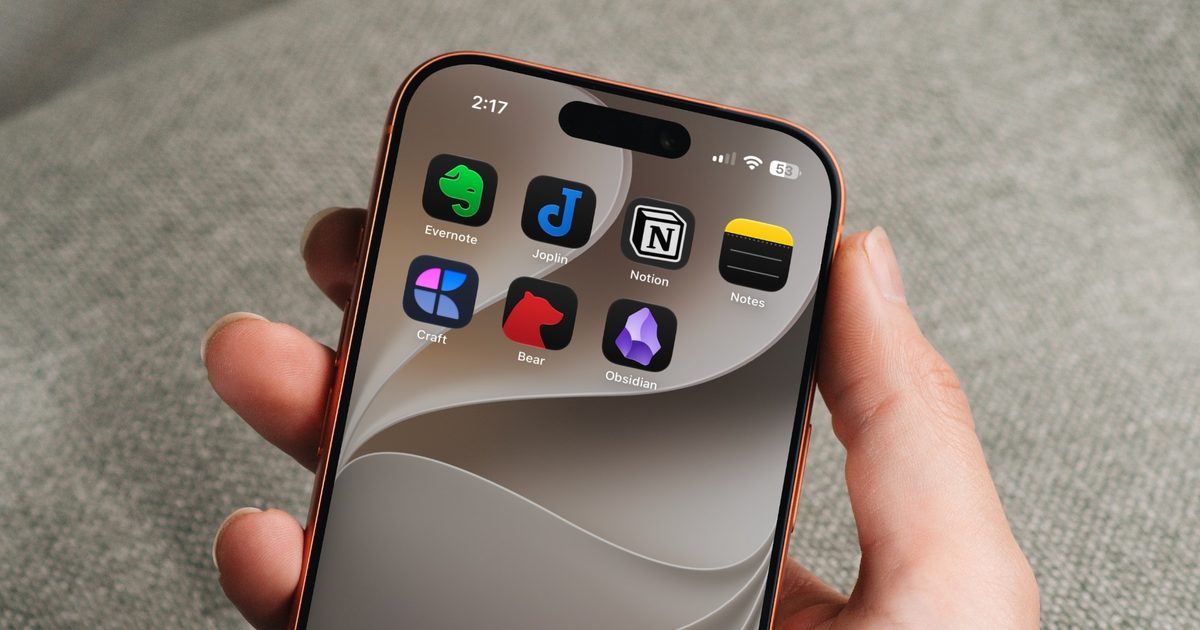
Choosing a note-taking app is not easy. What note-taking app you choose depends on your needs, the platform you use, and of course, the cost. The process becomes even more complicated as it seems that there’s a new shiny app released every other week.
That’s why I always suggest choosing a note-taking app that has all the features you need and can last you for a long time. Also, don’t chase new apps. The real power of a note-taking app comes when all your notes live in one place, making it easy to spot connections between them.
With that small piece of advice out of the way, here are the best note-taking apps for iOS and Android you should use in 2026.
How I evaluated and chose these apps?
As someone with thousands of notes saved across my vault, I rely on note-taking to keep my head straight, so I do not take this list lightly. Every app here is one I have personally tried and used for months, not just glanced at for a review.
Some of them did not end up suiting my needs, but through my testing, I found each app on this list to be the best at the specific job it is meant to do. My own notes are text-heavy, since I love to write, which is why Obsidian is the app that has stuck with me the longest.
That said, your needs might be different. If you want an app that goes beyond text notes and can also house your documents and files while offering solid collaboration features, Obsidian won’t be for you.
I also know that not everyone wants to spend money on a note-taking app, and not everyone needs to. Some of you would rather pay for the best app money can buy and be done with it, while others just want a solid free app that can last them for years without ever hitting a paywall. Keeping that in mind, I have tried to include apps that suit both camps.
Since I have used every single app on this list, I can recommend them to you without any qualms. Whether you want something free, something premium, or something that fits your specific workflow, there should be an app here that feels like it was made for you.
Obsidian
Obsidian is a cross-platform app that I recommend to everyone. In fact, it’s my main note-taking app, and there are several reasons for it. First, the app saves all your notes in plain-text format, so even if the developers abandon it, you can easily move your notes to any other note-taking app.
Second, the app supports interlinking of notes, thus letting you create your own web of knowledge. One of my favorite features of Obsidian is that it supports backlinks, so you always know which notes are linking to the current notes, giving you a complete picture.
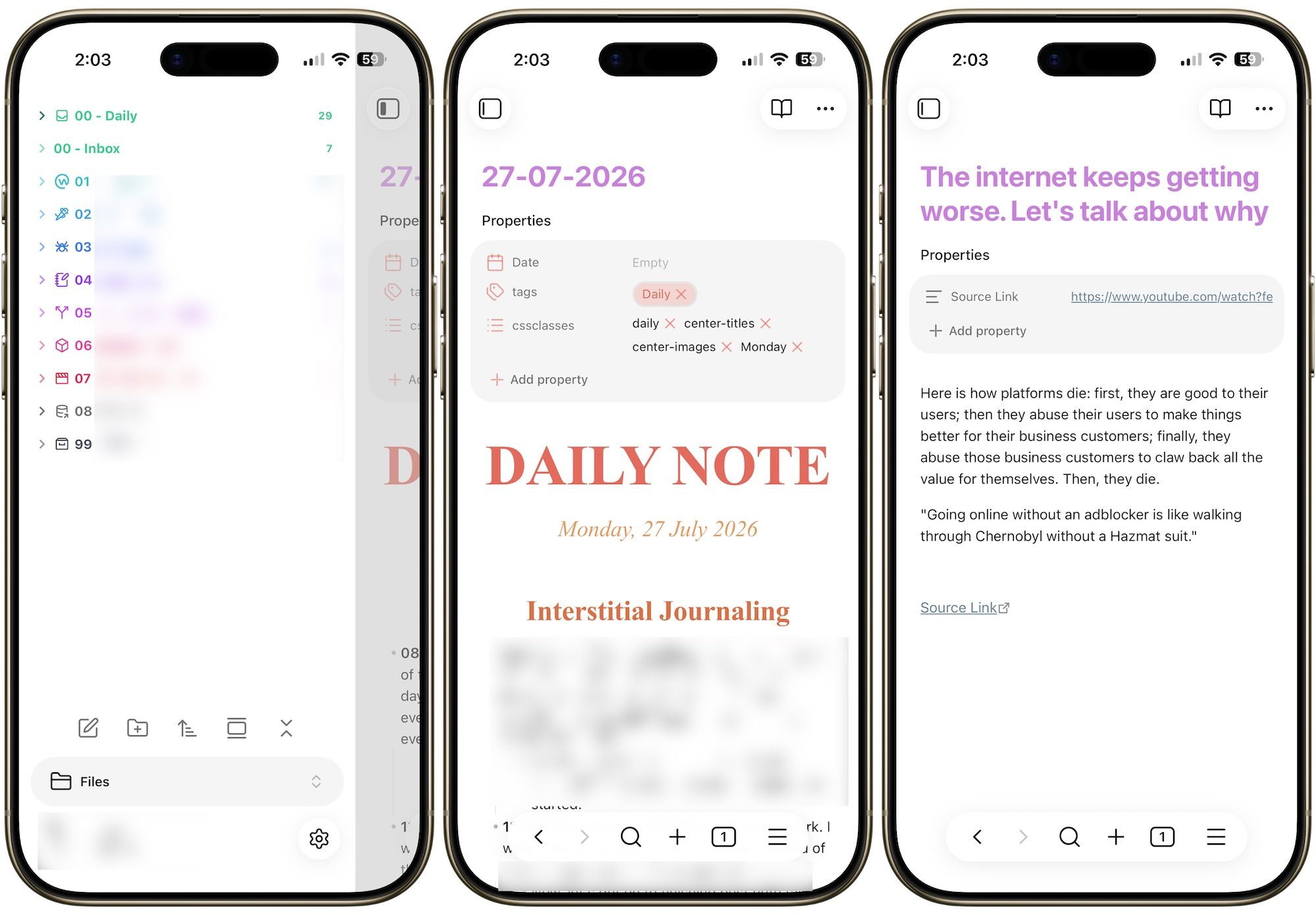
Other favorite features include a Graph view to see an overview of all your notes, community plugin support that lets you expand its features as your needs grow, a web clipper to import articles from the web, theme support, and more. Also, did I tell you that it’s completely free?
The only drawback of Obsidian is that it’s not beginner-friendly, and you will need to spend some hours to get acquainted with it. But once you pass that hurdle, you will have an amazing note-taking experience.
Craft
If you like Obsidian’s feature set but want something more user-friendly and beautiful, choose Craft. Craft is one of the most beautiful apps I have ever laid eyes on, and it will elevate your note-taking experience.
You can use Craft as a regular note-taking app or a full-on document creation app. You get all the formatting options you need, including the ability to add tables, create Kanban boards and databases, note links, page embeds, and more.
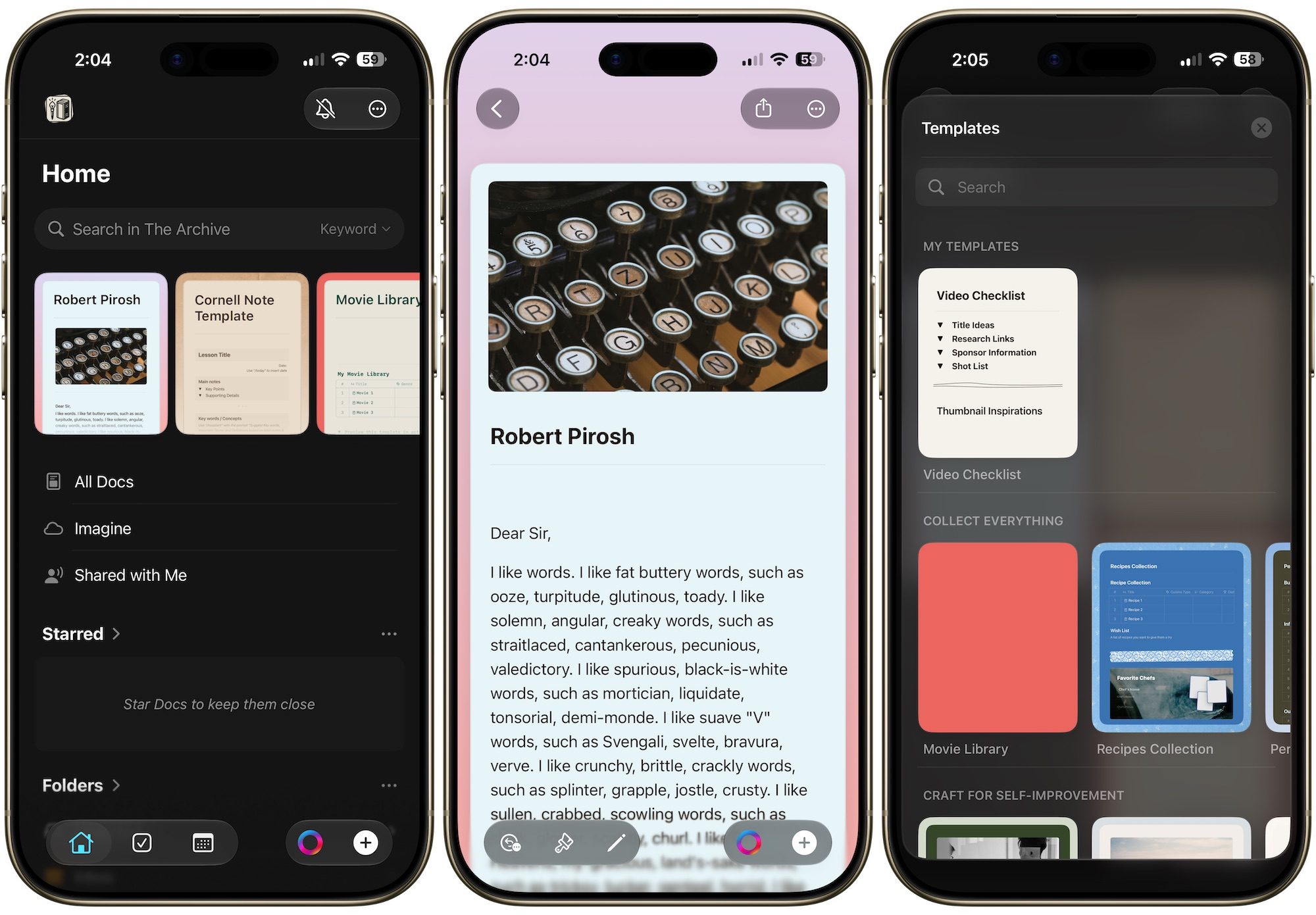
Craft is also perfect for people who work in a team or love to share their notes with others. With a single click you can share notes and collaborate with others. Want to share a proposal with a client? Craft has a publishing feature that lets you publish your notes so anyone with a web browser can view them.
It also features extensive organization features. You can organize notes into different folders, subfolders, spaces, and collections. You can also embed notes inside other notes and use tags to further organize them. Craft is a full-featured, easy-to-use, and beautiful note-taking app that will serve you well.
Bear
Sometimes you need a simple note-taking app for jotting down quick thoughts and don’t want to overcomplicate things. For such needs, I recommend Bear. Bear is a beautiful, simple note-taking app that focuses on quick capture and organization.
It supports Markdown, which lets you quickly format your notes without lifting your fingers away from the keyboard. Instead of folders, you get tags that let you easily organize notes. Since each note can contain multiple tags, one note can exist in multiple places.
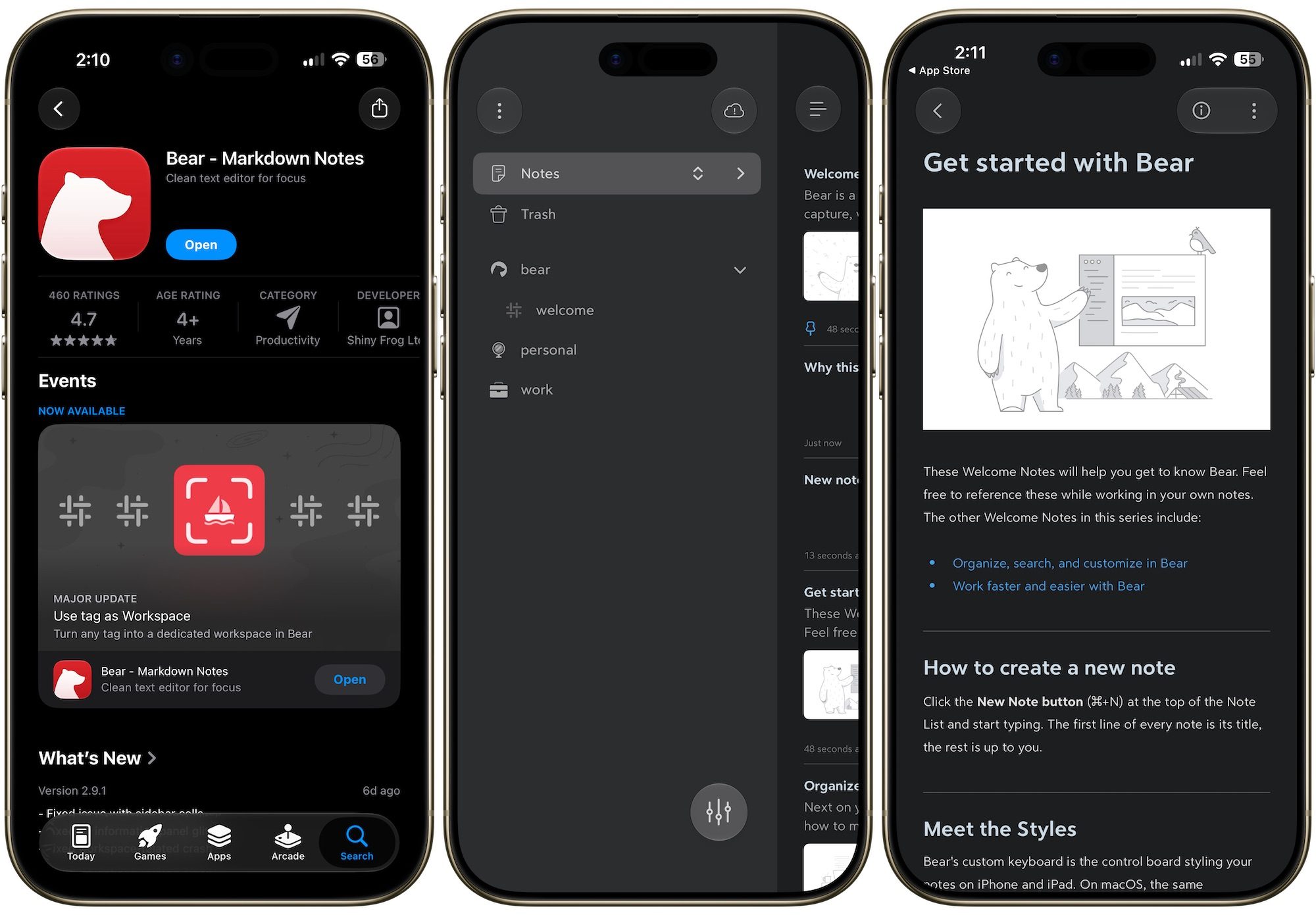
The app features multiple beautiful themes and is fluid and fast. Other features include the ability to lock sensitive notes, automatic outline generation, support for images and sketches, and more.
The only drawback is that it’s only available for iPhones, so Android users are out of luck. That said, there’s a web app available which can be useful in a pinch if you carry both Android and iOS phones.
Evernote
Evernote calls itself your “second brain,” and that’s not a bad way to describe it. The app lets you dump notes, tasks, and your calendar into one place, so nothing important slips through the cracks. You can clip articles from the web with a single click, scan documents, record voice memos, and search through all of it in seconds. It syncs across every device, so whether you jot something down on your phone or your laptop, it’s waiting for you wherever you open the app next.
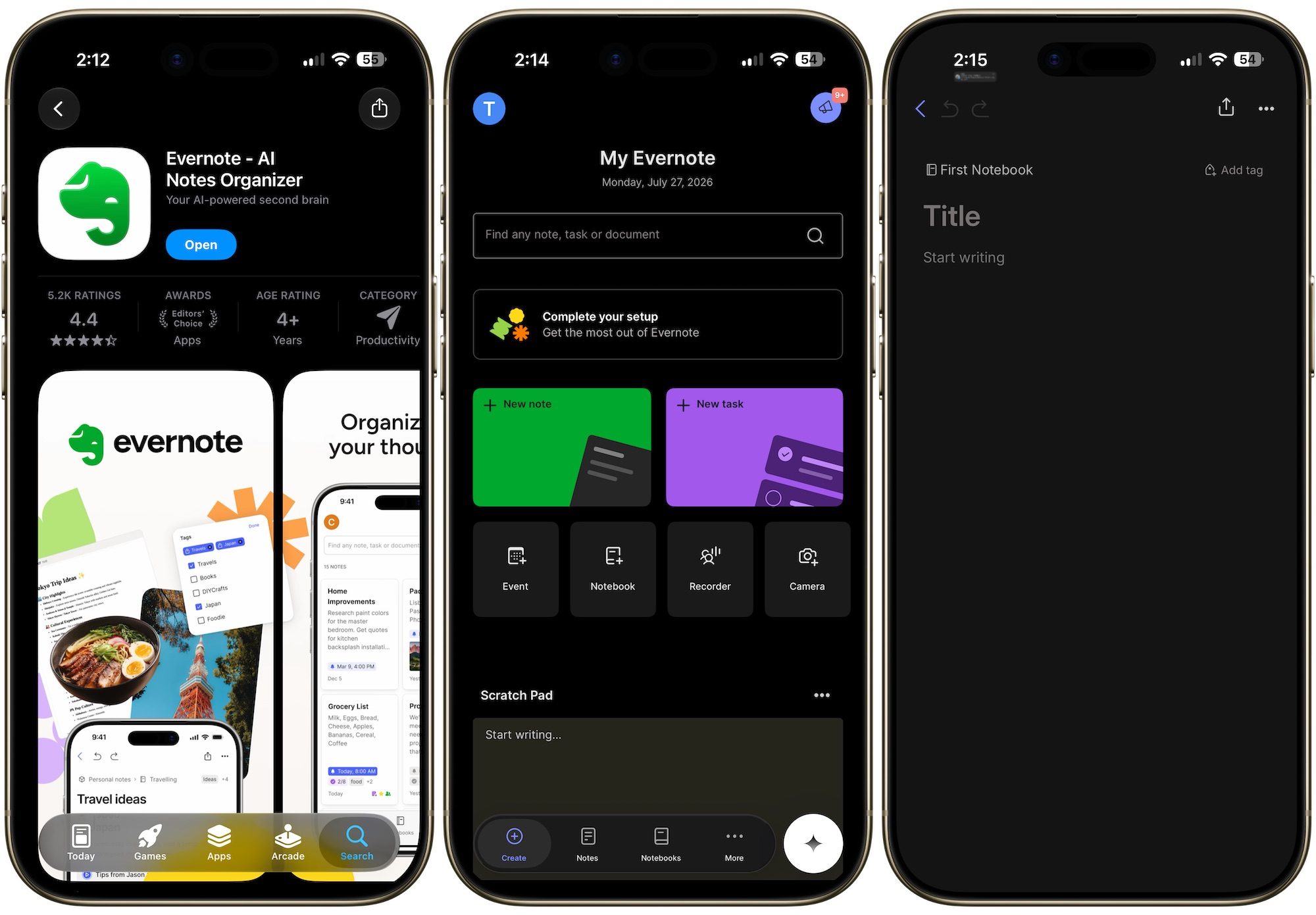
What’s new is how far Evernote is pushing AI into the mix. With version 11, the company has added features like AI Transcribe, AI Rewrite, text-to-speech, and even AI-generated diagrams, essentially turning Evernote into a toolkit rather than just a notes app. If you are aboard the AI train, this might be right in your alley.
There’s also a real-time collaboration feature now, letting teams comment and assign tasks without leaving their notes. If you’ve been using Evernote purely to jot down grocery lists, it might be time to take another look. The app has grown into something a lot more capable than most people give it credit for.
Joplin
If you like what Evernote offers but don’t want to pay its price or don’t trust it with your data, you should try Joplin. It is an open-source app, and it supports images, videos, PDFs, and audio files, so you are not limited to plain text notes. You can even create math expressions and diagrams directly inside the app. On mobile, you can snap a photo and drop it straight into a note, which is great for capturing something on the fly. There is also a web clipper extension for Chrome and Firefox that lets you save entire web pages or screenshots as notes, so that article you meant to finish reading never really disappears.
The real draw here is how much control Joplin hands back to you. Every note is stored in an open format, and end-to-end encryption keeps your notes private, so not even Joplin can peek into them. You can sync across Windows, macOS, Linux, Android, and iOS through Joplin Cloud, Dropbox, or OneDrive, keeping your notes available no matter which device you use.
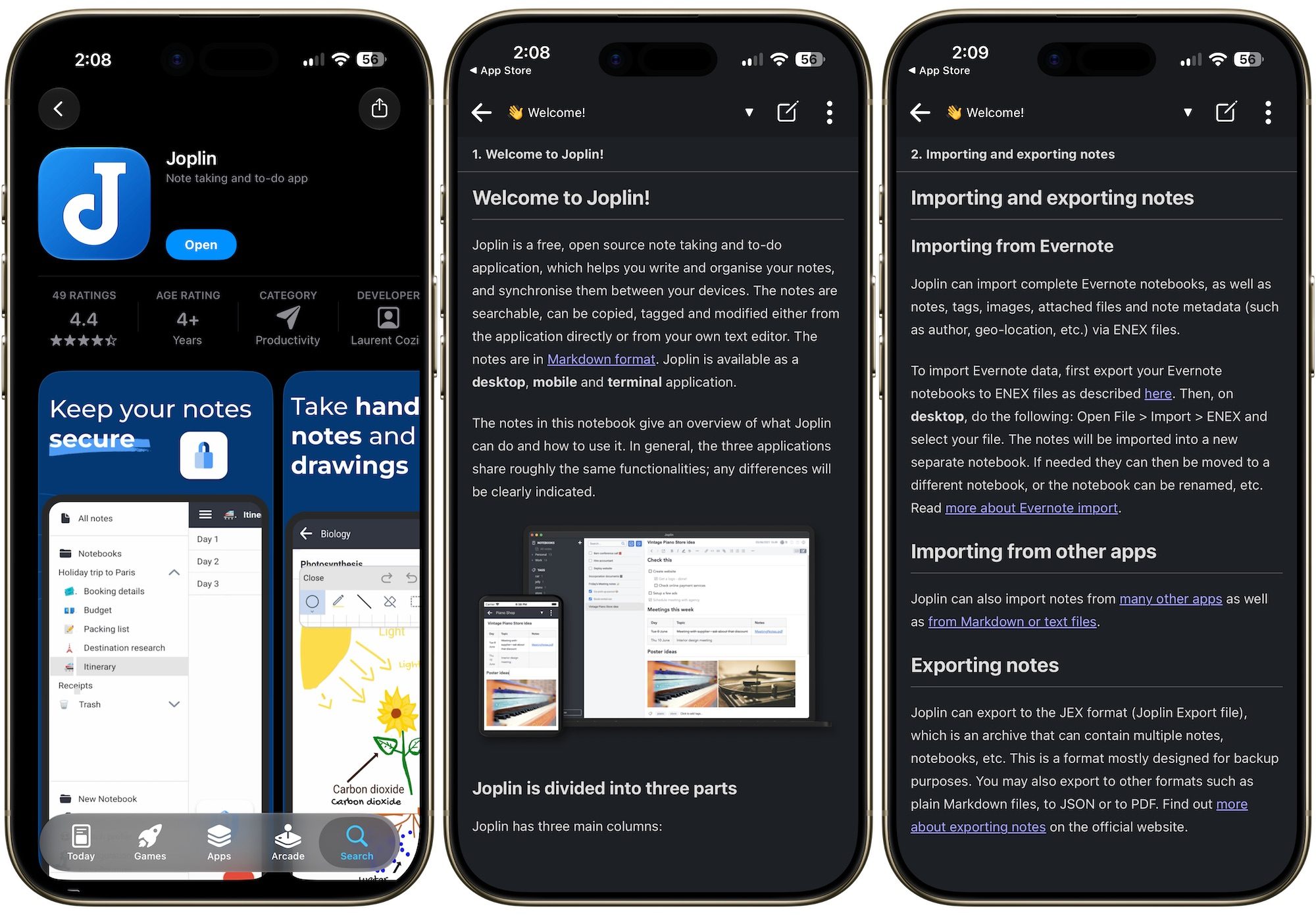
The app is also built to be customized, with support for Rich Text or Markdown editors, custom themes, and plugins, and you can even build your own using the Extension API. You can also share notes and collaborate with others through Joplin Cloud.
Yes, the app doesn’t feel as beautiful as Evernote, but if you can get past its looks, you get an open-source end-to-end encrypted app that also brings all the features you will ever need from your note-taking app.
Notion
Notion is not strictly a note-taking app but a document-style project-management and productivity app. The only reason I have included this app is that it’s one of the best cross-platform apps that lets you easily collaborate with other users. Unlike other note-taking apps where collaboration is an afterthought, it’s a core feature of Notion.
You can co-edit a note with your team in real time, or simply tag someone with the @ key to pull them into the doc. Comments stay consolidated in one place, so feedback does not get lost across time zones, which is handy if your team is spread out.
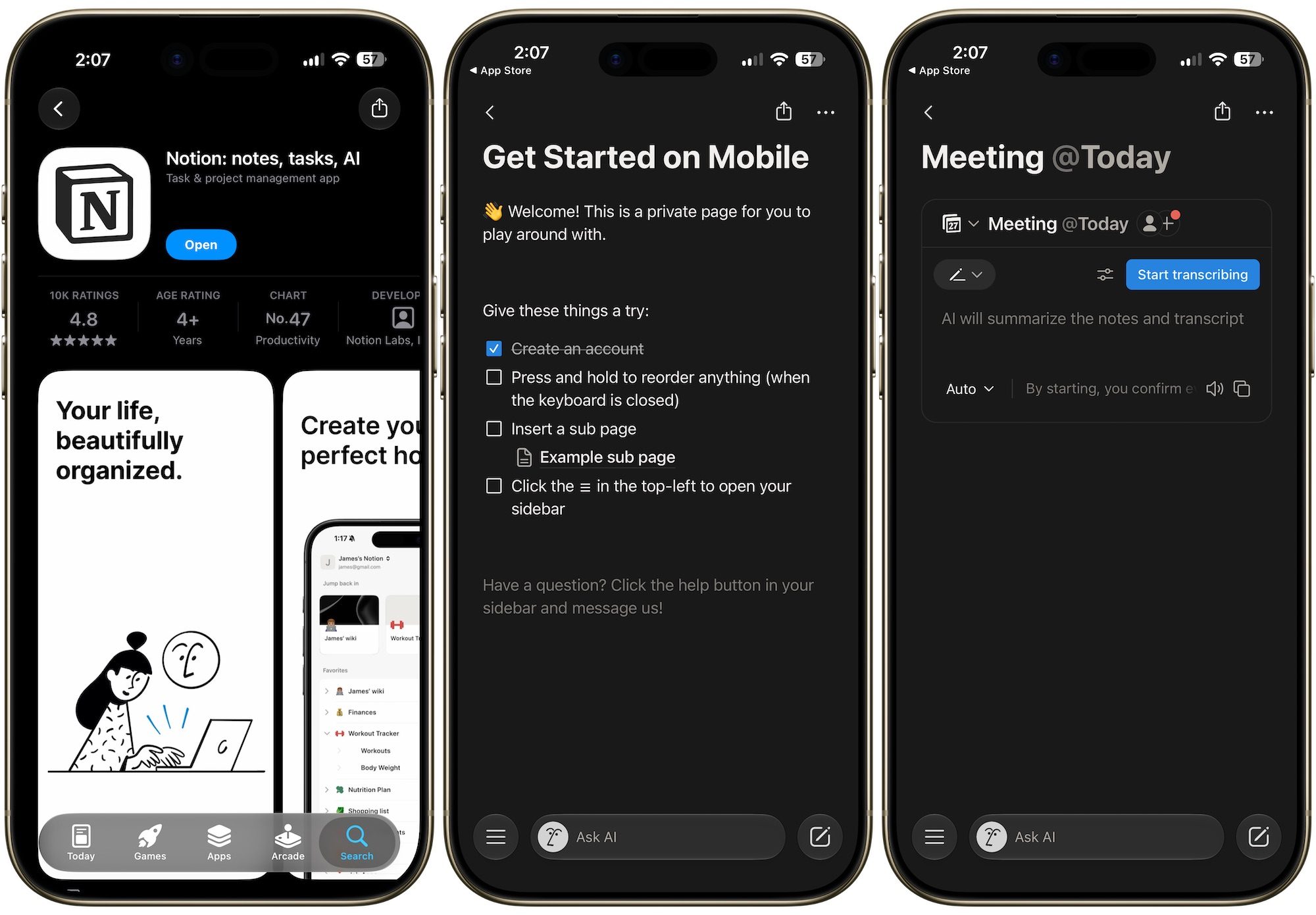
Notion is also packed with other features. It gives you over 50 content types to build your notes with. You get native syntax highlighting for code snippets, collapsible toggles to keep long notes tidy, embedded images and videos straight from Loom or YouTube, live charts, and even an auto-updating table of contents that lets you jump straight to a section.
Notion also keeps everything organized in a sidebar that scales with your workspace, so your notes do not turn into a cluttered mess as you add more of them. Combine that with ready-made templates for things like meeting notes or project requirements, and note-taking in Notion feels less like a chore and more like setting up your own personal command center.
That being said, like Obsidian, Notion has a steep learning curve, and you will need to spend some time to get used to its style of note-taking. But if you need a note-taking app that focuses on collaboration, I doubt you can find an app better than Notion.
Apple Notes
Most people write off Apple Notes as the free app that came with their iPhone, but that is a mistake. Apple has quietly turned it into a genuinely powerful note-taking tool over the last couple of updates. You get proper formatting options through the Aa button, letting you add headings, subheadings, and checklists.
Organization is just as strong, with nested folders, tags, smart folders, and even the ability to link notes to each other, giving you several ways to keep everything in order instead of being stuck with one rigid system.
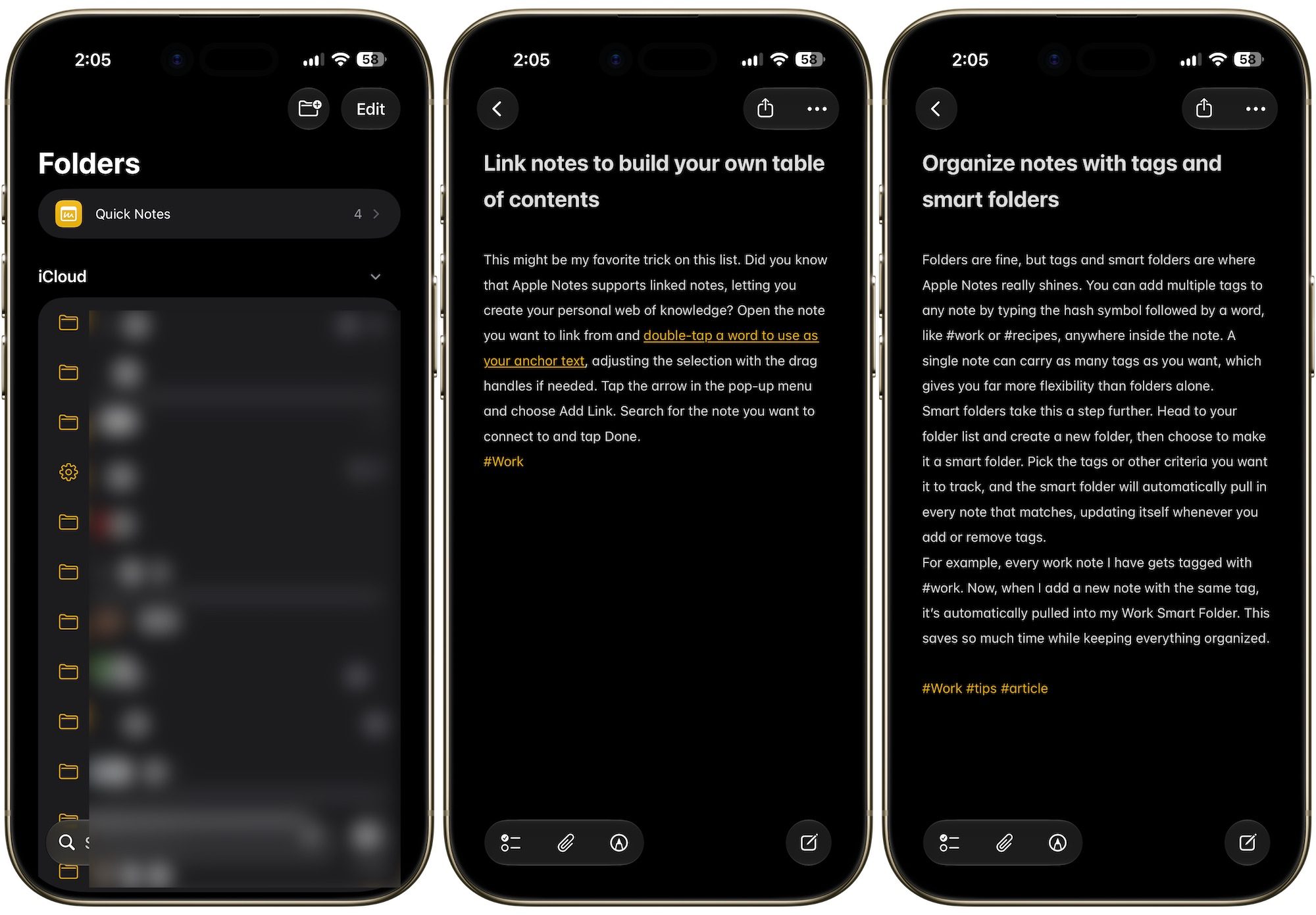
Where Apple Notes really shines is its linking ability and media support. You can save a link straight from Safari as a neat card, or highlight text on a webpage and send the exact quote to your notes, complete with a link back to where you found it.
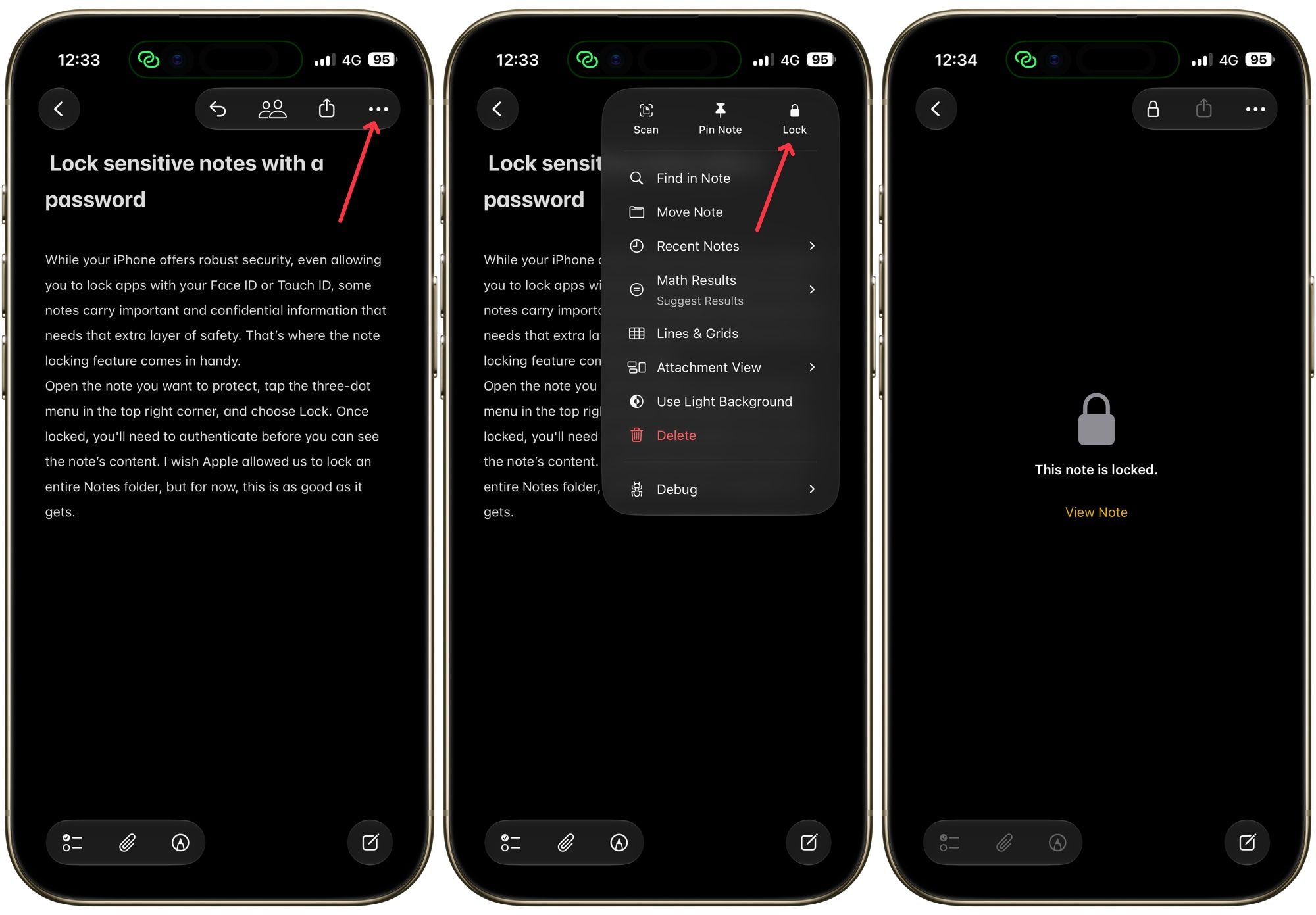
You can add photos, videos, PDFs, or even Voice Memo recordings, and they all play or open right inside the note, which is great if you take notes during meetings or lectures. Add in the ability to pin important notes to the top and lock sensitive ones behind your Face ID, and Apple Notes has almost everything you need from a note-taking app.
If you do not want to spend money on a third-party app, I highly recommend you explore Apple Notes’ new features and give it a second chance. That said, it goes without saying that it’s only available for Apple platforms, so Android users are not in luck.
Final thoughts on picking the right note-taking app
There is no single “best” note-taking app, and that is a good thing. Apple Notes works great if you are already in the Apple ecosystem and want something free. Joplin suits the privacy-minded crowd thanks to its open-source, encrypted approach.
Obsidian is the pick if your notes are text-heavy and you want to link ideas together, while Craft makes more sense if you need a workspace that holds documents and files, and supports collaboration. Go with Evernote if you want an old-school note-taking app with AI features, and Notion if you want collaboration.
At the end of the day, the right choice comes down to how you work and what you want to pay. Once you figure that out, you will find that one of these apps will suit you better than the others. And once you find it, stick with it for years, test its limitations, and only switch if the app can no longer serve your needs.


