



Close Menu
Best in TechnologyBest in Technology
  • News
  • Phones
  • Laptops
  • Gadgets
  • Gaming
  • AI
  • Tips
  • More
    • Web Stories
    • Global
    • Press Release

Subscribe to Updates

Get the latest tech news and updates directly to your inbox.

What's On
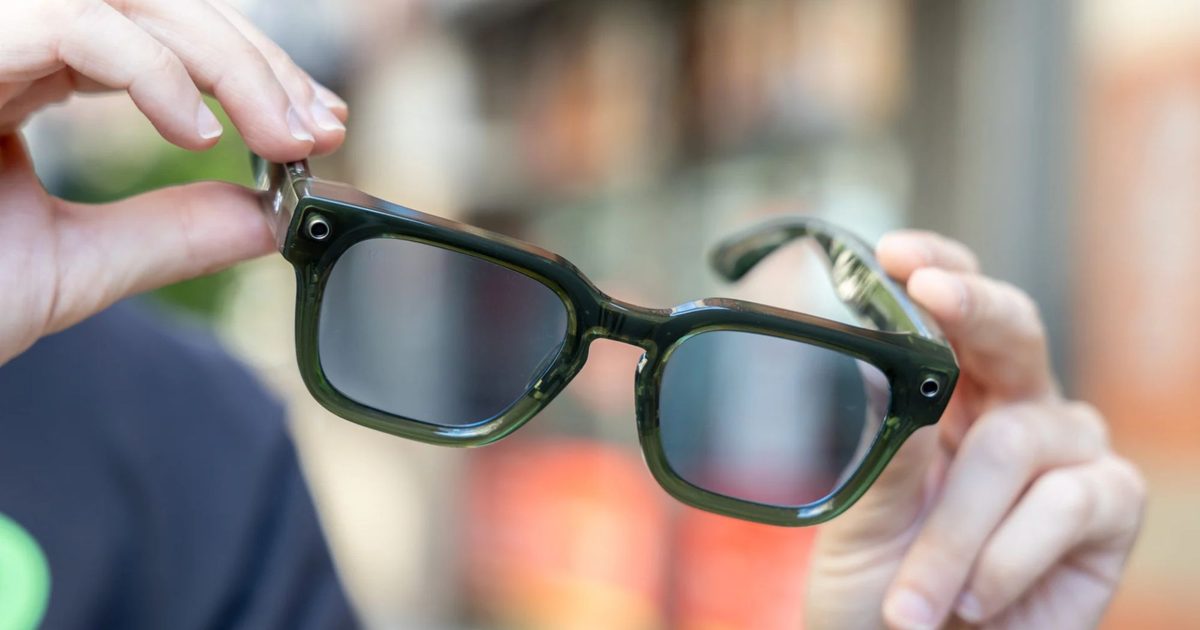
Caviar just gave Meta’s smart glasses the gold treatment but forgot to make it pretty

Caviar just gave Meta’s smart glasses the gold treatment but forgot to make it pretty

7 August 2026
Scientists Used AI to Create 16 New Viruses

Scientists Used AI to Create 16 New Viruses

7 August 2026
OnePlus announces its first ColorOS beta, kicking off the transition from OxygenOS

OnePlus announces its first ColorOS beta, kicking off the transition from OxygenOS

7 August 2026
Facebook X (Twitter) Instagram
Just In
  • Caviar just gave Meta’s smart glasses the gold treatment but forgot to make it pretty
  • Scientists Used AI to Create 16 New Viruses
  • OnePlus announces its first ColorOS beta, kicking off the transition from OxygenOS
  • The 5 Best Laptop Power Banks I’ve Personally Tested (2026)
  • Apple fixed three Mac Screen Sharing flaws, and now it’s patching another one
  • Best Webcams (2026): My Honest Take After Testing the Best
  • The Galaxy S26 FE has leaked in every color, and at least one has some personality
  • The ‘Manosphere’ Isn’t a Movement. It’s a Multibillion-Dollar Grievance Industry
Facebook X (Twitter) Instagram Pinterest Vimeo
Best in TechnologyBest in Technology
  • News
  • Phones
  • Laptops
  • Gadgets
  • Gaming
  • AI
  • Tips
  • More
    • Web Stories
    • Global
    • Press Release
Subscribe
Best in TechnologyBest in Technology
Home » How to Set Up an Apple Watch for Your Kids (2026)
News

How to Set Up an Apple Watch for Your Kids (2026)

News RoomBy News Room11 February 20263 Mins Read
Share Facebook Twitter Pinterest LinkedIn Tumblr Reddit Telegram Email
How to Set Up an Apple Watch for Your Kids (2026)
Share
Facebook Twitter LinkedIn Pinterest Email

Unpairing is supposed to erase all content and settings on your watch, but in my case, it did not. If it doesn’t work for you either, tap Settings on the watch, then General > Reset > Erase All Content and Settings.

At this point, you can have your kid put it on (if it’s charged). The watch will say Bring iPhone Near Apple Watch. If you open the Watch app, it lets you choose to Set Up for a Family Member. Aim the phone’s viewfinder at the slowly moving animation to pair, or select Pair Manually.

Apple’s tutorial is pretty straightforward from this point. I picked a passcode that’s easy for my daughter to remember and picked her from my family list. I continued cellular service. Then I set up all the usual features and services for an Apple Watch, including Ask to Buy so she couldn’t buy anything from the app store without my permission, Messages, and Emergency SOS.

I also chose to limit my daughter’s contacts on the watch. First, go to Settings > iCloud > Contacts on your phone and make sure it’s toggled on. Then click out, go back to Settings > Screen Time > Family Member > Communication Limits. You need to request your child’s permission to manage their contacts and approve it from the kid’s watch. On their watch, you can add and rename contacts from your contact list (Dad becomes “Grandpa,” Tim becomes “Uncle Timmy,” and so on).

The last step is turning on Schooltime, which is basically a remote-controlled version of an adult Work Focus. It blocks apps and complications, but emergency calls can still come through. The setup tutorial walks you through how to set up Schooltime on your child’s watch, but if you skip it during setup, you can manage it later. On your iPhone, tap All Watches > Your Child’s Watch > Schooltime > Edit Schedule.

I elected to turn Schooltime on when my child is in school and turn it off during afterschool care, but you can also click Add Time if you’d like to turn it on during a morning class, take a break for lunch, and then turn it back on again. Your kid can just turn the digital crown to exit Schooltime, but that’s OK—you can check their Schooltime reports on your iPhone too.

To manage your child’s watch, go to your Watch > All Watches > Family Watches > Your Kid’s Apple Watch. This is how you install updates and manage settings. For more settings that you can turn on or off, check out Apple’s full list here. For example, you can check health details, set up a Medical ID, or even edit their smart replies.

Fun for Everyone

Just as with a grown-up Apple Watch, the first thing you’ll probably want to do is switch the watch face. Hold down the screen and wait for the face to shrink, and swipe to switch. (You probably also want to buy a tiny kid-specific watch band.)

We got my daughter an Apple Watch, so I’d be able to see her on Find My, and she could contact me via phone or the Messages app, which she does with regrettable frequency.

Share. Facebook Twitter Pinterest LinkedIn Tumblr Email
Previous ArticleAmazon could soon launch a marketplace for publishers to sell content to AI firms
Next Article Your next binge on Instagram could be creator-made mini dramas

Related Articles

Caviar just gave Meta’s smart glasses the gold treatment but forgot to make it pretty
News

Caviar just gave Meta’s smart glasses the gold treatment but forgot to make it pretty

7 August 2026
Scientists Used AI to Create 16 New Viruses
News

Scientists Used AI to Create 16 New Viruses

7 August 2026
OnePlus announces its first ColorOS beta, kicking off the transition from OxygenOS
News

OnePlus announces its first ColorOS beta, kicking off the transition from OxygenOS

7 August 2026
The 5 Best Laptop Power Banks I’ve Personally Tested (2026)
News

The 5 Best Laptop Power Banks I’ve Personally Tested (2026)

7 August 2026
Apple fixed three Mac Screen Sharing flaws, and now it’s patching another one
News

Apple fixed three Mac Screen Sharing flaws, and now it’s patching another one

7 August 2026
Best Webcams (2026): My Honest Take After Testing the Best
News

Best Webcams (2026): My Honest Take After Testing the Best

7 August 2026
Demo
Top Articles
5 laptops to buy instead of the M4 MacBook Pro

5 laptops to buy instead of the M4 MacBook Pro

17 November 2024133 Views
ChatGPT o1 vs. o1-mini vs. 4o: Which should you use?

ChatGPT o1 vs. o1-mini vs. 4o: Which should you use?

15 December 2024112 Views
Costco partners with Electric Era to bring back EV charging in the U.S.

Costco partners with Electric Era to bring back EV charging in the U.S.

28 October 2024100 Views

Subscribe to Updates

Get the latest tech news and updates directly to your inbox.

Latest News
Best Webcams (2026): My Honest Take After Testing the Best News

Best Webcams (2026): My Honest Take After Testing the Best

News Room7 August 2026
The Galaxy S26 FE has leaked in every color, and at least one has some personality News

The Galaxy S26 FE has leaked in every color, and at least one has some personality

News Room7 August 2026
The ‘Manosphere’ Isn’t a Movement. It’s a Multibillion-Dollar Grievance Industry News

The ‘Manosphere’ Isn’t a Movement. It’s a Multibillion-Dollar Grievance Industry

News Room7 August 2026
Most Popular
The Spectacular Burnout of a Solar Panel Salesman

The Spectacular Burnout of a Solar Panel Salesman

13 January 2025137 Views
5 laptops to buy instead of the M4 MacBook Pro

5 laptops to buy instead of the M4 MacBook Pro

17 November 2024133 Views
ChatGPT o1 vs. o1-mini vs. 4o: Which should you use?

ChatGPT o1 vs. o1-mini vs. 4o: Which should you use?

15 December 2024112 Views
Our Picks
The 5 Best Laptop Power Banks I’ve Personally Tested (2026)

The 5 Best Laptop Power Banks I’ve Personally Tested (2026)

7 August 2026
Apple fixed three Mac Screen Sharing flaws, and now it’s patching another one

Apple fixed three Mac Screen Sharing flaws, and now it’s patching another one

7 August 2026
Best Webcams (2026): My Honest Take After Testing the Best

Best Webcams (2026): My Honest Take After Testing the Best

7 August 2026

Subscribe to Updates

Get the latest tech news and updates directly to your inbox.

Facebook X (Twitter) Instagram Pinterest
  • Privacy Policy
  • Terms of use
  • Advertise
  • Contact Us
© 2026 Best in Technology. All Rights Reserved.

Type above and press Enter to search. Press Esc to cancel.